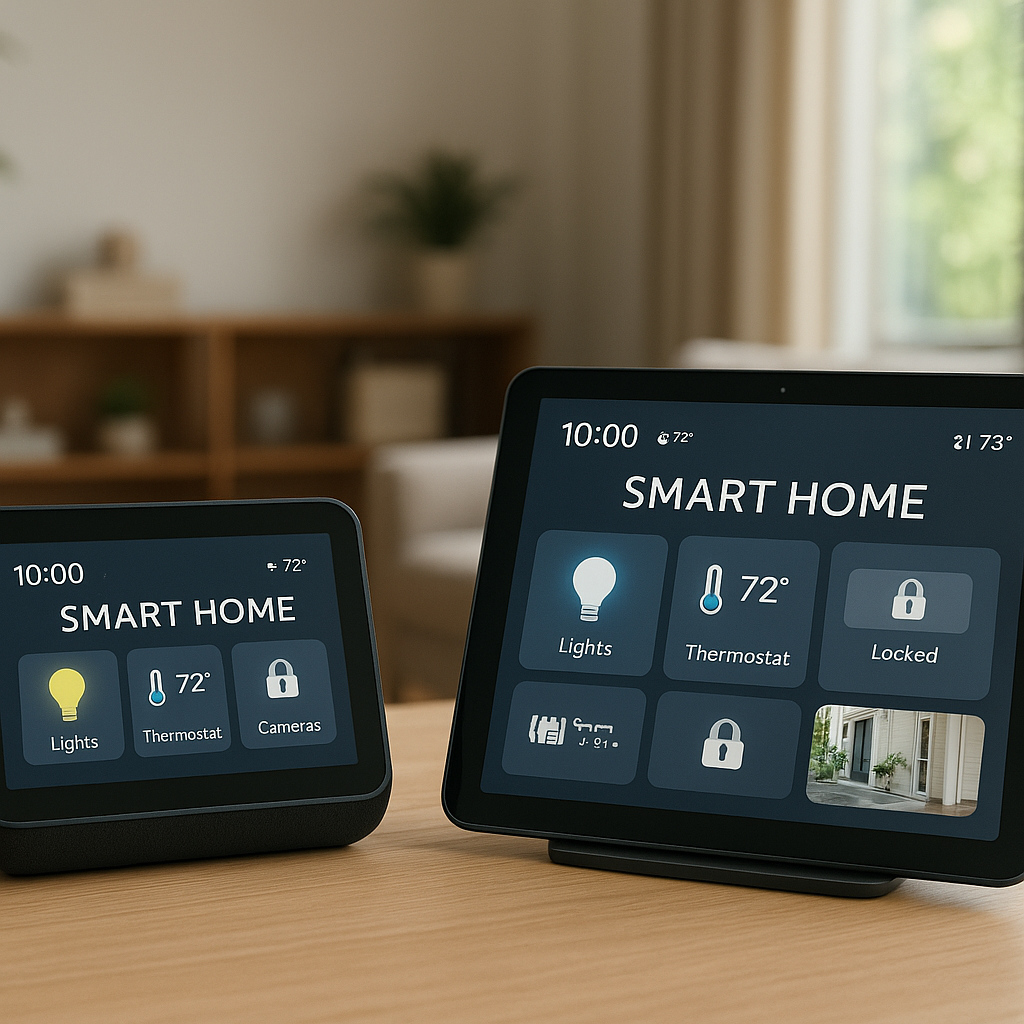
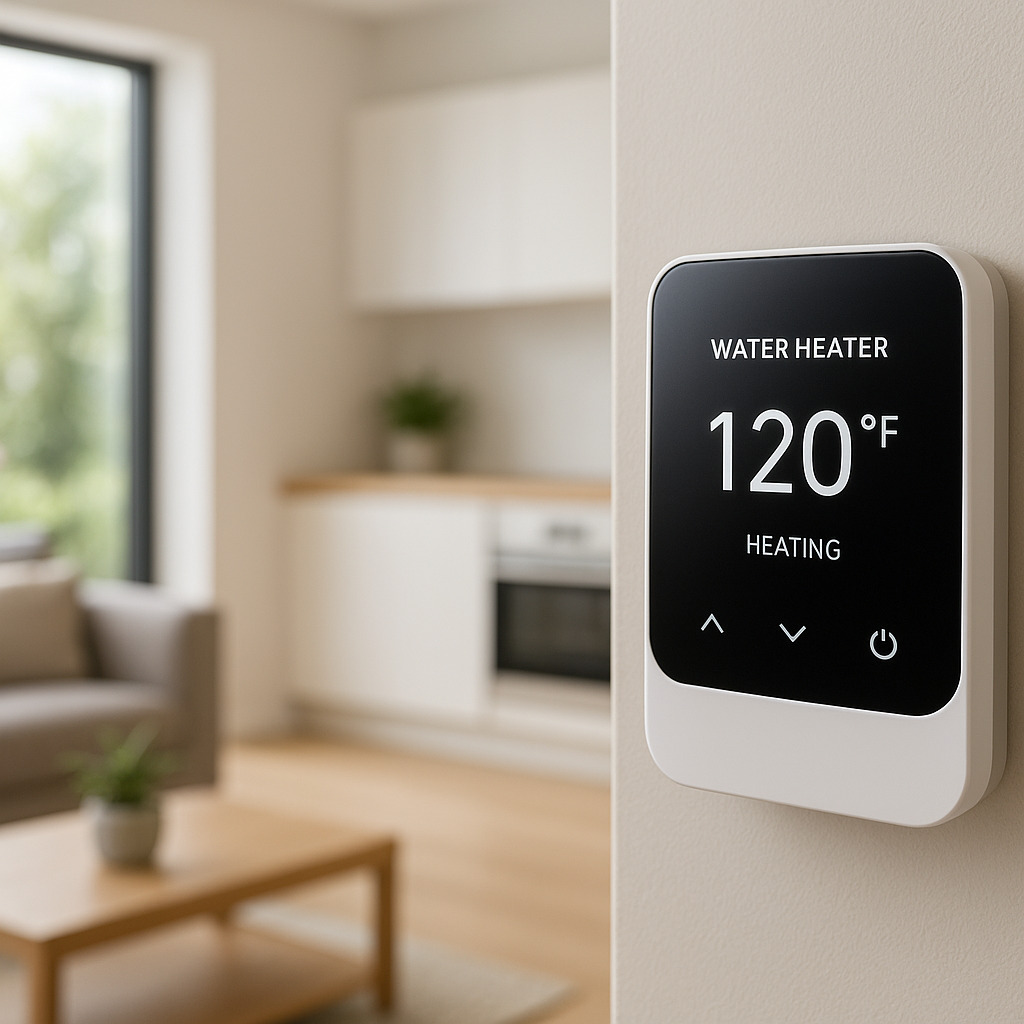
Upgrading to a smart thermostat should make your home more comfortable and efficient, not leave you staring at crooked plastic, exposed wall scars, or a thermostat that keeps dropping Wi‑Fi because it’s underpowered.
That’s where the right accessories come in. Wall plates, power extenders, stands, and room sensors don’t just “add on” features—they often fix the problems that make smart thermostats frustrating in real homes with old wiring and less-than-ideal wall locations.
This guide walks through the best smart thermostat accessories that actually solve problems. You’ll see when you really need each type of accessory, how to pick compatible parts for your thermostat brand, and a few example setups to copy.
Why Smart Thermostat Accessories Matter More Than You Think
Common installation problems a thermostat alone can’t fix
Even the best smart thermostat assumes your home is wired and laid out perfectly. Most aren’t. Common issues include:
- No C-wire: Many older HVAC systems don’t have a dedicated common (C) wire, so the thermostat doesn’t get stable power.
- Oversized or odd wall openings: Old mercury thermostats or multi-gang boxes leave big holes the new, smaller thermostat won’t cover.
- Weird mounting locations: Thermostats placed in hallways, next to supply vents, in stairwells, or on glass/stone walls give inaccurate readings or are hard to mount.
- Short or messy wires: Existing wires may be too short, unlabeled, or crammed in a deep box.
- Shared thermostats: In rentals or shared spaces, you may need physical protection or limits on who can change the temperature.
Accessories exist to work around these real-world problems without needing a complete HVAC or electrical remodel.
How the right accessories improve reliability, comfort, and aesthetics
The right accessories do three big things:
- Improve reliability: Power extenders and C-wire adapters prevent frequent reboots, Wi‑Fi dropouts, or randomly shutting off the display because the thermostat isn’t getting consistent low-voltage power.
- Improve comfort: Remote sensors, better placement via stands or alternative mounts, and avoiding drafty wall cavities help the thermostat measure the temperature where people actually live, not just in a hallway.
- Improve appearance: Wall plates, trim kits, and backplates cover scars, mismatched paint, and old screw holes so the finished install looks intentional instead of like a DIY patch job.
When it’s worth spending extra on accessories (and when it isn’t)
Accessories are usually worth it when they:
- Fix a safety or reliability issue (no C-wire, exposed wiring, overloaded transformer).
- Correct a bad location that would cause ongoing comfort problems.
- Prevent permanent damage or deposits in rentals (e.g., stands instead of drilling).
- Save you from hiring a pro for something you can easily fix with a simple kit.
You can often skip accessories that only add looks or redundancy, such as decorative plates when the wall is already clean, or extra sensors in rooms nobody uses regularly. Start with what solves a clear problem, then add nice-to-have upgrades later.
Quick Checklist: Do You Need Any Smart Thermostat Accessories?
Signs you need a wall plate or trim kit
You probably need a wall plate or trim kit if:
- The new thermostat is smaller than your old one and leaves visible unpainted areas or screw holes.
- There is a large rectangular or oddly shaped opening behind the old thermostat.
- You see parts of an electrical box, insulation, or bare drywall once the old unit is removed.
- The mounting surface isn’t perfectly flat (e.g., textured walls, slight gaps).
If any of these are true, a trim plate is a quick, inexpensive way to get a clean, finished look.
Signs you need a power extender or C-wire adapter
Look for these signs that you need a power solution:
- There is no wire connected to the C terminal at your old thermostat or at your furnace/air handler.
- Your new smart thermostat complains about low power or “no C-wire” during setup.
- The thermostat frequently reboots, goes blank, or drops Wi‑Fi after installation.
- You have a heat-only or cool-only system with very few wires present.
In these cases, a C-wire adapter or power extender module is often the simplest fix without running new cable.
Signs you need a stand, mount, or extra room sensors
Consider a stand, alternative mount, or sensors if:
- You rent and don’t want to patch and repaint walls when you move out.
- The existing thermostat location is in a hallway, near an exterior door, or directly in sunlight.
- Your home has hot and cold spots that never match the hallway temperature.
- Your walls are glass, stone, or concrete, making wiring or mounting difficult.
A stand or off-wall mount gets the thermostat into a better spot, and sensors let you “virtually” move the thermostat’s brain to the rooms that matter most.
Best Wall Plates and Trim Kits for a Clean, Finished Look
What wall plates and trim kits actually do (and don’t do)
Wall plates and trim kits are mostly about appearance and minor drafts:
- They do: Cover holes, mismatched paint, old anchor points, and gaps around electrical boxes. Some also add a bit of insulation between the thermostat and the wall.
- They don’t: Improve your Wi‑Fi signal, provide extra power, or change how your HVAC system works.
Think of them as the frame around a picture—your thermostat will work without one, but the overall installation looks more intentional when the plate matches the device and wall.
Best wall plate options for Nest, Ecobee, and generic smart thermostats
Most major brands offer matching plates:
- Google Nest: Nest offers an official trim kit in multiple colors that fits the Nest Learning Thermostat and Nest Thermostat. Many third-party plates are available in plastic or metal finishes sized for the circular Nest footprint.
- Ecobee: Recent Ecobee models usually include a rectangular backplate in the box, but you can also buy larger decorative plates from third parties if you’re covering a big opening.
- Honeywell / Resideo and Amazon Smart Thermostat: These are typically rectangular and often fit generic universal wall plates designed for modern thermostats.
- Generic Wi‑Fi thermostats: Look for “universal thermostat wall plate” options, checking the cutout dimensions against your thermostat’s spec sheet.
Always verify compatibility by checking the model number and the manufacturer’s dimensions.
How to choose the right size and color to cover old thermostat scars
To get the best match:
- Measure the old footprint: Before you remove the old thermostat completely, measure the height and width of the area you want to cover.
- Add a margin: Choose a plate at least 1–2 inches larger on each side than the damaged area.
- Match your wall or thermostat: White plates disappear against white walls; black or stainless plates can make a dark thermostat look intentional.
- Consider repainting: If your wall is heavily marked, a quick repaint of a small square behind the new plate plus a slightly oversized trim kit gives the cleanest result.
Installation tips: mounting height, alignment, and avoiding crooked installs
Even with a wall plate, alignment matters:
- Maintain typical thermostat height—around 48–60 inches from the floor for comfortable access and accurate readings.
- Use a small bubble level or your phone’s level app to align the plate before tightening screws.
- Tighten screws gradually and alternately (top then bottom) to avoid warping plastic plates.
- If mounting over a large hole, consider adding a small piece of scrap wood behind the drywall as a solid anchor point.
Taking a few extra minutes here saves you from looking at a noticeably crooked thermostat every day.
Best Power Extenders and C-Wire Adapters for No-C-Wire Homes
Why many smart thermostats need a C-wire (and what happens without one)
Smart thermostats are small computers that need constant low-voltage power. The C-wire provides that steady 24V return path from your HVAC transformer. Without it, the thermostat may try to “power steal” from other wires, which can cause:
- Screen flickering or reboots.
- Wi‑Fi disconnections.
- Short cycling or strange HVAC behavior.
- In some cases, damage to HVAC control boards.
If you’re curious about how low-voltage HVAC control wiring typically works, the overview on the thermostat article on Wikipedia can be helpful for grounding the basics.
Types of power solutions: add-a-wire kits, plug-in transformers, and manufacturer power extenders
There are three main ways to solve a missing C-wire:
- Manufacturer power extender modules (PEM): Brands like Ecobee include a module you install at the furnace control board. It reassigns existing wires to create a virtual C-wire without running new cable.
- Add-a-wire kits: Third-party kits electronically split one conductor into two signals, effectively giving you an extra wire when you only have a limited number available. These also install at the furnace end.
- Plug-in transformers: A low-voltage transformer plugs into a nearby outlet and runs a two-conductor cable directly to the thermostat’s R and C terminals, bypassing the furnace board for power. This is common for setups where running new thermostat cable is difficult.
Your choice depends on access to the furnace, number of existing wires, and how comfortable you are working around low-voltage wiring.
Best power extender options for Nest, Ecobee, Honeywell, and Amazon thermostats
Some good options that match popular brands:
- Google Nest: The official Nest Power Connector is designed specifically for Nest models and installs at the furnace or air handler. It’s safer than improvised power-stealing setups and is well-documented in Google’s support materials.
- Ecobee: Most Ecobee thermostats include an Ecobee Power Extender Kit (PEK) in the box. Use it unless your system is incompatible (e.g., some proprietary multi-stage systems).
- Honeywell / Resideo: Honeywell’s smart models often work with Resideo-branded add-a-wire kits or straightforward 24VAC transformers. Check your exact model’s installation guide for wiring diagrams.
- Amazon Smart Thermostat: Amazon provides wiring compatibility tools in the Alexa app and often recommends a C-wire adapter where needed.
For Nest-specific wiring diagrams and power connector help, Google’s own documentation at this Nest Power Connector support page is a useful reference during planning.
When to DIY vs call an HVAC pro for wiring changes
DIY is usually fine when:
- You’re only dealing with low-voltage (24V) thermostat wiring.
- You can clearly see and access the furnace control board.
- Your system is a common single-stage or dual-stage forced‑air setup, and the instructions match your wiring.
Call a pro if:
- You have high-voltage (line-voltage) baseboard heat or radiators.
- Your system involves heat pumps with auxiliary heat, multi-zone controls, or proprietary communicating thermostats.
- You see wiring that doesn’t match the diagrams or you’re unsure what any wires do.
Paying for an hour of HVAC time is cheaper than replacing a fried control board.
Best Stands and Alternative Mounts for Off-Wall Smart Thermostats
Why you might want a stand instead of a wall mount (renters, glass walls, odd wiring)
Wall mounting isn’t always practical. A stand or nontraditional mount helps when:
- You’re renting and want to avoid drilling or patching.
- Your existing wall location is terrible—on a stairway, next to an outside door, or where people never spend time.
- Your wall is glass, stone, tile, or another surface that’s hard or risky to drill.
- You’re adding a thermostat to control a mini-split or accessory zone where no wiring exists yet.
Using a stand lets you power the thermostat with a plug-in transformer and place it on a shelf or table in a better location.
Tabletop stands, shelf mounts, and magnetic mounts: what to know
Different mounting styles have different tradeoffs:
- Tabletop stands: Designed to sit on a console table, nightstand, or shelf. Great for renters and flexible placement but need a nearby outlet for power and can be bumped or knocked over.
- Shelf mounts: Small ledges that mount to the wall with minimal holes and support the thermostat like a tiny shelf. They keep the device visible without requiring a full backplate.
- Magnetic mounts: Use magnets or metal plates to attach thermostats to fridges, metal door frames, or other steel surfaces. Best for light thermostats and short cable runs.
Whichever you choose, plan cable routing so it looks intentional and doesn’t become a tripping hazard.
Recommended stands for popular smart thermostat brands
Examples of useful stand options include:
- Nest: Google’s official Nest Stand for some models allows placement on shelves or tables with a hidden cable channel.
- Ecobee: Third-party tabletop stands are available that fit Ecobee’s rectangular footprint and route a power cable neatly.
- Honeywell and Amazon: Universal stands designed for 24V smart thermostats can often fit these models, as long as the front plate dimensions match.
Always confirm support for low-voltage wiring and that the stand doesn’t block any necessary airflow or sensors on the back of the thermostat.
Placement tips to avoid false temperature readings and motion detection issues
For accurate readings and occupancy detection:
- Place the thermostat or stand about chest to eye level (roughly 4–5 feet high) in a room you use often.
- Avoid direct sunlight, nearby lamps, fireplaces, or electronics that give off heat.
- Keep it away from supply vents, exterior doors, and drafty windows.
- If the thermostat has presence or motion detection, angle it toward typical walking paths and seating areas.
Treat it like placing a room sensor: somewhere representative of the overall comfort you care about.
Remote Room Sensors and Temperature Sensors That Actually Help
How room sensors fix hot/cold spots that the main thermostat can’t see
The thermostat measures temperature where it’s installed, which is often a hallway. Hallways don’t always match bedrooms, living rooms, or basements. Remote sensors solve this by:
- Reporting temperature (and sometimes occupancy) from other rooms.
- Letting the thermostat average multiple readings or prioritize specific rooms at certain times.
- Reducing hot and cold spots, especially in two-story homes or open floor plans.
Instead of constantly adjusting the thermostat because the bedroom is too hot while the hallway is fine, sensors let the system adapt automatically.
Best remote sensor options for Ecobee, Nest, and other ecosystems
Popular ecosystems handle sensors differently:
- Ecobee: Ecobee Room Sensors and SmartSensors connect directly to the thermostat, providing temperature and occupancy data. They’re among the most flexible options.
- Nest: Nest Temperature Sensors pair with compatible Nest thermostats and report temperature only. The thermostat can prioritize certain sensors during specific schedules.
- Other ecosystems: Some Honeywell and third-party Wi‑Fi thermostats support proprietary sensors. In broader smart home setups, you can also use smart motion and temperature sensors (Zigbee, Z-Wave) via hubs, but integration varies.
Stick with official sensors when possible to ensure reliable pairing and clear configuration in the app.
Where to place sensors in bedrooms, basements, and open floor plans
Placement tips by area:
- Bedrooms: Place sensors at about 3–5 feet high on an interior wall, away from windows and direct airflow. Don’t place them directly above radiators or next to lamps.
- Basements: Avoid exterior walls if they’re significantly colder. Place the sensor near the main seating or activity area instead.
- Open floor plans: One sensor near the main seating area and another near the kitchen or dining area often works well, then let the thermostat average them.
Check readings after a few days and adjust locations if a sensor seems consistently off from how the room actually feels.
Using schedules and occupancy detection with room sensors
Sensors are most powerful when combined with schedules and occupancy:
- Use bedroom sensors as the priority at night so the system targets comfortable sleeping temperatures.
- Use living room or office sensors during the day when those rooms are occupied.
- Enable occupancy detection (where available) so the thermostat ignores empty rooms, saving energy.
- Adjust schedules seasonally if you use different rooms more in summer vs winter.
A few minutes configuring sensor priorities in the app can significantly improve comfort without raising your energy bill.
Backplates, Wire Labels, and Mounting Hardware You’ll Be Glad You Bought
Backplates and adapter plates for covering oversized gang boxes
Some older installations use full-size electrical boxes behind thermostats. A small smart thermostat might not cover these, leaving gaps. Backplates and adapter plates:
- Cover large rectangular openings from standard or oversized boxes.
- Provide sturdy mounting points so the thermostat doesn’t flex or wobble.
- Give a clean edge where drywall or plaster meets the box.
If you see a metal or plastic box when you remove the old thermostat, plan on using a backplate, adapter plate, or a larger trim kit.
Wire labels, terminal blocks, and low-voltage tools that simplify installs
Simple accessories can turn a stressful install into a straightforward one:
- Wire labels: Small stickers or tags to mark each wire (R, C, W, Y, G, etc.) before disconnecting. Many thermostats include a sheet; you can also buy generic kits.
- Terminal blocks or splice connectors: Helpful if wires are too short; they let you safely extend low-voltage conductors.
- Low-voltage tools: A small screwdriver set, wire stripper, and non-contact voltage tester (for safety) make the job easier.
Labeling wires and taking a clear photo of the original wiring are two of the best “accessories” you can use.
Surge protection and whole-home protection considerations
Smart thermostats are small electronics subject to power issues. Consider:
- Whole-home surge protection installed at the main panel to reduce the risk from lightning and grid spikes.
- A dedicated HVAC surge protector on your furnace or air handler, especially in storm-prone areas.
- Ensuring the HVAC transformer is correctly sized and not overloaded by additional accessories.
These aren’t mandatory, but they can protect not just the thermostat, but also your furnace control board and other electronics.
Smart Thermostat Covers, Guards, and Child-Proofing Accessories
Lockable covers for rentals, short-term rentals, and offices
In shared spaces, uncontrolled thermostat changes can waste a lot of energy. Lockable thermostat covers:
- Physically block access to buttons and touchscreens.
- Let you set a maximum and minimum range or lock the thermostat fully while still allowing smart app control.
- Deters guests or employees from drastically changing settings.
These are especially useful in short-term rentals, small offices, and multi-tenant properties.
Tamper-resistant options that still allow smart control
For smart thermostats, choose covers that:
- Provide enough internal depth for the device so buttons aren’t pressed by the cover.
- Allow Wi‑Fi signals to pass through (plastic is usually fine; avoid solid metal).
- Have small cutouts if you need to see the display without giving direct touch access.
You can then adjust temperature remotely in the app or via voice assistants, while keeping physical access restricted.
Pet and child-proofing: preventing button mashing and accidental changes
Kids and curious pets can easily tap or bump thermostats at their level. For families, consider:
- Simple screw-on guards that prevent direct screen touches while leaving the display visible.
- Mounting the thermostat slightly higher if you’re doing new construction or a major remodel.
- Enabling software locks or PIN protection on the thermostat (available on some models).
These small changes prevent accidental 80°F heat blasts or AC running all night because of an errant paw swipe.
Accessory Compatibility: Matching Parts to Your Thermostat Brand
Nest, Ecobee, Honeywell, and Amazon Smart Thermostat: what’s interchangeable?
Some accessories are brand-specific, while others are universal:
- Brand-specific: Power extenders, remote sensors, and many stands are designed for specific thermostat families (e.g., Ecobee SmartSensor, Nest Power Connector).
- Mostly universal: Wall plates, backplates, wire labels, and generic lockable covers often work across brands as long as the physical size matches.
- App and cloud features: Sensors and advanced accessories that integrate through apps are almost always brand-locked.
Always check the accessory description for a compatibility list and compare it with your exact thermostat model.
Voltage and wiring compatibility: low-voltage vs line-voltage (high-voltage) systems
Before buying any accessory, confirm whether your system is:
- Low-voltage (24V): Common in forced-air furnaces, heat pumps, and central AC. Most smart thermostats and their accessories are designed for this.
- Line-voltage (120V/240V): Common in electric baseboard heaters and some radiant systems. These usually require special thermostats and different accessories.
Never mix accessories made for low-voltage thermostats with high-voltage systems. If your old thermostat connects two thick 120V or 240V wires, consult an electrician or HVAC pro before proceeding.
How to check your model number and accessory requirements
To avoid compatibility issues:
- Find your thermostat’s exact model number on the back of the wall plate, in the app, or in settings.
- Search the manufacturer’s support site for accessory recommendations and wiring diagrams for that model.
- Check any third-party accessory listing for confirmed compatible models.
Spending a few minutes checking documentation avoids buying parts that almost fit but not quite.
DIY vs Professional Help: When to Call an Electrician or HVAC Tech
Accessories you can safely install yourself
Most homeowners can comfortably DIY:
- Wall plates, trim kits, and backplates on drywall.
- Tabletop stands and non-wired mounts.
- Remote room sensors that just pair wirelessly.
- Lockable covers and guards that screw into drywall or attach with anchors.
- Basic low-voltage wiring at the thermostat end, following the manual.
Turn off power to the HVAC system at the breaker before disconnecting any thermostat wires.
Red flags that your wiring or system needs a pro
Call a pro if you see:
- Thick wires connected directly to 120V or 240V power.
- Complex multi-zone panels, unfamiliar control boards, or many bundled cables.
- Evidence of previous DIY splices or taped-up connections near the furnace.
- Any sign of burning, corrosion, or water damage around HVAC controls.
A technician can also advise whether your transformer can handle additional loads from C-wire adapters and smart accessories.
How to document your wiring before any changes
Before you loosen a single screw:
- Take clear photos of the old thermostat wiring, showing which color goes to which terminal.
- Label each wire using the included stickers or masking tape and a pen.
- Repeat the photo-and-label process at the furnace or air handler end if you’re installing a power extender.
Good documentation is your safety net if you need to put things back the way they were or ask a pro for help later.
Budget Planning: How Much to Spend on Smart Thermostat Accessories
Must-have vs nice-to-have accessories for most homes
For a typical single-family home with a central HVAC system, the priority list usually looks like:
- Must-have: A reliable power solution (C-wire, extender, or adapter) if your system doesn’t already provide stable power.
- Often worth it: A trim kit or wall plate if the old footprint looks bad, and at least one remote sensor if your thermostat sits in a hallway.
- Nice-to-have: Stands, decorative plates, extra sensors for less-used rooms, and lockable covers for families without tampering issues.
Start with what fixes clear problems, then add comfort or aesthetic upgrades as budget allows.
Typical price ranges for plates, extenders, stands, and sensors
As of now, you can expect roughly:
- Wall plates and trim kits: around $10–$30 depending on size and finish.
- Manufacturer power extenders or C-wire adapters: around $20–$40.
- Tabletop stands and alternative mounts: around $15–$40.
- Remote room sensors: around $25–$50 each, often cheaper in multi-packs.
- Lockable covers and guards: around $15–$50 depending on size and lock quality.
Budget an extra 20–30% above the thermostat price if you know you’ll need multiple accessories.
Buying OEM vs third-party: when cheaper is fine and when it’s risky
Original equipment (OEM) accessories cost more but are guaranteed to fit and work with your model. Third-party parts can be great value when:
- You’re buying simple, passive parts such as wall plates, backplates, or basic stands.
- You carefully verify dimensions and bolt patterns in the product description.
Stick to OEM for:
- Power extenders and C-wire adapters that interact with your HVAC electronics.
- Wireless sensors that need perfect compatibility with the thermostat app.
Saving a few dollars isn’t worth the risk of unstable power or unreliable sensor readings.
Step-by-Step Example: Fixing a Tricky Smart Thermostat Install
Scenario 1: No C-wire and an ugly oversized wall opening
Imagine you replace a big, old thermostat and discover:
- A large rectangular hole behind it.
- No C-wire available at the thermostat location.
A practical fix:
- Turn off power to the HVAC system at the breaker.
- Take photos and label all existing wires at both the thermostat and furnace ends.
- Install a manufacturer power extender module (e.g., Nest Power Connector or Ecobee PEK) at the furnace, following the wiring diagram.
- Mount a large trim kit or backplate that fully covers the hole.
- Attach the thermostat to the plate, connect the now-powered wires, and restore power.
You end up with stable power and a clean-looking wall without patching drywall.
Scenario 2: Thermostat stuck in a bad hallway location
Your existing thermostat is in a drafty hallway that doesn’t represent how warm or cool your living room feels. Options:
- Add remote room sensors (Ecobee, Nest, etc.) in the main living area and bedroom.
- In the app, prioritize those sensors for comfort during the day and night respectively.
- If possible, slightly adjust the thermostat’s location on the wall away from drafts and vents, using a new backplate if needed.
Now the system bases decisions on the rooms you actually use, instead of a corridor that nobody spends time in.
Scenario 3: Rental home where you can’t run new wires or drill
In a rental, you want a smart thermostat but can’t make permanent changes:
- Use a plug-in transformer to supply 24V power to a compatible smart thermostat on a tabletop stand.
- Place the stand on a shelf or console table in a central room.
- Use remote sensors (if supported) in the bedroom or office for better comfort.
- When you move out, unplug everything and take it with you—no patching, no repainting.
This setup gives you smart control without touching existing thermostat wiring or drilling new holes.
Final Recommendations: Best Smart Thermostat Accessories for Most Setups
Starter kit: minimal accessories for a clean, reliable install
For most homeowners installing a smart thermostat for the first time, a solid starter accessory kit looks like:
- One compatible power extender or C-wire adapter (if your system doesn’t already provide stable power).
- A trim plate or wall plate sized to cover the old thermostat area.
- Wire labels and a small screwdriver set if you don’t already have tools.
These cover appearance and reliability, which are the most common pain points.
Upgrades for comfort: sensors and better mounting options
Once the basics are done, consider adding:
- 1–3 remote room sensors for bedrooms, living rooms, or basements with comfort issues.
- A stand or alternative mount if your current thermostat location is poor or you’re renting.
- Light child-proofing or a simple guard if your thermostat sits at kid or pet height.
These upgrades focus on how your home actually feels, not just what the hallway temperature says.
How to future-proof your setup for your next smart thermostat
To make future upgrades easier:
- Have a proper C-wire (or equivalent power solution) in place now.
- Use a universal backplate or adapter plate that can accept multiple thermostat shapes with minimal patching.
- Choose accessories (like lockable covers and stands) that fit standard sizes rather than only one brand.
- Keep photos and notes of your wiring and accessory setup for reference later.
That way, when you eventually upgrade to the next generation thermostat, you won’t have to start from scratch.
Conclusion
Smart thermostats work best when they’re installed in real homes, not ideal diagrams. Accessories like wall plates, power extenders, stands, and room sensors bridge that gap—fixing odd wiring, bad locations, and ugly wall scars. You don’t need every accessory, but choosing a few that match your home’s specific quirks can mean the difference between a frustrating gadget and a reliable comfort upgrade.
Start by solving power and placement issues, then layer on sensors and protective covers where they make life easier. With a bit of planning, your smart thermostat can look clean, run reliably, and keep the rooms you care about at the right temperature year-round.
FAQ
Do I really need a C-wire for my smart thermostat?
Not every system has or absolutely requires a C-wire, but most modern smart thermostats work more reliably with one. If your thermostat offers a dedicated C-wire connection and your system supports it, adding a C-wire or power extender is one of the best ways to avoid random reboots and Wi‑Fi drops.
Can I use third-party room sensors with my smart thermostat?
Usually not directly. Ecobee and Nest, for example, require their own branded sensors to integrate with the thermostat’s app and scheduling features. Some smart home hubs can combine multiple brands, but that’s a more advanced setup and depends on your ecosystem.
Are thermostat wall plates universal?
Many generic wall plates are close to universal, but they still depend on size and mounting hole spacing. Always check the listed dimensions and see if the plate is advertised as compatible with your specific thermostat family or at least with similar models.
Will a lockable cover stop the thermostat from working with Wi‑Fi or voice assistants?
A properly designed plastic lockable cover will not block Wi‑Fi or prevent app and voice control. Just avoid metal covers that can interfere with wireless signals, and make sure the cover doesn’t press against buttons or the touchscreen.
Is it safe to extend short thermostat wires myself?
Extending low-voltage thermostat wires is typically safe for a careful DIYer, as long as you turn off power at the breaker first and use proper low-voltage connectors. If you see signs of damage, unfamiliar wiring, or high-voltage conductors in the same box, stop and call a professional.