Smart ovens and connected ranges are great, but the easiest way to improve your cooking is still getting doneness right. That’s exactly what the Meater 2 Plus aims to do: give you a truly wireless, app-guided meat thermometer that makes it very hard to ruin a good steak, roast, or whole chicken.
This Meater 2 Plus review walks through setup, accuracy, range, app features, and real-world use so you can decide if it deserves a permanent spot in your smart kitchen.
Meater 2 Plus Review: Quick Verdict
The Meater 2 Plus is a fully wireless smart meat thermometer that lives in your food while it cooks and sends temperatures to an app on your phone. It combines multiple internal sensors, an ambient sensor, and a smart algorithm to predict when your food will be done and when to take it off the heat.
Compared with juggling instant-read thermometers and mental math, it’s dramatically easier. You pick your meat and doneness in the app, insert the probe, and follow the prompts. The app tracks both internal and ambient temperatures, estimates finish time, and warns you before you overshoot.
It’s not the cheapest option and it’s more complex than a simple leave-in probe, but for home cooks who care about consistent results, it’s one of the most user-friendly smart thermometers available.
Who the Meater 2 Plus Is For (and Who It Isn’t)
The Meater 2 Plus is a strong fit if you:
- Regularly cook steaks, roasts, whole chickens, or brisket and want consistent, repeatable results.
- Use a grill, smoker, or oven and don’t want wires hanging out of the door or lid.
- Like using your phone or tablet as your cooking command center.
- Have a smart kitchen with devices like an Echo Show, Google Nest Hub, or connected range and want everything to work together.
It may not be ideal if you:
- Only occasionally cook large cuts of meat and are happy to cut and check doneness by eye.
- Prefer a simple instant-read thermometer with no apps or connectivity.
- Mostly cook thin foods (like burgers or thin chicken cutlets) where inserting a larger probe can be awkward.
- Don’t want to rely on a phone or tablet during cooking.
Pros and Cons at a Glance
Pros
- Truly wireless probe—no cables or base unit in the way.
- Multiple internal sensors help with accuracy and flexible placement.
- Excellent high-heat tolerance for grilling, searing, and smoking.
- Intuitive app with guided cooks and clear alerts.
- Longer wireless range than earlier Meater models.
- Compact charging case that doubles as a signal booster.
>
Cons
- Pricey compared with basic Bluetooth probes.
- Requires a smartphone or tablet; no stand-alone display.
- Range can still be limited by thick walls or metal grills.
- Not ideal for very thin cuts.
Key Upgrades vs the Original Meater and Meater Plus
If you’ve seen earlier Meater models, the Meater 2 Plus builds on them with several important improvements:
- More sensors: The 2 Plus uses multiple temperature sensors along the probe for more accurate readings and better placement options, especially in thicker cuts.
- Higher heat tolerance: It’s rated for very high ambient temperatures, so it handles direct grilling, high-heat searing, and pizza-oven-style cooking better than the original models.
- Improved range: The charging case acts as a stronger repeater, helping your phone stay connected from further away than the original Meater.
- Updated app experience: The overall interface, guided cooks, and range indicators have been refined based on years of feedback from earlier Meater devices.
Design, Build Quality, and What’s in the Box
The Meater 2 Plus is designed to be as unobtrusive as possible during cooking. The probe disappears into your food, while the small wooden or composite charging block sits nearby and acts as a signal bridge.
Probe Design, Materials, and Heat Resistance
The probe is a slim metal cylinder with a sharp tip on one end and etched markings to help you insert it to the correct depth. This is important: the markings show how far the probe needs to go into the meat so the sensitive internal sensors are fully inside, protected from ambient grill or oven heat.
The body is stainless steel with high-temperature-safe construction designed to withstand oven, grill, and smoker use. Meater rates the probe for typical internal meat temperatures and very high ambient heat, so you can use it for:
- Reverse-searing steaks.
- High-heat pizza ovens.
- Long smoking sessions for brisket or pork shoulder.
- Whole chickens and turkeys at roasting temperatures.
The probe is also sealed against moisture, making it suitable for wet cooks like sous vide or when grilling in the rain, as long as you keep the wooden case away from heat and water.
Charger/Case Design and Battery Life
The charging case is a slim block with a magnetized slot that holds the probe. It usually runs on a single replaceable battery (like AAA), and one battery charge is rated to power many probe recharges—typically enough for months of normal home use.
The case has three key roles:
- Charging: It tops up the probe between cooks.
- Storage: It keeps the probe safe, dry, and easy to find in a drawer or stuck magnetically to a metal surface.
- Signal repeater: It bridges the probe’s Bluetooth signal to your phone, helping extend range.
Unboxing: What You Actually Get
Inside the Meater 2 Plus box you can expect:
- 1 × Meater 2 Plus wireless probe.
- 1 × charging/storage case.
- Pre-installed or included battery for the case (varies by region).
- Quick-start guide with QR codes to download the app.
You won’t find a dedicated base station with a screen; your phone or tablet is the primary interface.
Setup Experience and App Walkthrough
Setup is straightforward, even if you’ve never owned a smart cooking gadget.
Pairing the Meater 2 Plus With Your Phone or Tablet
To get started, you:
- Install the Meater app from the iOS App Store or Google Play.
- Insert or confirm the battery in the charging case.
- Place the probe in the case so it wakes up and charges.
- Open the app and follow the pairing prompts.
The app guides you through Bluetooth pairing and firmware updates if needed. Expect just a few minutes before you’re ready to cook.
Connecting to Wi‑Fi and Extending Range
Out of the box, the Meater 2 Plus uses Bluetooth between the probe and case, and between the case and your phone. For longer range, you can enable Meater Cloud by:
- Connecting your phone or a nearby tablet to your home Wi‑Fi.
- Signing up for or logging into a Meater account in the app.
- Enabling cloud access, which routes readings over the internet.
Once set up, you can leave a phone or tablet near the grill or oven as a bridge, then monitor your cook from another device elsewhere in the house—or even away from home, as long as your bridge device stays nearby.
First-Time Guided Cook Setup (Choosing Meat, Doneness, and Alerts)
The first guided cook walks you through the core features:
- Selecting the meat type (beef, pork, poultry, fish, etc.).
- Choosing the cut (ribeye, tenderloin, whole chicken, etc.).
- Picking a doneness level (for example, medium-rare steak or well-done chicken).
- Confirming target internal temperature, which you can override if you prefer custom temps.
The app then shows an estimated cooking time, and you can turn on alerts for key moments, such as “Flip steak,” “Remove from heat,” and “Resting complete.” The interface is friendly enough that even a beginner can follow it without guessing.
Cooking Performance: Does It Really Stop You Overcooking Steak?
The big promise of the Meater 2 Plus is taking the guesswork out of doneness. It does this by combining internal temperature readings, ambient temperature, and an algorithm that learns during the cook.
Temperature Accuracy and Responsiveness in Real-World Tests
In practice, users report that the probe tracks closely with trusted instant-read thermometers for most cuts, especially when inserted to the etched depth mark. Because it has multiple internal sensors, it can average readings or use the most relevant one, which helps when the probe is not perfectly centered.
Responsiveness is fast enough for most home scenarios: internal temperature curves are smooth, and the app updates often enough that you can see the effect of opening the grill lid or changing oven rack position.
Testing With Steak, Chicken, Pork, and Larger Roasts
The Meater 2 Plus shines on thicker cuts and longer cooks:
- Steak: For reverse-seared ribeyes or strip steaks, the app helps you pull them at the right time before searing and again before serving.
- Chicken: Whole roast chickens and bone-in thighs benefit from internal monitoring to avoid undercooked centers.
- Pork: Roasts and tenderloins can be cooked to safe but still juicy temperatures without relying on guesswork.
- Large roasts: Brisket, pork shoulder, and prime rib take many hours; being able to see the temperature stall and projected finish time can be a major stress reliever.
Carryover Cooking Predictions and Resting Recommendations
One standout feature is how the app predicts carryover cooking—the rise in internal temperature after you remove the meat from the heat. The Meater app estimates where the temperature will end up and often recommends removing meat a bit before the final target.
For example, if you want a steak to rest at 135°F (medium-rare), the app might tell you to take it off at around 130°F and rest it for a few minutes. This is based on typical carryover for the cut and cooking method, and you can watch the curve in the app as it finishes.
Reliability of Notifications and Alarm Timing
Notifications are critical—if they fail, the whole system falls apart. In a normal home Wi‑Fi and Bluetooth environment, alerts are generally reliable as long as:
- Your phone or bridge tablet stays within range of the case.
- Battery levels are healthy in both the probe and case.
- You’ve allowed notifications in your phone’s OS settings.
Alarms fire when you hit milestones: near-target temp, target reached, and rest complete. You can adjust the lead time for alerts if you like a bigger buffer before target.
Wireless Range and Smart Connectivity
Range is where many Bluetooth thermometers struggle, especially through walls or metal grill lids. The Meater 2 Plus improves on earlier models but still depends on your home layout.
Bluetooth vs Wi‑Fi Performance in a Typical Home Kitchen
Over short distances in the same room or just outside by the grill, Bluetooth range is usually solid. The case acts as a repeater, so even if your phone is on a nearby counter, you’re likely to maintain a connection.
Through several walls or floors, range naturally drops. In many average-sized homes, you can roam between kitchen, living room, and patio without losing signal, but going to a far bedroom might be pushing it. That’s where Wi‑Fi and Meater Cloud come in.
Using Meater Cloud for Remote Monitoring Away From Home
By turning on Meater Cloud, you can leave a phone or tablet near the grill or smoker and check your cook from another device over the internet. This is particularly helpful for:
- Overnight smokes where you want to check progress from the bedroom.
- Running short errands while a long cook continues.
- Monitoring from a home office while the roast finishes downstairs.
For more background on how meat thermometers work and why placement matters, see the food thermometer overview on Wikipedia.
Multi-Device Control: Phone, Tablet, or Shared Household Access
You can sign into your Meater account on multiple devices, which makes it easy for a partner or housemate to keep an eye on dinner too. For example, you might start a cook from an iPhone but monitor it later from an iPad on the counter or your partner’s Android phone.
This flexibility fits well in homes where more than one person cooks or where you like to keep a tablet in the kitchen as a dedicated cooking screen.
App Features and Smart Cooking Assist
The app is the brains of the system. Even if you’re not tech-savvy, the layout is approachable: big temperature numbers, clear graphs, and simple buttons.
Guided Cooks and Presets for Different Meats and Doneness Levels
Guided cooks are prebuilt programs that take you from raw meat to plated dish with minimal decisions. You choose the meat, cut, and doneness, and the app loads recommended targets. This is particularly helpful if you’re not yet confident about what temperature medium-rare or juicy chicken should be.
The presets are based on common cooking guidelines, and you can see both the target internal temperature and the estimated time remaining.
Custom Targets, Timers, and Alert Settings
If you prefer more control, you can set custom target temperatures, timers, and alerts. This is useful if you:
- Follow specific chef recommendations for steak temps.
- Adjust chicken temperatures depending on whether you’re cooking breasts or thighs.
- Want an early warning when your roast gets within a certain number of degrees of the target.
Timers can also be used for non-temperature tasks like reminding you to baste, spritz, or rotate food.
Graphs, Historical Cooks, and Learning From Past Results
One of the underrated perks of a smart thermometer is data. The app records your cooks with graphs that show internal and ambient temperatures over time. This lets you:
- See how your grill holds temperature during a long smoke.
- Compare two similar cooks to refine technique.
- Understand how opening the lid or changing burner settings affects the cook curve.
Over time, this history helps you dial in your favorite recipes and repeat successes.
Smart Home Integration in the Kitchen
If you already use Alexa, Google Assistant, or smart displays, the Meater 2 Plus can slot into that ecosystem.
Using Meater 2 Plus With Alexa and Google Assistant
Once you’ve linked your Meater account to Alexa or Google Assistant, you can use voice commands like:
- “Alexa, ask Meater how my steak is doing.”
- “Hey Google, what’s the internal temperature of my roast?”
This is especially handy if your hands are messy or you’re juggling multiple tasks in the kitchen.
Voice Alerts Through Smart Speakers and Displays
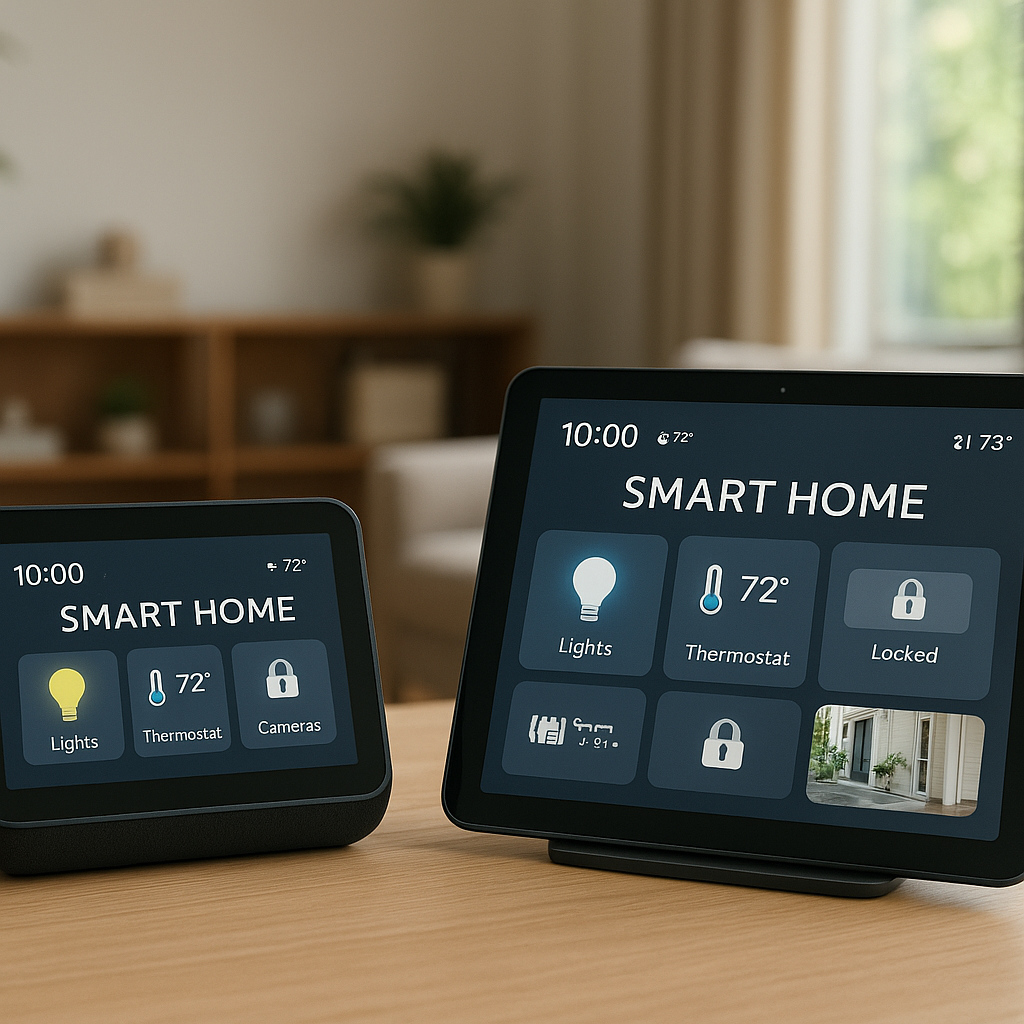
Beyond simple queries, you can use smart speakers and displays (like an Echo Show or Nest Hub) as notification endpoints. Instead of relying solely on your phone buzzing in another room, you can hear or see alerts on your kitchen display or living room speaker.
For families that already lean on smart speakers for timers and shopping lists, this makes the Meater feel like a natural extension of the existing workflow.
How Well It Fits Into a Smart Kitchen Workflow
In a smart kitchen with connected lights, speakers, and maybe even a smart oven, the Meater 2 Plus becomes your “doneness sensor.” For example:
- Start your cook with the Meater app.
- Use a smart display to show the temperature graph on the counter.
- Rely on voice alerts instead of constantly checking your phone.
- Log your results and adjust next time, just like you might with a smart scale for baking.
It doesn’t directly control your oven or grill, but it gives you the data you need to make smarter decisions.
Cleaning, Care, and Durability
Smart gadgets in the kitchen need care, and the Meater 2 Plus is no different. Proper cleaning and storage will extend its life and keep readings reliable.
How to Clean the Probe Safely Without Damaging Sensors
After each cook:
- Let the probe cool until it’s safe to handle.
- Wipe off heavy grease with a paper towel.
- Wash the metal portion with warm soapy water and a soft sponge.
- Avoid abrasive pads that could scratch the metal or damage seals.
- Don’t submerge or soak the wooden or electronic portions of the case.
Dry the probe thoroughly before placing it back in the case to charge.
Storage, Charging Habits, and Extending Lifespan
Store the probe in its case whenever you’re not cooking. This keeps the electronics protected and ensures it’s charged for next time. A few simple habits help:
- Replace the case battery when the app warns you about low power.
- Keep the case away from direct heat, open flames, or very humid environments.
- Avoid leaving the probe loose in drawers where it can be bent or damaged.
Water Resistance and Using Meater 2 Plus on the Grill or Smoker
The probe is designed to handle steam, splashes, and typical grill/oven conditions. It’s suitable for use in covered grills and smokers, as well as in moist environments like roasting pans with liquid.
Just remember that the case is not heatproof and should stay away from direct grill heat or heavy rain. Position it on a nearby side table, shelf, or indoor windowsill within range.
Meater 2 Plus vs Competing Smart Meat Thermometers
There are many smart thermometers on the market, from entry-level Bluetooth probes to serious pitmaster tools. Here’s how the Meater 2 Plus stacks up.
Meater 2 Plus vs Original Meater/Meater Plus
Compared with the original Meater and Meater Plus, the 2 Plus offers:
- More robust internal sensing for improved accuracy.
- Higher ambient heat ratings, making it safer for very hot cooks.
- Better wireless performance through its updated case and electronics.
- A more refined app experience, benefiting from years of feedback.
If you already own a Meater Plus and are happy with its range and capabilities, the upgrade is nice but not mandatory. If you’re buying your first Meater, the 2 Plus is the clear choice.
Meater 2 Plus vs ThermoWorks Signals and Other Pro-Level Options
Pro-level tools like ThermoWorks Signals or Smoke X prioritize maximum accuracy and multiple wired probes. They’re excellent for serious smoking and competition barbecue, but they involve cables and base units.
The Meater 2 Plus, in contrast, prioritizes convenience and a cable-free experience. If you want the absolute tightest control over several zones in a smoker, a multi-probe wired system still wins. If you want simplicity, portability, and a clean setup for everyday home cooking, the Meater 2 Plus is easier to live with.
Meater 2 Plus vs Cheaper Bluetooth Probes: Is the Upgrade Worth It?
Cheaper Bluetooth thermometers can cost a fraction of the Meater 2 Plus and often include several wired probes. They do the job, but you usually trade off:
- App quality and long-term support.
- Wireless range and stability.
- Build quality and high-heat safety margin.
- Truly wire-free experience.
If you only cook large cuts a few times a year, a budget probe may be enough. If you value reliability, a polished app, and fewer wires around hot surfaces, the Meater 2 Plus justifies its higher price for many households.
Price, Value, and Who Should Buy It
The Meater 2 Plus sits at the higher end of consumer meat thermometers, but it also offers one of the most streamlined smart cooking experiences available.
How Pricing Compares to Similar Smart Temperature Probes
The official pricing and specs can be found on the Meater 2 Plus product page. It typically costs more than multi-probe Bluetooth thermometers and somewhat less than pro-grade multi-channel pitmaster setups.
You’re mostly paying for the wireless probe design, high-heat capability, and polished app rather than lots of individual probes.
Is Meater 2 Plus Overkill for Casual Home Cooks?
If your cooking is mostly weeknight stir-fries, pasta, and frozen pizza, then yes, the Meater 2 Plus is overkill. A basic instant-read thermometer is cheaper and probably all you need.
But if you:
- Frequently cook steaks or roasts for guests.
- Use a grill or smoker most weekends.
- Care about hitting specific doneness levels consistently.
then the Meater 2 Plus goes from “nice gadget” to “tool you rely on.”
When Spending More on Accuracy Actually Saves You Money and Stress
Good cuts of meat are expensive. Overcooking a prime rib, rack of lamb, or several ribeyes can waste far more than the cost difference between a budget thermometer and the Meater 2 Plus.
By reducing ruined cooks and helping you hit the sweet spot more often, a reliable smart thermometer can pay for itself over time—not to mention the stress it saves when hosting a dinner or holiday meal.
Troubleshooting Common Meater 2 Plus Issues
No smart device is perfect. Here are some common issues and practical fixes.
Connection Drops, Range Problems, and How to Fix Them
If you see frequent disconnects:
- Move the case closer to the grill or oven, but away from direct heat.
- Keep your phone or bridge tablet within a room or two of the case.
- Avoid placing the case behind metal objects that can block Bluetooth signals.
- Enable Meater Cloud and use Wi‑Fi if you need to walk far away.
Battery and Charging Problems With the Probe or Case
If the app reports low probe battery or the probe won’t wake up:
- Replace the battery in the case and try again.
- Ensure the probe is fully seated in the case and the LEDs (if present) show charging.
- Clean the probe contacts gently if they look greasy or dirty.
- Check for firmware updates in the app after power cycling.
Inaccurate Temperature Readings and Calibration Tips
If temperatures seem off:
- Confirm you’re inserting the probe to at least the etched depth line.
- Avoid touching bone or the grill grate with the tip.
- Compare with a trusted instant-read thermometer to verify.
- Restart the probe by placing it in the case for a minute, then try again.
Also, remember that different parts of a roast can vary by several degrees; aim for the thickest section for the most representative reading.
Final Verdict: Is Meater 2 Plus the Easiest Way to Never Overcook Steak Again?
Our Overall Rating and Key Takeaways
Overall, the Meater 2 Plus is one of the most user-friendly smart meat thermometers for home cooks. It combines strong hardware, a refined app, and practical smart features into a package that genuinely helps avoid overcooked or undercooked food.
Key takeaways:
- Excellent for steaks, roasts, whole birds, and long smokes.
- Intuitive guided cooks and strong app design.
- Less clutter than wired probe systems.
- Premium price, but strong value if you cook meat regularly.
Who Will Love It, Who Might Want a Simpler Option
You’ll likely love the Meater 2 Plus if you enjoy grilling, roasting, or smoking and want consistent, repeatable results without babysitting temperatures. It fits especially well in smart homes where phones, tablets, and speakers are already part of daily cooking.
If you prefer a simple, no-app workflow or mostly cook quick, thin cuts, a standard instant-read thermometer or cheaper wired probe may be more your speed.
Alternatives to Consider if Meater 2 Plus Isn’t a Fit
If the Meater 2 Plus doesn’t feel right for you, consider:
- A high-quality instant-read thermometer for fast checks.
- A multi-probe wired thermometer for detailed smoker monitoring.
- A more budget-friendly Bluetooth probe if you just want basic app-based temperature alerts.
Regardless of which route you choose, using any accurate thermometer and following safe minimum temperatures—such as those listed on FoodSafety.gov’s temperature chart—will immediately improve your cooking.
FAQ
Can I leave the Meater 2 Plus in the meat the entire cook?
Yes. The probe is designed to stay in the meat from start to finish. Insert it to at least the etched depth line, start your cook in the app, and leave it there until resting is complete.
Is the Meater 2 Plus safe to use on a gas or charcoal grill?
Yes, as long as you keep the probe within its rated temperatures and protect the case from direct heat. Place the case near the grill but not on or under the lid, and avoid flare-ups that could exceed the probe’s limits.
Do I need Wi‑Fi to use the Meater 2 Plus?
No. You can use it over Bluetooth only, with the case acting as a repeater to your phone. Wi‑Fi and Meater Cloud are optional and mainly useful if you want to monitor from farther away.
Can multiple people monitor the same cook?
Yes. You can sign into the same Meater account on multiple phones or tablets, allowing family members or housemates to check on the cook and receive alerts.
Does the Meater 2 Plus work for fish and seafood?
It does. The app includes presets for fish, and the probe works well in fillets and thick fish steaks. Just be gentle when inserting the probe into more delicate pieces.