Owning an older home doesn’t mean you have to give up on smart lighting. The biggest hurdle is usually the wiring in your walls, especially if your switch boxes don’t have a neutral wire. Standard smart switches expect that neutral to be there, which is why so many “easy” installs fail in pre-1980 houses.
The good news: several smart switches are designed specifically for no-neutral installations and actually work reliably with older wiring. This guide walks you through what to look for, how to check your wiring, and the best no-neutral-wire smart light switches for different budgets and platforms.
Why No-Neutral-Wire Smart Switches Matter for Older Homes
What a neutral wire is (and why many older homes don’t have one)
In a typical modern switch box, you’ll see at least three conductors: line (hot), load (to the light), and neutral, plus a ground. The neutral wire completes the circuit back to the electrical panel so power can flow even when the light is off. Smart switches use that neutral to power their electronics and radios.
Many homes built before roughly the 1980s were wired with “switch loops.” The power went straight to the light fixture first, and only the hot wire (and sometimes a switched return) ran down to the wall switch. That means the neutral stays up at the ceiling box, not in the wall box where the switch is. When you remove an old toggle switch, you may only see two wires plus ground—no bundled white neutrals in the back of the box.
Because most Wi‑Fi smart switches assume a neutral is present, they simply can’t power on in these older switch loops without special circuitry or rewiring.
Common problems when installing standard smart switches in older wiring
Trying to use a standard neutral-required smart switch in a no-neutral box often leads to:
- Switch won’t power up: No LEDs, no pairing, nothing—because the switch has no return path for its electronics.
- Constant flicker or ghosting: If you “hack” the wiring, the switch may steal tiny amounts of current through the bulb, making LEDs flicker or glow when “off.”
- Breaker trips or wiring damage: Misidentifying line, load, and neutral can create dangerous faults.
- Unsupported 3-way circuits: Multi-way wiring in older homes can be non-standard compared to what many smart switches expect.
These problems are exactly why no-neutral-specific smart switches exist: they’re designed to live in that older wiring without neutral present at the switch.
Pros and cons of choosing a no-neutral-wire smart switch
No-neutral smart switches solve a real problem, but they come with trade-offs:
- Pros
- Work in older homes without opening walls to run new cable.
- Let you keep normal wall control—no need for everyone to use an app.
- Often more reliable than relying only on smart bulbs, especially in shared rooms.
- Some options (like Caseta) create their own robust mesh that doesn’t depend heavily on Wi‑Fi.
- Cons
- More finicky with certain LED bulbs, sometimes needing a bypass or minimum load.
- May cost more than basic Wi‑Fi smart switches that require a neutral.
- Not all models support 3-way/4-way wiring or dimming.
- Some require a hub or bridge for full functionality.
The key is matching the switch to your wiring, bulbs, and smart home platform from the start.
Quick Comparison: Best No-Neutral-Wire Smart Light Switches at a Glance
Comparison table: price, hub requirement, dimming, 3-way support, max load, platforms
Approximate pricing and specs can change, but this table gives a quick snapshot of how the top options compare.
| Switch | Approx. Price (USD) | Hub Needed? | Dimming | 3-Way Support | Max Load* | Platforms |
|---|---|---|---|---|---|---|
| Lutron Caseta Wireless | $60–$80 (with bridge kits) | Yes (Caseta bridge) | Yes (dimmer models) | Yes (with Pico remotes) | Typically 150 W LED / 600 W incandescent | Alexa, Google, Apple Home, SmartThings |
| GE Cync No-Neutral | $35–$45 | No (Wi‑Fi) | Models with and without dimming | Yes (certain models) | Varies by model | Alexa, Google |
| Aqara Smart Wall Switch (No Neutral) | $30–$40 | Yes (Aqara hub) | On/Off and dimmer variants | Yes (multi-gang and 3-way via automation) | Typically 600–800 W total | Apple Home, Alexa, Google, Matter (via hubs) |
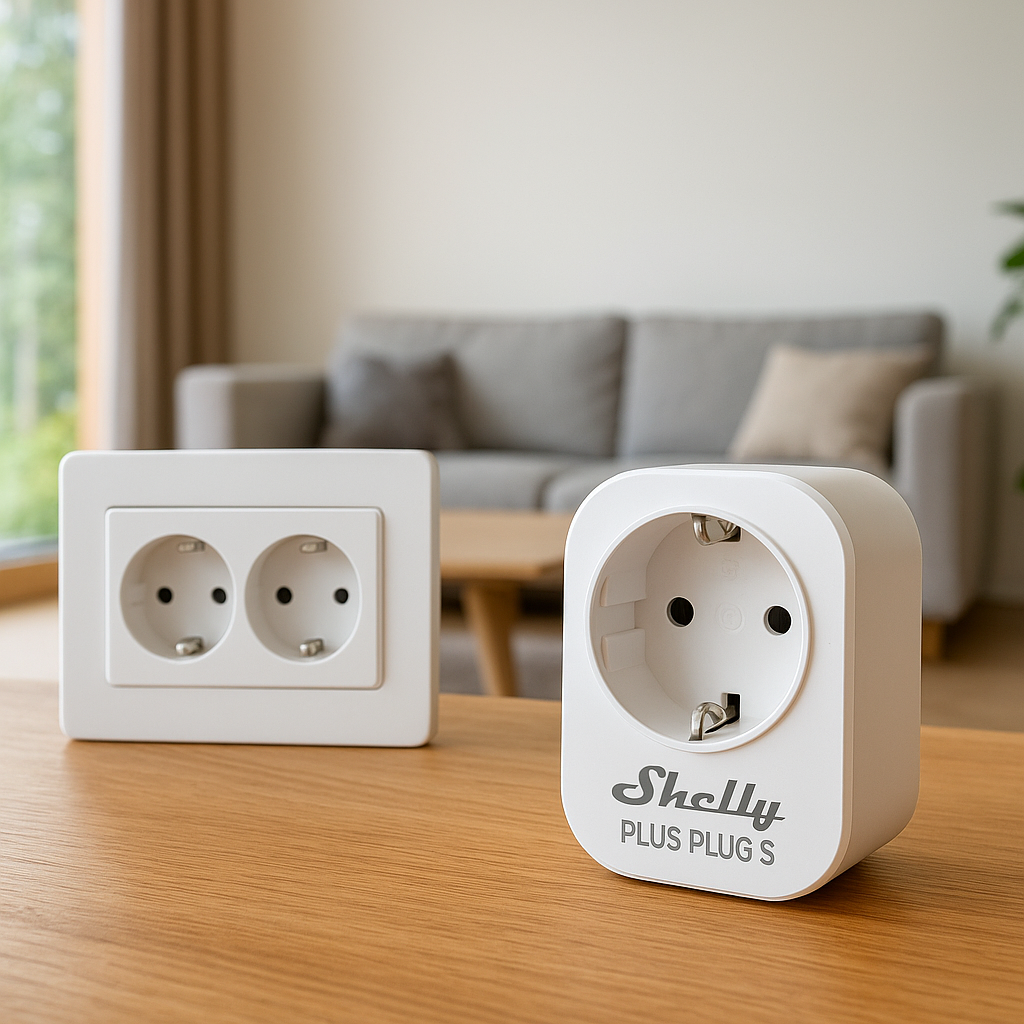
| Shelly Wall Switch / Shelly Dimmer (No Neutral) | $20–$35 | No (Wi‑Fi; hub optional) | Yes (dimmer models) | Yes (with proper wiring) | Typically 200–400 W LED | Alexa, Google, Home Assistant |
| Moes / Treatlife No-Neutral | $18–$30 | No (Wi‑Fi) | On/Off and dimmer variants | Some models 3-way capable | Varies; often 150 W LED | Alexa, Google |
| Legrand Smart Switch w/ No-Neutral Kit | $50–$80 | Varies (Wi‑Fi / hub models) | Yes (dimmer options) | Yes (in matching system) | Varies by series | Alexa, Google, sometimes Apple Home |
| Smart Dimmer Modules (behind switch) | $20–$40 | Depends (Z-Wave/Zigbee/Thread) | Yes (dimmer versions) | Often supports complex circuits | Varies; check each module | Depends on module & hub |
*Always check the specific product datasheet for exact load ratings.
How to pick quickly based on your priority (budget, simplicity, dimming, ecosystem)
If you’re trying to decide in under five minutes, use this as a shortcut:
- Maximum reliability & rock-solid dimming: Lutron Caseta. Costs more and needs a bridge, but works extremely well with older wiring and LEDs.
- Simple, hub-free, mainstream choice: GE Cync no-neutral or Moes/Treatlife no-neutral switches for basic Alexa/Google setups.
- Deep Apple HomeKit & Matter integration: Aqara no-neutral switches paired with a compatible Aqara hub.
- Power users / Home Assistant / advanced automations: Shelly wall switch or dimmer modules (no-neutral-capable versions) or other behind-switch dimmer modules.
- Design-focused, clean wall plates: Legrand smart switch plus its no-neutral compatibility kit.
- Love your existing switch style: Use smart dimmer modules behind your current switches or at the light fixture.
How to Check If Your Home Has a Neutral Wire (Step-by-Step)
Safety first: turning off power and tools you’ll need
Before you open any switch box, treat it like a real electrical job:
- Turn off the correct breaker at the electrical panel for that room.
- Use a non-contact voltage tester to verify the power is off at the switch.
- Have a flashlight, small flat-head and Phillips screwdrivers, and your phone camera (for taking wiring photos).
- Wear safety glasses and avoid working in damp areas.
If you’re not comfortable around wiring, you can still use this section to have an informed conversation with an electrician.
How to inspect your switch box to identify neutral vs line/load wires
Once the breaker is off and verified:
- Remove the wall plate and carefully pull the switch out enough to see the wires.
- Look for a bundle of white wires tied together with a wire nut in the back of the box. That’s usually the neutral group.
- The wire or wires attached directly to the switch terminals are usually line (hot) and load (to the light). These may be black, red, or other colors depending on your region.
- If you only see two wires on the switch (plus ground) and no other white bundle in the box, you likely have no neutral at that location.
Older homes often have crowded, shallow metal boxes with only a couple of conductors. Document what you see with photos before disconnecting anything.
When to stop and call an electrician
Bring in a pro if:
- You’re unsure which wire is which, even after testing and photos.
- The insulation is brittle, cracked, or looks overheated.
- You have aluminum wiring or knob-and-tube wiring.
- Box fill looks marginal and you’re not sure if adding a smart switch violates code.
An electrician can also often move the neutral from the light fixture down to the switch, or suggest a safer alternative such as a dimmer module at the fixture instead of in the wall box.
Best No-Neutral-Wire Smart Light Switches for Older Homes
1. Lutron Caseta Wireless Smart Switch: Best Overall for Reliability
Lutron Caseta is widely considered the gold standard for older homes. The Caseta dimmers don’t require a neutral in many installations and are designed to work with a wide range of LED bulbs with minimal flicker.
Caseta uses its own wireless protocol and a small bridge that plugs into your router. That bridge gives you rock-solid response times and integrates with Alexa, Google Assistant, Apple Home, SmartThings, and more. You can also pair Pico remotes to create 3-way or 4-way style control without running new traveler wires.
For details on Caseta’s no-neutral capabilities and bulb compatibility, Lutron’s own documentation is excellent: Lutron Caseta Wireless overview.
2. GE Cync (no-neutral version): Best for Google and Alexa Users
GE Cync (formerly C by GE) offers specific no-neutral smart switches that connect directly to Wi‑Fi, so you don’t need a separate hub. They’re a good fit if you primarily use Alexa or Google Home and want an easy, retail-available product.
Key advantages include:
- App-based setup with Cync app and simple pairing with Alexa/Google.
- No bridge required, which reduces upfront cost and complexity.
- Multiple form factors: on/off switches, dimmers, and 3-way capable versions.
You’ll still want to check Cync’s bulb compatibility lists and follow their instructions carefully in no-neutral circuits to avoid flicker.
3. Aqara Smart Wall Switch (No Neutral): Best for Apple HomeKit & Matter
Aqara’s no-neutral wall switches are popular in smart homes that lean heavily on Apple Home and HomeKit. With certain Aqara hubs, you also get Matter support, making these switches easier to integrate across platforms over time.
Highlights:
- No-neutral versions available in single and multi-gang formats.
- Good integration with Apple Home scenes and automations.
- Local Zigbee communication between switch and hub for low latency.
- Ability to create virtual 3-way setups through software automations instead of rewiring travelers.
If you’re building around HomeKit or planning a Matter-centered system, Aqara is a strong choice, especially in regions where Lutron Caseta isn’t widely available.
4. Shelly Wall Switch / Shelly Dimmer (No Neutral): Best for Power Users
Shelly’s relays and dimmers are made for tinkerers and advanced smart home users. Several Shelly modules support operation without a neutral, and they’re small enough to fit behind an existing switch or inside a wall box.
Why power users like them:
- Connect directly to Wi‑Fi and expose a local HTTP/MQTT API for integrations.
- Work very well with Home Assistant and other DIY platforms.
- Flexible configuration: edge/flip- switch modes, input-only modes, and more.
- Can often support complex multi-way circuits when wired correctly.
Shelly devices are less “plug and play” than big-brand switches. They’re best if you’re comfortable reading wiring diagrams or working closely with an electrician.
5. Moes / Treatlife No-Neutral Smart Switch: Best Budget Pick
Moes and Treatlife offer budget-friendly no-neutral switches, often using the Tuya or similar Wi‑Fi platforms. They’re widely available online and can be a cost-effective way to smarten multiple rooms in an older house.
Expectations to set:
- Good basic on/off and dimming control via app, Alexa, and Google.
- Cloud-dependent features; may not be ideal if you want everything local.
- Can be more sensitive to bulb choice, sometimes requiring a bypass to eliminate flicker.
If you’re price-sensitive and okay with a bit of experimentation on which bulbs work best, these can be excellent value.
6. Legrand Smart Switch with No-Neutral Kit: Best for Clean Aesthetics
Legrand’s smart switches (for example, the Radiant and adorne lines) focus on design and clean wall plates. In some series, Legrand offers compatibility kits or specific models designed for no-neutral installations.
These are ideal when:
- You’re renovating and care about matching designer wall plates and outlets.
- You want smart functionality but don’t want the “standard plastic rocker” look.
- You need consistent styling across dimmers, outlets, and regular switches.
Before you buy, confirm that the exact Legrand model supports no-neutral wiring, as not every smart version in their lineup does.
7. Smart Dimmer Modules Behind Existing Switches: Best for Keeping Your Existing Style
Instead of replacing the visible switch, you can hide a smart dimmer or relay module behind it in the wall box or at the light fixture. Many of these modules are designed to work in no-neutral circuits, especially some Shelly, Fibaro, or Z-Wave/Zigbee dimmer modules.
Pros of this approach:
- You keep your existing switches and decor—great for period-correct or decorative toggles.
- You can often control multiple switches in a 3-way/4-way without changing their appearance.
- Works well when the ceiling box has neutral but the switch box doesn’t, by placing the module at the fixture.
Because space is tight in older boxes, planning and sometimes an electrician’s help are recommended.
Key Buying Criteria for No-Neutral-Wire Smart Switches
Compatibility with your wiring, bulbs, and switch boxes
Start with the physical realities:
- Confirm the switch supports no-neutral wiring in its documentation.
- Check your box depth and volume—older metal boxes may be shallower than modern plastic ones.
- Look at the manufacturer’s supported bulb list, especially for dimmers, and try to buy from that list when possible.
Mismatched bulbs and dimmers are one of the most common causes of flicker and “smart switch doesn’t work” complaints.
Platform support: Alexa, Google Home, Apple Home, SmartThings, Matter
Pick your platform before you buy hardware:
- Alexa / Google only: Most Wi‑Fi no-neutral switches (GE Cync, Moes/Treatlife) will do the job.
- Apple Home: Look for Lutron Caseta, Aqara with HomeKit, or switches that support Matter over Thread when that’s available in your region.
- SmartThings, Home Assistant, Hubitat: Zigbee, Z-Wave, or Wi‑Fi modules like Aqara, Shelly, or behind-switch relays integrate well.
This is also where Matter and Thread are starting to show up. They can simplify cross-platform support, but you still need to confirm current compatibility and firmware support.
Hub vs Wi-Fi vs Thread: what you actually need in an older home
Hubs aren’t always bad—even though “hub-free” gets marketed heavily.
- Wi‑Fi-only switches (Moes/Treatlife, GE Cync) are simple but can crowd your router in large homes.
- Hub-based systems (Lutron Caseta, Aqara) offload traffic from Wi‑Fi and often deliver more stable performance, especially in thick-walled older houses.
- Thread-based devices (as they become more common) form a mesh network that can be very robust in tricky floorplans, but usually require a Thread border router (often built into modern smart speakers or hubs).
For many older homes, a small hub that creates its own mesh (like Lutron’s bridge) is often more reliable than scattering a dozen cheap Wi‑Fi switches.
Dimming performance and flicker issues with LEDs
No-neutral dimmers send a tiny trickle of current through the circuit to power themselves. With some LED bulbs, that can cause:
- Visible flicker at low dim levels.
- Bulbs that never fully turn off (a faint glow).
- Narrow dimming range (e.g., only from 40–100%).
To reduce this:
- Use bulbs tested and recommended by the switch manufacturer.
- Prefer quality LED bulbs labeled “dimmable” and, ideally, “compatible with leading-edge dimmers.”
- Consider using a bypass/dummy load if the manufacturer recommends it.
Single-pole vs 3-way/4-way support in older stairway circuits
Multi-way circuits in older homes can be wired in several different patterns. Not every smart switch can handle every pattern.
- Check if the switch specifically supports 3-way/4-way with mechanical switches or only supports multi-way using its own remotes or “companion” switches.
- Lutron Caseta, for example, handles multi-way using Pico remotes rather than rewiring travelers.
- Behind-switch modules are often more flexible for complex stair and hallway wiring.
Before buying, identify which switches control each light and where the power actually enters the circuit (fixture vs switch box).
Load limits, minimum wattage, and using bypass resistors
No-neutral smart dimmers often specify a minimum load (e.g., 10–15 W). If your circuit only has one or two low-wattage LEDs, the switch may misbehave.
That’s where a bypass resistor (sometimes called a dummy load) comes in. It’s a small device wired in parallel with the light to give the dimmer enough load to operate correctly.
To learn more about how line, neutral, and load work together in AC circuits, the article on mains electricity on Wikipedia is a solid background reference: mains electricity overview.
Only use a bypass model recommended by the dimmer manufacturer and follow their diagram carefully—or have an electrician install it.
Installation Tips for No-Neutral-Wire Smart Switches in Older Houses
Common wiring layouts you’ll see in pre-1980 homes
In older homes, you’re likely to encounter:
- Power at the light, switch loop down: Neutral is in the ceiling box, not the wall box.
- True power at the switch: Line and neutral both in the wall box; this is easiest for any smart switch.
- 3-way with travelers only: Both switches share travelers and the power may pass through the light or one of the boxes.
Because patterns vary, always take photos before you disconnect anything and compare carefully to the smart switch’s wiring diagrams.
How no-neutral switches “steal” power and what that means for bulb choice
No-neutral switches typically “steal” a tiny amount of current through the load (the bulb) even when the light is off. This current is enough to power the electronics but small enough that a properly matched bulb won’t noticeably light.
This design means:
- Some ultra-efficient LEDs may glow faintly because even that tiny current is enough to produce visible light.
- Traditional incandescent bulbs almost never have an issue, but they defeat the efficiency gains of LEDs.
- Bulbs with built-in electronics (e.g., some smart or filament-style LEDs) can be especially fussy.
If you hit problems, trying a different brand or model of dimmable LED often fixes the issue.
Avoiding flicker, ghosting, and always-on glows
To minimize flicker and ghosting:
- Use the switch’s built-in trim or calibration settings (many Lutron, Shelly, and other dimmers let you adjust minimum brightness).
- Group low-watt fixtures onto one circuit when possible, so total load is higher.
- Avoid mixing very different bulb types (e.g., one cheap LED and one premium LED on the same dimmer).
If several bulb swaps and settings don’t solve it, a manufacturer-approved bypass is usually the final step.
When you’ll need a bypass or dummy load (and how to install one safely)
You likely need a bypass when:
- Lights won’t fully turn off or glow faintly even with compatible bulbs.
- You have a very low load (one or two 6 W LEDs) on a no-neutral dimmer.
- The dimmer reboots or drops offline when the lights are off.
Bypasses are typically installed at the light fixture, between the line (switched hot) and neutral terminals. This keeps high currents out of the small wall box and is often easier to fit physically. If you’re not experienced with fixture wiring, let an electrician handle it.
When to hire an electrician instead of DIY
Hire a professional if:
- You need to add neutral wires or replace very old, shallow boxes.
- You’re converting several 3-way/4-way circuits and aren’t comfortable reading diagrams.
- You encounter aluminum, cloth-insulated, or knob-and-tube wiring.
- You’re not 100% sure which conductor is line, load, or neutral after testing.
The wiring work is usually quick for an experienced electrician, and you can still do all the app setup and pairing yourself afterward.
Alternatives If You Can’t Use a No-Neutral-Wire Smart Switch
Smart bulbs with wireless remotes and wall-mounted scenes
If every option seems incompatible with your wiring, smart bulbs combined with wireless remotes are the simplest fallback:
- Replace your bulbs with smart LEDs (Philips Hue, Sengled, Wiz, etc.).
- Leave the traditional wall switch in the “on” position.
- Mount a wireless remote or scene controller over or near the old switch location.
You get flexible scenes and color options, but power loss at the wall switch will still cut control to the bulbs—so consider switch lockout covers or decorative plates that discourage flipping the physical switch.
Battery-powered smart remotes that mimic a wall switch
Battery-powered remotes from Lutron (Pico), Hue, Aqara, and others can stick directly to the wall and feel like a normal switch. They control lights via your smart hub instead of through the wiring.
This is especially handy in rentals or plaster walls where you’d rather not open up electrical boxes.
Smart plugs and plug-in lamps for rooms without neutral at the switch
In some rooms, it’s easier and safer to avoid the ceiling circuit entirely:
- Use smart plugs with floor or table lamps to provide most of the room’s light.
- Control them via voice, app, or wireless remotes.
- Leave the old ceiling fixture on a basic mechanical switch, or barely use it.
It’s not as elegant as a fully smart overhead light, but it avoids wrestling with questionable wiring.
Using smart dimmer pucks behind the light fixture instead of the switch
If neutral is available at the light fixture but not the switch, a small dimmer or relay module in the ceiling box is often the best compromise. The module gets line, load, and neutral at the fixture, while your existing wall switch becomes just a control input.
Many Z-Wave, Zigbee, and Wi‑Fi pucks support this configuration and can be controlled by your smart home hub without changing the visible switch hardware.
Recommended Setups for Common Older-Home Scenarios
Small apartment with no neutrals and limited breaker access
In a small apartment where you may not control the panel:
- Favor hub-free no-neutral Wi‑Fi switches (e.g., GE Cync, Moes/Treatlife) in one or two key rooms if allowed by the landlord.
- Use smart bulbs + wireless remotes in other rooms where opening boxes is discouraged.
- Keep everything on one ecosystem (Alexa or Google) to simplify scenes and routines.
Large older house with a mix of neutral and no-neutral boxes
In a big house you own, a hybrid approach works best:
- Use Lutron Caseta or another hub-based system for the no-neutral locations.
- In boxes that do have neutrals, you can use either the same brand’s neutral-required switches or compatible smart switches/dimmers to keep things consistent.
- Leverage a central hub or bridge so you’re not managing a dozen different apps.
Hallways and staircases with 3-way or 4-way circuits
Multi-way circuits in older homes are notorious for surprises. For these, consider:
- Lutron Caseta with Pico remotes to simulate 3-way/4-way control without rewiring.
- Behind-switch or fixture modules that explicitly support multi-way wiring patterns.
- Battery remotes mounted where the extra switches used to be if rewiring is impractical.
Always verify that all switches controlling the circuit are properly integrated to avoid confusing behavior.
Rental properties where you need a reversible solution
For rentals, the priority is reversibility and minimal impact on wiring:
- Use smart bulbs and stick-on remotes that can be removed without damage.
- Consider a few plug-in smart lamps for main lighting.
- If the landlord approves, use no-neutral switches that can be swapped back to the original switches when you move out, and keep the original hardware labeled and stored.
FAQs About No-Neutral-Wire Smart Light Switches
Are no-neutral smart switches safe for older wiring?
When installed correctly according to the manufacturer’s instructions and local electrical code, no-neutral smart switches are designed to be safe. The bigger concern is the condition of your existing wiring and boxes. If wires are brittle, frayed, or not clearly identifiable, have an electrician inspect them before adding any smart device.
Will they work during a power outage or router failure?
No smart switch will control your lights during a power outage—there’s simply no electricity to switch. During a router or internet outage, most smart switches can still operate the lights locally via the physical paddle or button. Voice control and app access may be limited until connectivity is restored, unless your system supports fully local control through a hub.
Can I mix neutral and no-neutral smart switches in the same home?
Yes. You can have some boxes wired with neutral-required smart switches and others with no-neutral models. The key is to keep them in the same ecosystem where possible (e.g., all Lutron Caseta, or all compatible with your chosen hub) so you can create unified automations and scenes.
Do these switches increase energy usage or vampire draw?
All smart switches draw a small amount of standby power to keep their radios active—typically well under a watt. Over a month, this is usually just a few cents of electricity per switch. That small standby cost is often offset by the ability to automate lights off and reduce wasted runtime.
Can I use smart bulbs and a no-neutral smart switch together?
Generally, it’s not recommended. Most smart bulbs expect to be powered constantly, while a smart switch turns power on and off. That combination can cause flaky behavior and shorten bulb life. If you want smart bulbs for color effects, use a simple, non-smart dimmer or keep the wall switch on and rely on remotes and scenes instead.
Final Verdict: Choosing the Best No-Neutral-Wire Smart Light Switch for Your Home
Best overall pick and best budget option
If you want the most reliable option for older wiring, Lutron Caseta is the top pick. It costs more up front but delivers excellent performance, flexible multi-way setups, and broad platform support.
For a tighter budget, a Moes or Treatlife no-neutral Wi‑Fi switch is the best value, as long as you’re prepared to test a few bulb combinations and possibly use a bypass for perfect dimming.
Which to choose based on your smart home platform
- Apple Home–centric: Aqara no-neutral switches with a supporting hub, or Lutron Caseta for highest reliability.
- Alexa or Google Home: GE Cync no-neutral or budget Moes/Treatlife for hub-free installs; Lutron Caseta if you want a dedicated, more robust system.
- DIY / Home Assistant / advanced setups: Shelly or other no-neutral-capable dimmer modules behind switches or at fixtures.
Next steps: what to do before you click buy
Before ordering any switches:
- Open one or two switch boxes (with power off) to confirm whether neutral is present.
- Note box depth and wiring complexity (single-pole vs 3-way/4-way).
- Decide on a primary smart home platform you’ll stick to.
- Choose bulbs from the compatibility list of the switch you plan to buy.
A little planning upfront will save you a lot of frustration and returns, and it will help your new no-neutral smart switches actually work the way you expect in your older home.