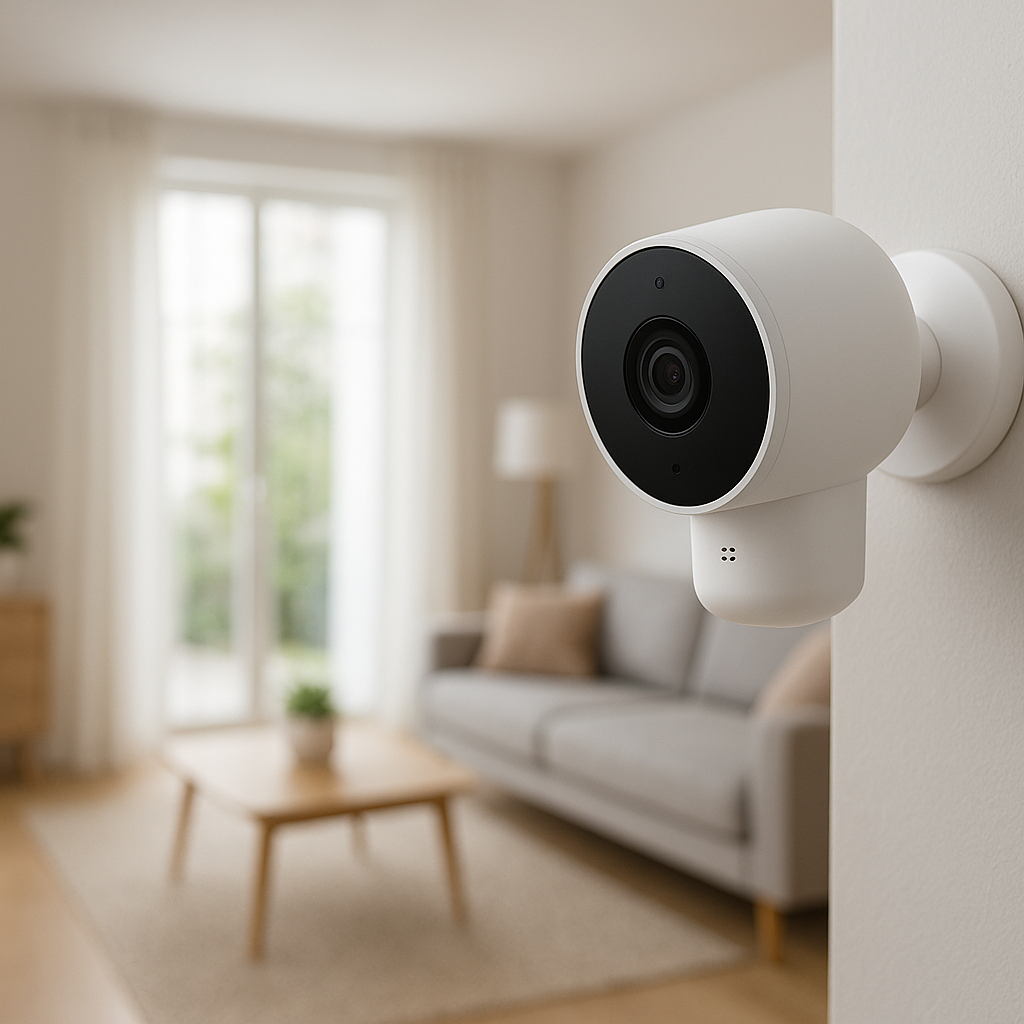
Outdoor security cameras have become much more affordable, but reliability still varies a lot between brands. A camera that misses motion, drops offline, or chews through batteries isn’t really protecting anything, no matter how cheap it was.
This guide compares three of the most popular budget-friendly outdoor camera brands: Reolink, Wyze, and Blink. We’ll focus less on marketing claims and more on what actually affects reliability: motion alerts, Wi‑Fi stability, power, storage, and smart home integration.
By the end, you should have a clear idea which brand fits your home, budget, and tech setup—without paying for features you won’t use.
Overview: Reolink vs Wyze vs Blink for Budget Outdoor Security
Who this comparison is for (renters, homeowners, beginners)
This comparison is designed for:
- Renters who want wireless, easy-to-remove cameras for balconies, porches, and entrances.
- Homeowners looking to cover driveways, yards, garages, and side gates with reliable long-term monitoring.
- Beginners who want simple apps and minimal wiring, but don’t want to sacrifice important features like night vision and dependable alerts.
- Budget-conscious buyers who want to avoid high monthly subscription costs or cloud-only cameras.
If you’re choosing between popular models like the Reolink Argus series, Wyze Cam Outdoor or Wyze Cam v4 (with an outdoor housing), and Blink Outdoor 4, this guide applies directly to you.
Quick verdict if you don’t want to read the whole guide
If you just want a fast recommendation:
- Best overall reliability for most homes: Reolink
Reolink tends to offer the most stable combination of video quality, local storage, and flexible power (including PoE and solar). Great for homeowners and anyone who wants to avoid mandatory subscriptions. - Best for very tight budgets: Wyze
Wyze cameras are usually the cheapest upfront and offer strong features for the price. Reliability is good but can be inconsistent, and many of the best features (like full-length event recording) need a subscription. - Best battery-powered, low-maintenance: Blink
Blink outdoor cameras are built for long battery life and simple Alexa integration. They work well for basic monitoring, but video detail, smart detection options, and integration beyond Alexa are limited.
Keep reading if you care about motion accuracy, long-term costs, smart home integration, or challenging installation spots.
Key Factors That Actually Matter for Outdoor Camera Reliability
Motion detection accuracy and notification speed
For security, motion alerts matter more than almost anything else.
- Accuracy: You want the camera to detect people, cars, and packages without constantly triggering on tree branches, shadows, and insects.
- Detection types: Cameras that can distinguish people/vehicles (via AI or cloud processing) tend to be more useful and less noisy.
- Notification speed: Delays of 10–20 seconds are common, but long or inconsistent delays undermine the point of live alerts.
Reolink’s AI models (like the 510A/810A and newer Argus models) generally provide reliable person/vehicle detection on-camera (no cloud needed). Wyze and Blink often rely more on cloud processing and tuning in the app, which can be fine—as long as you have solid internet and a subscription for advanced detection features.
Video quality, night vision, and field of view
Reliability also means being able to actually see what happened:
- Resolution: 1080p is okay for basic monitoring. 2K and 4K give you better detail for faces and license plates.
- Night vision: Infrared LEDs or built-in spotlights affect how usable your nighttime footage is. Poor night vision can turn people into blurry silhouettes.
- Field of view (FOV): Wider FOV covers more area but can distort edges. Too narrow and you miss key angles.
Reolink often wins on raw resolution (2K and 4K cameras on a budget). Wyze offers good 1080p/2K options with surprisingly decent image quality for the price. Blink typically focuses on 1080p with adequate but not class-leading night vision.
Weather resistance and power options for outdoors
For outdoor reliability, two questions matter: “Will it survive the weather?” and “Can I power it consistently?”
- Weather rating: Look for IP65 or higher for outdoor use. Most cameras from all three brands meet this, but exact robustness can vary.
- Power options:
- Battery: Flexible placement, but you must manage charging and occasional downtime.
- Solar: Great for hard-to-reach spots if the solar panel placement is good.
- Wired (plug-in): More stable if you have an outlet nearby.
- PoE (Power over Ethernet): Very reliable for permanent installs, using one cable for power and data. Learn more about PoE from this overview: Power over Ethernet on Wikipedia.
Reolink stands out for offering PoE and solar-friendly options. Wyze and Blink focus more on battery and plug-in models.
App stability, connectivity, and uptime
Even the best hardware is frustrating if the app is slow or unreliable.
- App stability: Fewer crashes and bugs mean less babysitting your system.
- Connectivity: A good app should reconnect quickly and show live view within a few seconds.
- Uptime: Cameras that stay online, reconnect after router reboots, and handle weak Wi‑Fi gracefully are more “set and forget”.
Reolink and Blink apps are generally stable and predictable, prioritizing core features. Wyze offers more “extras” in its ecosystem, but some users report more occasional glitches and reconnect issues, especially with many devices.
Storage options, subscription costs, and data privacy
How your footage is stored affects reliability and cost:
- Local storage (microSD/NVR): Keeps footage on your devices. Works even if the internet goes down, and you avoid monthly fees.
- Cloud storage: Easier to access from anywhere and safer if the camera is stolen, but usually requires a subscription.
- Hybrid: Ideally, you want both options and the freedom to choose.
Reolink leans heavily on local storage (microSD and NVR systems). Wyze and Blink lean more on cloud subscriptions for full features, though both offer limited local options depending on model and hub.
Reolink Outdoor Cameras: Strengths, Weaknesses & Best Use Cases
Popular Reolink budget outdoor models to consider
Reolink’s budget-friendly outdoor lineup includes:
- Reolink Argus 3 Pro: 2K battery/solar camera with spotlight; good for renters and spots without outlets.
- Reolink Argus 2E / Argus Eco models: Lower-cost battery/solar options with basic 1080p video.
- Reolink 510A / 810A (PoE): 5MP and 4K PoE bullet/dome cameras with on-device person/vehicle detection; great for permanent installs.
- Reolink Duo WiFi/PoE: Dual-lens cameras for very wide coverage, useful for large yards or driveways.
Real-world reliability: Wi‑Fi stability, local storage, and PoE options
Reolink focuses on reliability over flashy extras:
- Wi‑Fi stability: Their Wi‑Fi cameras are generally solid if you have decent coverage. Dual-band models (2.4 GHz + 5 GHz) are more resilient to congestion.
- Local storage by default: Most Reolink outdoor cameras support microSD cards, and many can also feed into an NVR. This means recordings continue even if your internet goes down.
- PoE advantages: PoE models (like the 510A/810A) are particularly reliable: a single cable powers the camera and sends data back to your router or NVR, avoiding Wi‑Fi altogether.
- App and firmware: The app is straightforward and less “flashy” than some competitors, but that often translates to fewer surprises and fewer accidental settings changes.
When Reolink is the best choice (and who should avoid it)
Reolink is usually the best fit if:
- You want strong video quality and reliable night vision for driveways, front doors, and yards.
- You prefer local storage over ongoing subscription fees.
- You’re comfortable with a more technical setup (PoE, NVRs) or at least running power cables and mounting cameras.
Reolink may not be ideal if:
- You absolutely need HomeKit (Reolink doesn’t support it).
- You want a deeply integrated “ecosystem” of many smart gadgets under one app (Wyze leans more that way).
- You want the simplest possible, battery-only setup with long multi-year battery life (Blink does this better).
Wyze Outdoor Cameras: Strengths, Weaknesses & Best Use Cases
Popular Wyze Cam models for outdoor use
Wyze is known for low pricing and lots of features. For outdoor use, people commonly choose:
- Wyze Cam Outdoor v2: Battery-powered, weather-resistant outdoor camera with base station.
- Wyze Cam v4 or v3 in a weather-resistant housing or under eaves: Technically indoor cameras, but many users deploy them outdoors where they are sheltered.
- Wyze Cam Floodlight Pro: Brighter, wired floodlight camera option if you have existing wiring.
Reliability trade-offs at ultra-low prices
Wyze’s appeal is obvious: very low-cost hardware with decent video quality. The trade-offs:
- App and cloud dependency: Many advanced features depend on cloud services. If Wyze’s servers or your internet act up, some features may be affected.
- Firmware and app changes: Wyze iterates quickly, which is great for features but can sometimes introduce bugs or interface changes you have to relearn.
- Battery behavior outdoors: The Wyze Cam Outdoor v2 works, but heavy motion or cold weather can reduce battery life more than marketing suggests.
For context on Wyze’s subscription features like Cam Plus (unlimited event recording and smarter detection), it can be helpful to review their own documentation: Wyze Cam Plus overview.
When Wyze is the best choice (and key limitations to know)
Choose Wyze if:
- You want the lowest possible upfront cost and are okay with a modest subscription for best performance.
- You like experimenting with lots of smart devices (sensors, locks, vacuums) under a unified, feature-rich app.
- You’re covering small areas like porches or entrances where 1080p/2K is more than enough.
Limitations to keep in mind:
- Some outdoor uses depend on non-official setups (e.g., indoor cams used outdoors under cover).
- Long-term reliability can vary more than with Reolink or Blink, especially if you rely heavily on cloud-only features.
- Camera behavior can change with major app/firmware updates, so it’s worth checking settings after updates.
Blink Outdoor Cameras: Strengths, Weaknesses & Best Use Cases
Popular Blink outdoor camera models
Blink, owned by Amazon, focuses on simple, low-power outdoor cameras:
- Blink Outdoor 4: Wire-free, battery-powered outdoor camera with 1080p video.
- Blink Floodlight Camera: Combines Blink Outdoor with motion-activated floodlights.
- Blink Mini (indoor): Sometimes used under covered porches, but not fully weather-rated.
Long battery life vs performance and feature trade-offs
Blink’s signature strength is long battery life. With modest motion and optimized settings, some users get many months to a year from a pair of AA lithium batteries.
To achieve that, Blink makes trade-offs:
- More conservative motion recording: Clips may be shorter and less continuous by default to save battery.
- Limited resolution and AI: 1080p is fine for general monitoring, but you don’t get the same level of smart detection as more advanced Reolink or Wyze models.
- Cloud-focused: Blink leans heavily on its subscription for easy clip storage and review, though some models let you use a Sync Module with USB storage for local clips.
When Blink is the best choice (especially for Alexa homes)
Blink shines if:
- Your home is Alexa-centric (Echo shows, Fire TV, Alexa routines). Blink integrates very smoothly in that world.
- You prefer minimal maintenance and hate climbing ladders for frequent charging.
- You mainly want to know “did something happen?” at doors, yards, or sheds, rather than capturing high-detail footage.
If you want high-resolution video, robust local recording, or deep integration with Google Home, Reolink or Wyze are usually better fits.
Side‑by‑Side Comparison: Reolink vs Wyze vs Blink Outdoor Cameras
Video quality and night vision comparison
- Reolink: Often offers 2K/4K options and strong IR night vision. Spotlight models add color night video and clearer detail.
- Wyze: Solid 1080p/2K for the price. Night vision is decent but not as strong at longer distances.
- Blink: 1080p with acceptable clarity for close/medium range. Night vision is okay for porches and small yards but not as detailed.
Motion detection, false alerts, and smart notifications
- Reolink: On-device person/vehicle detection on many models reduces false alerts without requiring cloud. Good for busy streets and driveways.
- Wyze: With Cam Plus, you get person and package detection and longer clips, which improves usefulness. Without a subscription, you may see shorter clips and less intelligent filtering.
- Blink: More basic motion detection with adjustable sensitivity and activity zones. Generally reliable but less “smart” than the others.
Weather resistance, build quality, and installation flexibility
- Reolink: Offers fully weather-rated bullet, dome, and battery cameras with robust housings. PoE models are very solid for permanent outdoor installs.
- Wyze: Outdoor-specific models are weather-rated, but some common setups rely on indoor cams used outdoors under partial cover. Build quality is fine for the price but not as rugged as heavy-duty PoE cameras.
- Blink: Purpose-built, compact weatherproof housings. Very flexible mounting since power comes from batteries, but you must respect range to the Sync Module and router.
Storage options: local, cloud, and ongoing subscription cost
- Reolink: Strong local storage focus (microSD + NVR). Some cloud options in certain regions, but not required.
- Wyze: microSD cards for continuous or event recording on many models, but the best experience (full-length events, AI detection) usually requires Cam Plus.
- Blink: Cloud subscription is the default path. Some setups allow local USB storage via the Sync Module, but the experience is more limited compared to full cloud.
Smart home integration (Alexa, Google Home, HomeKit, others)
- Reolink: Works with Alexa and Google Assistant for viewing feeds on smart displays. No official HomeKit support.
- Wyze: Integrates with Alexa and Google Assistant. No HomeKit. Wider integration across Wyze devices in the app ecosystem.
- Blink: Deeply integrated with Alexa (Echo Show, Fire TV, routines). Limited outside the Amazon ecosystem; no Google Home or HomeKit support.
Privacy, account security, and data handling differences
All three brands rely on cloud accounts and internet connectivity for at least some features.
- Reolink: Heavy local-storage focus means you can keep more data off the cloud if you choose. Still, you should enable strong passwords and two-factor authentication where available.
- Wyze: Cloud-centric features mean more data is stored online. They’ve had security incidents in the past, so using unique passwords and 2FA is especially important.
- Blink: As part of Amazon, Blink follows Amazon’s account security practices. If you’re already using Amazon for other services, it fits into that model—but also adds more data to your Amazon ecosystem.
Reliability in Different Real‑World Scenarios
Apartment balconies, porches, and shared entrances
For renters and apartment dwellers:
- Blink is strong for balconies and shared entrances where you can’t drill or run cables, thanks to long battery life and compact size.
- Wyze works well if you can place a camera under cover and plug it in from inside, or use the Wyze Cam Outdoor where allowed.
- Reolink Argus models are a good choice if you want better video quality and are willing to manage batteries or add a small solar panel.
Large yards, driveways, and detached garages
For larger areas and multiple angles:
- Reolink PoE systems (510A/810A, NVR kits) are usually the most reliable: one cable to each camera, strong video, and consistent recording.
- Wyze can work, but you’ll need strong Wi‑Fi coverage and possibly multiple cameras since FOV and range are more limited.
- Blink can help cover detached garages or sheds where running power is tough, but consider range between the Sync Module, router, and camera.
Harsh climates: rain, snow, heat, and direct sunlight
In tougher climates:
- Reolink’s wired and PoE cameras tend to have more robust housings and are better for constant exposure.
- Battery cameras from any brand will see battery life drop in extreme cold; positioning under eaves and using solar panels (Reolink/Wyze) can help.
- Avoid direct midday sun facing the lens when possible, as it can cause glare and raise device temperature, regardless of brand.
Weak Wi‑Fi or no outdoor power outlets
If your Wi‑Fi is weak outside or you lack outlets:
- Blink is good where Wi‑Fi is okay but there’s no power; just mount within reasonable range of the Sync Module and router.
- Reolink Argus + solar works nicely for spots far from outlets but with at least moderate Wi‑Fi.
- For truly poor Wi‑Fi near the camera locations, a Reolink PoE system connected via Ethernet back to your router (possibly with a Wi‑Fi mesh or powerline adapters indoors) is often the most robust fix.
Setup, Installation, and Daily Use Experience
Mounting, wiring, and power considerations for each brand
Before buying, think through how you’ll mount and power each camera:
- Reolink: More options (PoE, plug-in, battery, solar). Ideal for owners comfortable with drilling, routing cables, and possibly installing an NVR.
- Wyze: Generally easy stick-on or screw mounts. Most models need an outlet, except for Wyze Cam Outdoor, which uses a base station and batteries.
- Blink: Very simple to install. Most models are battery-only and mount with a single bracket; just be sure you can reach them later for battery changes.
App setup, live view performance, and notification delay
In daily use:
- Reolink: Setup is straightforward via QR codes and Wi‑Fi or PoE. Live view opens quickly, particularly on local networks. Notification delays are usually short and consistent.
- Wyze: Setup is user-friendly with voice prompts. Live view might take a bit longer to load, especially on older phones or crowded Wi‑Fi, but it’s still acceptable. Notification speed can vary more, especially if you rely on cloud-based AI.
- Blink: Setup is quick via the Sync Module. Live view can have a short connection delay but is generally dependable. Notifications tend to be consistent, tuned for battery savings.
How easy it is to share access with family or neighbors
Sharing access matters if family members or trusted neighbors need to check cameras:
- Reolink: You can share account credentials or, on some systems, grant view-only access. Not as granular as some ecosystems but sufficient for families.
- Wyze: Offers device sharing, so others can see specific cameras without full account access—helpful for families or roommates.
- Blink: Sharing is usually done via shared Amazon/Blink login or using Alexa-enabled devices (like an Echo Show) that multiple people at home can use.
Cost of Ownership: Camera Price vs Long‑Term Subscription Fees
Upfront cost comparison for similar outdoor models
At a high level (prices fluctuate):
- Wyze: Often the lowest upfront cost per camera for basic 1080p/2K outdoor coverage.
- Blink: Slightly higher than Wyze but still very budget-friendly, especially in multi-camera kits.
- Reolink: A bit more expensive per camera, especially for PoE and 4K models, but still competitive compared to bigger brands.
Cloud storage plans, local storage, and how to save money
Ongoing costs depend heavily on storage choices:
- Reolink: You can avoid subscriptions entirely by using microSD or an NVR. Cloud is optional in supported regions.
- Wyze: Cam Plus is affordable per camera, but costs add up if you have many. To save money, combine a few Cam Plus licenses on key cameras with microSD cards on the rest.
- Blink: Cloud plans are simple but can accumulate cost with many cameras. Using the Sync Module’s local storage can reduce or eliminate subscription needs, though with a simpler feature set.
Best value pick if you plan to add multiple cameras
For multi-camera setups:
- Reolink PoE NVR kits usually offer the best long-term value: one NVR, multiple cameras, no mandatory subscription, and solid reliability.
- Wyze is good if you want to sprinkle a lot of low-cost cameras around and are okay with a mix of free and subscribed cams.
- Blink kits can be affordable for simple coverage of a few key spots, especially in Alexa homes where live view on Echo devices adds value.
Which Outdoor Camera Brand Should You Choose?
Best overall reliability pick for most homes
Reolink is the best overall reliability choice for most homeowners who want:
- Consistent motion alerts and strong video quality.
- Local storage without mandatory cloud fees.
- Options to scale up to multiple cameras and PoE if needed.
Best for tight budgets
Wyze is ideal if keeping costs as low as possible is the priority:
- Ultra-low hardware prices.
- Reasonably priced cloud plans with extra features if you want them.
- Good enough reliability for small homes and apartments, especially where Wi‑Fi is strong.
Best for battery-powered, wire‑free setups
Blink is the top pick for simple, wire-free installations:
- Long-lasting batteries with cameras you can mount almost anywhere.
- Less frequent maintenance and ladder trips.
- Straightforward app and setup, especially with the Sync Module.
Best for smart home integration (Alexa, Google, etc.)
Integration strengths differ:
- Best for Alexa: Blink (deepest integration) and Reolink/Wyze (very good).
- Best for Google Assistant: Reolink and Wyze (Blink is not ideal here).
- HomeKit: None of these three support HomeKit natively; if HomeKit is non-negotiable, consider different brands.
Practical Tips to Get More Reliability from Any Budget Outdoor Camera
Ideal camera placement for fewer false alerts
Placement can make a budget camera feel premium:
- Aim cameras across likely movement paths rather than directly at them; this improves motion detection.
- Avoid pointing straight at busy roads or tree-heavy areas if possible; use activity zones to block those regions.
- Mount cameras at around 7–9 feet high to capture faces while staying out of easy reach.
Wi‑Fi, router, and network tweaks to reduce dropouts
To improve connection reliability:
- Place your router or mesh node closer to exterior walls near cameras.
- Use 2.4 GHz Wi‑Fi for better range when 5 GHz struggles.
- Avoid cheap Wi‑Fi repeaters; consider a proper mesh system instead.
- Give cameras a reserved IP address (DHCP reservation) if your router supports it, which can reduce occasional connection quirks.
Power, battery, and storage maintenance checklist
Every few months, do a quick camera health check:
- Battery cameras: Check battery levels in the app and clean any dust or spider webs from lenses and sensors.
- Wired cameras: Inspect cables and connections for weather damage or strain.
- Storage: Verify that microSD cards or NVRs are recording properly and haven’t filled up or corrupted; replace old cards every couple of years.
- Firmware: Apply updates during a low-activity time so you can confirm everything is working afterwards.
Final Thoughts: Reolink vs Wyze vs Blink Outdoor Cameras
Summary of key pros and cons for each brand
In short:
- Reolink: Best balance of reliability, video quality, and local storage. Slightly higher upfront cost, but low ongoing costs and strong PoE options.
- Wyze: Best for saving money up front and experimenting with many devices. Good features at low cost, but more app/cloud dependence and variable reliability.
- Blink: Best for set-it-and-forget-it battery installs and Alexa users. Simpler feature set, but very convenient for basic, low-maintenance security.
How to decide in under 5 minutes based on your situation
Ask yourself three questions:
- Do I want to avoid monthly fees?
If yes, lean toward Reolink with local storage or a Reolink NVR kit. - Is my top priority ultra-low price or long battery life?
For low price, choose Wyze. For battery life and simplicity, choose Blink. - Which smart assistant do I actually use?
If Alexa dominates your home, Blink or Reolink/Wyze will fit in well. If you’re mostly on Google Home, prefer Reolink or Wyze.
Once you’ve answered these, matching a brand and a couple of specific models becomes much easier—and you’ll end up with an outdoor camera setup that actually works the way you need it to.
FAQ
Do I really need 4K resolution for outdoor security cameras?
Not always. For small areas like a front door or porch, 1080p or 2K is usually enough to see faces and packages. 4K is more helpful for wide areas like driveways or yards where you might need to zoom in after the fact. If your budget is tight, prioritize reliable motion alerts and good night vision over 4K.
Are battery-powered outdoor cameras reliable enough for primary security?
Yes, as long as you manage placement and power carefully. Blink and Reolink/Wyze battery models can be very reliable if you avoid high-traffic areas that constantly trigger recording. Adding solar panels (where supported) and scheduling motion detection for key hours can help maintain battery life while keeping alerts useful.
Can I mix different brands of cameras in the same home?
You can. Many people use Reolink PoE cameras for main coverage and add a few Wyze or Blink cameras for flexible spots. Just keep in mind you’ll manage them in separate apps. If you use Alexa or Google Assistant, you can still see multiple brands on smart displays, even though they’re separate behind the scenes.
Do I have to pay for cloud storage to get motion alerts?
No. All three brands can send motion alerts without a paid plan. However, subscriptions add features like longer clip storage, smarter detection, and easier clip sharing. Reolink gives you the most flexibility to skip cloud entirely thanks to strong local storage; Wyze and Blink are more cloud-focused but still usable with local or limited free options.
What’s the most important thing to get right when installing an outdoor camera?
The single most important factor is placement. Even an inexpensive camera can perform well if it’s placed at the right height, aimed away from constant motion like streets or trees, and within solid Wi‑Fi range or on a stable wired connection. Spend time testing the view and motion alerts for a few days before you drill permanent holes.