Smart induction cooktops and portable burners are quickly becoming the centerpiece of modern smart kitchens. They heat faster than gas and electric, give you precise temperature control, and add app-based features you can actually use—like safety alerts, timers, and remote monitoring.
If you cook with kids in the house, live in a small space, or simply want more control over your energy use, a smart induction cooktop can make your kitchen both safer and more convenient. This guide walks through how they work, what features to look for, and how to choose the best smart induction cooktop or portable burner for your home.
Why Choose a Smart Induction Cooktop for Your Kitchen
How induction technology works vs. gas and electric
Induction cooktops use magnetic fields to heat your cookware directly instead of heating the glass surface and then the pan. Under the glass, an induction coil creates a rapidly changing magnetic field. When you place a compatible metal pan on top, the pan itself becomes the heat source.
Compared with traditional options:
- Gas: Heats the air and the pan using an open flame. Fast to respond but wastes energy and produces combustion byproducts like NO₂.
- Electric coil or radiant: Heats an element under glass, which then heats the pan. More efficient than gas, but slower to respond and the surface stays very hot for longer.
- Induction: Transfers energy directly into the pan. Very fast, very efficient, and the glass around the pan stays much cooler.
For a deeper technical explanation of how induction cooking works, see the detailed overview on induction cooking.
Key benefits of smart induction: precision, efficiency, and safety
Adding “smart” features on top of induction’s core advantages gives you:
- Precision temperature control: Many smart models let you set and maintain specific temperatures (e.g., 180°F for melting chocolate), not just vague “Low/Medium/High.”
- Faster heating and cooling: Water boils quickly, and power ramps down almost immediately when you reduce the setting.
- Higher energy efficiency: More energy goes into the pan instead of the room, which means less wasted heat and often lower energy bills.
- Better safety: No open flame, cooler glass surface, and automatic shut-off if no pan is detected.
- Smart monitoring and automation: Apps can show real-time power use, let you adjust settings from another room, or send alerts if a burner is left on.
Who smart induction cooktops and portable burners are best for
Smart induction cooking is especially helpful if you:
- Live in an apartment, condo, or dorm where gas is not allowed.
- Want safer cooking for families with kids or older adults.
- Cook in small spaces like RVs, tiny homes, or studio kitchens.
- Care about indoor air quality and want to reduce combustion fumes.
- Already use smart home devices and want your cooking to fit into routines and automations.
Portable induction burners are ideal as an extra burner for big holiday meals, for renters who cannot install a built-in cooktop, or for outdoor and balcony cooking where open flames are restricted.
Key Features to Look For in the Best Smart Induction Cooktop
App control and smart home integration (Wi‑Fi, Bluetooth, voice assistants)
The best smart induction cooktop for most people includes reliable wireless connectivity and a well-designed app. Look for:
- Wi‑Fi connectivity: More range and stability than Bluetooth, and it works even if you are not standing next to the cooktop.
- Remote monitoring: The app should show which zones are active, current power/temperature, and remaining timer time.
- Remote control: Many brands let you change power or shut off zones from your phone; some limit full control for safety.
- Voice assistant support: Check for compatibility with Alexa, Google Assistant, and/or Apple Home (via HomeKit or Matter).
Examples: several GE Profile, Bosch Series 800, and Samsung smart induction cooktops offer Wi‑Fi apps and basic voice control; portable brands like Duxtop and Tefal are starting to add Bluetooth app control for timers and presets.
Temperature control, presets, and cooking modes
More than simple power levels, the smartest models offer:
- Exact temperature settings: Useful for low-and-slow cooking, sous-vide style simmering, and delicate sauces.
- Built-in presets: Modes like Boil, Simmer, Fry, Grill, or Keep Warm adjust power automatically.
- Recipe or guided cooking: Some manufacturer apps walk you through recipes and adjust temperature and timers automatically.
- Custom profiles: Advanced apps let you save your own presets for routines like “pasta night” or your preferred pancake setting.
Safety features: auto shut‑off, pan detection, child lock, overheat protection
Safety is a major reason to choose smart induction over gas. Prioritize:
- Auto shut-off: The burner turns off after a set period, or if no user interaction is detected.
- Pan detection: Heat only turns on if a compatible pan is present; if the pan is removed, the cooktop pauses or turns off.
- Child lock: Locks the controls so kids cannot accidentally turn on a burner.
- Overheat protection: Sensors reduce power or shut off if temperatures or internal electronics exceed safe limits.
- Residual heat indicator: A visual warning that the surface is still hot to the touch.
Power levels, wattage, and cooking performance
Induction performance is largely about wattage and how flexibly the cooktop delivers that power.
- Single-zone portables: Usually 1,500–1,800 W. Good for most everyday cooking, boiling 2–3 quarts of water, and pan searing.
- Built-in cooktops: May support 3,700+ W on a single zone with “power boost,” ideal for large pots and fast boiling.
- Power sharing: Multi-zone units often share a power budget across zones. Check how performance changes when all zones are active.
- Fine-grained levels: More power steps (e.g., 15–20 levels) mean smoother control and easier simmering.
Build quality, materials, and noise levels (fan and coil buzz)
Good build quality makes everyday use more pleasant and longer lasting.
- Glass surface: Look for reputable ceramic glass brands with good scratch and heat resistance.
- Knobs vs touch controls: Touch controls are common and easy to clean; some premium units add physical knobs or sliders for better feel.
- Fan noise: Induction cooktops use cooling fans. Better models are quieter and modulate fan speed instead of running at full blast.
- Coil buzz: Some pans and cheaper coils can buzz at high power. Higher-end units typically handle this better.
Portability, size, and compatibility with cookware
Especially for portable units, size and compatibility matter:
- Dimensions: Check that the cooktop fits your counter, RV, or balcony table and leaves safe clearance around it.
- Weight: Lighter units are better for travel, heavier often feel more stable and durable.
- Cookware size range: Each zone has a minimum and maximum pan diameter; using pans outside those ranges reduces efficiency.
- Cookware compatibility: Induction requires magnetic metal. Cast iron and most stainless steel work; pure aluminum, copper, and glass do not unless they have an induction-ready base.
Best Smart Induction Cooktops for Built‑In Installations
Premium multi‑zone smart induction cooktop with full app control
High-end 30–36 inch smart induction cooktops from brands like Bosch, Miele, and GE Profile often offer:
- 4–5 flexible zones, sometimes with “bridge” features to combine zones for griddles.
- Wi‑Fi app control with remote monitoring, timers, and energy tracking.
- Advanced safety (multiple sensors, auto shut-off, child lock, residual heat indicators).
- Glass surfaces designed for even heat distribution and easy cleaning.
Best for: Serious home cooks, open-concept kitchens, and smart homes where integration with other devices is a priority.
Mid‑range 4‑zone smart induction cooktop with energy‑saving modes
Mid-range models from Samsung, LG, and some European brands typically include:
- Four cooking zones with solid but slightly lower max wattage.
- Wi‑Fi app connectivity for basic functions like timers and status monitoring.
- Energy-saving modes that limit maximum power or optimize distribution across zones.
- Core safety features like pan detection and child lock, but fewer premium extras.
Best for: Families who cook daily, want smart features without paying top-tier prices, and care about reducing energy use.
Compact 2‑zone smart induction cooktop for small kitchens and condos
Compact 24-inch or 2-zone built-in induction cooktops are ideal where counter space is tight. Many include:
- Two high-performance zones that can handle normal family meals.
- Wi‑Fi or Bluetooth apps focusing on timers, safety alerts, and parental controls.
- Simpler interfaces with fewer cooking modes than full-size premium options.
Best for: Small condos, secondary kitchenettes, basement suites, or minimalist households that rarely need more than two pans.
Pros, cons, and ideal use cases for each built‑in model
Premium multi-zone:
- Pros: Most powerful, best app features, flexible zones, quieter fans, more sensors.
- Cons: Highest cost, some features only accessible via app, professional installation usually required.
- Ideal for: Heavy cooks, open kitchens, and tech-forward homes.
Mid-range 4-zone:
- Pros: Strong performance, essential smart features, better value.
- Cons: Fewer premium modes and smart integrations, may have louder cooling fans.
- Ideal for: Most families and everyday cooks.
Compact 2-zone:
- Pros: Space-saving, lower cost, simpler controls, easier to install in tight spaces.
- Cons: Limited capacity during big meals, fewer smart features, smaller zones.
- Ideal for: Singles, couples, and small spaces where cooking is frequent but not large-scale.
Best Smart Portable Induction Burners with App Control
Single‑zone portable smart burner for dorms, RVs, and rentals
Single-zone smart portable burners are about the size of a laptop, plug into a standard outlet, and are easy to store. Typical features include:
- 1,500–1,800 W of power with 10–20 power levels.
- Bluetooth or Wi‑Fi app control for timers, presets, and safety lock.
- Compact footprint for dorm rooms, RV counters, and temporary setups.
Real-world example: In a rental with an unreliable stove, a portable smart induction burner can become your main cooktop, while the app tracks boil times and lets you set automatic shut-off so you never worry about leaving something on.
Dual‑zone portable induction burner for flexible countertop use
Dual-zone models give you two separate burners in a single portable unit. Look for:
- Independent controls and timers for each zone.
- Power-sharing logic so one zone can boost while the other stays lower.
- App support to monitor both zones at once.
Best for: Small kitchens without a full stove, auxiliary cooking during holidays, or a flexible cooking station on an island or balcony.
Travel‑friendly smart burner for outdoor cooking and tiny homes
For camping (with power), van life, or tiny homes, prioritize:
- Lower overall power draw or adjustable max wattage so you do not trip breakers.
- Rugged build and stable feet for uneven surfaces.
- Offline operation so the burner works even without Wi‑Fi; the app becomes an optional extra.
Many users pair these with battery power stations or RV electrical systems, so check the manufacturer’s stated wattage and surge draw carefully.
Pros, cons, and real‑world examples for each portable unit
Single-zone portable:
- Pros: Lowest cost, easiest to store, perfect as a backup or for small meals.
- Cons: Only one burner; you may outgrow it as your cooking expands.
- Example use: A college student uses it for stir-fries and pasta, then stores it in a drawer.
Dual-zone portable:
- Pros: Cook multiple dishes at once, good as a temporary “stove replacement.”
- Cons: Larger footprint, fans may run louder at high load.
- Example use: A renter with a small kitchen uses one zone for a pot of rice and the other for a sauté pan.
Travel-focused portable:
- Pros: Tunable power draw, durable design, often lighter.
- Cons: Fewer smart features, sometimes only Bluetooth with limited range.
- Example use: An RV owner sets a max of 1,200 W in the app to avoid overloading the campsite circuit.
Safety First: Must‑Have Protections in Smart Induction Cooktops
Auto shut‑off timers and motion/pan detection
Smart induction cooktops use sensors to reduce the risk of unattended cooking:
- Auto timers: Let you set a cook time for each zone; when time is up, the burner powers down.
- Pan detection: Heat only flows when a pan is present, and the cooktop shuts off or pauses when the pan is lifted.
- Inactivity sensing: Some models reduce power or turn off when there is no change in settings for a long period.
Child lock, residual heat indicators, and tip‑over detection on portables
For families and portable setups:
- Child lock: Disables touch controls or app control so kids cannot start the burner.
- Residual heat indicators: Show a clear “H” or similar symbol while the surface remains hot.
- Tip-over detection: On some portable models, sensors shut off heat if the unit is lifted or tilted dramatically.
Overheat and surge protection, and what certifications to look for
Internal sensors and electrical protection matter just as much as app features.
- Overheat sensors: Protect the electronics and glass from excessive temperatures.
- Surge protection: Helps protect the cooktop from power spikes.
- Certifications: Look for listings such as UL, ETL, or equivalent regional marks, which indicate compliance with safety standards.
For general background on electrical protection concepts, you can review the overview of electrical safety.
Using app alerts and notifications to avoid accidents
Smart apps reduce the chance of forgetting a burner or walking away from a simmer:
- Get push notifications when a timer ends or a burner has been on for a long time.
- Enable “burner on” alerts whenever a zone is active above a certain power level.
- Use away-mode: some ecosystems let you get alerts if the cooktop is on while your smart lock is set to “away” or your phone leaves home.
Smart Home Integration: Connecting Your Induction Cooktop
Pairing with Wi‑Fi, Bluetooth, and manufacturer apps
Setup is usually similar across brands:
- Download the manufacturer’s app (e.g., SmartHQ, SmartThings, Home Connect).
- Put the cooktop into pairing mode using the control panel.
- Connect to Wi‑Fi or Bluetooth by following on-screen prompts.
- Link the cooktop to your smart home ecosystem if supported.
Keep your phone on the same 2.4 GHz Wi‑Fi network during setup, as many appliances do not support 5 GHz networks yet.
Voice control with Alexa, Google Assistant, and Siri
Voice control is typically limited for safety, but still useful:
- Turn off all zones with a voice command.
- Adjust power levels or start a specific preset on supported models.
- Ask if any burners are on or how much time is left on a timer.
Walk through your home’s voice routines and name your cooktop zones clearly (e.g., “Stove Left Front”) so commands are understood.
Creating cooking routines and automations with other smart devices
Once your cooktop is in your smart home platform, you can set up useful automations, such as:
- Turn on the range hood smart switch automatically when a zone exceeds a certain power level.
- Flash kitchen smart lights when a timer finishes.
- Pause a recipe video on your smart display when the burner is turned off.
Energy monitoring and usage reports to reduce bills
Some apps provide detailed energy reports. You can:
- See how much power each cooking mode uses over time.
- Identify habits that waste energy, such as leaving a pan on high heat after boiling.
- Experiment with lower power settings or lids on pots and compare usage week to week.
Practical Buying Guide: How to Choose the Right Smart Induction Cooktop
Matching size and zones to your household and cookware
Count your typical burners-in-use:
- 1–2 burners at once: consider a 2-zone built-in or single/dual portable.
- 3–4 burners regularly: choose a 4- or 5-zone built-in, ideally with flexible zones.
Measure your largest pans and stockpots. Make sure at least one zone accommodates the diameter of your main cookware, and consider whether you frequently use griddles or oval Dutch ovens that benefit from bridge zones.
Built‑in vs portable: which is right for renters and owners
Built-in:
- Best suited for homeowners or long-term renters who can modify counters and electrical circuits.
- Clean, integrated look and often quieter with better performance.
Portable:
- Perfect for renters, students, RVs, and secondary kitchens.
- No major installation; just plug into an appropriate outlet.
If you move frequently or are unsure about long-term plans, starting with a good smart portable burner can be a low-risk way to experience induction.
Budget ranges and where spending more really matters
Roughly:
- Portable smart burners: Budget units start low, while higher-end smart models cost more but add app features, better fans, and more accurate temperature control.
- Mid-range built-in: Offer the best balance of power, features, and price for most families.
- Premium built-in: You pay for extra zones, quieter operation, advanced sensors, and deeper smart-home integration.
Spend more on the cooktop itself rather than fancy recipe content in the app. You can always use third-party recipes, but you cannot upgrade underpowered coils or noisy fans later.
Warranty, customer support, and software update policies
Smart appliances are as much software as hardware now. Before buying, check:
- Warranty length: Aim for at least a 1-year full warranty and longer coverage on the cooktop surface or electronics when possible.
- Support channels: Look for responsive phone, chat, and service networks in your area.
- Update policy: Read app store reviews to see how often the app is updated and whether older models still receive bug fixes.
Setup, Installation, and First‑Time Configuration
Power requirements, ventilation, and placement considerations
Before buying a built-in, confirm:
- Electrical supply: Most full-size induction cooktops require a dedicated 240 V circuit. Check amperage requirements (often 30–50 A).
- Ventilation: Induction cuts down on heat but you still need a range hood or vent fan, especially for frying.
- Clearances: Follow the manufacturer’s guidelines for spacing around and under the unit to avoid overheating.
For portables, verify that the outlet can handle the unit’s wattage and avoid using long, thin extension cords.
Safe installation tips for built‑in units (and when to hire a pro)
For safety and code compliance, most people should hire a licensed electrician and, if needed, a contractor to cut countertops. Professional installation:
- Ensures the correct breaker size and wiring gauge.
- Verifies grounding and GFCI requirements where applicable.
- Prevents damage to stone or composite counters.
DIY installation is usually limited to portable units or direct replacements where you already have the correct wiring and cutout dimensions.
Connecting to the app, updating firmware, and calibrating temperatures
Once powered and installed:
- Open the manufacturer’s app and add the cooktop as a new device.
- Check for firmware updates; these often improve stability and add minor features.
- Test temperature presets using a thermometer or simple water tests (e.g., simmer vs gentle boil) and adjust your habits accordingly.
Everyday Use Tips for Safer and Smarter Cooking
Choosing compatible cookware and avoiding common induction issues
To confirm induction compatibility, use a magnet test: if a magnet sticks firmly to the bottom, the pan should work. To avoid issues:
- Use flat-bottomed pans for best contact.
- Avoid warped or heavily scratched bases, which reduce efficiency.
- If you must use non-magnetic pans, an induction interface disk is an option, but it adds weight and reduces efficiency.
Using presets and temperature control for specific recipes
Smart induction shines with precise control. Practical uses:
- Use low, steady temperatures for custards, chocolate, and cheese sauces without scorching.
- Use high-power boost only to bring liquids quickly to a boil, then drop to a lower setting to maintain a gentle simmer.
- Save your favorite stir-fry or steak-searing temperature as a preset if your app allows it.
Cleaning and maintaining the glass surface and sensors
Because the glass does not get as hot as electric radiant, spills are usually easier to clean:
- Wipe up spills once the residual heat indicator turns off.
- Use non-abrasive cleaners and soft cloths to avoid scratching the glass.
- Keep vents and fan intakes clear of dust and grease.
A clean surface also ensures better pan detection and more accurate temperature control.
Troubleshooting common app and connectivity problems
If the app does not connect properly:
- Make sure your phone is on the same 2.4 GHz Wi‑Fi network as the cooktop during setup.
- Restart the cooktop and router if pairing fails.
- Update the app and firmware to the latest version.
- If your router has separate SSIDs for 2.4 and 5 GHz, temporarily disable 5 GHz during setup.
Frequently Asked Questions About Smart Induction Cooktops
Do smart induction cooktops really save energy?
Induction is generally more efficient than gas or traditional electric because it heats the pan directly, with less waste heat. Smart features help further by letting you fine-tune power levels, use timers, and monitor usage. Actual savings depend on how much you cook and your local energy costs, but many households see lower bills and a cooler kitchen.
Are smart induction burners safe for kids and elderly users?
They can be safer than gas for both kids and older adults. The glass around the pan stays cooler, there is no open flame, and features like child lock, auto shut-off, and app alerts help avoid accidents. For elderly users, clear controls and large, easy-to-read displays are more important than advanced app features.
What happens if the power or Wi‑Fi goes out?
If power goes out, the cooktop stops heating just like any other electric appliance. Most models resume in a safe state (off) when power returns. If Wi‑Fi drops, the cooktop continues to work using its local controls; you just lose remote monitoring and app-based features until the connection is restored.
Can I use any pan on an induction cooktop?
No. The pan must be made of magnetic material. Cast iron, enameled cast iron, and most stainless-steel cookware with an induction symbol work well. Pure aluminum, copper, and glass pans do not work unless they have a magnetic base designed for induction.
Final Verdict: Choosing the Best Smart Induction Cooktop for Your Smart Kitchen
Quick comparison summary of top picks by use case
To match your needs:
- Best overall for families: A mid-range 4-zone smart induction cooktop with Wi‑Fi, strong safety features, and basic app control.
- Best for small spaces: A compact 2-zone built-in or a dual-zone portable burner.
- Best budget-friendly entry: A single-zone smart portable burner with at least basic app timers and child lock.
- Best high-end experience: A premium multi-zone built-in with flexible zones, quiet fans, and deep smart home integration.
Recommended setup for a safe, fully connected smart kitchen
For a well-rounded smart kitchen, pair your smart induction cooktop with:
- A smart range hood or plug to automate ventilation when cooking.
- Smart smoke and heat alarms in or near the kitchen.
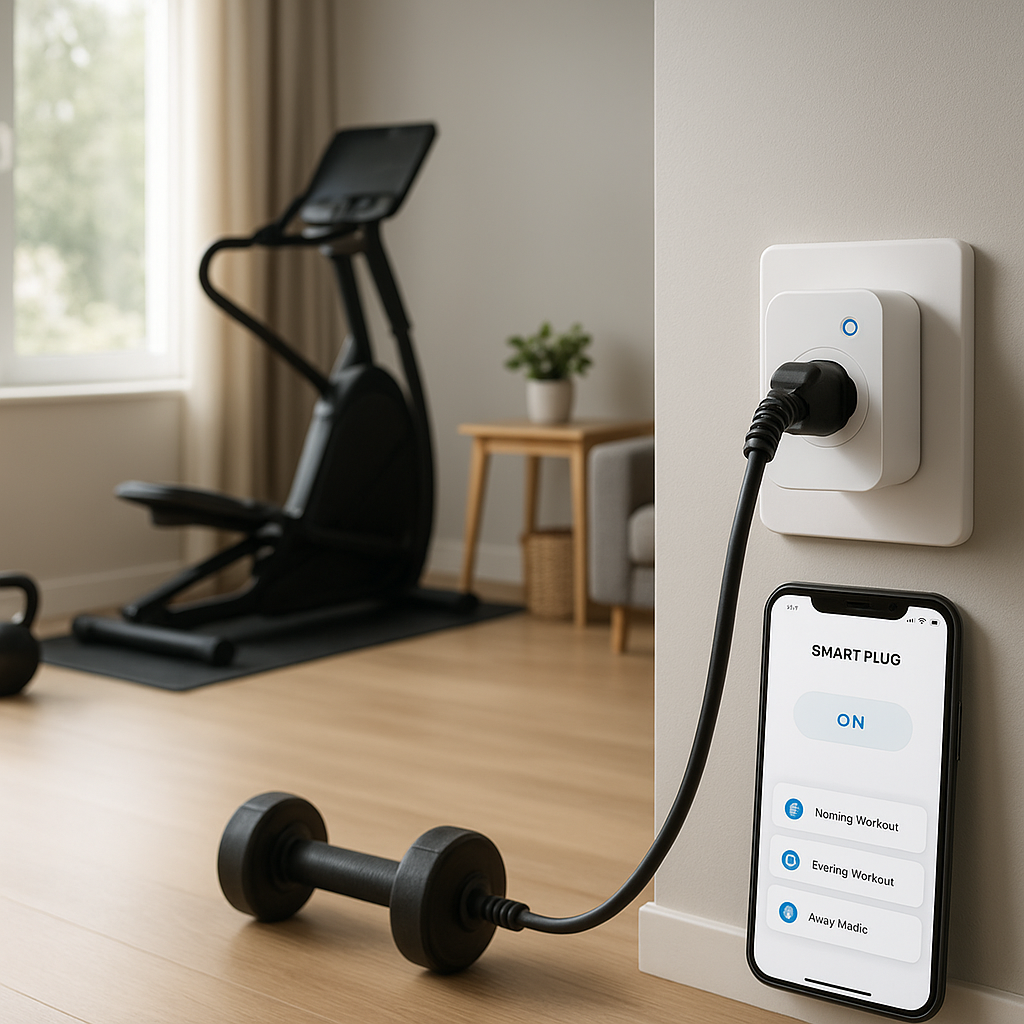
- Smart plugs or switches for small appliances like kettles and rice cookers.
- Voice assistants in the kitchen so you can set timers and adjust settings hands-free.
When to upgrade from a basic cooktop to a smart induction model
Upgrade is worth considering if:
- Your current stove is older, inefficient, or unreliable.
- You want better safety and fewer worries about burners being left on.
- You are already invested in smart home devices and want your cooking to integrate seamlessly.
- You are renovating a kitchen and have the chance to improve wiring and ventilation anyway.
Choosing the best smart induction cooktop comes down to matching power, size, safety, and smart features with how you actually cook. Start with your everyday habits, then pick the model that fits your space and budget while adding real convenience—not just flashy features you will never use.