Smart sous vide cookers have moved from restaurant kitchens into regular homes, and Wi‑Fi control plus guided recipes make them easier to use than ever. If you like the idea of restaurant‑quality steak, perfectly jammy eggs, or reliably tender chicken with almost no stress, a connected sous vide stick can be one of the most useful tools in your smart kitchen.
This guide walks through how smart sous vide cookers work, which features actually matter, and how they fit into a wider smart home setup. We’ll compare top Wi‑Fi sous vide models, explain app experiences and energy use, and help you choose the best smart sous vide cooker for your budget, cooking style, and smart home ecosystem.
What Is a Smart Sous Vide Cooker and How Does It Work?
Sous vide basics: why precision temperature control matters for home cooking
“Sous vide” is a cooking method where food is vacuum‑sealed (or placed in a zipper bag with the air removed) and cooked in a water bath held at a very precise temperature. Instead of blasting food with high heat and hoping the center comes up to the right temperature, you set the final temperature you want and let the water gently bring everything to that level.
For example:
- Medium‑rare steak: around 129–134°F (54–57°C)
- Chicken breast: around 140–150°F (60–65°C), depending on texture preference
- Salmon: around 113–122°F (45–50°C) for tender, silky results
A traditional stovetop can swing 20–50°F as burners cycle on and off. A sous vide circulator typically holds water within about 0.1–0.5°F of your target. That precision is why it’s so hard to overcook food: once it hits the set temperature, it won’t go higher.
If you’d like to dig into the science and food safety side, the Sous-vide article on Wikipedia has a solid overview of temperatures, times, and safety guidelines.
How Wi‑Fi and Bluetooth connectivity improve the sous vide experience
Classic sous vide sticks have a small screen and buttons to set temperature and time. That works, but connected models add Wi‑Fi or Bluetooth so you can use your phone or tablet as the control center.
Connectivity lets you:
- Start preheating the water from the couch, work, or your commute home
- Check remaining time and water temperature without going to the kitchen
- Get alerts if the water level is low or the cook is finished
- Access presets for different foods instead of memorizing temperatures
Bluetooth is useful for short‑range control, such as from another room. Wi‑Fi extends that control anywhere you have internet, which is especially handy for long cooks like pork shoulder or short ribs.
App control, guided recipes, and smart home integration explained
Modern smart sous vide cookers come with companion apps that do more than just set a timer.
Typical app features include:
- Guided recipes: step‑by‑step instructions with pre‑set time and temperature
- Doneness sliders: choose medium‑rare vs medium for steak, or soft vs firm eggs
- Automatic preheating: the app heats the water to the right temperature then tells you when to add food
- Progress timeline: see when the water should reach temp and when the cook will finish
Many popular brands also integrate with voice assistants and smart home platforms. That means you can say “Alexa, start the sous vide at 134 degrees” or build a routine that turns on your under‑cabinet lights and smart plug for the cooker when a scheduled cook begins. The sous vide moves from a standalone gadget to a fully integrated part of your connected kitchen.
Key Features to Look For in the Best Smart Sous Vide Cooker
Temperature accuracy, wattage, and water circulation performance
To choose the best smart sous vide cooker, start with its core job: heating and circulating water accurately.
- Temperature accuracy: Look for accuracy within ±0.1–0.5°F (±0.1–0.3°C). Better accuracy means more predictable results for delicate foods like eggs and fish.
- Wattage: Common sizes are 800–1200W. Higher wattage heats water faster and handles larger containers, but may draw more power. Around 1000–1100W is a good balance for most home cooks.
- Circulation rate: Many sticks pump 5–8 liters per minute. Strong circulation keeps the temperature consistent throughout the container, especially if you’re cooking multiple bags at once.
If you plan to meal prep large batches of chicken or cook for groups, prioritize higher wattage and strong circulation. For a couple in a small kitchen, a lower‑wattage, compact stick can be more than enough.
Wi‑Fi vs Bluetooth: connection stability, range, and multi‑device use
You’ll see three main connectivity setups:
- Bluetooth only: Simple pairing, but short range (typically one room). Good if you mainly cook while you’re home and nearby.
- Wi‑Fi only: Connects through your router, giving whole‑home and remote access. Better for long cooks and people who like to start or monitor meals while away.
- Wi‑Fi + Bluetooth: Flexible: Bluetooth for quick pairing and setup, Wi‑Fi for distance and stability.
For most smart homes, a solid 2.4 GHz Wi‑Fi connection is ideal because it offers better range through walls than 5 GHz, and some sous vide devices only support 2.4 GHz. If multiple family members want to check cook status from their phones, choose a model whose app supports multi‑user access.
Mobile app quality: guided recipes, cooking presets, and notifications
A powerful heater is wasted if the app is clunky. Before buying, check app store reviews and screenshots.
Look for:
- Clear guided recipes with photos and time/temperature explanations
- Search and filter (by protein, diet, time, or skill level)
- Custom presets you can save (for your favorite steak or weekly chicken breast)
- Reliable push notifications when preheating is done or the cook finishes
- Support for both iOS and Android if your household mixes devices
Some brands also offer cloud syncing, so your saved recipes and presets follow you between multiple phones or tablets.
Smart home ecosystem support: Alexa, Google Assistant, HomeKit, and routines
Ecosystem support determines how well your sous vide fits into your existing smart home.
- Amazon Alexa: Common for sous vide cookers; lets you start, stop, and ask for status via Echo speakers and displays.
- Google Assistant: Useful if you use Nest speakers, Pixel devices, or Android phones heavily.
- Apple HomeKit / Siri Shortcuts: Less common natively for sous vide, but some brands support Siri Shortcuts for basic voice control.
- IFTTT / routines: Helpful if you like advanced automation, such as automatically turning on cabinet lights or logging cooking times to a spreadsheet.
Pick the cooker that best matches the ecosystem you already use for lights, plugs, and smart displays. It makes voice commands and automations far smoother.
Safety features, energy efficiency, and noise levels
Since sous vide cooks run for hours, safety and comfort matter.
- Low‑water and overheat protection: The stick should shut down or alert you if the water drops too low or overheats.
- Auto shutoff: Some models turn off after a maximum cook time or if there’s a fault, reducing risk.
- Energy efficiency: Better insulation in your container plus smart scheduling can dramatically reduce power use.
- Noise levels: All circulators make some pump noise, but better models keep the hum low and unobtrusive.
If your kitchen is open to your living room or you cook overnight, prioritize quieter circulation and reliable safety protections.
Best Smart Sous Vide Cookers with Wi‑Fi and App Control in 2026 (Comparison Table)
Quick side‑by‑side comparison of top models, prices, and key specs
The table below summarizes five representative smart sous vide cookers you’ll see in 2026. Model names are generic so you can compare against specific brands like Anova, Breville Joule, and Instant Pot when shopping.
| Model | Approx. Price Range | Wattage | Connectivity | Best For |
|---|---|---|---|---|
| Model 1 – Smart Chef Pro | $$$ (mid‑high) | 1100W | Wi‑Fi + Bluetooth | Most home kitchens |
| Model 2 – Budget Connect | $ (entry) | 800W | Bluetooth, basic Wi‑Fi | Beginners on a budget |
| Model 3 – Gourmet Max | $$$$ (premium) | 1200W | Dual‑band Wi‑Fi | Advanced home chefs |
| Model 4 – Quiet Eco Circulator | $$$ | 900W | Wi‑Fi | Frequent, low‑noise use |
| Model 5 – Compact Travel Stick | $$ | 800W | Wi‑Fi | Small kitchens & RVs |
Which smart sous vide cooker is best for beginners vs advanced home chefs?
Beginners usually do best with Model 1 (Smart Chef Pro) or Model 2 (Budget Connect):
- Model 1 offers strong Wi‑Fi, clear guided recipes, and enough power for most families.
- Model 2 costs less, has fewer bells and whistles, but still gives you app control and reliable results.
Advanced home chefs who care about edge‑to‑edge perfection, detailed control, and integrations may prefer Model 3 (Gourmet Max): higher wattage, more precise control, and richer automation options.
If you cook several times per week and hate fan or pump noise, Model 4 (Quiet Eco Circulator) is ideal. For studio apartments, van life, or RVs, Model 5 (Compact Travel Stick) keeps storage and power usage reasonable.
In‑Depth Reviews: Top Smart Sous Vide Cookers with Guided Recipes
Model 1: Best overall smart sous vide cooker for most kitchens
Smart Chef Pro targets the sweet spot: around 1100W, Wi‑Fi + Bluetooth, and a polished app. It heats a typical 12‑quart container in a reasonable time and maintains temperature within about 0.2°F.
The companion app shines for beginners, with clear categories (meat, fish, eggs, vegetables, desserts) and guided recipes that walk you through sealing bags, preheating, and finishing with a pan sear. Voice control via Alexa and Google Assistant lets you adjust temperature hands‑free while you prep sides.
Model 2: Best budget smart sous vide with reliable app control
Budget Connect focuses on getting key smart features under a lower price tag. At 800W, it preheats a bit slower and works best with smaller containers (8–10 quarts), but that’s still plenty for couples or small families.
The app is simpler but still offers core guided recipes and remote monitoring. You may not get as many presets or cloud syncing, yet you still benefit from notifications and easy remote control—far better than fiddling with tiny onboard buttons.
Model 3: Best premium option with advanced guided recipes and automation
Gourmet Max is aimed at serious home cooks who want precise control and deep app features. With 1200W power and robust circulation, it handles big batches for parties or weekly meal prep with ease.
Its app goes beyond basic recipes to include multi‑step workflows: long cooks that automatically drop to holding temperatures, integration with smart ovens for finishing, and advanced doneness controls. This is the kind of device you might script in an automation platform or link to a smart display that shows real‑time graphs of water temperature and cook progress.
Model 4: Quiet and energy‑efficient option for frequent sous vide cooking
The Quiet Eco Circulator trades a bit of speed for a calmer kitchen. At 900W and with a carefully tuned pump, it’s designed to hum quietly in the background. For open‑plan apartments or night‑time cooks, that can make a noticeable difference.
Energy‑saving features may include eco modes that reduce power once the bath is stable and recommendations in the app for insulation covers and container sizes. If you cook 3–4 times a week, these small optimizations add up on your electricity bill.
Model 5: Compact smart sous vide stick for small apartments and RVs
Compact Travel Stick focuses on portability and small‑space living. It’s shorter than most circulators, fits in shallow drawers, and works well with smaller, lidded containers.
It usually pairs with a lightweight app: basic presets, Wi‑Fi control, and essential notifications. It might not support big automations, but it’s ideal if your “kitchen” is a tiny counter, camper van galley, or dorm‑style setup with limited outlets.
App Experience: Guided Recipes, Notifications, and Remote Monitoring
How guided recipes reduce guesswork for steak, fish, eggs, and vegetables
Guided recipes are the biggest advantage smart sous vide apps offer over basic, manual sticks. Instead of guessing times and temperatures, you typically pick:
- Protein type (e.g., chicken breast, salmon, strip steak, carrots)
- Thickness (often approximated by weight or a thickness slider)
- Desired doneness (rare, medium‑rare, medium, etc.)
The app then sets the time and temperature automatically and walks you through steps: preheating water, bagging with or without vacuum, cooking time, and how to sear or finish the food for better texture and color.
Using push notifications and timers so you don’t overcook your food
Push notifications transform sous vide into a true “set it and mostly forget it” method. Helpful alerts include:
- “Water has reached 134°F, add your steak now.”
- “Cook complete, sear within 30 minutes for best results.”
- “Low water level detected, check your bath.”
Because most foods have a wide safe window at the target temperature, a notification gives you a friendly nudge rather than a panic alarm. If you’re juggling kids, work calls, or other tasks, these alerts are what keep sous vide from becoming one more thing to babysit.
Adjusting time and temperature remotely from work or on the go
Wi‑Fi connected sous vide cookers typically allow you to:
- Start preheating before you leave work so water is ready when you get home
- Extend the cook time if you’re running late
- Slightly lower the temperature to turn a full cook into a safe holding period
For example, if traffic adds 30 minutes to your commute, you can use the app to keep chicken or steak warm and safe until you arrive. This flexibility is hard to match with an oven or stovetop.
Offline vs cloud‑connected features: what still works without internet
Most smart sous vide cookers can still function when your internet is down, but behavior varies by brand:
- Always available offline: On‑device controls (buttons, knob, basic display) and active cooks that are already running.
- Available via local network: Some apps still talk directly to the cooker over your local Wi‑Fi, even without the wider internet.
- Cloud‑dependent: Remote control from outside your home, recipe syncing, and voice assistants usually require the cloud.
For reliability, choose a model that lets you start, stop, and adjust cooks from the device itself or via local LAN communication, so an internet outage doesn’t ruin dinner.
Smart Home Integration: Automating Sous Vide in Your Connected Kitchen
Voice control with Alexa, Google Assistant, and Siri shortcuts
Voice control is surprisingly handy when your hands are wet or covered in marinade. Supported commands may include:
- “Alexa, set the sous vide to 140 degrees for chicken.”
- “Hey Google, how much time is left on the sous vide?”
- “Hey Siri, start my steak sous vide shortcut.”
Many users set up basic Siri Shortcuts or Alexa Routines to handle favorite cooks in one phrase. That keeps you from opening an app every time you want to repeat a regular recipe.
Creating smart routines: sous vide start times, lights, and power management
In a well‑planned smart kitchen, your sous vide can trigger or respond to other devices:
- Start the water bath at 4 p.m., turn on under‑cabinet LEDs, and set your smart speaker to play a cooking playlist.
- At the end of a 24‑hour pork shoulder cook, flash your kitchen lights and send a notification to your phone and smartwatch.
- Have your smart display automatically show cooking status and a timer when the sous vide starts.
These routines help you notice critical moments (like when to sear or chill food) without constantly watching the app.
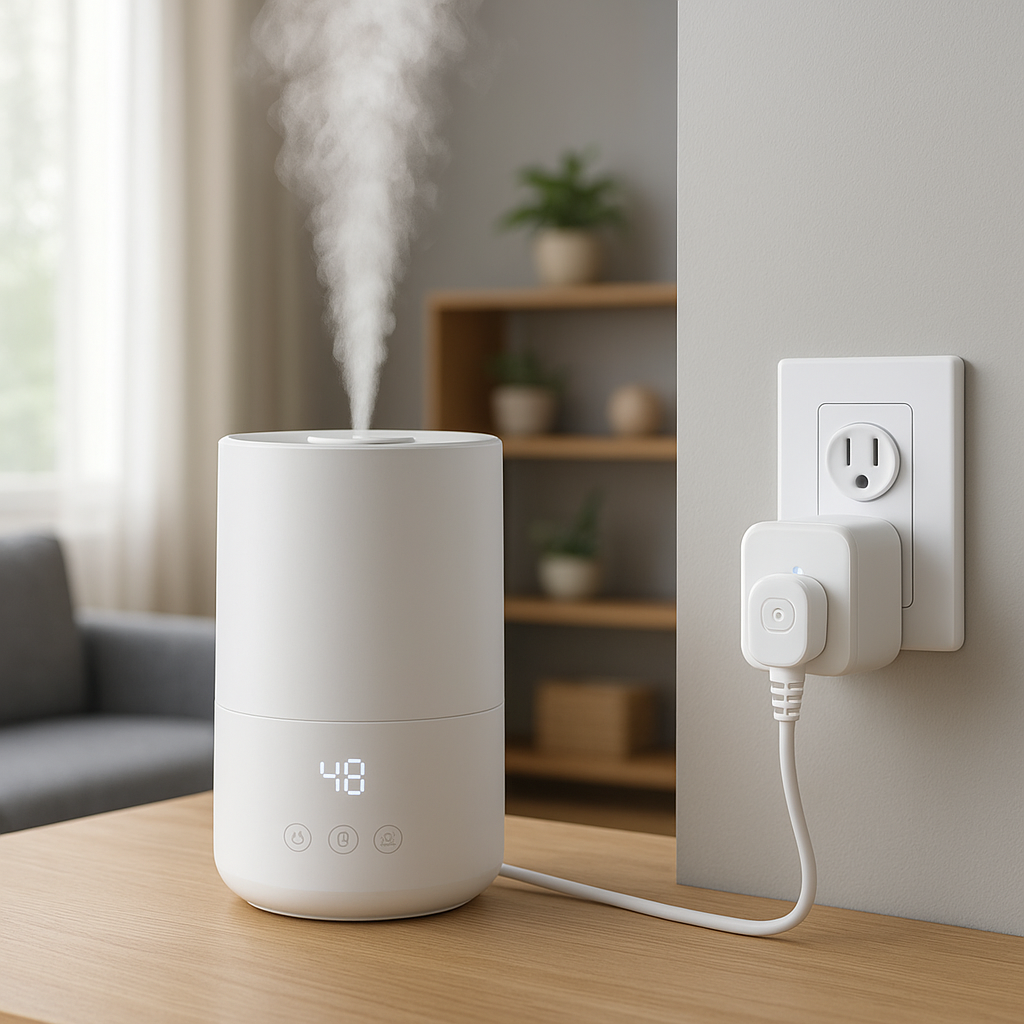
Using smart plugs and energy monitoring with your sous vide cooker
If your sous vide cooker doesn’t have advanced energy monitoring, a smart plug with an energy meter can help you understand its consumption patterns. Many home energy guides recommend placing higher‑draw appliances on monitored plugs so you can see their long‑term impact.
Just be cautious with automation: avoid cutting power mid‑cook unless you intend to stop cooking. A better approach is to use the plug for:
- Scheduling availability (only powered during typical cooking hours)
- Energy reporting and cost estimates
- Safety shutoff if an automation detects unusual behavior in combination with other sensors
Safety automations: auto‑shutoff, leak alerts, and kitchen presence detection
Smart home devices can add another layer of safety:
- Leak sensors near your sous vide container or counter can alert you to spills or a tipped container.
- Presence detection (via motion sensors or phone geolocation) can warn you if a cook is running while the house is empty longer than expected.
- Smart plug automations can cut power if a water leak and unexpected device draw are detected at the same time.
Combined with the cooker’s built‑in low‑water and overheat protections, these automations make long cooks calmer and safer.
Practical Setup: What You Need for a Smart Sous Vide Station
Choosing the right container, lid, and insulation for consistent results
A good sous vide setup is more than just the cooker. For consistent temperatures and lower energy use, consider:
- Container: Heat‑safe plastic tubs (10–16 quarts) are popular. Clear walls help you see bags easily.
- Lid or cover: A fitted lid with a cutout for the stick, or an insulation cover, reduces evaporation and heat loss.
- Insulation: A folded towel or foam mat under the container, plus a lid, can noticeably reduce wattage use, especially for long cooks.
Some brands sell container kits matched to their circulators, but you can also use a stockpot initially, then upgrade if you cook frequently.
Wi‑Fi router placement and network tips for a stable cooker connection
Sous vide sticks usually live on a countertop near an outlet, sometimes in a corner of the kitchen with weaker Wi‑Fi. To improve stability:
- Make sure your 2.4 GHz Wi‑Fi signal is strong in the kitchen (consider a mesh node nearby).
- Avoid placing the router directly behind large appliances that block signals (like the fridge).
- Use simple SSID names without special characters if your cooker is picky about Wi‑Fi setups.
If you want a deeper dive into Wi‑Fi behavior and interference, the Wi‑Fi article on Wikipedia explains how 2.4 GHz and 5 GHz bands behave in real homes.
Power requirements, extension cords, and surge protection in the kitchen
Most sous vide cookers draw 800–1200W at 120V (North America) or 220–240V (many other regions). They should be plugged into properly grounded outlets.
- Avoid thin extension cords; use heavy‑duty, grounded cords if you must extend reach.
- Don’t share the same outlet strip with other high‑draw devices like air fryers or toasters.
- Consider a surge‑protected power strip to safeguard against spikes that could damage electronics.
Organizing your smart kitchen around sous vide, ovens, and other appliances
To keep cooking stress low, plan where your sous vide lives long‑term:
- Reserve a stable surface near an outlet, away from foot traffic and where splashes won’t damage nearby devices.
- Store bags, clips, and a torch or cast‑iron pan (for searing) in the same cabinet.
- Integrate with other smart devices: for example, use a smart display to show recipes while the sous vide app runs on your phone.
A simple, consistent layout makes you more likely to actually use the cooker during busy weeks.
Energy Use and Running Costs of Smart Sous Vide Cookers
How much electricity a typical smart sous vide cooker uses per hour
Energy use varies by model, container, and insulation, but roughly:
- Heating up from tap‑cold water: higher draw (often 600–1000W continuously) for 20–40 minutes.
- Holding temperature: once stable, power cycles on and off, averaging maybe 100–300W depending on insulation and ambient temperature.
For a 2–3 hour steak cook with a well‑insulated container, the energy used is often comparable to running an electric oven for a short period, but spread out more gently.
Strategies to reduce energy consumption with insulation and scheduling
To trim running costs:
- Use hot tap water to start closer to your target temperature.
- Add a lid or wrap the container sides with a towel to reduce heat loss.
- Avoid oversizing your container; more water volume means more energy.
- Schedule long cooks during off‑peak electricity hours if your utility supports time‑of‑use pricing.
Many smart plugs and sous vide apps let you see approximate consumption over time, helping you dial in the most efficient setups.
Tracking sous vide energy use with smart plugs and energy monitors
Pairing your cooker with an energy‑monitoring smart plug can show you exactly how much power each recipe uses. Over a few weeks, you’ll learn:
- How much insulation changes your average wattage
- Which recipes are the biggest power users (often long beef or pork cooks)
- Whether off‑peak scheduling makes a noticeable cost difference
This insight also helps you compare your sous vide habits with other kitchen appliances like your oven, air fryer, or slow cooker.
Cleaning, Maintenance, and Long‑Term Reliability
Daily care: descaling, drying, and preventing mineral buildup
Sous vide sticks live in hot water, so mineral buildup is inevitable without simple maintenance:
- Let the device cool, then dry the exterior thoroughly after each use.
- If you have hard water, periodically run a cleaning cycle with equal parts water and white vinegar to dissolve scale.
- Avoid submerging parts of the device above the maximum fill line.
Many circulators have a removable sleeve or cap that lets you gently clean the heating element and pump area. Check your manual for specific guidance.
App and firmware updates: why they matter for safety and performance
Smart sous vide cookers are small computers. Manufacturers release firmware updates to fix bugs, improve temperature control, and patch security issues.
- Enable automatic app updates on your phone.
- Open the sous vide app periodically to check for firmware prompts.
- Apply updates when the cooker is idle and plugged in, not during a long cook.
Keeping both app and firmware current helps maintain accurate temperatures, stable connections, and safe operation.
Common issues (connectivity, app crashes, sensor errors) and easy fixes
Typical smart sous vide hiccups often have simple solutions:
- Connectivity drops: Move the router closer, use 2.4 GHz, or remove extra Wi‑Fi extenders that confuse pairing.
- App crashes: Update the app, reboot your phone, or reinstall if problems persist.
- Sensor errors or odd temperature readings: Power‑cycle the device, clean the sensor area, and run a short test with a trusted kitchen thermometer to verify.
If issues continue, most brands offer email or chat support, and many problems are resolved with a firmware update or a detailed reset procedure.
Who Should Buy a Smart Sous Vide Cooker (and Who Should Skip It)?
Busy professionals and families who benefit from hands‑off cooking
If your evenings are hectic, sous vide can be a relief. You can:
- Start chicken breasts at lunch, hold them safely until dinner, then quickly sear.
- Pre‑cook steak during the afternoon, then finish on a hot pan or grill when everyone’s ready.
- Use guided recipes so anyone in the family can start a cook from the app.
The automation and notifications mean less hovering over the stove and fewer last‑minute takeout decisions.
Meal preppers, fitness enthusiasts, and precision‑focused home chefs
Meal preppers and fitness‑focused cooks love sous vide because it delivers consistent protein texture and doneness across big batches. You can cook a week of chicken, salmon, or tofu in one session, then chill and reheat portions as needed.
For precision‑oriented home chefs, sous vide unlocks restaurant‑style techniques: reverse searing, 63°C eggs, ultra‑tender short ribs, and more. Smart features lower the barrier to experimenting with these styles.
When a basic non‑connected sous vide might be enough
A smart sous vide cooker isn’t for everyone. A basic, non‑connected unit may be a better fit if you:
- Rarely use your phone for cooking or dislike app‑based control
- Plan to use sous vide only a few times a year
- Have a very simple routine (one or two favorite recipes you already know by heart)
You’ll still get the benefits of precise temperature control, just without the remote monitoring, guided recipes, and smart home integrations.
How to Get the Most from Your New Smart Sous Vide Cooker
Starter recipes that showcase the value of guided cooking apps
To appreciate smart features, start with a few recipes that highlight guided steps and notifications:
- Steak (ribeye or strip): Use the doneness slider to pick medium‑rare, then follow app prompts for bagging and searing.
- Chicken breast: Compare texture at slightly different temperatures (e.g., 145°F vs 150°F) using presets.
- Soft‑boiled eggs: Use a guided recipe that nails your ideal yolk and whites.
- Carrots or potatoes: Try a vegetable recipe to see how consistent texture can be.
Once you trust the results, you’ll feel more comfortable scheduling cooks ahead and relying on notifications rather than hovering over the pot.
Planning weekly meals and batch cooking with sous vide and smart storage
Smart sous vide cookers are fantastic for batch cooking:
- Cook multiple bags of chicken, pork, or tofu at once.
- After cooking, chill quickly in an ice bath, label bags with date and doneness, and move to the fridge or freezer.
- Reheat sealed bags later using a shorter sous vide cook, or by warming gently in a pot of hot water.
Paired with smart fridges or inventory apps, you can track what’s cooked and ready to eat, reducing food waste and last‑minute meal stress.
Integrating sous vide with other smart kitchen devices for smoother routines
Smart sous vide plays well with other connected gear:
- Use a smart oven or air fryer to finish searing, triggered by a notification when the sous vide cook ends.
- Have your smart speaker announce “Steak is ready to sear” when the timer finishes.
- Log cooking history in a notes app or automation tool so you can repeat your favorite results exactly.
The goal is a kitchen where devices talk to each other enough that you spend more time enjoying food and less time juggling timers.
Final Verdict: Choosing the Best Smart Sous Vide Cooker for Your Smart Kitchen
Summary of top picks by budget, skill level, and smart home ecosystem
To recap the best smart sous vide cooker options for different situations:
- Best overall: Model 1 – Smart Chef Pro, with strong Wi‑Fi, solid power, and a friendly app.
- Best budget: Model 2 – Budget Connect, ideal if you want smart control without paying for premium extras.
- Best premium: Model 3 – Gourmet Max, for advanced cooks and deep smart home integration.
- Best for frequent use: Model 4 – Quiet Eco Circulator, focusing on low noise and efficiency.
- Best for small spaces: Model 5 – Compact Travel Stick, great for apartments, RVs, and minimal kitchens.
Align your pick with your primary ecosystem (Alexa, Google, or Apple), and make sure the app quality and recipes match how you like to cook.
Checklist to decide which sous vide cooker fits your setup today and in the future
Before you buy, run through this quick checklist:
- Do I want Wi‑Fi (remote control) or is Bluetooth enough?
- How many people do I usually cook for, and what container size will I use?
- Is the app well‑reviewed, with guided recipes in the styles I care about?
- Does it work with my voice assistant and smart home platform?
- Is my kitchen wiring and Wi‑Fi coverage ready for a 800–1200W connected device?
- Am I likely to meal prep weekly or mostly cook occasional special meals?
If you match the cooker’s power, connectivity, and app experience to your actual habits, a smart sous vide can become one of the most reliable and enjoyable tools in your smart kitchen.
FAQ
Do I need a vacuum sealer to use a smart sous vide cooker?
No. A vacuum sealer is convenient but not required. Many home cooks use heavy‑duty zipper bags and the “water displacement” method (slowly lowering the bag into water to push air out before sealing). A vacuum sealer becomes more useful for long cooks, freezing, and meal prep.
Is sous vide safe to leave unattended for many hours?
Reputable sous vide cookers are designed for long, unattended runs and include overheat and low‑water protection. Combine these protections with a stable surface, enough water, optional leak sensors, and smart notifications, and long cooks (8–24 hours) are generally safe in normal home conditions.
Can I reuse sous vide water for multiple cooks?
You can reuse water during the same day if it’s clean and you’re cooking similar foods, but let it cool before moving or storing the container. For food safety and mineral buildup reasons, it’s usually better to discard and refill with fresh water after a session, especially if you notice cloudiness.
How is a smart sous vide cooker different from a slow cooker?
Slow cookers heat food to higher, less precise temperatures and often overcook edges while the center catches up. Sous vide cookers hold water at a precise temperature, so the entire piece of food reaches the same doneness. Smart features add remote control, recipes, and notifications that slow cookers typically lack.
Will a smart sous vide cooker replace my oven or stove?
Not entirely. Sous vide excels at bringing food to perfect internal temperature, but you’ll often still want a quick sear in a pan, on a grill, or under a broiler for browning and texture. Think of sous vide as a powerful partner to your oven and stove, not a complete replacement.