Smart thermostats are usually bought for saving energy and keeping rooms at a comfortable temperature. But for many homes, humidity is just as critical. Too much moisture can lead to mold, musty smells, and damage to your home. Air that’s too dry can cause dry skin, static shocks, and even damage wood floors and furniture.
If you live in a humid climate, have a basement, or deal with condensation on windows, a smart thermostat with humidity control can be one of the most impactful upgrades you make. It can help you automatically manage moisture levels, run dehumidification when needed, and give you data and alerts before problems turn into expensive repairs.
This guide walks through why humidity control matters, what to look for in the best smart thermostat with humidity control, and how to use these devices to prevent mold and stay comfortable year‑round.
Why Humidity Control Matters as Much as Temperature
The link between indoor humidity, mold growth, and health issues
Mold needs three things to thrive: moisture, organic material (like drywall or wood), and time. When indoor humidity stays high for long periods, especially above about 60%, surfaces can stay damp long enough for mold spores to grow and spread.
Common mold trouble spots include:
- Bathrooms and laundry rooms with poor ventilation
- Basements and crawl spaces that stay cool and damp
- Window frames and exterior walls where warm, moist air condenses
- Closets and corners with limited airflow
Mold can trigger allergies, asthma, and other respiratory issues. The U.S. Environmental Protection Agency explains that controlling moisture is the key to controlling mold growth in homes, not just cleaning visible spots as they appear. You can read more in this EPA overview of moisture and mold: EPA Mold Course – Moisture and Mold.
A smart thermostat that actively monitors humidity and controls dehumidification can help keep whole‑home moisture in a safer range, reducing both mold risk and musty odors.
Ideal humidity levels for different rooms (bedrooms, bathrooms, basements)
Most experts recommend keeping indoor relative humidity between 30% and 50% for comfort and mold prevention, with 60% usually considered the upper limit before mold risk rises.
- Bedrooms and living areas: Aim for 40–50%. This is a good balance for comfort and helps protect wood furniture and flooring.
- Bathrooms and laundry rooms: Short spikes above 60% are normal during showers or drying clothes, but your goal is to bring humidity back under 50–55% within 30–60 minutes using exhaust fans or dehumidification.
- Basements: Try to stay at or below 50%. Basements are naturally cooler, which makes moisture problems worse, so more aggressive dehumidification is often needed.
Many smart thermostats can show you the current humidity and trends over time. Paired with a dehumidifier, whole‑home ventilation, or bathroom fan automations, they become a central tool for hitting these targets.
How high and low humidity affect comfort, energy use, and your home’s structure
Relative humidity doesn’t just affect mold; it also changes how warm or cool you feel at a given temperature. At 75°F and 65% humidity, your body struggles to cool itself, and the air can feel heavy or sticky. At the same temperature and 40% humidity, most people feel much more comfortable.
High humidity can:
- Make rooms feel warmer than they are, tempting you to lower the thermostat and use more AC
- Increase condensation on windows and cold surfaces
- Warp wood floors, doors, and furniture over time
- Encourage dust mites, mold, and mildew
Low humidity (often a winter problem) can:
- Make air feel cooler and drier than it is, leading you to set a higher temperature
- Cause dry skin, nosebleeds, and static shocks
- Dry out caulking and wood, causing cracks and gaps
A thermostat that can coordinate both temperature and humidity control lets you adjust one without overdoing the other, often saving energy in the process.
What to Look For in a Smart Thermostat with Humidity Control
Built-in humidity sensors vs. external/remote sensors
Most midrange and premium smart thermostats now include a built‑in humidity sensor. This is a good starting point, but location matters: if your thermostat is in a hallway, it may not reflect the humidity in a steamy bathroom or a damp basement.
Look for:
- Built‑in humidity sensor: Essential for basic monitoring and simple automations like “run AC longer to dehumidify.”
- Remote room sensors: Systems like Ecobee’s SmartSensors or Honeywell’s room sensors can report humidity from specific rooms (e.g., basement), which is more useful for mold prevention.
- Integration with separate sensors: Some thermostats can read humidity data from third‑party sensors via platforms like HomeKit, Alexa, or Google Home.
Dehumidification and humidification control features explained
Not all thermostats that display humidity can actually control it. For real humidity control, you want:
- Dehumidification control: Ability to control a whole‑home dehumidifier or run the air conditioner in a way that removes extra moisture (sometimes called “overcooling to dehumidify”).
- Humidification control: For dry climates or winter, the thermostat can control a whole‑home humidifier, adding moisture based on setpoints.
- Adjustable setpoints: Separate humidity targets for summer/winter or day/night.
- Dehumidify only mode: For mild days where you want to remove moisture without dramatically changing temperature.
Read product specs carefully; some popular smart thermostats only monitor humidity but don’t have dedicated terminals to directly control humidifiers or dehumidifiers.
Compatibility with HVAC systems, dehumidifiers, and whole-home humidifiers
Humidity‑controlling thermostats can connect in several ways:
- Direct terminals: Premium models (Ecobee, Honeywell T10 Pro, some Resideo models) include dedicated HUM/DEHUM terminals that wire directly to whole‑home humidifiers or dehumidifiers.
- AC‑based dehumidification: Some thermostats tweak your air conditioner’s runtime or compressor/fan behavior to pull more moisture out of the air on humid days.
- Accessory relays: In some setups, you may need a relay to connect a standalone dehumidifier or fan to your thermostat.
Before buying, confirm your HVAC type (single‑stage, multi‑stage, heat pump, boiler, etc.) and whether you already have or plan to add whole‑home humidity equipment.
App features, alerts, and automations specific to humidity management
A good app makes humidity management something you rarely think about. Look for:
- Custom humidity alerts: Notifications when humidity rises above a threshold (e.g., 60%) or drops too low.
- Room‑level data: If you use remote sensors, the app should let you see humidity per room.
- Automation rules: Examples include “If humidity in basement > 55%, turn on dehumidifier” or “If bathroom humidity spikes, run fan for 20 minutes.”
- Integrations: Support for Alexa Routines, Google Home automations, or Apple Home scenes that include humidity conditions.
Data history, charts, and reports for tracking humidity trends
Short‑term readings are helpful, but trends are what reveal hidden problems. Some thermostats provide basic daily graphs; others offer multi‑week history and downloadable reports.
Useful data features include:
- Humidity vs. temperature charts to spot when condensation risk is high.
- Event markers for when the dehumidifier or humidifier was running.
- History by room if you have remote sensors (great for basements or bedrooms).
- Export options if you want to share data with an HVAC pro.
Best Smart Thermostats with Built-In Humidity Control (Quick Comparison)
Comparison table: key specs, humidity features, compatibility, and price range
Here’s a quick look at popular smart thermostats that include humidity sensing and, in many cases, humidity control. Price ranges are approximate and can vary by retailer and promotions.
| Model | Humidity Features | HVAC / Accessory Support | App & Ecosystem | Approx. Price Range (USD) |
|---|---|---|---|---|
| Ecobee Smart Thermostat Premium | Built‑in humidity; supports dehumidification & humidification; remote sensor support | Multi‑stage, heat pump, HRV/ERV, whole‑home dehumidifier/humidifier | Ecobee app, Alexa, Google Assistant, HomeKit, SmartThings | $$$ |
| Ecobee Smart Thermostat Enhanced | Built‑in humidity; dehumidify with AC; supports SmartSensors | Most standard systems, some accessories via terminals | Ecobee app, Alexa, Google Assistant, HomeKit | $$ |
| Nest Learning Thermostat (3rd Gen) | Built‑in humidity; monitoring and basic “Cool to Dry” dehumidification | Most forced‑air systems; limited direct humidifier/dehumidifier control | Google Home app, Google Assistant | $$$ |
| Nest Thermostat | Built‑in humidity; basic monitoring | Many systems; no direct accessory terminals | Google Home app, Google Assistant | $$ |
| Honeywell Home T9 | Built‑in humidity; room sensors with humidity | Conventional & heat pump; some humidifier/dehumidifier support | Resideo app, Alexa, Google Assistant | $$ |
| Honeywell Home T10 Pro / Resideo pro models | Advanced humidity control; terminals for humidifier/dehumidifier | Designed for pro‑installed systems with accessories | Resideo app, voice assistant support | $$$ (often via installer) |
| Emerson Sensi Touch | Humidity monitoring; limited direct control | Most HVAC systems; no built‑in room sensors | Sensi app, Alexa, Google Assistant | $$ |
| Wyze Thermostat | Humidity monitoring only | Many standard systems | Wyze app, Alexa, Google Assistant | $ |
Which models are best for mold-prone homes, apartments, and vacation properties
Different home types benefit from different feature sets:
- Mold‑prone homes with basements or crawl spaces: Ecobee Smart Thermostat Premium or Honeywell T10 Pro, paired with whole‑home dehumidification and remote sensors in problem areas.
- Apartments and condos: Nest Thermostat or Ecobee Enhanced are usually sufficient; focus on humidity monitoring and running bathroom fans and standalone dehumidifiers via smart plugs.
- Vacation properties or rentals: Ecobee or Honeywell pro models with strong alerting and remote access are ideal. Reliable notifications if humidity spikes can help you catch leaks or HVAC failures early.
Ecobee Smart Thermostats: Advanced Humidity and Comfort Control
How Ecobee measures humidity and uses occupancy to fine-tune comfort
Ecobee smart thermostats include a built‑in humidity sensor and support optional SmartSensors that can measure temperature and occupancy in other rooms. Some Ecobee sensors also report humidity, giving a more complete picture of your home’s moisture levels.
Ecobee’s comfort settings let you:
- Balance temperature and humidity using “comfort settings” for Home, Away, and Sleep modes.
- Use occupancy detection to prioritize rooms you’re actually using when adjusting temperature.
- Monitor humidity trends in the app so you can spot patterns, like a damp basement after heavy rain.
Using Ecobee with dehumidifiers, ERVs/HRVs, and multi-stage systems
Ecobee’s higher‑end models can directly control:
- Whole‑home dehumidifiers: Wired to dedicated terminals and controlled by humidity setpoints.
- Whole‑home humidifiers: Useful in dry climates to maintain 30–40% humidity in winter.
- HRVs/ERVs (heat/energy recovery ventilators): These systems improve fresh air exchange while reducing energy loss. Ecobee can manage when they run based on temperature and indoor air goals.
- Multi‑stage systems: Ecobee can use low stages for gentle dehumidification and higher stages for bigger temperature changes.
This level of control is especially helpful in climates with both hot, humid summers and cold, dry winters.
Pros, cons, and ideal use cases (older homes, basements, multi-zone setups)
Pros:
- Robust humidity sensing and control, including whole‑home accessories.
- Remote sensors help focus on problem rooms like basements and attics.
- Strong smart home integrations including Apple Home.
Cons:
- Setup is more complex when wiring dehumidifiers, HRVs/ERVs, or multi‑stage systems.
- Costs more than basic smart thermostats.
Best for: Older homes with moisture issues, homes with finished basements, and multi‑zone setups where you want fine control over both comfort and humidity.
Google Nest Thermostats: Smart Learning with Basic Humidity Insights
What Nest can and can’t do for humidity monitoring and mold prevention
Both the Nest Learning Thermostat and Nest Thermostat include built‑in humidity sensors. In the Google Home app, you can see current humidity and basic trends, which is helpful for spotting issues like persistent high humidity in summer.
Nest offers a “Cool to Dry” feature on some models, which runs the AC a bit longer to remove extra moisture when humidity is high. However:
- Most Nest models do not provide dedicated terminals for controlling separate whole‑home dehumidifiers or humidifiers.
- Humidity automations are more limited compared to Ecobee or Honeywell pro thermostats.
For many apartments and smaller homes, Nest’s humidity monitoring plus good ventilation habits are enough to reduce mold risk. For very damp homes, you may want a thermostat with more advanced control.
Integrations with Nest ecosystem (sensors, cameras) for indoor air awareness
Nest’s real strength is its broader ecosystem:
- Nest Temperature Sensors can help balance comfort between rooms, though they do not report humidity.
- Nest Protect smoke and CO alarms can detect some air quality issues like smoke and elevated CO, which indirectly tie into overall indoor air health.
- Nest cameras can be used to visually check for condensation on windows or dampness in basements when you get a high‑humidity alert.
By combining thermostat data with other Nest devices in the Google Home app, you can build routines such as running a smart plug‑connected dehumidifier when humidity stays high.
Pros, cons, and best home types for Nest with humidity needs
Pros:
- Attractive design and strong learning/scheduling features.
- Simple humidity monitoring built in.
- Excellent integration with Google Assistant and Nest devices.
Cons:
- Limited direct control over separate humidity equipment.
- No native remote humidity sensors.
Best for: Modern apartments, condos, and smaller homes where you want easy‑to‑use smart controls and basic humidity insight, not full‑blown whole‑home humidity management.
Honeywell Home and Resideo Thermostats: Reliable HVAC and Humidity Control
Key models with dehumidification and humidification terminals
Honeywell Home (now branded under Resideo for many pro products) has a long history in HVAC controls. Several models are designed specifically to manage humidity, including:
- Honeywell Home T9: Smart thermostat with support for room sensors, built‑in humidity reading, and some dehumidification control.
- Honeywell Home T10 Pro / Resideo T10: Often installed by professionals and includes dedicated terminals for humidifiers, dehumidifiers, and ventilation equipment.
- VisionPRO 8000 and similar pro lines: Widely used by HVAC contractors for advanced systems with whole‑home humidity control.
Using Honeywell thermostats with whole-home humidifiers/dehumidifiers
Many Honeywell/Resideo thermostats can directly switch:
- Bypass or fan‑powered humidifiers commonly found on forced‑air furnaces.
- Whole‑home dehumidifiers that tie into your ductwork.
- Ventilation systems that bring in outdoor air on a schedule or based on indoor conditions.
These thermostats usually let you set a target humidity or use an outdoor sensor to automatically adjust humidity in winter to reduce window condensation.
Pros, cons, and who they’re best for (traditional HVAC setups, pro installs)
Pros:
- Deep compatibility with traditional HVAC and humidity accessories.
- Trusted by HVAC professionals; easier to get help if you need service.
- Strong dehumidification and humidification features on pro models.
Cons:
- Some models require professional installation and setup.
- Apps and interfaces can feel less polished than some consumer‑focused brands.
Best for: Single‑family homes with standard ducted HVAC, especially when you already have or plan to add a whole‑home humidifier, dehumidifier, or ventilation system and want a trusted, pro‑grade solution.
Budget-Friendly Smart Thermostats with Humidity Features
Affordable options that still track humidity
If you’re on a tighter budget, there are still smart thermostats that offer humidity monitoring without premium pricing. Examples include:
- Wyze Thermostat: Inexpensive, shows current humidity, works with Wyze app.
- Emerson Sensi (Smart or Touch models): Often on sale, includes humidity readouts and solid scheduling features.
These can alert you to humidity problems, even if they can’t directly control advanced humidity equipment.
Trade-offs vs premium models (accuracy, automations, integrations)
Budget thermostats usually sacrifice:
- Advanced accessory control: No dedicated terminals for humidifiers or dehumidifiers.
- Room sensors: Humidity is measured only where the thermostat is mounted.
- Rich automations: Fewer built‑in rules and sometimes weaker integration with smart home platforms.
For basic monitoring and standard AC/furnace systems, these trade‑offs may be acceptable, especially in drier climates or newer, well‑insulated apartments.
When a budget thermostat plus a separate smart humidity sensor makes sense
You can also pair a budget thermostat with:
- Smart humidity sensors (e.g., standalone sensors that work with Alexa, HomeKit, or Google Home).
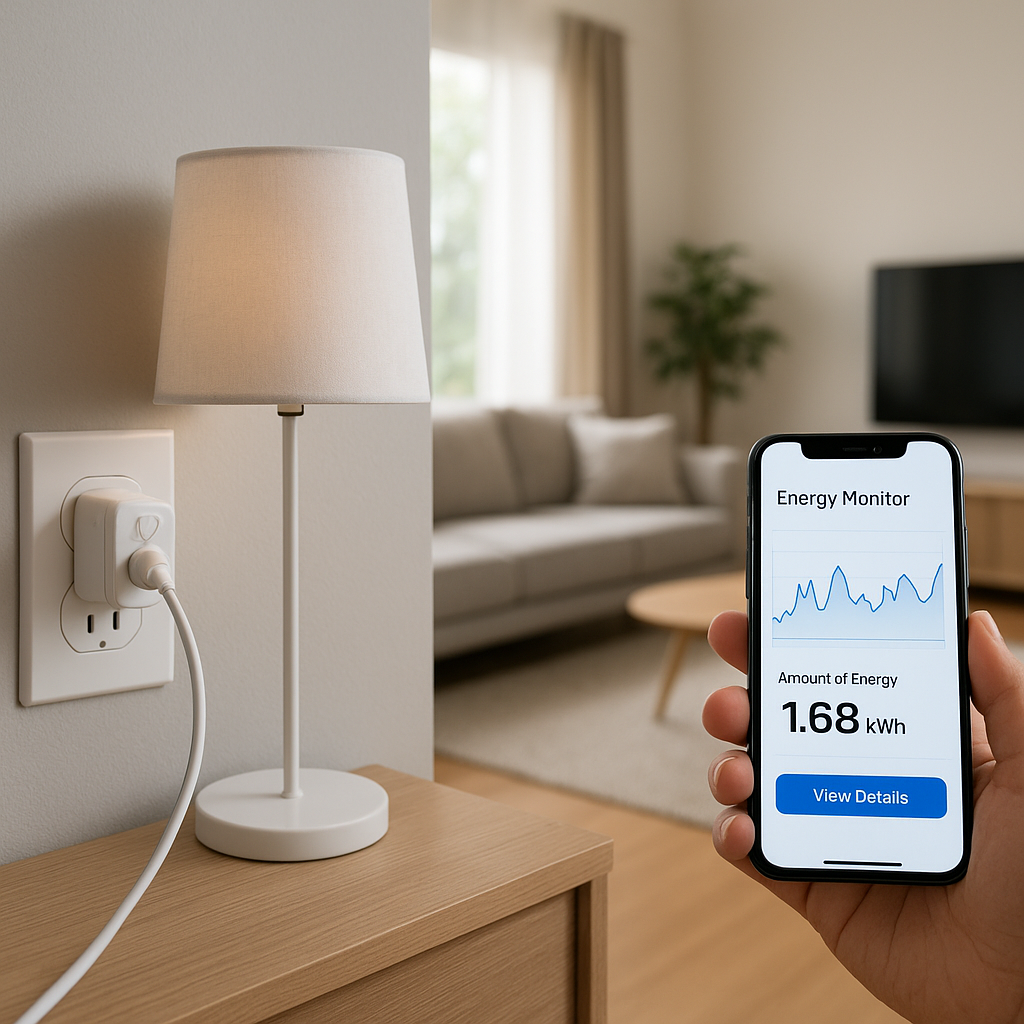
- Smart plugs controlling standalone dehumidifiers or portable humidifiers.
For example, you can create an automation: “If basement humidity sensor > 60%, turn on dehumidifier plug.” This approach is flexible and often cheaper than installing a whole‑home solution, especially in rentals where you can’t modify HVAC wiring.
How to Use a Smart Thermostat to Prevent Mold
Recommended humidity and temperature settings by season
As a starting point:
- Summer: 72–76°F with 40–50% humidity. If the air feels sticky, aim closer to 45%.
- Winter: 68–72°F with 30–40% humidity to reduce condensation on cold windows.
- Shoulder seasons (spring/fall): 68–72°F with humidity under 50–55%, especially in basements.
Use your thermostat’s comfort settings to create separate day and night modes, and adjust based on your climate and how your home actually feels.
Setting up alerts when humidity goes above mold-risk thresholds
Most smart thermostat apps let you set custom alerts. For mold prevention:
- Create an alert if whole‑home humidity exceeds 60% for more than 1–2 hours.
- In basements or bathrooms with separate sensors, set stricter alerts at 55–58%.
- Set a low‑humidity alert below 30% in winter to protect wood and improve comfort.
These alerts are especially valuable for vacation homes or properties you don’t visit daily.
Automating exhaust fans, dehumidifiers, and AC for moisture control
With the right accessories, your thermostat can automatically dry the air without constant manual control. Common setups include:
- Bathroom fans: Use a humidity sensor or a smart switch to run the fan until humidity drops back to normal after showers.
- Standalone dehumidifiers: Plug them into smart plugs and create routines tied to thermostat or sensor humidity readings.
- Air conditioner dehumidification: Enable features like “Cool to Dry” (Nest) or dehumidify with AC (Ecobee, Honeywell) so the system squeezes out more moisture during hot, humid days.
Special strategies for bathrooms, laundry rooms, and basements
Focus extra attention on high‑risk spaces:
- Bathrooms: Use a humidity‑sensing fan or a smart switch timer; keep doors open after showers to circulate dry air.
- Laundry rooms: Ensure the dryer is vented outside; consider a dehumidifier if you line‑dry clothes indoors.
- Basements: Place a dedicated humidity sensor and dehumidifier; use your thermostat data to adjust setpoints seasonally.
Comfort Optimization: Balancing Temperature, Humidity, and Energy Use
Why 72°F can feel different at 40% vs 60% humidity
Relative humidity describes how much water vapor is in the air compared to the maximum the air could hold at that temperature. At higher humidity, sweat evaporates more slowly, so you feel warmer and stickier at the same temperature. At lower humidity, sweat evaporates more easily, so the same temperature can feel cooler and more comfortable.
You can read more about how relative humidity works in this overview: Relative humidity – Wikipedia.
A smart thermostat that keeps humidity around 45–50% often lets you raise your cooling setpoint by a degree or two without feeling hotter.
Using smart schedules and occupancy detection to stay comfortable efficiently
Use your thermostat’s smart scheduling features to avoid over‑conditioning the home:
- Let the temperature and humidity relax slightly when you’re away.
- Use occupancy detection (Ecobee, some Nest models) to reduce conditioning in unused rooms or during work hours.
- Create separate sleep schedules: slightly cooler at night with moderate humidity often feels best.
These small adjustments add up to noticeable savings over a year while keeping rooms feeling comfortable.
Reducing energy bills by letting humidity do some of the comfort work
Because drier air feels cooler, you may be able to:
- Keep the thermostat 1–3°F higher in summer when humidity is managed well.
- Use targeted dehumidification (basement, bathrooms) instead of over‑cooling the entire house.
- In winter, slightly higher humidity can let you run at a lower temperature while still feeling cozy.
Your thermostat’s energy reports and humidity graphs can help you experiment with different setpoints to find the best balance of comfort and cost.
Installation and Compatibility Tips for Humidity-Controlling Thermostats
Wiring basics: C-wire, dehumidification/humidification terminals, and relays
Before installing any smart thermostat, check your wiring:
- C-wire (common wire): Most smart thermostats, especially those with humidity control and Wi‑Fi, need a C‑wire for continuous power.
- Accessory terminals: Look for labeled terminals like HUM, HUM1, HUM2, or DEHUM on both your existing thermostat and HVAC control board.
- Relays: Some setups require an isolation relay between the thermostat and devices like dehumidifiers or ventilation fans to match voltages and keep controls safe.
If you open your existing thermostat and see only two or three wires, or no C‑wire, you may need an adapter kit or professional help.
When to DIY vs hire an HVAC professional
DIY installation is usually fine if:
- You’re replacing a basic thermostat with a smart one using the same heating/cooling equipment.
- You already have a C‑wire and no extra accessories like humidifiers connected.
Hire a pro if:
- You’re adding or reconfiguring whole‑home humidifiers, dehumidifiers, or HRVs/ERVs.
- You’re unsure about wiring, or your system uses high‑voltage (line‑voltage) controls.
- You have a complex setup like a multi‑stage heat pump with backup heat.
Common installation mistakes that break humidity features
Watch out for these pitfalls:
- Miswiring accessory terminals, causing the humidifier or dehumidifier to never run.
- Forgetting to enable the accessory in the thermostat’s settings after wiring.
- Mounting the thermostat in a spot with unusual humidity (next to a bathroom door or sun‑facing window), which skews readings.
- Not updating HVAC control board jumpers when required by the thermostat manual.
Integrating Humidity Control into Your Wider Smart Home
Using smart sensors in problem areas (closets, crawl spaces, attics)
Smart humidity sensors can go where thermostats can’t:
- Closets: Detect moisture build‑up that leads to musty clothes.
- Crawl spaces: Monitor for high humidity that can damage subfloors.
- Attics: Catch ventilation issues before they cause condensation and mold.
Many of these sensors report data into platforms like Home Assistant, Alexa, Google Home, or Apple Home, where you can create automations tied to your thermostat or dehumidifiers.
Automations with smart plugs, smart vents, and fans for better airflow
You can go beyond just turning HVAC on and off:
- Smart plugs: Cycle dehumidifiers, air purifiers, or portable fans based on humidity thresholds.
- Smart vents: Redirect airflow toward rooms that tend to feel damp or stuffy.
- Ceiling fans: Run on low speed during humid periods to improve comfort and reduce the need for extra cooling.
Voice control and routines with Alexa, Google Assistant, and Apple Home
Voice assistants make it simple to check and adjust conditions:
- “Alexa, what’s the humidity in the bedroom?”
- “Hey Google, turn on the dehumidifier” (via smart plug).
- “Hey Siri, set home to dry mode” (via HomeKit scene adjusting thermostat and plugs).
Routines can automatically coordinate multiple devices, such as lowering blinds, adjusting AC setpoints, and turning on a dehumidifier when a heatwave hits.
Maintenance Checklist to Keep Mold Away Long-Term
Seasonal tasks: filter changes, drain line checks, and coil cleaning
Even the best smart thermostat can’t overcome neglected equipment. Key maintenance tasks include:
- Change HVAC filters every 1–3 months, or as recommended, to maintain airflow and dehumidification performance.
- Check condensate drain lines from your AC and dehumidifiers so they don’t clog and overflow.
- Clean evaporator and condenser coils periodically to keep cooling and dehumidification efficiency high.
Use reminders in your thermostat app or calendar to keep on top of these tasks.
Monitoring trends in your thermostat app to catch issues early
Review your thermostat’s humidity history every few weeks, especially during peak seasons:
- Watch for humidity that never drops below 60% even when AC is running.
- Look for new patterns after home changes like window replacements or insulation upgrades.
- Compare rooms using sensors to spot local problems (e.g., one bedroom always damp).
These trends can signal the need for equipment service, better ventilation, or additional dehumidification.
When to consider HVAC upgrades or additional dehumidification
You may need to go beyond thermostat settings if:
- Your AC runs constantly but humidity stays high.
- Basement humidity is high even when upstairs is fine.
- You see recurring condensation on windows or cold walls.
In these cases, talk to an HVAC professional about:
- Adding a whole‑home dehumidifier controlled by your smart thermostat.
- Improving ventilation with an HRV/ERV or upgraded bath fans.
- Upgrading oversized or inefficient cooling equipment that doesn’t dehumidify well.
Choosing the Best Smart Thermostat with Humidity Control for Your Home
Decision guide by home type: small apartment, single-family, large/home with basement
Use this quick guide to narrow your choices:
- Small apartment or condo: Nest Thermostat, Ecobee Enhanced, or Emerson Sensi. Focus on humidity monitoring, good schedules, and smart plugs for small dehumidifiers.
- Typical single‑family home: Ecobee Smart Thermostat Premium, Honeywell T9, or Nest Learning Thermostat. Look for features like dehumidify with AC and support for basic accessories.
- Large home or home with finished basement: Ecobee Premium or Honeywell T10 Pro with remote sensors and whole‑home dehumidification/humidification control.
Key questions to ask before you buy (HVAC type, humidity issues, budget)
Before choosing a model, answer:
- What type of HVAC system do I have (single‑stage, multi‑stage, heat pump, boiler)?
- Do I already have a whole‑home humidifier or dehumidifier, or will I add one?
- Where are my humidity problems worst (basement, bathrooms, bedrooms)?
- Do I want simple monitoring, or full control of humidity equipment?
- What’s my budget for the thermostat and any additional sensors or devices?
Final recommendations and next steps for a healthier, more comfortable home
If humidity and mold are serious concerns, lean toward a thermostat that doesn’t just measure humidity but can actively control it. Ecobee and Honeywell/Resideo pro lines are strong choices for homes with basements and whole‑home accessories, while Nest and budget options work well for smaller or less humid spaces.
Next steps:
- Audit your home’s humidity trouble spots.
- Confirm your HVAC type and existing accessories.
- Pick a thermostat that matches your system and humidity goals.
- Set up smart alerts and basic automations, then refine based on your app’s data over time.
With the right setup, your thermostat becomes more than just a temperature dial—it’s a central tool for keeping your home dry, healthy, and comfortable all year.
FAQ
Do all smart thermostats control humidity?
No. Many smart thermostats display humidity but only some can directly control whole‑home humidifiers, dehumidifiers, or advanced AC dehumidification modes. Check for dedicated HUM/DEHUM terminals and humidity control settings in the product specs.
Is a smart thermostat enough to prevent mold by itself?
A smart thermostat is a powerful tool, but it’s only part of the solution. You also need adequate ventilation, properly sized HVAC equipment, and in many cases a whole‑home or room‑based dehumidifier. Think of the thermostat as the brain that coordinates these systems, not a standalone cure.
Where should I install my thermostat for accurate humidity readings?
Install the thermostat in a central interior location away from direct sunlight, exterior doors, and bathrooms or kitchens. For moisture‑prone areas like basements or bathrooms, add separate humidity sensors rather than relocating the main thermostat to an extreme environment.
Can I use a smart thermostat in a rental?
Often yes, but you should check with your landlord first. In many rentals a simple smart thermostat without accessory wiring, combined with smart plugs and portable dehumidifiers, is the most practical option and can usually be swapped back to the original thermostat when you move.
How accurate are built-in humidity sensors in thermostats?
Most built‑in sensors are accurate enough for home use, typically within a few percentage points. If you need more precision, you can compare readings with a dedicated hygrometer and adjust your targets slightly or add separate high‑accuracy humidity sensors for critical areas.