Short-term rentals can feel less predictable than hotels: different neighborhoods, different locks, different hosts, and no front-desk security. Portable smart security for Airbnb and other short-term rentals gives you a way to add your own layer of protection without drilling holes, rewiring anything, or upsetting your host.
This guide walks you through renter-friendly devices, setup tips, and smart habits so you can travel with a compact security kit that’s fast to deploy and easy to pack away. The focus is on detection and personal safety, not spying on hosts or neighbors—and on staying within Airbnb rules and local laws.
Why Portable Smart Security Matters for Airbnb and Short-Term Rentals
The unique security risks of staying in Airbnbs and short-term rentals
Short-term rentals introduce a few security challenges you don’t usually find in hotels:
- Unknown lock history: Many people may have had keys or codes before you: cleaners, maintenance staff, previous guests, even neighbors.
- Varied building access: Some listings are in secure apartment buildings, others are in older houses with flimsy exterior doors or shared entrances.
- Less-standardized safety gear: One place may have great exterior lighting, another may have no peephole, loose latches, or no deadbolt.
- Host-installed tech: Hosts might use smart locks, exterior cameras, or noise sensors—sometimes well-documented, sometimes not.
Portable smart security for Airbnb stays bridges those gaps. Instead of trusting that every listing is perfectly secure, you bring a small kit that makes doors, windows, and rooms more predictable everywhere you go.
What you can (and cannot) control as a guest
As a guest, you can’t reconfigure the whole property, but you do control:
- Entry awareness: Knowing when exterior doors or key interior doors (like your bedroom in a shared home) open.
- Room-level alerts: Motion alerts inside the space you personally occupy.
- Personal items: Tracking luggage, laptops, and passports with Bluetooth or GPS-based trackers.
- Where you sleep: Choosing bedrooms or beds that feel safer (not directly on the street-level window, for example).
You cannot control permanent infrastructure: the building’s main entrance, the landlord’s cameras in shared hallways, or the host’s Wi‑Fi network quality. Your portable gear should work around those constraints, not fight them.
Balancing personal safety with host rules and local laws
There’s a line between protecting yourself and invading someone else’s privacy. You need to balance:
- Host expectations: Most hosts don’t want their property recorded or hardware altered.
- Other guests’ privacy: In shared rentals, roommates or co-travelers should not feel watched.
- Local regulations: Many places restrict audio recording and hidden cameras, especially in private spaces.
The rest of this guide sticks to portable devices and practices designed to keep you inside those boundaries, while still giving you practical peace of mind.
Understanding Airbnb Rules, Privacy Laws, and What’s Allowed
Airbnb’s policies on cameras, sensors, and monitoring equipment
Airbnb has clear rules for hosts about cameras and monitoring devices. In general:
- Visible security cameras and noise monitors must be disclosed in the listing.
- Cameras are never allowed in private spaces such as bedrooms and bathrooms.
- Hidden or undisclosed cameras are strictly prohibited.
You can read the latest policy details on Airbnb’s official help pages, such as their section on security cameras and recording devices. These rules are directed at hosts, but they also set expectations for what you should and should not do as a guest.
What guests are typically allowed to bring and use inside a rental
Most hosts are fine with portable devices that:
- Do not damage surfaces or modify wiring.
- Do not record people in shared areas without consent.
- Do not interfere with the property’s own systems (locks, thermostats, routers).
Commonly acceptable items include:
- Battery-powered door and window sensors that stick with removable adhesive.
- Motion sensors pointed at your bedroom door or a private hallway.
- Bluetooth trackers for your bags and valuables.
- Personal safety alarms or panic buttons.
Portable smart security for Airbnb stays is usually fine when your devices focus on your space and your belongings, not the host’s behavior.
Legal and ethical lines: recording audio, video, and shared spaces
The key boundaries:
- No secret recording of others: Avoid hidden cameras or microphones in areas where others could reasonably expect privacy.
- Be careful with audio: Audio recording laws are often stricter than video-only recording, especially in “two-party consent” regions.
- Avoid shared spaces: Living rooms, kitchens, and balconies shared with roommates or co-guests should not be under your camera.
Using a camera to monitor the inside of your suitcase or a small area around your valuables is very different from watching the entire living room.
How to check house rules and message your host about security devices
Before you travel:
- Read the listing’s House Rules section for any mention of cameras or added devices.
- Scan the description for mention of existing security systems and where they’re placed.
If you plan to bring a camera or more advanced gear, send a short, clear message:
“For personal safety, I travel with a small indoor camera that points only at my luggage and a door sensor on the inside of my bedroom door. It’s battery-powered, removable, and won’t record shared areas or damage anything. Is that okay with you?”
Getting written confirmation in the Airbnb message thread protects both you and the host.
Key Principles for Portable, Non-Invasive Smart Security
Devices that require zero installation or modification
Look for gear that leaves no trace:
- Contact sensors that use removable adhesive tabs (like 3M Command strips).
- Tabletop motion sensors with rubber feet or magnetic stands.
- Door wedges with built-in alarms that simply slide under the door.
- Clip-on or suction-cup accessories that don’t need screws.
If something requires drilling, permanent mounting, or wiring into power, it’s usually not suitable for portable smart security for Airbnb stays.
Focusing on detection and alerts, not surveillance of others
Your goal is early warning, not catching people on film:
- Door sensors that notify you if the front door opens unexpectedly at night.
- Motion alerts near the bedroom door or inside a small valuables zone.
- Noise/vibration sensors that alert you to forced entry or loud disturbances.
This approach keeps you on the right side of privacy expectations and drastically simplifies conversations with hosts and travel companions.
Battery-powered and USB-powered options for true portability
Portable devices should work in almost any country and outlet type. Prefer:
- AA/AAA or rechargeable lithium batteries with decent life (weeks, not hours).
- USB-C or micro-USB charging, so you can reuse the same chargers you use for phones and tablets.
- Devices that do not require a hub that plugs into the wall, or where the hub itself can run on USB power.
Examples include standalone motion sensors from Aqara, Wyze, or Philips Hue, and compact cameras from Eufy or Reolink that run from USB power banks.
Choosing devices that don’t connect to the host’s Wi-Fi (or do so safely)
Connecting to the host’s Wi‑Fi raises questions: bandwidth use, device visibility on their router, and privacy concerns. Consider:
- Offline-capable devices: Sensors that trigger local alarms (sound or light) without any internet.
- Bluetooth or Thread devices: These can often talk directly to your phone or a small travel hub.
- Hotspot setups: A spare phone or travel router creating a private Wi‑Fi network for your gear.
If you must use the host’s Wi‑Fi, avoid heavy cloud recording or 24/7 streaming. Keep your device names neutral (“BT Sensor 1” instead of “Living Room Spy Cam”).
Essential Portable Smart Security Devices to Pack
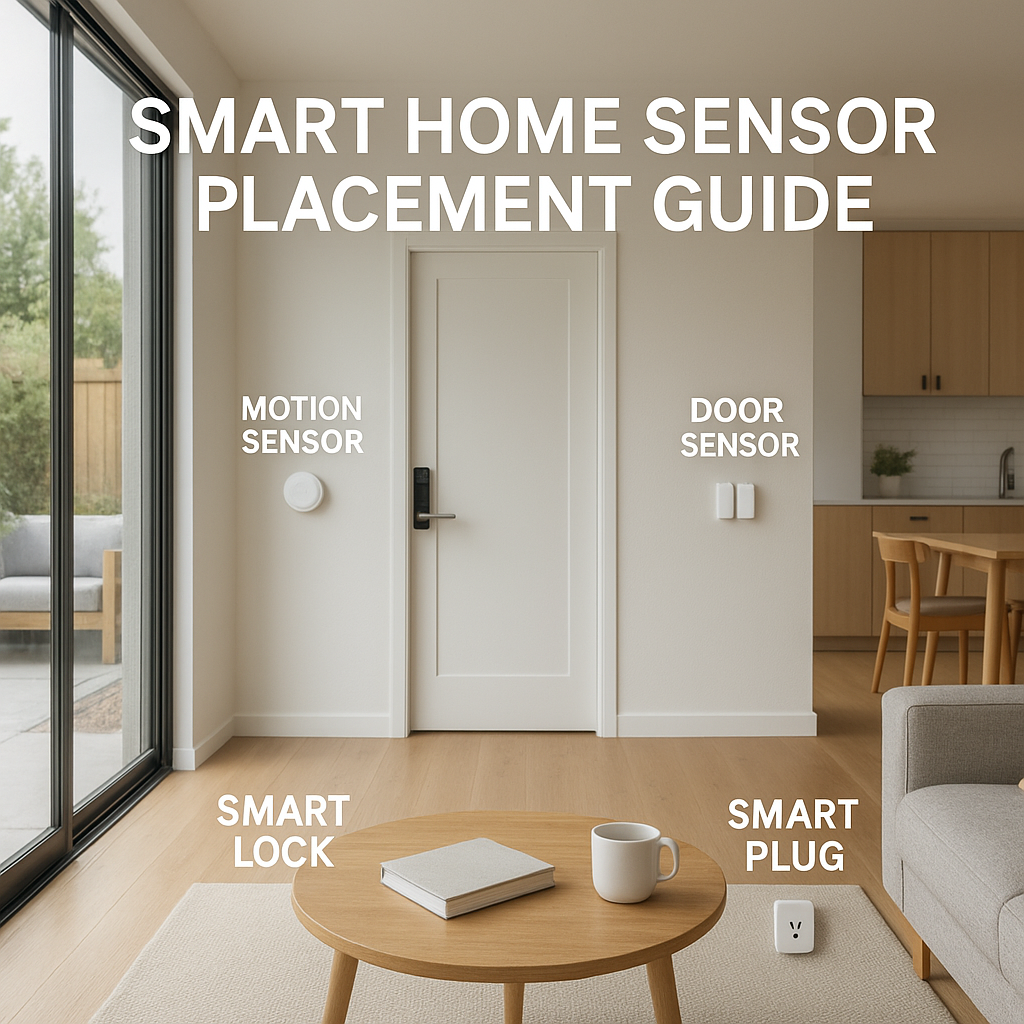
Smart door and window contact sensors that mount with removable adhesive
Contact sensors consist of two small pieces that detect when a door or window opens. For travel:
- Choose slim sensors with removable adhesive pads.
- Mount on the inside of your bedroom door, balcony door, or any street-facing window you’re worried about.
- Pair them to an app that sends push notifications or triggers a chime.
Examples: Wyze Sense, Aqara Door and Window Sensor, Eve Door & Window (great for Apple HomeKit users).
Portable smart motion sensors for entryways and hallways
Small PIR (passive infrared) motion sensors can cover:
- The main entrance area of a studio or one-bedroom rental.
- The hallway leading to your bedroom in a shared apartment.
- A luggage corner, so you get alerts if someone moves near your bags.
Look for sensors with adjustable sensitivity, long battery life, and simple app pairing. Many ecosystems (Aqara, Philips Hue, Alexa-compatible sensors) offer motion sensors that can be dropped on any shelf and reclaimed when you leave.
Compact smart security cameras that respect privacy rules
If your host is okay with it and local laws permit, a compact camera can watch over a limited, clearly defined area, such as:
- A small section of the room where you keep passports and laptops.
- Inside a closet or luggage storage area.
Choose:
- Models with physical lens covers or shutters.
- Local storage (microSD) so you don’t rely on cloud uploads.
- Clear LED indicators when recording.
Eufy, Reolink, and Wyze all make compact cameras that can run from USB power and be placed discreetly, without pointing at beds or bathrooms.
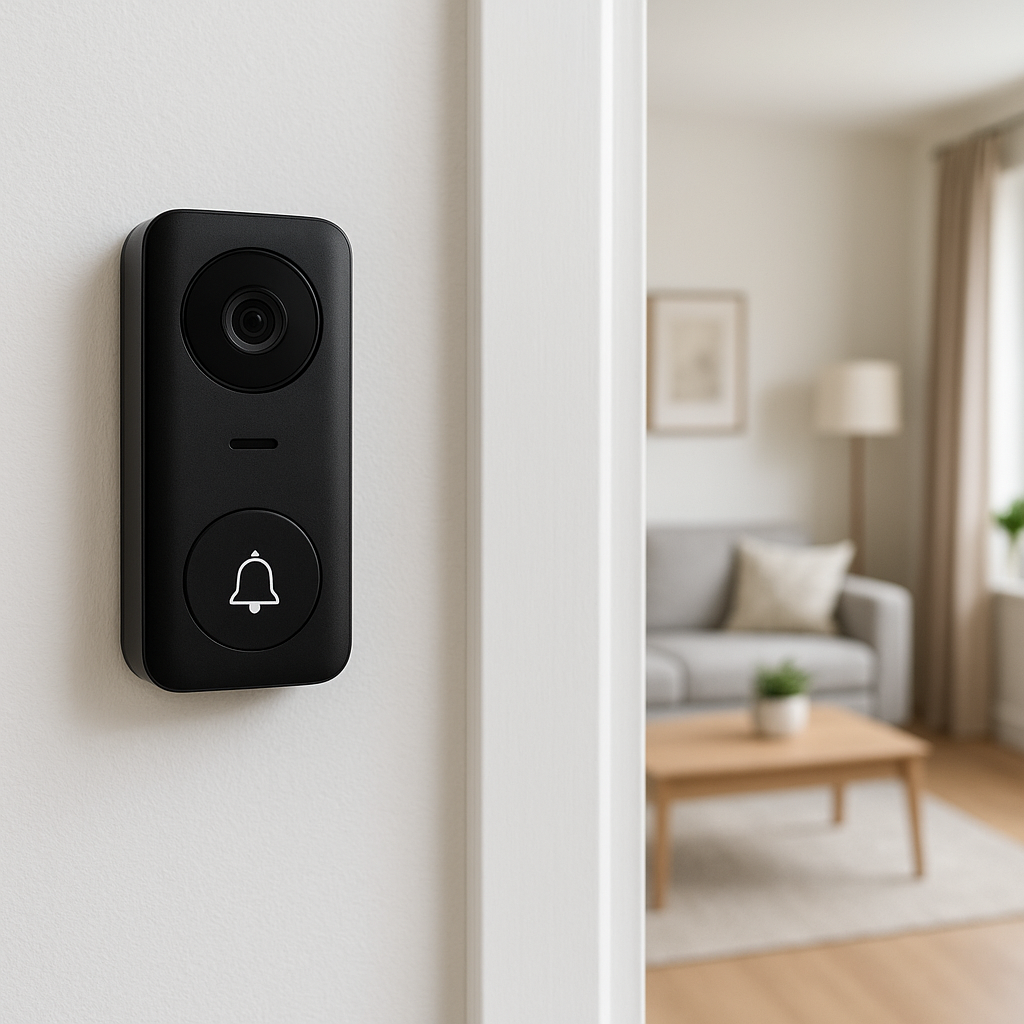
Smart doorbell alternatives when you can’t touch the existing hardware
You usually can’t replace or rewire the host’s doorbell, but you can add:
- Door wedge alarms that squeal loudly if the door opens or pressure is applied.
- Over-the-door hooks with hanging chimes or simple mechanical alarms.
- Battery-powered peephole viewers or clip-on door viewers if the door has a peephole.
These don’t provide cloud video like a full smart doorbell, but they increase awareness without touching existing wiring.
Personal safety devices: smart panic buttons, Bluetooth trackers, and sirens
Rounding out your kit:
- Panic buttons: Small wearables or fobs that trigger loud alarms or send alerts to chosen contacts.
- Bluetooth trackers: AirTags, Tile, or Chipolo tags for bags, keys, and even backpacks, so you can locate them quickly.
- Portable sirens: Keychain alarms or USB-powered sirens that can scare off intruders or attract attention.
These devices are highly portable and don’t involve the property at all, making them almost universally acceptable.
Privacy-Safe Smart Camera Use in Airbnbs (If Allowed)
Where you should and should not place a portable camera
Acceptable zones:
- Pointed at a table where you keep valuables.
- Inside a closet or wardrobe facing shelves.
- Within a small “security corner” that doesn’t show beds, sofas, or bathrooms.
Avoid:
- Any angle that shows beds, showers, toilets, or mirrors.
- Doors to other people’s rooms in shared homes.
- Balconies or windows that might capture neighbors or public walkways.
Configuring cameras to avoid recording other guests and public areas
Use your camera’s software features to limit what it sees and stores:
- Set up activity zones targeting just your luggage or a single table.
- Disable continuous recording and use motion-triggered clips instead.
- Turn off audio recording if possible to avoid legal complications.
Most modern cameras let you fine-tune detection zones and recording rules in their mobile apps within a minute or two.
Cloud storage, local storage, and deleting footage after your stay
Good hygiene for portable smart security for Airbnb use:
- Prefer local storage (microSD card) for short stays. It’s faster and more private.
- If you use cloud storage, restrict how long clips are retained (e.g., 3–7 days).
- After checkout, export any truly important clip and then wipe the card or delete cloud recordings related to that property.
This prevents a buildup of sensitive footage from multiple rentals sitting in your account.
When and how to disclose your device use to hosts and co-travelers
Transparency builds trust:
- With hosts: Mention cameras or advanced sensors ahead of time and describe exactly where they’ll point.
- With travel companions: Show them the camera view in the app so they know what is (and isn’t) being seen.
- With roommates in shared stays: Avoid cameras entirely in shared common areas; stick to your private room and valuables corner.
Using Smart Sensors Without Violating Host Rules
Door and window sensors: temporary mounting and removal tips
To avoid marks and residue:
- Use low-tack adhesive strips and keep the original sensor adhesive covered.
- Attach sensors to smooth, cleaned surfaces (wipe lightly with a dry cloth first).
- On checkout, remove slowly at a low angle to avoid peeling paint.
Keep a few spare adhesive pads in your kit so you can reset sensors for each new stay.
Motion sensors in bedrooms and living areas (for detection, not spying)
Because motion sensors detect movement, not identity:
- Place them on shelves or nightstands pointing toward doors, not beds.
- Use them to trigger silent notifications to your phone or a small chime, rather than cameras.
- Avoid placing them in shared bathrooms or directly facing seating areas where others relax.
Noise and vibration sensors vs. cameras for higher privacy
Noise and vibration sensors can be a good compromise:
- Door vibration sensors can signal potential forced entry without any video.
- Noise sensors can let you know if something loud is happening near your door or valuables.
- Because they don’t capture faces, they’re usually seen as less intrusive than cameras.
Some devices measure only noise levels (decibels) rather than recording sound, which sidesteps many audio-recording issues.
How to pack and label your sensors for frequent travelers
To keep things organized:
- Store sensors in a small hard case with labeled compartments (e.g., “Door 1,” “Window,” “Hall motion”).
- Use a label maker or masking tape to mark each sensor so you know where to place it at each new property.
- Keep spare batteries, adhesive tabs, and a mini screwdriver together.
This minimizes setup time and helps you quickly check that everything’s packed before leaving.
Setting Up a Portable Smart Security System on the Road
Building a travel-ready kit: bag, chargers, mounts, and labels
A compact kit might include:
- 1–2 door/window sensors.
- 1–2 motion sensors.
- 1 compact camera (if you use one).
- 1–2 personal alarms or sirens.
- 4–8 Bluetooth trackers.
- USB cables, a small power strip, and international plug adapter.
Pack everything in a small, padded pouch or electronics organizer so you can toss it into any carry-on bag.
Recommended apps and ecosystems for easy setup (HomeKit, Alexa, Google Home)
For smoother travel setups:
- Apple HomeKit: Great for iPhone users; devices like Eve and Aqara sensors work well with an iPad, Apple TV, or HomePod mini as a hub.
- Amazon Alexa: Many budget sensors and cameras integrate here; an Echo Flex or Echo Pop can act as a compact travel hub.
- Google Home: Good for Nest and many third-party devices; a Nest Hub can manage routines on the go.
Try to standardize on one ecosystem so all devices appear in a single app for quick arming/disarming.
Offline and hotspot-based setups when you can’t use host Wi-Fi
Options if the host’s network is slow, locked down, or untrusted:
- Use a mobile hotspot from your phone or a travel router and connect your devices to that network.
- Favor devices that work via Bluetooth or Thread directly to your phone without internet.
- Keep expectations realistic: offline, you’ll still get local alarms, but remote access from outside the property may be limited.
Step-by-step example: securing a one-bedroom Airbnb in 15 minutes
Arrival routine:
- Walk through the space once, noting all doors and easily accessible windows.
- Place a door contact sensor on the inside of the main entry door.
- Place a motion sensor on a shelf or counter facing the entry and hallway.
- If using a camera, point it only at the table where you keep wallets, passports, and laptops.
- Pair devices to your phone (or confirm they reconnected to your travel hub) and test each sensor by opening the door or walking in front of it.
- Arm the system at night or whenever you leave, and disarm when you’re inside and moving around.
Detecting Hidden Cameras and Questionable Devices in a Rental
Simple manual checks: mirrors, smoke detectors, vents, and electronics
Before unpacking fully, do a quick sweep:
- Check smoke detectors and carbon monoxide alarms for unusual lenses or extra wiring.
- Look at vents, clocks, and picture frames for tiny pinholes or out-of-place LEDs.
- Inspect mirrors—especially in bathrooms or near beds—for signs they might be two-way.
- Scan power outlets, USB chargers, and alarm clocks for hidden camera designs you’ve seen online.
Using smartphone apps and RF detectors to scan for hidden cameras
Your phone can help:
- Use the camera (with the lights dimmed) to look for infrared LEDs around suspicious devices.
- Network scanner apps (on laptops or phones) can show unknown devices on the Wi‑Fi network.
- Dedicated RF detectors or lens-finder gadgets can help detect wireless cameras or hidden lenses; many use LED rings to reveal concealed optics, similar to methods described in resources on hidden cameras.
How to respond if you suspect or find an undisclosed camera
If something feels off:
- Photograph the device clearly from multiple angles.
- Disable it without damaging property if safe (e.g., unplugging a strange clock, covering a lens with paper).
- Do not confront the host immediately if you feel unsafe; step outside or move to a public area first.
Reporting to Airbnb and local authorities while keeping evidence
Next steps:
- Contact Airbnb support through the app, attach your photos, and explain clearly where the device was located.
- If laws may have been broken or you feel targeted, consider filing a report with local police or relevant authorities.
- Save screenshots of any listing descriptions that conflict with what you found.
Having well-documented evidence makes it more likely that Airbnb and authorities will take your claim seriously.
Smart Locks and Access Management When You’re Not the Host
What to know about host-installed smart locks and access codes
Many rentals now use smart locks. As a guest:
- Ask whether your code is unique to your stay and whether it’s changed after each guest.
- Prefer locks that allow app-based access or time-limited codes over a generic permanent code.
- Don’t share access codes outside your travel group.
If something feels insecure (e.g., a printed code visible to neighbors), message the host and ask for a new one.
Temporary smart lock accessories you can add without removal of hardware
You typically cannot change the main lock, but you can:
- Use a portable door lock that latches onto the strike plate from inside.
- Add a door jammer or bar under the handle against the floor.
- Use small window locks or stoppers on sliding doors that don’t damage frames.
These tools are mechanical, not “smart,” but they fit into the broader travel security kit.
Managing check-in, late arrivals, and key handoffs more securely
To avoid awkward or insecure handoffs:
- Ask for self check-in with a smart lock or lockbox if you’re arriving late.
- Request the lockbox location and door code only through the Airbnb messaging system, not SMS or random apps.
- If given a physical key, store it in a consistent spot and consider attaching a Bluetooth tracker so it’s harder to misplace.
Travel Security Scenarios and Recommended Setups
Solo traveler in a private room with shared common areas
Priority: securing your bedroom space.
- Door contact sensor on your bedroom door.
- Motion sensor inside your room pointing to the door.
- Personal alarm or door wedge under the bedroom door at night.
- Bluetooth trackers on your backpack, laptop sleeve, and keys.
A camera is usually unnecessary in this scenario and may create tension with housemates.
Couple or family in an entire-home Airbnb
Priority: entry points and kids’ rooms.
- Contact sensors on the main entry and any balcony or patio doors.
- Motion sensor in the main hallway connecting bedrooms.
- Optional camera focused only on a valuables table or the room where you store devices.
- Noise or vibration sensor near the front door for added awareness at night.
Digital nomad staying in rotating month-to-month rentals
Priority: protecting work gear and maintaining a consistent routine.
- A slightly larger kit with a small travel hub (HomeKit, Alexa, or Google Home).
- Multiple sensors for office/living area and bedroom doors.
- One or two cameras focused on your work desk and equipment.
- RF detector or network scan habits to check each new property when you arrive.
Group trip where you’re not the primary guest on the booking
Priority: respecting group dynamics while protecting your own space.
- Discuss in advance whether people are comfortable with sensors or cameras.
- Limit devices to your room and personal valuables, not shared lounges or kitchens.
- Share access to any apps that affect common spaces, so no one feels monitored without visibility.
Packing Checklist: Portable Smart Security Gear for Every Trip
Minimum essentials for weekend city breaks
For short trips, a minimal kit could be:
- 1 door wedge alarm or portable door lock.
- 1 door contact sensor with removable adhesive.
- 1 motion sensor (optional).
- 2–4 Bluetooth trackers.
- Spare batteries and a small USB charger.
Expanded kit for international or long-term stays
For longer trips or working abroad:
- 3–4 contact sensors (front door, balcony, key windows).
- 2–3 motion sensors (entry, hallway, valuables corner).
- 1–2 compact cameras (if permitted).
- RF detector for hidden camera sweeps.
- Portable door lock and window stoppers.
Cable management, power strips, and adapters for foreign outlets
To avoid a tangle of cords:
- Use a short travel power strip with USB ports.
- Pack a single, high-quality universal travel adapter compatible with your destinations.
- Wrap each cable with Velcro ties and label them (camera, sensors, phone).
Good power planning ensures your security gear stays charged without dominating every outlet in the rental.
How to keep everything organized and ready for airport security checks
To move smoothly through security:
- Store electronics and batteries in a single, easily removable pouch.
- Keep manuals or a small card listing what each device is, in case agents ask.
- Charge all devices before leaving home so you can power them on if requested.
Best Practices to Stay Safe Without Breaking Trust
Communicating boundaries with your host in a respectful way
Clear communication reduces misunderstandings:
- Ask where their existing cameras are located and confirm none are inside private rooms.
- Share that you use portable security mainly for your own peace of mind and that you’ll avoid shared areas.
- Reassure them you won’t alter hardware or Wi‑Fi settings.
Setting expectations with travel companions about cameras and sensors
Before turning anything on:
- Explain which devices you’ll use and show their exact coverage area.
- Agree on no cameras in bedrooms or bathrooms shared by others.
- Give everyone access to arm/disarm controls or, at minimum, explain how to avoid accidental triggers.
Reviewing your logs and footage, then wiping data after checkout
Good data hygiene:
- Before you leave, quickly scroll through event logs to ensure nothing suspicious happened while you slept or were out.
- Export any clip that might be useful later (e.g., proof of a break-in) to secure storage.
- Delete recordings and event logs related to that property from your camera app or SD card.
This habit keeps your accounts tidy and limits how much information you hold about other people’s spaces.
When portable smart security isn’t enough—and you should book elsewhere
Sometimes, the right answer is to leave:
- You discover undisclosed cameras or suspicious modifications.
- Locks or doors feel dangerously weak or broken, and the host won’t fix them quickly.
- The neighborhood feels unsafe and your concerns aren’t addressed.
Portable smart security for Airbnb rentals is a supplement, not a substitute for basic property safety. Trust your instincts and, if necessary, involve Airbnb support to find an alternative.
Conclusion: Travel with Confidence Using Portable Smart Security
Quick recap of must-have devices and setup steps
A solid portable smart security kit centers on:
- Door and window contact sensors for key entry points.
- One or two motion sensors for hallways and room entrances.
- Optional compact camera focused on valuables only, with host consent.
- Mechanical add-ons: door wedges, portable door locks, and window stoppers.
- Bluetooth trackers and personal alarms for your gear and personal safety.
Setup usually takes under 15 minutes per property once you’ve done it a few times.
How to evolve your travel security kit over time
Start simple and refine as you travel:
- After each trip, note which devices you used heavily and which stayed in the bag.
- Standardize on one app ecosystem to reduce configuration hassle.
- Upgrade to smaller, longer-lasting sensors as new models appear.
Over time, your kit will shrink in size but grow in effectiveness.
Links to further guides on smart security and privacy for travelers
Use this guide as a base and build your own routine. Combine smart sensors, careful inspection of each rental, and respectful communication with hosts and co-travelers. With a small, well-thought-out kit, you can walk into almost any Airbnb or short-term rental, set up your portable defenses in minutes, and sleep a lot more comfortably.
FAQ
Is it legal to bring my own camera to an Airbnb?
In many places, yes, as long as you only record your own private space, avoid bathrooms and bedrooms used by others, follow local audio/video recording laws, and stay transparent with hosts and travel companions. Always check local regulations and host rules before using a camera.
Do I need the host’s permission to use door and window sensors?
Most hosts are fine with non-damaging sensors that you stick inside and remove cleanly. It’s courteous, and sometimes wise, to let them know you use portable security gear, especially if it connects to their Wi‑Fi.
Will portable smart security devices work without Wi‑Fi?
Many will. Contact and motion sensors can trigger local alarms or Bluetooth notifications even without internet. Cameras usually need Wi‑Fi for remote viewing, but can often record locally to an SD card without cloud access.
Can I connect my devices to the host’s smart lock or security system?
Generally, no. You should not modify or integrate with the host’s permanent systems. Instead, use your own fully portable gear that you can deploy and remove without touching their configuration.
What’s the simplest setup for someone new to smart home tech?
Start with a door wedge alarm, one battery-powered contact sensor on your bedroom or entry door, and a couple of Bluetooth trackers for your keys and bags. This combination adds a lot of peace of mind with very little setup or technical knowledge.