Being jolted awake by a loud alarm is hard on your body and your mood. If you already own smart blinds, shades, or smart bulbs, you’re only a few taps away from a much calmer way to wake up: a sunrise routine that slowly fills your bedroom with light.
This guide walks you through exactly how to set up a sunrise wake-up routine with smart blinds and lights using only mobile apps. No coding, no advanced hubs, and no complicated automation platforms. We’ll cover common devices (IKEA, SwitchBot, Aqara, Hue, Kasa, Lifx) and show how to do it with Alexa, Google Home, and Apple HomeKit.
By the end, you’ll have a step-by-step plan you can copy, plus example routines for different types of sleepers.
Why a Sunrise Wake-Up Routine Is Better Than a Loud Alarm
The science of light, melatonin, and your body clock
Your body runs on a roughly 24-hour cycle called the circadian rhythm. Light is one of the main signals that tells your brain when to be awake and when to wind down. In the evening, darkness helps your body release melatonin, a hormone that makes you sleepy. In the morning, light suppresses melatonin and nudges your body toward wakefulness.
Bright light hitting your eyes — especially in the blue-white range — sends a signal to the brain’s internal clock region (the suprachiasmatic nucleus) that it’s time to start the day. Gradual light in the 30–60 minutes before your alarm can shift your body from deep sleep into lighter stages so waking feels easier. If you want to dig into the science, the overview of circadian rhythms on Wikipedia gives a solid, non-technical explanation.
Benefits of gradual light vs. traditional alarms (energy, mood, productivity)
Compared with a sudden phone alarm or loud clock, a sunrise-style wake-up can:
- Reduce sleep inertia (that groggy, heavy feeling when you first wake up).
- Make it easier to get out of bed on time without hitting snooze repeatedly.
- Improve morning mood by avoiding a stress spike from a sudden alarm.
- Help you feel more alert earlier, which can support better focus and productivity.
- Make early wake-ups (workouts, commutes, school runs) feel more sustainable.
The goal isn’t to eliminate alarms entirely; it’s to let light do more of the work so the alarm is just a backup or a gentle final nudge.
Who will benefit most from a sunrise wake-up setup
Almost anyone can benefit, but sunrise routines are especially helpful for:
- People who struggle with dark winters: where the sun rises after your usual wake-up time.
- Night owls: who need to shift their schedule earlier without feeling wrecked.
- Light sleepers: who are easily startled by loud alarms.
- Parents: easing kids into earlier school wake-ups without meltdowns.
- Shift workers: who need a strong light cue, even when waking in the afternoon or evening.
What You Need for a Smart Sunrise Wake-Up (Blinds, Lights, Apps)
Compatible smart blinds and curtain motors (IKEA, SwitchBot, Aqara, etc.)
You don’t need to replace all your windows. A sunrise routine can start with just one bedroom window on a schedule. Look for blinds or curtain motors that:
- Support scheduled open/close times in their app.
- Offer percentage control (like 25%, 50%, 75%, 100%).
- Integrate with Alexa, Google Home, or Apple HomeKit.
Popular options include:
- IKEA FYRTUR / KADRILJ smart blinds (works with the IKEA Home smart app, plus Alexa, Google, and Apple Home).
- SwitchBot Curtain / Blind Tilt retrofits your existing curtains or blinds.
- Aqara Roller Shade Driver E1 and compatible roller shade motors.
- Yoolax, Graywind, Soma and other motorized shades that offer app control and integrations.
Best smart bulbs and switches for sunrise lighting
If your bedroom doesn’t get enough natural sunlight, or you want more control, smart bulbs can simulate sunrise very effectively. Look for bulbs or switches that support:
- Gradual dimming and brightening.
- Warm-to-cool color temperature (optional but nice).
- Integration with your chosen platform (Alexa/Google/HomeKit).
Good options include:
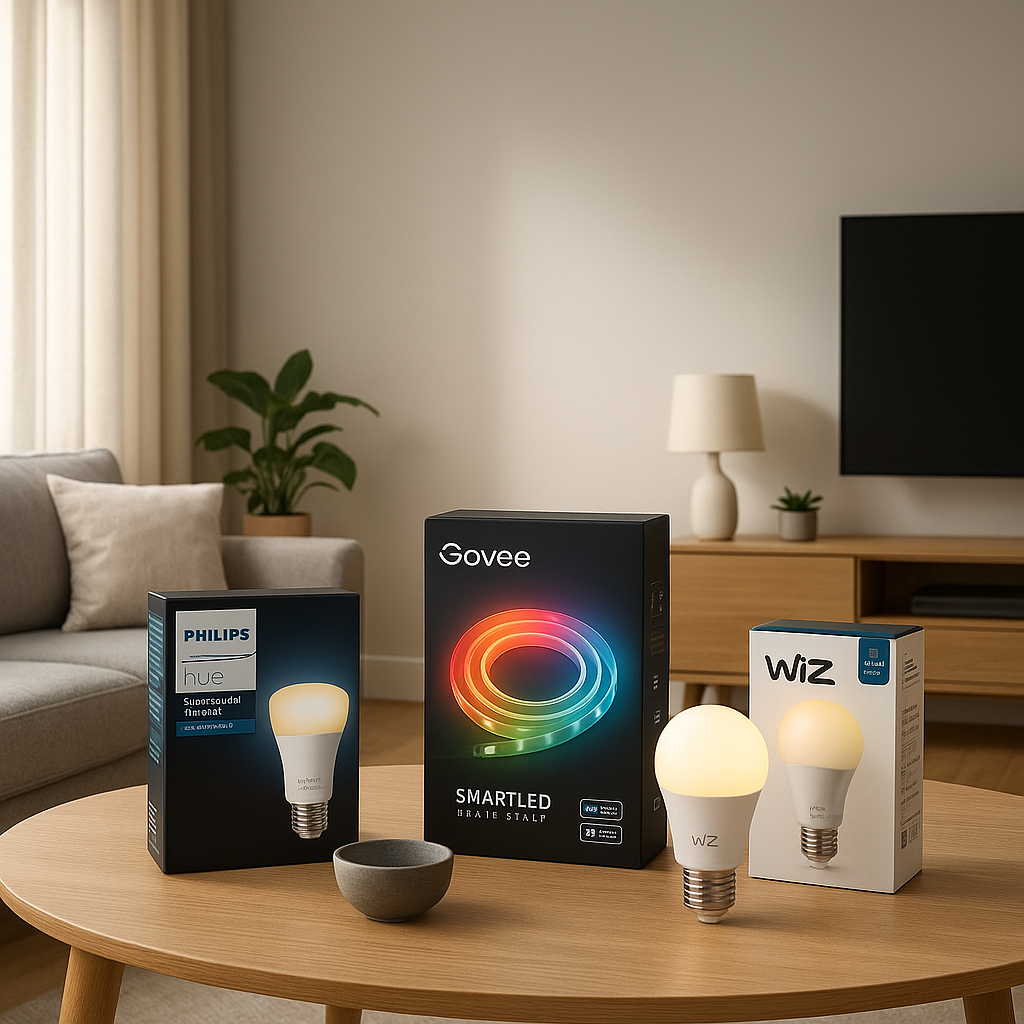
- Philips Hue white and color ambiance bulbs.
- TP-Link Kasa dimmable or tunable white bulbs.
- Lifx bulbs for strong brightness and rich colors.
- Smart switches from Lutron Caseta, Kasa, or Aqara if you prefer keeping your existing bulbs.
Required apps and platforms (Alexa, Google Home, HomeKit, manufacturer apps)
To keep things simple, you’ll be using only official apps — no custom code.
- Manufacturer apps (IKEA Home smart, SwitchBot, Aqara Home, Philips Hue, Kasa, Lifx) for initial setup and basic schedules.
- Alexa app if you use Echo speakers or Fire TV devices.
- Google Home app if you use Nest Hub, Nest Mini, or Android/Google Assistant.
- Apple Home app on iPhone or iPad if your home runs on HomeKit.
You can run a simple sunrise routine entirely within most manufacturer apps, but using Alexa, Google Home, or HomeKit lets you sync blinds, lights, and optional extras together.
Optional extras: motion sensors, smart plugs, and sound machines
Once your basic sunrise routine is working, you can add:
- Smart plugs for bedside lamps or white noise machines that turn off automatically.
- Motion sensors to trigger low-level lighting if you get up before your routine starts.
- Smart speakers (Echo, Nest, HomePod) to play gentle sounds, news, or music as a final wake-up cue.
Planning Your Ideal Sunrise Routine Before You Open the Apps
Choosing your wake-up time and sunrise duration (15, 30, 45 minutes)
Before diving into settings, decide how you want your wake-up to feel.
- 45-minute ramp-up: Best for light sleepers and people who want a very gentle transition.
- 30-minute ramp-up: A balanced option that works for most people.
- 15–20 minute ramp-up: Better for heavy sleepers or those on tight schedules.
Example: If you need to be out of bed at 7:00, a 30-minute ramp-up means starting your light at 6:30.
Deciding which blinds open first and which lights turn on when
Map out a simple sequence:
- Stage 1: Blinds crack open slightly or lights turn on at 1–5% brightness.
- Stage 2: Blinds open further and lights reach 30–50% brightness.
- Stage 3: Blinds fully open (if private) and lights reach full daytime level.
If you share a bedroom, consider leaving one set of blinds closed longer or using lamps on only one side of the bed.
Balancing natural sunlight vs. artificial light in different rooms
Think through your home’s light:
- East-facing bedroom: Let the blinds do most of the work. Use bulbs at lower brightness.
- Shaded or north-facing bedroom: Rely more on bulbs for the sunrise effect.
- Apartments with light pollution: Keep blinds more closed and let bulbs handle the gradual increase.
You can also stagger rooms: bedroom first, then bathroom or kitchen lights 10–15 minutes later to pull you into your morning routine.
Safety and privacy considerations (street-facing windows, bedrooms, kids’ rooms)
Gradual light is great, but you still need privacy and safety:
- For street-facing windows, avoid fully opening blinds before you’re dressed. Use partial opening (25–50%).
- In kids’ rooms, consider limiting brightness if they’re sensitive to light or naps later in the day.
- Ensure cords and motors are out of reach of children and secure any loose wiring.
- If your windows face a hot sunrise, partial blinds can reduce morning heat while still giving enough light.
Step-by-Step: Setting Up Sunrise Routines with Smart Blinds (No Code)
Basic configuration in your blind’s native app (schedules and scenes)
Start with the app that came with your blinds or motor.
- Install the app and follow the in-app steps to pair the blinds.
- Calibrate open and close positions so 0% and 100% are accurate.
- Create a scene for each position you’ll use (for example, “Morning 25%”, “Morning 50%”, “Daytime 100%”).
- Test controlling the blinds from the app before creating any schedules.
Creating a morning schedule with IKEA, SwitchBot, or Aqara blinds
Each brand’s app is slightly different, but the pattern is similar:
- IKEA FYRTUR / KADRILJ: In the IKEA Home smart app, go to Automations > Add new > Schedule. Set a time and choose the blind position.
- SwitchBot Curtain / Blind Tilt: In the SwitchBot app, select the device > Timer > Add. Choose the time, days, and open percentage.
- Aqara Roller Shade: In the Aqara Home app, create an Automation > Time of day > then set the blind to a specific position.
For now, create a single schedule that opens the blinds to a comfortable morning position at your chosen wake-up time. You’ll add more stages later.
Setting open percentages over time (25%, 50%, 75%, 100%) for a gradual effect
To simulate sunrise using blinds alone:
- 45-minute ramp example (wake at 7:00):
- 6:15 – Open to 25% (soft glow).
- 6:30 – Open to 50%.
- 6:45 – Open to 75%.
- 7:00 – Open to 100% (if privacy allows).
- 30-minute ramp example:
- 6:30 – 30%.
- 6:45 – 70%.
- 7:00 – 100%.
Create multiple scheduled actions or automations in your blind app, each with a slightly higher open level.
Troubleshooting common blind issues: calibration, noisy motors, Wi-Fi drops
If your blinds don’t behave as expected:
- Wrong position or uneven opening: Run the calibration process again in the app.
- Noisy motors: Check for tight mounting brackets or fabric rubbing. Many motors also get quieter after a few full open/close cycles.
- Wi-Fi or Bluetooth drops: Move your router closer, add a mesh node, or use any brand-specific bridge (for example, IKEA Dirigera hub) to improve reliability.
- Missed schedules: Make sure the blinds’ hub or bridge stays plugged in and your phone isn’t the only device running the schedule.
Step-by-Step: Creating Sunrise Light Routines with Smart Bulbs
Choosing warm vs. cool color temperatures for waking up
Color temperature affects how the light feels:
- Warm white (2200–3000K): Cozy and gentle. Good for the first half of your sunrise.
- Neutral white (3500–4000K): Balanced and natural.
- Cool white (5000–6500K): Very energizing, similar to daylight. Use at the end of the ramp if you need a strong wake-up.
A nice pattern is warm at 1–30% brightness, then gradually shifting to neutral or cool at higher brightness near the end of the routine.
Using manufacturer apps (Philips Hue, Kasa, Lifx) for sunrise automation
Most lighting apps now include built-in wake-up features:
- Philips Hue: The Hue app has a “Wake up” automation that lets you pick a room, start time, days, and fade duration. Philips explains this feature in its support article on Wake up automation.
- Kasa: Use Smart Actions or Schedules to gradually ramp from low to high brightness over a set time.
- Lifx: The Lifx app includes “Day & Dusk” or custom schedules where you can define brightness and color changes through the morning.
Start with a single bulb or one room to test the effect before syncing the whole house.
Setting brightness curves: from 1% to 100% over 30–45 minutes
If your app doesn’t offer a smooth built-in sunrise option, approximate it with several steps:
- 00 minutes before wake time: 1–5% brightness, warm white.
- 15 minutes before: 20–30% brightness, still warm.
- 10 minutes before: 50–60% brightness, neutral white.
- At wake time: 80–100% brightness, neutral or cool white.
Create multiple scheduled actions with small jumps in brightness to feel gradual but still good enough for a home setup.
Syncing multiple bulbs or rooms so they fade in together
To avoid a patchy look:
- Group bulbs by room in the manufacturer app (for example, “Bedroom,” “Hallway”).
- Apply the same sunrise schedule to the entire group instead of individual bulbs.
- Delay other rooms slightly (bathroom, hallway) so they turn on softly right after your main wake-up light finishes.
Using Alexa Routines to Sync Smart Blinds and Lights
Adding blinds and lights to Alexa from different brands
To let Alexa control everything:
- In the Alexa app, go to More > Skills & Games.
- Search for the manufacturer (IKEA, SwitchBot, Aqara, Philips Hue, Kasa, Lifx).
- Enable the skill and sign into your account.
- Run “Discover devices” so Alexa finds your blinds and lights.
At this point, you should be able to say, “Alexa, set bedroom blinds to 50%” or “Alexa, turn on bedroom lights to 10%.”
Building a “Good Morning” routine with scheduled start time
Now create your combined sunrise routine:
- Open Alexa app > More > Routines > + (Add).
- Name it something like “Sunrise Wake-Up.”
- Under When this happens, choose Schedule and set your start time and days (for example, weekdays at 6:30).
- Under Add action, choose Smart Home and select your blinds and lights.
Adding staged actions: blinds open first, then lights fade in
Alexa lets you stack actions with delays:
- Action 1 (at start): Set blinds to 25% and lights to 1–5%.
- Action 2: Add a “Wait” for 10 minutes, then set blinds to 50% and lights to 30%.
- Action 3: Another “Wait” for 10–15 minutes, then blinds to 75–100% and lights to full brightness.
This creates a multi-stage sunrise without any code — just a few taps.
Optional extras: playing a gentle alarm sound or morning briefing
In the same routine, you can add:
- Music or sounds: Choose “Music” and pick a gentle playlist or nature sounds from your preferred service.
- Alexa briefing: Add “News,” “Weather,” or “Traffic” near the end of the routine.
- Volume adjustment: Reduce speaker volume at the start and increase it slightly toward the end.
Using Google Home Routines for a Sunrise Wake-Up
Linking your blind and lighting apps to Google Home
To control devices with Google Assistant:
- Open Google Home app > + > Set up device.
- Choose “Works with Google” and find your device brands.
- Link each account, then assign devices to rooms.
Test with voice: “Hey Google, open bedroom blinds to 30%” or “Set bedroom lights to 10%.”
Creating a time-based “Sunrise Wake-Up” routine step-by-step
To build the routine:
- In Google Home, go to Automations (or Routines) > + New.
- Set a starter as “At a specific time” and choose your days and time.
- Add Actions for blinds and lights: for example, “Adjust lights, plugs, and more” > select devices > set levels.
- Add multiple actions with “Wait” steps in between to create stages.
Using “Adjust lights” actions to slowly increase brightness
Google’s “Adjust lights” action lets you:
- Turn on specific lights at low brightness.
- Increase brightness over several steps.
- Change color temperature if your bulbs support it.
Set bedroom lights to 10% at the routine start, then 40%, then 80% with a few minutes between each adjustment.
Voice commands to quickly enable, disable, or edit your routine
You can easily change things without digging through menus:
- “Hey Google, pause my sunrise routine this weekend.”
- “Hey Google, change my Sunrise Wake-Up routine to 7 AM.”
- “Hey Google, turn off sunrise lights” if you wake up early on your own.
Using Apple HomeKit for Sunrise Routines on iPhone and HomePod
Adding blinds, shades, and bulbs to the Home app
To bring your devices into HomeKit:
- Install each device’s app and add it normally.
- In the Home app, tap + > Add Accessory.
- Scan the HomeKit code on the device or its manual.
- Assign a room and clear name like “Bedroom Shade” or “Bedside Lamp.”
Creating an automation that runs at a specific time or sunrise offset
HomeKit automations are built directly in the Home app:
- Go to the Automation tab > +.
- Choose “A Time of Day Occurs.”
- Pick a fixed time (for example, 6:30) or an offset from sunrise if your schedule is flexible.
- Select the blinds and lights to control, and set their levels.
For a staged effect, create multiple automations with slightly different times or use scenes chained together.
Setting scenes that transition from night mode to morning mode
Scenes are where HomeKit shines:
- Create a “Night” scene (blinds closed, lights off or very dim warm).
- Create “Sunrise 1”, “Sunrise 2”, “Morning” scenes with increasing blind openness and brightness.
- Schedule each scene using automations spaced 10–15 minutes apart.
This keeps things easy to adjust later — just tweak a scene instead of every automation.
Tips for using HomePod or Apple TV as a reliable hub
To make sure your automations run even when your phone is away or asleep:
- Use a HomePod, HomePod mini, or Apple TV as a Home hub.
- Place it where it has strong Wi-Fi and is always plugged in.
- Keep iOS and tvOS updated to reduce automation glitches.
Example Sunrise Routine Templates You Can Copy
Gentle weekday routine for light sleepers (45-minute ramp-up)
For a 7:00 wake-up:
- 6:15 – Blinds to 20%, lights at 1–5% warm white.
- 6:30 – Blinds to 40%, lights at 20% warm.
- 6:45 – Blinds to 60%, lights at 40–50% neutral white.
- 7:00 – Blinds to 80–100% (if private), lights to 70–80% neutral.
Fast sunrise routine for heavy sleepers (15–20 minutes)
For a 6:30 wake-up:
- 6:10 – Blinds to 30%, lights at 20% neutral.
- 6:20 – Blinds to 70%, lights at 60% neutral/cool.
- 6:30 – Blinds to 100%, lights at 100% cool white, optional gentle sound.
Weekend routine with later wake-up and softer lighting
For an 8:30 weekend wake-up:
- 8:00 – Blinds to 20%, lights at 5% warm.
- 8:15 – Blinds to 40%, lights at 25% warm.
- 8:30 – Blinds to 60%, lights at 50% warm, optional soft music.
Keep brightness lower and blinds less open so you can still lounge in bed.
Kids’ room routine with night light fade-out and blinds half-open
For a child who uses a night light:
- 30 minutes before wake-up – Night light at 20% warm, blinds still closed.
- 15 minutes before – Night light down to 5%, main light at 10–20% warm, blinds to 25%.
- Wake time – Night light off, main light at 40%, blinds to 50%.
Adjust based on how sensitive your child is to light and mornings.
Fine-Tuning Your Sunrise Routine Over the First Week
Adjusting wake-up time, brightness, and blind position based on how you feel
Plan to tweak your routine a few times:
- If you still feel groggy, start the ramp earlier or end it slightly brighter.
- If you’re waking too early, shorten the ramp or reduce early brightness.
- If light feels too harsh, shift toward warmer temperatures near wake time.
Handling seasonal changes and earlier/later sunrises
As seasons change, so does natural sunrise:
- In summer, you may not need blinds to open as far — reduce to 50–70%.
- In winter, lengthen the artificial sunrise or increase brightness at the end.
- Set calendar reminders every few months to review your schedule times.
What to do if your partner’s schedule is different
Shared bedrooms can be tricky, but there are workarounds:
- Use bedside lamps on separate smart bulbs and routines.
- Only open blinds on one side of the room earlier.
- Use headphones or very low-volume sound in the routine if one partner sleeps later.
Tracking sleep quality and energy to measure improvements
You don’t need a sleep lab to tell if this is working. For one to two weeks, note:
- How hard it feels to get out of bed (1–10 scale).
- Whether you’re hitting snooze less.
- Mid-morning energy and mood.
If you wear a smartwatch or fitness tracker, see whether your wake-up heart rate and sleep stages look smoother over time.
Common Problems and Easy Fixes (No Coding Required)
Blinds or lights not running on time (Wi-Fi, power, or app issues)
When schedules don’t fire:
- Check that the device has power and responds to manual app control.
- Verify your phone or hub has the correct time and time zone.
- Ensure your router hasn’t blocked or isolated the device.
- For bridge-based systems (Hue, IKEA), make sure the bridge is online and Ethernet is connected.
Devices falling out of sync between platforms (Alexa/Google/HomeKit)
If lamps and blinds stop following routines:
- Open the manufacturer app to see if devices respond there; if not, fix that first.
- In Alexa/Google/Home, run a new device discovery or unlink and relink the skill/service.
- Rename devices clearly (for example, “Bedroom Blind Left”) to avoid confusion.
When automations don’t trigger or suddenly stop working
Automations can fail after app or firmware updates:
- Open the routine/automation and re-save it without changes; sometimes this refreshes it.
- Toggle the automation off and back on.
- Update apps and firmware, then test again.
- Check if any accounts were logged out after a password change.
Quick reset steps before you consider reinstalling everything
Before doing a full reset:
- Power-cycle the blinds, hubs, and router (off for 10–15 seconds, then on).
- Restart your phone.
- Disable other overlapping schedules (for example, manufacturer schedules plus Alexa routines fighting each other).
- If one device is consistently flaky, remove and re-add just that one first.
When a Dedicated Sunrise Alarm or Advanced Automation Makes Sense
When to consider a hardware sunrise alarm clock instead
Smart blinds and bulbs aren’t the only option. A dedicated sunrise alarm clock might make more sense if:
- Your Wi-Fi is unreliable and you don’t want to depend on cloud services.
- You live in a rental where you can’t add blinds or switches.
- You prefer a simple one-device setup that works even if your smart home goes offline.
Upgrading from app-only routines to full smart home automation
If you enjoy your sunrise routine and want more control, you can later explore:
- Smart home hubs (like Home Assistant or Hubitat) for more complex logic.
- Presence-based rules so sunrise adjusts if you’re away.
- Integrations with thermostats, coffee makers, or blinds in other rooms.
Those options involve a bit more setup and sometimes custom logic, so they’re best tackled after your basic app-only routine feels solid.
Privacy and data considerations with cloud-based routines
Most app-based routines run through cloud services. To stay comfortable with that:
- Use strong, unique passwords and enable two-factor authentication where available.
- Review which permissions you’ve granted in Alexa/Google/HomeKit.
- Consider keeping cameras and microphones separate from your bedroom if that feels better.
Final checklist to keep your sunrise wake-up simple and reliable
Before you rely on your new routine every day, run through this quick checklist:
- Blinds and lights respond instantly from their native apps.
- Your main routine runs correctly on at least two test mornings.
- No overlapping schedules are fighting each other.
- Your router, hubs, and smart speakers are in stable locations with good power and Wi-Fi.
Wrapping Up
A sunrise wake-up routine doesn’t require coding, expensive hubs, or a full smart home overhaul. With a single smart blind or a couple of smart bulbs and the apps you already use — Alexa, Google Home, or Apple HomeKit — you can move from jarring alarms to a calmer, more natural way to start the day.
Start small with one window or one lamp, test it for a week, and then add stages, extra rooms, or gentle sounds once you know what feels best for you.
FAQ
Do I need both smart blinds and smart lights for a sunrise routine?
No. You can start with just one or the other. Smart blinds work well if you have good natural light and privacy. Smart bulbs are better if your bedroom is dark, faces the wrong direction, or you can’t open blinds early for privacy reasons. Combining both simply gives you more control.
Will my sunrise routine still work if the internet goes down?
It depends on your devices. Some systems (like Philips Hue with its bridge, or certain blind motors) can run schedules locally. Cloud-only devices may miss routines if they can’t reach their servers. If reliability is critical, choose products that advertise local schedules or work with a local hub like HomeKit or a dedicated bridge.
Can I use a smart plug with a regular lamp instead of buying smart bulbs?
Yes, but you’ll lose smooth dimming unless the lamp itself has a built-in dimmer that can be controlled physically. Smart plugs are best for simple on/off actions, like turning a bedside lamp on at the end of your sunrise, or shutting off a white-noise machine.
Is a sunrise routine safe for kids and toddlers?
Yes, as long as you keep brightness gentle and protect cords or chains. Many parents find that a slow increase in light makes early school wake-ups less of a battle. Just start with very low brightness and shorter ramps, and watch how your child responds.
How loud should any accompanying alarm or sound be?
The idea is for light to do most of the work, so alarms can be much quieter than usual. Start at a comfortable level where you can hear it but don’t feel jolted. If you’re worried about oversleeping, use a louder alarm only at the very end of the routine as a final backup.