Smart contact sensors are some of the smallest devices in a smart home, but they unlock a huge amount of security and convenience. A simple open/close sensor can trigger lights, send an alert when the front door opens, pause your heating when a window is left ajar, or tell you the moment the mailbox is opened.
This guide walks through the best smart contact sensors for doors, windows, and mailboxes that work with Alexa, Google Home, and Apple HomeKit. We’ll cover how they work, what to look for when buying, concrete product examples, and smart routines you can actually use day to day.
By the end, you’ll be able to choose the right sensors for your platform, budget, and specific locations around your home.
Overview: Why Smart Contact Sensors Matter for a Secure, Automated Home
What a smart contact sensor actually does (and how it works)
A smart contact sensor is usually made of two parts: a main body (with electronics and battery) and a smaller magnet. One half mounts to the door or window frame; the other mounts to the moving part of the door or window. When the two halves are close together, the circuit is “closed.” When the door or window opens and they separate, the circuit “opens.”
Inside is typically a tiny reed switch and a radio (Wi‑Fi, Zigbee, Z‑Wave, Thread, or Bluetooth). The sensor sends an open/close status to your hub, smart speaker, or phone app. That status can be used in automations (“if front door opens, turn on hallway lights”) or to send notifications.
Most smart contact sensors are:
- Battery powered (usually coin cells or AAAs)
- Wireless (no need to run cables)
- Simple to mount with adhesive strips or screws
Common use cases: doors, windows, mailboxes, gates, cabinets, and more
Good contact sensors are extremely flexible. Common uses include:
- Exterior doors: Get an alert if a door opens while you’re away or at night.
- Interior doors: Turn on hallway or bathroom lights automatically when a door opens.
- Windows: Receive a warning if a window is opened while the alarm is armed, or if one is left open when the heating/AC is on.
- Mailboxes: Know exactly when mail arrives or when a package is dropped off.
- Gates and sheds: Monitor rarely used entry points or outdoor storage.
- Cabinets and safes: Track access to medicine cupboards, liquor cabinets, or home office drawers.
Because they are small and wireless, you can move them around or test multiple locations to see what’s most useful for your household.
Benefits vs traditional magnetic door/window sensors
Traditional burglar alarm systems have used magnetic sensors for decades. Smart contact sensors build on that idea and add:
- Remote access: Check if doors and windows are closed from your phone.
- Smart alerts: Get push notifications, SMS (with some systems), or announcements from your smart speakers.
- Automations: Trigger lights, cameras, thermostats, and sirens based on open/close events.
- Multiple platforms: Integrate with Alexa, Google Home, or HomeKit instead of a closed alarm panel.
- Easy installation: Most are DIY, with no professional wiring needed.
Key Buying Criteria for the Best Smart Contact Sensors
Wireless protocol: Wi‑Fi vs Zigbee vs Z‑Wave vs Thread vs Matter
The wireless protocol determines battery life, range, and which hub (if any) you need. The main options:
- Wi‑Fi: Connects directly to your router; no hub needed. Simple, but usually shorter battery life and can clog up Wi‑Fi if you add many sensors. Example: some Meross sensors.
- Zigbee: Low power, great for many sensors. Requires a compatible hub (e.g., Amazon Echo with Zigbee, Aqara Hub, Philips Hue Bridge, some smart home hubs). Many contact sensors use Zigbee.
- Z‑Wave: Similar to Zigbee, often used with dedicated hubs like SmartThings, Hubitat, or Ring Alarm.
- Thread: Newer low‑power mesh standard used by Matter devices. Requires a Thread border router (e.g., HomePod mini, Apple TV 4K (2021+), some Eero routers, Nest Hub Max).
- Matter: An application standard that runs on top of Thread, Wi‑Fi, or Ethernet and is designed for cross‑platform compatibility.
For most homeowners, Zigbee or Thread/Matter sensors offer the best mix of reliability and battery life. Wi‑Fi contact sensors can be fine if you only need a few.
If you want to understand Zigbee in more depth, the Zigbee article on Wikipedia explains how it works as a low‑power mesh system.
Smart assistant compatibility: Alexa, Google Home, and Apple HomeKit
Check the packaging and product page carefully to confirm which platforms are supported:
- Alexa: Many Zigbee, Z‑Wave (via hubs), Wi‑Fi, and Matter sensors work with Alexa. Look for “Works with Alexa” or Matter support.
- Google Home: Supported via Wi‑Fi (cloud‑to‑cloud integrations), certain hubs, and now through Matter. Look for “Works with Google Home” or “Works with Google Assistant.”
- Apple HomeKit: Historically more limited; you’ll see “Works with Apple HomeKit” badges. Newer Matter over Thread sensors can appear in the Apple Home app as well.
If you switch platforms in the future or mix different assistants in your home, Matter‑compatible sensors are the safest bet for long‑term flexibility.
Battery life, power options, and low‑battery notifications
Good contact sensors should last 1–2 years on a single battery with normal use. Factors that affect battery life include:
- Wireless protocol (Thread/Zigbee/Z‑Wave usually beat Wi‑Fi)
- Signal strength – weak signals force the radio to work harder
- How often the door/window is opened
- Temperature (extreme cold reduces battery performance)
Look for:
- Low‑battery notifications via the app and your smart assistant
- Standard battery sizes (CR2032, CR2450, AAA) instead of obscure cells
- Optional wired power if installing in a tough‑to‑reach location (rarer, but some sensors handle this)
Size, design, and mounting options for doors, windows, and mailboxes
Size matters more than most people expect:
- Windows and sliding doors: Low‑profile, slim sensors fit better and avoid catching when the window slides past the frame.
- Mailboxes: Smaller sensors are easier to tuck into the lid or side where they won’t be bumped by mail.
- Cabinets: Mini sensors help keep things discreet.
Check for:
- Included 3M adhesive strips for simple installation
- Optional screw mounts for exterior doors, gates, or rough surfaces
- A slight tolerance gap (they still read closed even if the halves aren’t perfectly aligned)
Range, reliability, and offline operation considerations
For exterior doors, garages, or mailboxes at the curb, range is critical. Zigbee, Z‑Wave, and Thread all create mesh networks, where powered devices like smart plugs and bulbs extend the signal.
Look for sensors and hubs that:
- Support mesh networking (Zigbee, Z‑Wave, Thread)
- Store basic automations locally so they continue even if your internet is down
- Have a good track record for not going offline in user reviews
If your mailbox is far from the house, you may need a plug‑in repeater or an outdoor smart plug near the mailbox to extend the network.
App quality, automation rules, and notification customisation
A powerful sensor with a clunky app is frustrating. Consider:
- Notification controls: Can you set quiet hours, only alert when armed, or group multiple sensors?
- Automation depth: Can you combine conditions (time of day, presence, mode) with open/close status?
- History and logs: Does the app show when a door was opened and for how long?
If you rely mainly on Alexa, Google Home, or Apple Home for automations, you might use the manufacturer app only for initial setup and firmware updates. Still, a clean app with clear battery status and signal strength is worth prioritizing.
Best Smart Contact Sensors for Most Homes (Top Overall Picks)
Best overall: Reliable multi‑assistant sensor for doors and windows
A strong all‑round choice is a Matter over Thread contact sensor, such as the Aqara Door and Window Sensor P2 or Eve Door & Window (Matter). These typically offer:
- Multi‑platform support: Alexa, Google Home, and Apple Home via Matter
- Excellent battery life thanks to Thread’s low power use
- Good range when paired with Thread border routers like HomePod mini, newer Apple TV 4K, Nest Hubs, or supported routers
- Local operation: Many automations can run even if your internet goes down
For most interior doors and windows, these sensors are small, responsive, and flexible enough for any mainstream smart home platform.
Best budget sensor: Affordable contact sensor for basic alerts
If you mainly want cheap, reliable open/close alerts and simple automations, budget‑friendly sensors from platforms like Wyze, Sonoff, or lower‑cost Zigbee sensors paired with a hub can work well.
Look for:
- Multi‑packs that reduce cost per sensor
- Basic app and notification features with email or push alerts
- Integration with Alexa and Google Home, even if they don’t support every feature
These are great for interior doors, closets, and windows where you don’t need advanced logging or complex scenes.
Best premium sensor: Advanced features, long battery life, and robust app
Premium sensors, such as high‑end HomeKit or Matter models, typically add:
- Very long battery life (often quoted at 2–3 years in ideal conditions)
- Superior build quality and slimmer designs
- Better privacy features, including strong encryption and more local processing
- Rich automation options and detailed activity logs
These are ideal for main entry doors, balcony doors, and critical security points where reliability is non‑negotiable.
Best Smart Contact Sensors by Smart Home Platform
Best smart contact sensors that work with Amazon Alexa
For Alexa households, options include:
- Alexa‑compatible Zigbee sensors that pair directly with Echo devices that have a built‑in Zigbee hub (like some Echo and Echo Show models).
- Ring Alarm contact sensors if you already use Ring products; they integrate nicely into the Alexa ecosystem.
- Matter sensors over Thread or Wi‑Fi that Alexa can discover and use in Routines.
Use Alexa Routines to arm/disarm alerts by voice, announce “Front door opened” on Echo speakers, or turn on lights when a sensor opens.
Best smart contact sensors that work with Google Home
For Google Home users:
- Matter‑enabled sensors integrate directly with the Google Home app for automations.
- Zigbee or Z‑Wave sensors can be exposed to Google Home via compatible hubs like SmartThings or Hubitat.
- Some Wi‑Fi sensors connect through the manufacturer’s cloud service and appear in Google Home via linked accounts.
These sensors can then be used to trigger Google Home routines, like turning on porch lights when the front door opens after sunset.
Best smart contact sensors that work with Apple HomeKit
Apple users should look for sensors that explicitly support HomeKit or Matter. Brands that traditionally support HomeKit often focus heavily on privacy and local processing.
Many HomeKit users prefer Thread‑based sensors to reduce dependence on Wi‑Fi and improve responsiveness. If you’d like to dig into the ecosystem, Apple’s platform is described in detail on the Apple HomeKit Wikipedia page.
Matter‑ready sensors for future‑proof smart homes
Matter is designed to make devices work across platforms. A Matter‑ready contact sensor:
- Can be controlled from multiple apps (e.g., Alexa and Apple Home) at the same time
- Is more likely to keep working if you change assistants or hubs
- Often supports local control on your LAN for faster, more private automations
If you’re just starting out or planning a long‑term system, prioritising Matter over Thread sensors is a smart move.
Best Smart Contact Sensors for Specific Uses
Best contact sensors for exterior doors and high‑traffic entryways
Front and back doors see constant use and are critical for security. Look for:
- Sturdy housings that handle frequent impacts and slams
- Strong adhesive or screw mounts
- Fast response times and reliable push notifications
- Integration with your main alarm or smart lock if possible
Install them at the top of the door where they’re less likely to be bumped and less visible.
Best low‑profile sensors for windows and sliding doors
For windows and patio doors, low‑profile sensors are worth paying for. Choose sensors that:
- Have a thin magnet piece that doesn’t catch when sliding
- Allow side‑by‑side or stacked mounting to fit narrow frames
- Provide a small alignment tolerance so they still register closed even if surfaces aren’t perfect
These sensors are ideal for linking with your HVAC system so it can pause heating or cooling when a window is opened for ventilation.
Best mailbox contact sensors (range, weather resistance, and alerts)
Mailboxes are tricky due to distance and metal construction. For best results:
- Use a Zigbee, Z‑Wave, or Thread sensor and add a repeater or outdoor smart plug near the mailbox to extend the mesh.
- Choose a sensor with at least some moisture resistance or mount it inside a small plastic enclosure.
- Set up a distinct notification sound or spoken announcement so you instantly know when mail arrives.
Mount the magnet on the mailbox door and the main body inside the box where it’s shielded from rain, if space allows.
Best sensors for gates, garages, and outdoor use
Outdoor locations demand more durable sensors. Consider:
- Weather‑resistant enclosures or adding a small project box around an indoor sensor
- Larger gap tolerance for gates that may shift slightly
- Extended range or nearby powered devices to act as repeaters
For garage doors, some households use specialized tilt sensors, while others successfully mount contact sensors on the door frame so they trigger when the door fully closes.
Best contact sensors for cabinets, safes, and medicine cupboards
For indoor storage and safety uses, focus on:
- Compact sensors that don’t interfere with closing doors
- Discreet colours (white or brown) to blend into furniture
- Custom notifications, such as alerts only at night or only when you’re away
These are ideal for monitoring medicine cabinets, cleaning supply cupboards, or gun safes. You can log when they were opened and set alerts to your own phone only.
Installation and Setup Tips for Smart Contact Sensors
Where to mount sensors on doors, windows, and mailboxes for accurate detection
Follow these simple mounting principles:
- Mount the larger sensor body on the frame where there’s more space and stability.
- Mount the magnet on the moving part (door, window, or mailbox lid).
- Align the marks on the sensor and magnet as the instructions show; test open/close in the app before finalising.
- For mailboxes, mount on the inside surfaces to protect from rain and impacts.
Clean surfaces with alcohol and let them dry before sticking adhesive pads so they stay in place.
Dealing with metal surfaces, uneven frames, and tight spaces
Metal can interfere with some wireless signals and magnets. If you’re mounting to metal:
- Use the included spacer pads if provided, or add thin plastic shims to keep a small gap from the metal.
- Test range and responsiveness before fully committing.
For uneven frames or tight spots:
- Use extra adhesive pads or foam tape to level surfaces.
- Experiment with side mounting (sensor on the side of the frame, magnet on the door edge) if front‑facing mounting doesn’t fit.
Pairing sensors with Alexa, Google Home, and HomeKit step‑by‑step
Exact steps vary, but the general process is:
- 1. Add sensor to manufacturer app: Open the brand’s app, choose “Add device,” follow prompts, and put the sensor into pairing mode.
- 2. Link to your assistant: In Alexa, Google Home, or Apple Home, add the new sensor either directly (for Matter or native support) or via the linked manufacturer account/hub.
- 3. Name and organize: Give the sensor a clear name like “Front Door” or “Kitchen Window” and assign it to a room.
- 4. Create a test automation: For example, make Alexa or Google Assistant announce when that door opens, just to confirm it’s working.
Avoiding false alerts and ensuring reliable open/close detection
False alerts usually come from misalignment or unstable mounting. To minimise them:
- Ensure the sensor and magnet are within the recommended distance when closed.
- Avoid mounting on flimsy trim that can flex.
- Disable or limit alerts for high‑traffic doors during the day so you’re not flooded with notifications.
- Use modes or home/away presence so alerts only fire when you actually care.
Best Automations and Routines Using Smart Contact Sensors
Security automations: door/window open at night or when away
Some powerful security automations include:
- Send an alert and play a chime if an exterior door opens while everyone is away.
- Flash lights red and announce through speakers if a window opens while the system is in “night” mode.
- Trigger cameras to start recording when a door opens.
These routines are typically set up inside your hub, Alexa Routines, Google Home routines, or Apple Home automations.
Lighting automations: hallway lights on when a door opens
Contact sensors are perfect for hands‑free lighting:
- Turn on hallway and entry lights when the front door opens after sunset.
- Switch on a closet or pantry light whenever the door opens, and turn it off when it closes.
- Use bedroom door sensors to trigger dim lights for late‑night trips without blinding brightness.
Energy‑saving automations: pausing heating/cooling when windows are open
Integrate window sensors with your thermostat to save energy:
- If a window is left open for more than X minutes, turn off heating or cooling in that room or whole home.
- Send a reminder notification if a window remains open at bedtime.
These routines cut waste and also help you notice windows that were left open accidentally.
Mail and package notifications: custom alerts when the mailbox opens
Once your mailbox sensor is working reliably:
- Send a unique notification sound to your phone or smartwatch when the mailbox opens.
- Have your smart speaker announce “Mail has arrived” or “Package at the door” if your box is near the entrance.
- Log times in your app so you know your typical delivery window.
Family convenience: presence, reminders, and child safety use cases
Contact sensors can make daily life smoother:
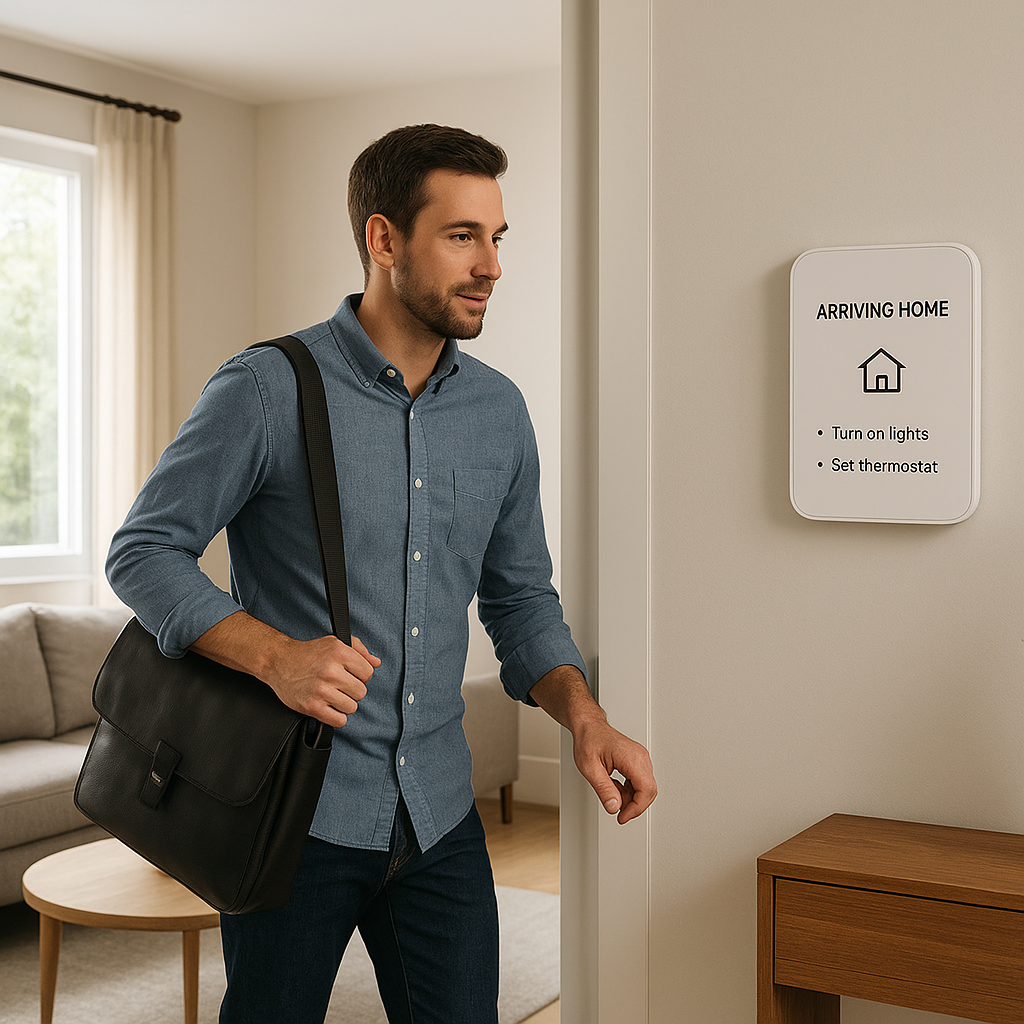
- Trigger a “Welcome home” scene when the front door opens and your phone is detected on Wi‑Fi.
- Alert parents if a back door opens toward a pool or yard during certain hours.
- Remind the family if the fridge or freezer door is left open for more than a few minutes.
Privacy, Security, and Data Considerations
Local vs cloud processing and what data your sensor sends
Contact sensors usually send only open/close status and battery level, but how that data is handled matters. Local‑first systems (many Matter, Zigbee, and HomeKit setups) keep automations on your home network, reducing exposure to the cloud.
Cloud‑dependent sensors may send events to company servers to process automations and notifications. Review privacy policies and choose devices that minimise unnecessary data collection if this is a concern.
Choosing reputable brands and keeping devices updated
Stick to brands that:
- Provide regular firmware updates
- Offer clear security documentation
- Have a track record of maintaining apps and cloud services
Enable automatic updates where available, and periodically check for firmware upgrades in the manufacturer app to fix bugs and security issues.
How to safely share access and notifications with family members
Most ecosystems let you share home access with other household members. To do this safely:
- Create individual accounts instead of sharing a single login.
- Limit admin permissions to adults who manage devices.
- Choose which notifications each person receives, especially for more sensitive sensors like safes or home offices.
Troubleshooting Common Smart Contact Sensor Problems
Fixing sensors that keep going offline or missing events
If a sensor drops offline or fails to register opens:
- Check the battery level first.
- Move a repeater or hub closer to the sensor to strengthen signal.
- Confirm the sensor and magnet are still firmly mounted and aligned.
- Remove and re‑add the device in the app if it seems stuck.
What to do when batteries drain too quickly
Fast battery drain usually points to:
- Poor signal strength (sensor repeatedly reconnecting)
- Very high usage (door opened many times per day)
- Extreme temperatures, especially cold
Solutions include relocating the hub, adding mesh repeaters, switching to a protocol with better range, or moving the sensor slightly to improve connection.
Resolving range and connectivity issues with hubs and repeaters
If you have multiple problem sensors in one area, consider:
- Adding a plug‑in Zigbee/Z‑Wave/Thread device between the hub and sensors to strengthen the mesh.
- Moving the main hub away from thick walls or metal appliances.
- Re‑scanning or healing the mesh network if your hub supports it.
Calibrating sensors that don’t register closed doors or windows
If doors show as “open” when they are closed:
- Re‑align the magnet and sensor; they may be too far apart or offset.
- Add thin spacers to bring them closer together.
- Check any in‑app sensitivity or orientation options and adjust as recommended by the manufacturer.
Summary: Choosing the Right Smart Contact Sensors for Your Home
Quick decision guide based on budget, platform, and use cases
Here’s a fast way to choose:
- Want maximum compatibility: Choose Matter over Thread sensors.
- On a tight budget: Look for Zigbee or Wi‑Fi multi‑packs from reputable low‑cost brands.
- Deeply invested in HomeKit: Prefer Thread or HomeKit‑native sensors from brands with a strong iOS track record.
- Focusing on security: Prioritise reliability, long battery life, and strong app alerts for exterior doors and critical windows.
- Creative automation ideas: Add extra sensors to mailboxes, cabinets, and interior doors to build quality‑of‑life routines.
How to plan sensor placement room‑by‑room for maximum impact
Before buying, walk through your home and list locations where contact sensors would actually help:
- Entry level: Front door, back door, main living room windows.
- Next steps: Patio doors, frequently opened windows, garage entry, mailbox.
- Advanced: Pantry, fridge/freezer, medicine cabinets, sheds, interior doors for lighting scenes.
Start with a few critical sensors, test automations for a week or two, and then expand gradually. That way you buy only what you need and end up with a contact sensor setup tailored to how your household actually lives.
FAQ
Do I need a hub for smart contact sensors?
It depends on the protocol. Wi‑Fi sensors usually connect directly to your router, while Zigbee, Z‑Wave, and Thread sensors require a hub or border router. Many smart speakers and routers now include hubs or Thread border routers, so you may already have what you need.
Can I mix different brands of contact sensors in one home?
Yes. As long as your hub or platforms (Alexa, Google Home, Apple Home) support them, you can combine brands. Matter makes this even easier, since multiple brands appear in the same app using a common standard.
Are smart contact sensors secure from hacking?
Reputable brands use encryption and modern security practices, especially on Zigbee, Z‑Wave, Thread, HomeKit, and Matter devices. Reduce risks by using strong Wi‑Fi passwords, keeping firmware updated, and avoiding unknown or unsupported apps.
Will smart contact sensors work if my internet goes down?
Many setups still work locally if the internet fails, especially Zigbee, Z‑Wave, Thread, and HomeKit systems. Automations within your local hub or Home app can continue, but remote access and some cloud notifications may pause until the connection is restored.
How many smart contact sensors do I need?
Start with sensors on all exterior doors and any easily accessible ground‑floor windows. Then add sensors for places where automations would be useful: main hallway doors, mailbox, pantry, fridge, and safety‑critical cabinets. Most homes end up with anywhere between 5 and 20 sensors, depending on size and usage.