Indoor security cameras can make an apartment feel safer, especially if you live in a busy building or share a place with people you don’t know very well yet. But pointing cameras inside a shared home can also cross serious privacy lines if you’re not thoughtful about how you do it.
This guide walks you through how to set up indoor security cameras for apartments with roommates in a way that protects the space without spying on the people you live with. We’ll cover consent, camera placement, privacy settings, and simple policies that keep everyone comfortable.
Why Indoor Security Cameras in a Shared Apartment Need Extra Care
The unique privacy challenges of apartments with roommates
Shared apartments blur the line between “my space” and “our space.” That makes cameras trickier than in a single-family home. You’re not just recording your own belongings; you’re capturing other people’s daily habits, guests, and sometimes sensitive moments.
Some unique challenges in shared apartments include:
- Overlapping spaces: A camera watching the front door might also see into a roommate’s bedroom doorway or workspace.
- Different comfort levels: One person might love tech security, another might feel anxious about being recorded at all.
- Guests and partners: People visiting your roommates may not expect to be recorded indoors.
- Power and control: If only one person owns and manages the cameras, others may feel watched rather than protected.
Because of these factors, indoor security cameras for apartments with roommates need more planning, more communication, and stronger privacy guardrails than a typical DIY setup.
Legal and ethical considerations around recording indoors
Laws vary by country and region, but there are some common principles:
- Reasonable expectation of privacy: Bedrooms and bathrooms are almost always considered private spaces. Recording there can be illegal as well as unethical.
- Audio recording rules: In many places, recording conversations has stricter rules than video-only. Some regions require consent from everyone being recorded (“two-party consent”).
- Disclosure: People generally must be informed if they’re being recorded in a private space like a home.
If you want a deeper overview of recording laws, the Wikipedia page on the legality of recording by civilians is a good starting point before you look up your local rules.
Even if something is technically legal where you live, it can still damage trust. The goal in a shared apartment isn’t maximum surveillance; it’s balanced security that everyone understands and accepts.
When cameras are helpful vs. when they’re overkill
Indoor cameras can be useful in situations like:
- Package thefts inside a shared lobby or just inside your apartment door.
- Past break-ins or attempted break-ins in your building.
- High-traffic shared spaces where valuables are kept (bikes, electronics, instruments).
- Watching pets in the living room when no one is home (with everyone’s consent).
They’re probably overkill if:
- You mostly want to know what roommates are doing or when they’re home.
- There’s no real security concern beyond general anxiety.
- You plan to put cameras in or facing into bedrooms or private workspaces.
If the main issue is personal trust between roommates, cameras often make that worse, not better. Use them to protect the apartment from outsiders, not to monitor the people paying rent with you.
Ground Rules: Talk to Your Roommates Before You Install Anything
How to start the conversation without sounding suspicious
Bring up cameras early—ideally before you buy anything. Keep the focus on shared security, not your own worries about people snooping in your room.
You might say:
- “Packages keep going missing from our floor. I was thinking a camera pointed at the front door might help. Would you be open to that if we set some ground rules?”
- “Our landlord mentioned recent break-ins. I’d like to explore a hallway camera focused on the entrance only. Can we talk about what would feel comfortable for everyone?”
Invite feedback right away. Your goal is collaboration, not asking for permission on a plan you’ve already decided.
What you must disclose about indoor security cameras (recording, audio, cloud storage)
Be transparent about how the system will work. At a minimum, everyone should understand:
- What’s recorded: Video only, or video and audio?
- When it records: All the time, only on motion, or only when armed in “away” mode?
- Where footage is stored: On the cloud (e.g., Nest Aware, Arlo Secure) or on a local microSD card or hub (e.g., many Eufy and Wyze models)?
- Who has access: One owner account, shared household account, or multiple logins with permissions?
Show your roommates the app and demo how clips look. Seeing the real interface often makes it easier for people to say what feels okay and what doesn’t.
Setting shared expectations and house rules (where, when, and how cameras can be used)
Turn the conversation into clear rules everyone can live with. For example:
- Locations: Cameras only in the entryway and main hallway, never in bedrooms or bathrooms.
- Recording mode: Motion-triggered clips only, no continuous 24/7 recording in shared spaces.
- Audio: Audio disabled by default.
- Access: All roommates can view live feeds and clips, not just the person who bought the camera.
- Footage retention: Clips auto-delete after 7–30 days unless everyone agrees to save a specific incident.
Agree upfront about edge cases too, like what happens if someone’s guest appears on camera or if a clip shows somebody doing something embarrassing but harmless.
How to document agreements in a roommate or house charter
Writing things down prevents misunderstandings later, especially when roommates change.
Keep it simple:
- Make a shared document called “Apartment Security & Cameras Policy.”
- List camera locations, recording modes, storage type, access rules, and deletion policy.
- Have everyone add their name and the date to confirm they’ve read and agree.
- Update it when cameras are added, moved, or settings change.
This doesn’t have to be a legal contract. It’s mainly there so no one can say, “I didn’t know we were being recorded” months later.
Choosing Privacy-Friendly Indoor Security Cameras for Apartments With Roommates
Key features to prioritize: privacy shutters, local storage, zones, and no-audio modes
Some cameras are much better suited to shared apartments than others. Look for models with:
- Physical privacy shutters: Cameras like the Eufy Indoor Cam or some TP-Link Tapo models have covers or tilt-down modes that clearly show when recording is off.
- Local storage options: A microSD card or local hub gives more control over who can access clips than pure cloud storage.
- Activity zones: Google Nest Cam (Indoor), Arlo, and Wyze each let you draw boxes on the screen so only parts of the frame trigger and record.
- Toggleable audio: Make sure you can permanently disable audio recording in software.
Brands like Google Nest also provide detailed documentation on privacy controls; for example, you can review Nest’s behavior and privacy settings in their support article about how Nest cameras and doorbells work.
Best placements for shared security: entry doors, hallways, and common areas only
For indoor security cameras for apartments with roommates, emphasize “perimeter and flow,” not personal spaces. Ideal locations include:
- Inside the front door: A camera facing the door from a few feet away captures who comes and goes without watching people on the couch too closely.
- Main hallway: Especially useful in long apartments where an intruder would have to pass through.
- Shared storage areas: Where bikes, instruments, or expensive gear are kept.
Keep cameras pointed away from bedroom doors as much as possible, or use tight activity zones so the door areas never trigger or record.
Features to avoid in shared apartments (hidden cameras, bedroom monitoring, constant audio)
Some capabilities are simply a bad fit for shared living:
- Hidden or disguised cameras: Clock cams, USB-charger cams, and other covert devices are almost always a trust-breaker.
- Bedroom monitoring of anyone but yourself: Never place a camera in someone else’s private room, even “for security.”
- Constant audio recording: Always-on mics in shared spaces can capture calls, arguments, and private conversations.
- Pan-tilt tracking in shared areas: Auto-tracking heads that follow people around make cameras feel more like surveillance than security.
If your camera supports these features, turn them off and clearly tell your roommates they’re disabled.
Cloud vs. local storage: which is more privacy-respecting for shared living
Both storage types can work in a shared apartment, but they have different tradeoffs.
- Cloud storage: Easier to access from anywhere and often more secure against physical theft. The downside is that your footage sits on a company’s servers, and access is usually tied to one master account.
- Local storage: Keeps footage in your home on an SD card or hub. This gives you more control but requires trust that the person who owns the device won’t pull the card and copy everything without telling others.
For many roommates, a hybrid approach works best: short-term cloud storage (like 14–30 days) plus strict rules on who can share or download clips.
Where to Place Cameras So You Protect the Home, Not Your Roommates’ Private Lives
Safe zones: front door, balcony door, windows, and main hallway
Think about entry points:
- Front door: Catching who enters and exits is the single most valuable view.
- Balcony or patio door: Ground-floor or easily accessible balconies are common break-in spots.
- Street-facing windows with easy access: Place cameras so they watch the window area, not the couch where roommates hang out.
- Main hallway or junction: Position a camera where any intruder would have to pass, even if they avoid other rooms.
Mount cameras at or slightly above eye level to reduce the feeling of being constantly watched from above.
Areas you should never record: bedrooms, bathrooms, and private workspaces
Some zones are off-limits, even if you technically can record them:
- Bedrooms: Your own bedroom is an exception if you’re the only one using it and you disclose this in your roommate agreement. But never record someone else’s bedroom door directly.
- Bathrooms and changing areas: Always prohibited.
- Dedicated workspaces: If someone works from home at a specific desk, don’t keep a camera focused on that area. Screens, paperwork, and calls can all contain sensitive information.
If your layout makes it hard to avoid these views, use activity zones to block them out or reposition the camera entirely.
Example apartment layouts and recommended camera positions
Here are a few common layouts and how you might handle them:
- Railroad apartment: Front door opens into living room, then hallway to bedrooms and kitchen. Place one camera on a shelf near the front door angled inward, plus a hallway camera facing the door, not into bedroom entrances.
- Open-plan living room-kitchen: Mount a camera near the door or on a side wall that primarily sees the door, not the full seating area.
- Shared hallway off bedrooms: If a camera is needed, aim it toward the front door end of the hall and use zones to exclude bedroom doors.
Test by walking around the apartment while viewing the live feed. If you can see into private spaces too easily, adjust the angle or move the camera.
How to clearly label camera coverage so roommates know what’s recorded
Transparency reduces anxiety. Make camera coverage obvious by:
- Using visible cameras: No hidden or disguised devices.
- Renaming cameras clearly in the app: “Front Door – Video Only,” “Hallway – No Audio.”
- Adding a simple note: A small label near the camera like “Records motion-only when in Away mode” can go a long way.
- Sharing a coverage map: Screenshot each camera’s view and drop it into your shared security document.
Everyone should always know which areas are within view and under what conditions.
Privacy Settings and Configurations That Keep Everyone Comfortable
Turning off audio recording and using visual-only monitoring
For shared apartments, disabling audio is often non-negotiable. In most camera apps (Nest, Wyze, Eufy, Arlo):
- Go to the camera’s settings.
- Find “Audio,” “Microphone,” or “Sound recording.”
- Toggle it off so no audio is captured in clips or live view.
Show your roommates this setting so they can see it’s disabled. If someone really needs temporary audio (for example, to monitor a dog’s barking while alone), agree on limited time windows and let everyone know.
Using activity zones to avoid capturing bedrooms and private spaces
Activity zones let you mask out parts of the frame, so motion there doesn’t trigger clips. For indoor security cameras for apartments with roommates, treat zones as a privacy tool, not just a way to reduce false alerts.
Use them to:
- Exclude bedroom doorways or work desks.
- Focus only on the door and immediate floor area.
- Block out reflective surfaces like mirrors and TVs.
Walk around and test: if you enter an “off-limits” area and the camera still records, refine the zone until it doesn’t.
Scheduling: disabling cameras when everyone is home vs. away modes
Most smart camera ecosystems support modes or schedules. A roommate-friendly pattern is:
- Home mode: Shared indoor cameras off or on live view only, with no recording.
- Away mode: Motion-triggered recording enabled for entry and hallway cameras.
- Night schedule: Optional recording at night if everyone agrees, or only in truly high-risk buildings.
Some platforms, like Google Home or Apple Home, can switch modes automatically based on the last person leaving. This keeps you from accidentally recording people while they’re relaxing at home.
Sharing access fairly: app permissions and shared login best practices
Access control has a big effect on perceived fairness:
- Use a neutral household account: Create a shared email just for apartment devices, then share logins or invite everyone to the “home.”
- Avoid one-person control: Don’t keep all settings locked behind one roommate’s personal email.
- Clarify admin vs. viewer roles: Some systems let you limit who can change settings vs. who can only view.
Document who can view, who can download clips, and who can adjust schedules. If someone moves out, change passwords or remove their access promptly.
Step-by-Step Setup for Indoor Security Cameras in a Shared Apartment
Unboxing, connecting to Wi-Fi, and creating a neutral household account
Once everyone’s on board and you’ve chosen a camera, set it up in a transparent way:
- Unbox the camera in a shared space so everyone can see what it looks like.
- Download the manufacturer’s app (Nest, Wyze, Eufy, Arlo, etc.).
- Create a neutral “household” email account if the platform allows multiple users.
- Connect the camera to your apartment’s Wi-Fi, following the in-app steps.
During setup, disable audio if possible and skip any optional facial recognition or “familiar faces” features, which can feel invasive indoors.
Naming cameras in a transparent way (e.g., “Front Door,” “Hallway”)
Clear names help keep expectations aligned. Avoid vague labels like “Cam 1” or “Living Room” if the camera mainly watches the door.
Better examples:
- “Front Door – Motion Only”
- “Hallway – No Audio”
- “Balcony Door – Away Mode Only”
Use names that reflect both location and behavior so anyone checking the app immediately understands what each device does.
Testing notifications so they’re useful and not intrusive
Overactive alerts annoy everyone and increase the odds that someone wants the cameras removed.
- Walk through the monitored area to test motion sensitivity.
- Adjust detection sensitivity so normal indoor changes (light shifts, pets, curtains) don’t trigger alerts constantly.
- Limit notifications to “Person detected” at the front door, if supported, instead of “All motion.”
- Ask each roommate what level of alerts they want on their phone, or let them customize in the app.
The goal is: when you get an alert, it actually matters.
Creating simple rules and automations (e.g., arm when last person leaves)
Automations help you stick to your privacy rules without constantly toggling settings.
Useful examples:
- Arm on departure: When the last phone leaves the geofenced area, switch to Away mode and enable recording.
- Disarm on arrival: When any roommate arrives, disable recording in shared spaces.
- Night-only monitoring: For entry doors if everyone agrees the building is riskier at night.
Keep automations simple and well-documented so no one is surprised by when cameras are on or off.
Handling Footage, Alerts, and Incidents Without Damaging Trust
Who owns the footage and who can review it?
Before the first clip is ever recorded, decide:
- Whose account stores the footage?
- Can all roommates view and search history, or only some?
- Who can download or share clips outside the household?
A common approach is: everyone can view live and history, but sharing or downloading clips outside the group requires agreement from all current roommates, unless there’s a serious safety or legal reason.
How to handle motion alerts that capture guests and deliveries
Guests deserve reasonable privacy too. Good practices include:
- Let regular guests know cameras cover the entryway or hallway.
- Don’t share or joke about clips of guests in group chats.
- For deliveries, keep clips only as long as needed to confirm the package arrived safely.
If a guest’s behavior becomes a safety concern, that’s different—but day-to-day visits shouldn’t end up in a personal highlight reel.
What to do if a roommate is uncomfortable after installation
Even with consent, someone might later feel uneasy. Take concerns seriously:
- Ask which aspect bothers them: location, recording schedule, audio, or access.
- See if you can solve it with zones, scheduling, or adjusting angles.
- If discomfort remains, consider relocating or removing a camera.
The health of your living situation is more important than any single gadget. Be ready to compromise or explore alternatives.
Example policies for deleting footage and limiting downloads
Set simple, clear policies like:
- Clips older than 14 or 30 days are automatically deleted (or allowed to expire in the cloud).
- No one downloads clips unless everyone agrees or there’s a documented security incident.
- Incident clips (like a break-in) are kept only as long as needed for police or insurance, then deleted.
Write these into your shared security document so expectations stay consistent over time.
Common Mistakes to Avoid With Indoor Security Cameras and Roommates
Installing cameras without consent (and why this backfires)
Secretly setting up indoor cameras—even if they’re visible devices—almost always leads to conflict once they’re discovered. People feel tricked and may assume the worst about your intentions.
Even if you own all the gear, treat roommate consent as mandatory. If you can’t reach agreement, focus on less invasive security instead.
Pointing cameras at bedrooms or workstations
Angling a hallway camera so it sees right into someone’s door whenever it opens, or focusing on a workstation where someone spends their whole workday, creates a constant sense of being watched.
If you can’t reposition out of these views, offset the angle and use zones to black out doorways and desks entirely.
Hiding cameras or failing to mention audio recording
Nothing ruins trust faster than discovering:
- A “smart clock” was actually a camera.
- A camera that everyone thought was video-only was secretly recording audio.
Always be explicit about both device types and capabilities. If a camera has a built-in mic, talk about how you’ve disabled it and show the setting in the app.
Over-automating: too many alerts, constant monitoring, and paranoia
Checking the camera feed every time a roommate leaves the house or obsessively reviewing history can create a tense, suspicious atmosphere.
Use cameras to solve specific security problems, not to track daily life. Keep notifications limited and don’t treat the app as a live reality show of your apartment.
Alternative Security Options If Roommates Don’t Want Indoor Cameras
Focusing on smart locks, video doorbells, and window sensors instead
If cameras in shared spaces are a no-go, you still have plenty of options:
- Smart locks: Let you control who has keys and log entries without video.
- Video doorbells: Capture deliveries and visitors outside the apartment, which most people find less invasive.
- Contact sensors: On doors and windows, these alert you to unexpected openings without recording video.
These devices give real security benefits while keeping the inside of your apartment camera-free.
Using indoor sirens or presence-simulation automations
For added deterrence without surveillance:
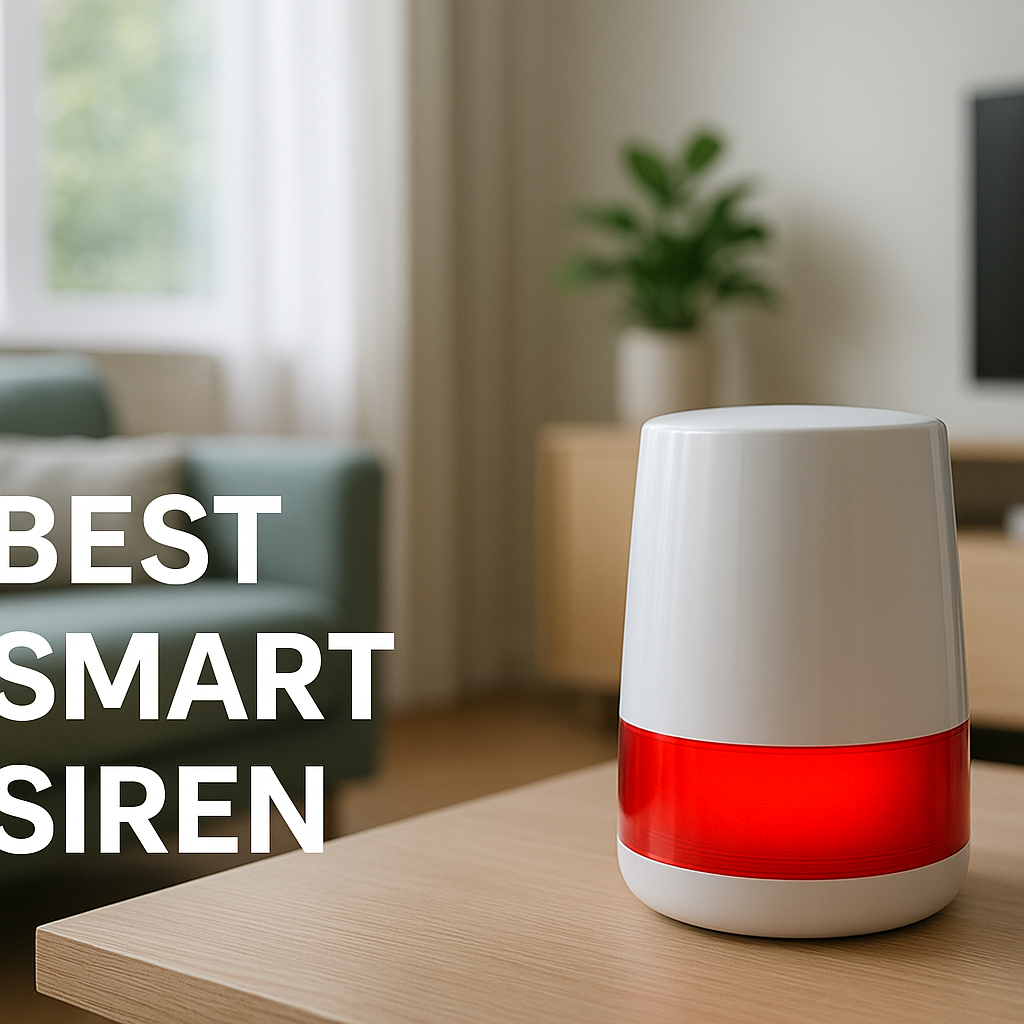
- Indoor sirens: Trigger a loud alarm if a door sensor is tripped when no one is home.
- Presence simulation: Use smart lights or speakers to mimic someone being home with random on/off patterns or scheduled music.
Many smart home hubs and Wi-Fi lighting systems support these kinds of automations out of the box.
How to secure your private room separately (smart lock, personal safe, camera in your room only with clear rules)
If your main worry is your own belongings, not the whole apartment, focus security on your room:
- Add a smart lock or keypad lock (with landlord approval) to your bedroom door.
- Use a small safe for passports, cash, and important documents.
- If you install a camera in your room, disclose that in your roommate agreement, especially if cleaners or maintenance workers enter while you’re away.
This approach protects your items without monitoring shared living areas at all.
Balancing personal security with shared-living trust
Shared apartments require compromise. You may have to dial back your ideal security setup to maintain a good atmosphere at home. Likewise, roommates who dislike tech may agree to more limited, carefully configured devices once they understand the benefits and privacy protections.
Revisit the balance occasionally and be willing to adjust as situations change.
Putting It All Together: A Privacy-First Smart Security Plan for Shared Apartments
Example roommate-friendly security setup using indoor cameras
Here’s how a practical, privacy-aware setup could look:
- Two visible indoor cameras: one at the front door, one in the main hallway.
- Cameras record motion-only, in Away mode only, with audio disabled.
- Activity zones exclude bedroom doors and any workspace areas.
- A shared household account where all roommates can view live feeds and clips.
- Smart lock on the front door and contact sensors on balcony doors or accessible windows.
- Footage auto-deletes after 21 days unless everyone agrees to keep a specific incident.
All of this is written into a short “Apartment Security Policy” that new roommates read and accept when they move in.
Checklist: installation, consent, settings, and policies
Use this quick checklist as you go:
- ☐ Discuss the idea of cameras and get buy-in before buying anything.
- ☐ Choose privacy-friendly models with shutters, zones, and audio off options.
- ☐ Place cameras only at entry points and shared hallways, not private rooms.
- ☐ Disable audio and set up activity zones to hide bedrooms and desks.
- ☐ Configure Home/Away modes or schedules so you’re not recording constantly.
- ☐ Create a shared account or properly shared access for all roommates.
- ☐ Document rules on access, sharing clips, and deletion timelines.
- ☐ Review the setup whenever roommates move in or out.
When to revisit and adjust your setup as roommates change or move out
Shared apartments are rarely static. New people move in, work schedules change, and building security issues come and go.
Revisit your camera and security setup when:
- A new roommate joins the household.
- Someone moves out (change passwords and access permissions).
- There’s a building-level incident, like a break-in on your floor.
- People’s comfort levels shift—for example, someone starts working from home full-time.
Treat your indoor security system as a living part of your home agreement, not a one-time decision. That mindset will keep your apartment safer while preserving the trust that makes shared living work.
FAQ
Can I legally put indoor security cameras in my apartment with roommates?
In many places, you can use cameras inside your own home, but there are strong restrictions on recording in private spaces and on audio recording. Laws vary widely, so you should always check your local regulations. Regardless of legality, recording roommates without clear consent is almost guaranteed to cause conflict and may violate your lease.
Is it okay to have a camera in my own bedroom?
If you’re the only person who uses the room and you’re not secretly recording anyone else, many people consider this acceptable. Still, mention it in your roommate document, especially if cleaners, handymen, or short-term guests might enter. Never use a bedroom camera to monitor shared areas through an open door.
What’s the best indoor camera for an apartment with roommates?
Look for a camera with a visible status light, the ability to disable audio, strong activity zones, and either a physical shutter or clear “privacy mode.” Popular choices that offer these types of features include Google Nest Cam (Indoor), Wyze Cam models with SD card slots, and Eufy Indoor Cams. The “best” camera is the one your roommates understand and are comfortable with.
Should everyone have access to the camera app?
For shared spaces, yes, it’s usually best for all roommates to have at least viewing access. That keeps the system transparent and reduces the sense that one person is in control of everyone else’s privacy. Admin or settings access can be limited to one or two tech-comfortable people, as long as everyone understands and agrees.
What if I feel unsafe but my roommates refuse indoor cameras?
Focus on less invasive options: a video doorbell outside the door, smart locks, window and door sensors, and security measures inside your private room like a personal safe or bedroom smart lock. If safety concerns are serious and your roommates block reasonable measures, it may be a sign to reconsider the living arrangement entirely.