Owning a mini-split or window AC in a rental can make cooling simple, but controlling it efficiently is another story. Most smart thermostats are designed for central HVAC systems with low-voltage wiring in the wall, which renters usually can’t touch. The good news: you can still get app control, schedules, voice commands, and real energy savings with the right smart AC controller — no wiring required.
This guide walks through how these devices work, what features matter, and the best smart thermostat-style controllers for mini-splits, window, and portable ACs. Whether you’re in a studio with one wall unit or a 2-bedroom with three window ACs, you’ll find renter-friendly options you can install yourself and take with you when you move.
Why Renters Need a Different Kind of Smart Thermostat
The problem with traditional smart thermostats and wired HVAC
Popular smart thermostats like Nest, Ecobee, and Honeywell Home are designed to replace a traditional wall thermostat that controls a central furnace and/or central AC. They rely on low-voltage wires (often including a C-wire for power) that go back to your HVAC system.
If your home doesn’t have this kind of setup — or your thermostat doesn’t control your mini-split or window AC — installing one of these products won’t help. In many rentals you’ll find:
- Individual mini-split units with handheld remotes
- Window or portable ACs controlled directly on the unit
- No low-voltage thermostat wiring available to reuse
In these cases, a traditional smart thermostat literally has nothing to connect to. That’s why the best smart thermostat for mini split systems is almost never a Nest-style device, but a dedicated smart AC controller that talks to your unit over infrared (IR), just like your existing remote.
How mini-splits, window, and portable ACs are controlled differently
Mini-splits, window ACs, and portable ACs are usually controlled by:
- A handheld IR remote that sends commands like mode, temperature, fan speed, and vane/swing position
- Physical buttons on the unit itself
- Sometimes a proprietary Wi‑Fi module or manufacturer app
These systems don’t use a wall-mounted thermostat to sense room temperature. The temperature sensor is built into the indoor unit, and the remote simply tells the unit what target temperature and mode to use. This is a big reason why you need a different style of smart controller that can speak the same IR language as your remote.
Why landlords don’t want you rewiring the thermostat
Most leases explicitly restrict electrical work. Swapping out a wired thermostat may seem simple, but from a landlord’s perspective it can mean:
- Potential damage to low-voltage wiring or the HVAC system
- Code compliance concerns if something is wired incorrectly
- Extra work to restore the original thermostat when you move out
Even if you feel comfortable with the wiring, your landlord or property manager may not allow it. That’s why no-wiring smart AC controllers are ideal for renters: they simply plug into power, connect to Wi‑Fi, and “pretend” to be your remote without changing any permanent wiring.
Benefits of no-wiring smart AC controllers for renters
Renter-friendly smart AC controllers give you many of the same benefits as a traditional smart thermostat, with less hassle:
- No electrical work: Just plug in, connect to Wi‑Fi, and pair with your AC remote.
- Non-permanent: Mount with removable strips, move them between rooms, and take them when you move.
- Energy savings: Use schedules, geofencing, and smart automation to avoid cooling an empty apartment.
- Comfort upgrades: Fine-tune temperature, humidity, and fan settings more precisely than most stock remotes.
- Smart home integration: Add mini-splits and window units into your Alexa, Google Home, or Apple Home setup without touching the building’s wiring.
How Smart AC Controllers Work with Mini-Splits and Window Units
IR (infrared) blaster vs wired thermostat: what’s the difference?
A traditional smart thermostat is wired directly to your HVAC system and sends low-voltage control signals. A smart AC controller for mini-splits works more like a universal remote:
- It has an IR blaster that sends the same infrared commands as your handheld remote.
- It usually includes a built-in temperature and humidity sensor.
- It connects to your home Wi‑Fi and a cloud app for remote control and automation.
Instead of rewiring your home, you’re effectively adding a smarter, always-on version of your existing remote that can be controlled from your phone or smart speaker.
Compatibility checklist: remote type, line of sight, Wi‑Fi, and power
Before you buy, run through this basic checklist to make sure a controller will work with your AC:
- Remote type: Most smart AC controllers work with IR remotes that display the full state (mode, temp, fan, swing) on a screen. If your remote uses radio frequency (RF), you’ll need a controller that specifically supports it, or a manufacturer Wi‑Fi module instead.
- Line of sight: The controller must have a clear IR path to the mini-split or window unit’s IR receiver. Thick furniture, doors, or sharp angles can block the signal.
- Wi‑Fi network: Nearly all of these devices require 2.4 GHz Wi‑Fi. Many apartment routers broadcast a combined 2.4/5 GHz network, which usually works, but some require a separate 2.4 GHz SSID.
- Power source: Most controllers use USB power (micro-USB or USB‑C) or a small AC adapter. Make sure you have an outlet or USB port near the AC unit, or plan for an extension/cord concealment.
App control, schedules, and geofencing explained
Once installed, your smart AC controller’s app becomes your main thermostat interface. You can:
- Change temperature, mode (cool, heat, dry, fan, auto), and fan speed from your phone.
- Set daily or weekly schedules (for example, cooler at night, warmer while you’re at work).
- Use geofencing to automatically turn the AC off when you leave a set area and back on as you head home.
- Control your AC remotely if you forget to turn it off before a weekend trip.
For many renters, geofencing is the single biggest energy saver because it prevents the AC from running for hours in an empty apartment.
Energy-saving features renters should look for
If your goal is to cut bills without sacrificing comfort, look for controllers that offer:
- Adaptive scheduling: Automatically adjusts based on your patterns or weather.
- Eco or energy-saving modes: Slightly widen the temperature band to reduce compressor cycling.
- Usage history: Charts that show run-time and temperatures, so you can see what settings actually save energy.
- Open window detection: Some models can pause cooling if they detect a sudden temperature or humidity spike.
Key Features to Look For in the Best Smart Thermostat for Mini-Split ACs
True mini-split compatibility (mode, swing, fan, and vane control)
Many mini-splits have advanced options like multiple fan speeds, horizontal and vertical vane control, and special modes (quiet, turbo, dry, sleep). The best smart thermostat for mini split systems will support:
- All core modes (cool, heat, auto, dry, fan-only)
- Multiple fan speeds plus auto fan
- Swing/vane control for directing airflow
- Access to manufacturer-specific features where possible
Check the product’s compatibility list and user reviews for your specific brand (e.g., Mitsubishi, Daikin, LG, Fujitsu) to avoid losing important functions.
Room temperature accuracy and built-in vs external sensors
Smart AC controllers measure temperature where they sit, which might not be where you spend your time. Key points to consider:
- Sensor placement: If the controller is too close to the unit, it may read cooler than the rest of the room.
- External sensors: Some systems can use a separate wireless sensor to control based on the temperature near your bed or sofa.
- Calibration: Look for apps that let you offset the temperature reading if it consistently feels off by a degree or two.
If you want deeper insight into comfort and humidity, some renters pair their controller with a separate sensor like a smart thermostat, smart speaker, or a sensor that can trigger automations.
Smart home integrations (Alexa, Google Home, Apple Home, IFTTT)
Integrations help your mini-split behave like any other smart home device. Common options include:
- Amazon Alexa/Google Home: Voice commands such as “Alexa, set bedroom AC to 74 degrees.”
- Apple Home (HomeKit or Matter): Tighter iOS integration, automations in Apple Home scenes.
- IFTTT or webhooks: Advanced users can link AC behavior to door locks, occupancy sensors, or utility rate changes.
If you’re already using a specific ecosystem, pick a controller that supports it so your mini-split can join your existing routines and scenes.
Multi-room and multi-unit control in small apartments
Many renters have more than one AC unit: a mini-split in the living room plus a window unit in the bedroom, or two window ACs in a railroad-style apartment. Look for:
- Support for multiple devices in the same app.
- Room naming so “Bedroom AC” and “Living Room AC” are easy to identify.
- Group control to turn off all ACs with a single tap or voice command.
This makes it easy to shut everything down when you leave, or pre-cool just the rooms you’ll use in the evening.
Privacy, data, and cloud-dependency considerations
Most smart AC controllers rely on cloud servers. That means your usage data (how often and how you cool your space) may be stored on the provider’s servers. Before buying:
- Review the company’s privacy policy to see what data is collected.
- Check if the product can still work locally (on the same Wi‑Fi) if the internet goes down.
- Decide if you’re comfortable linking it to voice assistants, which can create an additional data trail.
For background on how IR-based AC control works at the hardware level, this overview of split-system air conditioners can help you understand what’s happening behind the scenes.
Best Smart Thermostats & AC Controllers for Mini-Splits (No Wiring Required)
Sensibo Sky / Sensibo Air: best overall for mini-splits
Sensibo is one of the most popular choices for mini-split owners. The Sensibo Sky and Sensibo Air work with a wide range of brands and emphasize detailed AC control.
- Strengths: Excellent mini-split compatibility, strong app, good geofencing, smart schedules, and support for Alexa, Google Assistant, and some smart home platforms.
- Best for: Renters who want a reliable, polished app and care most about comfort and automation features.
You can see the current feature set and compatibility notes on the official Sensibo Sky product page.
Ambi Climate: AI-driven comfort for complex climates
Ambi Climate focuses on AI-based comfort control. Instead of only chasing a fixed temperature, it considers humidity, time of day, sunlight, and your feedback (too cold/too warm) to fine-tune how the mini-split runs.
- Strengths: Comfort-focused algorithms, humidity-aware control, helpful in very humid or highly variable climates.
- Best for: Renters in areas with big day-night swings or high humidity who want to “set it and forget it” while the AI optimizes comfort and efficiency.
Mysa for AC & Mini-Split: thermostat-style controller with app
Mysa for AC & Mini-Split is designed to look and feel like a modern wall thermostat, but it still controls your AC via IR. You mount it on the wall and plug in power, then it sends IR commands to the unit.
- Strengths: Clean, thermostat-like hardware; solid app; integrations with major platforms; good scheduling and energy insights.
- Best for: Renters who want a more traditional wall thermostat look and don’t mind a slightly more involved physical install (still no HVAC wiring).
Cielo Breez: feature-rich option with strong mini-split support
Cielo Breez (especially the Plus and Eco models) is another feature-rich family of smart AC controllers focused on mini-splits.
- Strengths: Extensive AC brand compatibility, temperature/humidity monitoring, flexible scheduling, good geofencing, and a detailed web dashboard on some models.
- Best for: Power users who like digging into usage data and customizing schedules for different scenarios.
Budget-friendly IR controllers that still work well with mini-splits
If you’re on a tight budget, you can often control a mini-split with a general-purpose IR hub like the BroadLink RM4 Mini or SwitchBot Hub Mini. These are cheaper but may require more manual setup.
- Strengths: Low price, can control multiple IR devices (TV, soundbar, etc.) as well as your AC.
- Limitations: Interfaces are often less tailored to mini-splits; advanced functions like vane control may be harder to access or require custom scenes.
Comparison table: supported AC types, app quality, and integrations
| Product | Supported AC Types | App & Ease of Use | Smart Integrations |
|---|---|---|---|
| Sensibo Sky / Air | Mini-split, window, portable (IR) | Polished, beginner-friendly | Alexa, Google, some others |
| Ambi Climate | Mini-split (IR), some windows | Comfort-focused, more settings to explore | Alexa, Google, IFTTT |
| Mysa for AC & Mini-Split | Mini-split, window (IR) | Thermostat-style, clean interface | Alexa, Google, Apple Home, others |
| Cielo Breez | Mini-split, window, portable (IR) | Feature-rich, strong scheduling | Alexa, Google, some smart home platforms |
| BroadLink / SwitchBot hubs | Mini-split, window (IR, manual setup) | Basic to moderate; more DIY | Alexa, Google, IFTTT (model-dependent) |
Best Smart Controllers for Window and Portable ACs (Renter-Friendly)
Controllers that work best with simple IR remotes
Most modern window and portable ACs with a screen-style remote will work well with dedicated controllers like Sensibo, Cielo Breez, or Mysa for AC & Mini-Split. These typically offer simple setup where you pick your brand and test commands until everything lines up.
If your remote is very basic (few buttons, no display), a universal IR hub may also do the trick, but you might have to manually teach it each button.
Controlling multiple window AC units in one apartment
For apartments with two or more window units:
- Install one controller per AC if they’re in different rooms or far apart.
- Use room names and groups in the app so you can run “Cool all bedrooms” scenes.
- Set staggered schedules to avoid all units starting at the same time and overloading circuits.
Some renters also run different temperature targets in each room based on how they’re used — slightly warmer in a guest room, cooler in the bedroom.
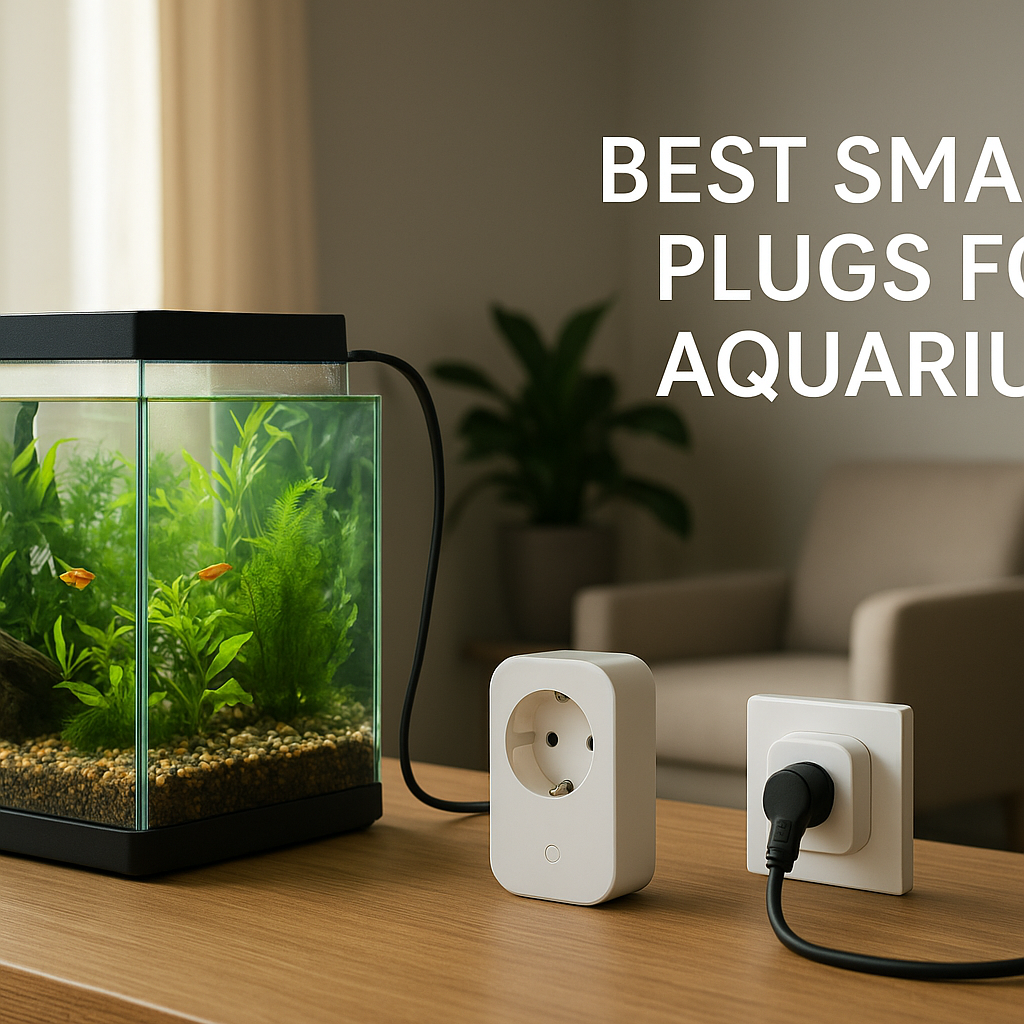
Using smart plugs with simple on/off window ACs
If your older window AC has a manual dial and comes back on in the same mode after a power cut, a smart plug can work as a simple on/off controller:
- Set the AC to your preferred manual setting.
- Plug it into a smart plug rated for the AC’s amperage.
- Use the plug to turn power on/off via app or smart home routines.
This doesn’t give you temperature control, but it’s a very affordable way to add scheduling and remote on/off for a basic unit.
When a smart plug alone is enough—and when it isn’t
A smart plug can be enough if:
- Your AC reliably resumes the same mode after power is restored.
- You’re okay adjusting the temperature manually on the unit.
- You mainly want remote on/off and simple schedules.
You’ll want a full IR-based smart controller instead if:
- Your AC requires pressing a power button after power is restored.
- You want true thermostat-style control by temperature.
- You rely on modes like dry, fan-only, or sleep that need IR commands.
Setup and Installation Tips for Renters
Placing the controller for reliable IR line of sight
IR behaves like a very focused flashlight. For best results:
- Place the controller within the manufacturer’s recommended distance (usually 10–15 feet).
- Ensure a clear path to the AC’s IR receiver (often near the display), with minimal obstructions.
- Aim the front of the controller toward the unit; slight angles are fine, but avoid pointing it at the wall or a cabinet.
Power options: USB, outlet placement, and wire management
Most smart AC controllers include a USB cable and power adapter. In a rental:
- Use existing outlets near the AC when possible to avoid running long cables across the room.
- Hide cables along baseboards or window frames with removable adhesive clips or cable channels.
- Avoid plugging high-draw devices into the same outlet adapter if it looks overloaded; use a quality power strip instead.
Connecting to 2.4 GHz Wi‑Fi in apartments and shared networks
Many apartment routers use a single network name for both 2.4 GHz and 5 GHz. Most smart controllers will join automatically, but if you run into trouble:
- Temporarily disable 5 GHz on your router while pairing.
- Create a separate 2.4 GHz SSID for smart home devices if your router allows it.
- Place the controller within good Wi‑Fi range; interior concrete or brick walls can weaken the signal.
If you’re using a building-provided or mesh system, check its documentation for how to connect 2.4 GHz–only devices; the setup process is similar to what’s described in many router guides such as those from Google Nest Wi‑Fi.
Non-permanent mounting options to keep your landlord happy
To avoid damage:
- Use removable adhesive strips or hooks to mount the controller on a wall.
- Consider a small shelf, TV console, or window ledge that has direct line of sight to the AC.
- Avoid drilling holes or running cables through walls; surface-mounted cable raceways with adhesive are usually enough.
Moving out: how to reset and take your smart controller with you
Before you move:
- Factory reset the controller from the app or using its physical reset button.
- Remove it gently from the wall, peeling off adhesive strips slowly to avoid paint damage.
- Unlink it from any smart home accounts (Alexa, Google, HomeKit) to avoid “ghost” devices.
- Pack the power adapter and mounting accessories together so it’s easy to set up in your next place.
Smart Automations to Save Energy in a Rental
Geofencing: automatically turning your mini-split on/off when you leave or arrive
Most major smart AC controllers support geofencing. Once enabled, your phone’s location can trigger:
- Turning the AC off when you leave a set radius around your building.
- Pre-cooling the apartment as you approach home, so it’s comfortable when you walk in.
For best reliability, make sure location permissions are set to “always allow” (or the equivalent) for the controller’s app, and test a few times before trusting it completely.
Scheduling for off-peak hours and nighttime comfort
Schedules can help you balance cost and comfort:
- Nighttime: Slightly raise the set point overnight (e.g., from 72°F to 74°F) to reduce compressor run time, especially if your bedroom stays cool.
- Work hours: Set a warmer target or turn the unit off entirely when you’re typically out.
- Pre-cooling: Start cooling just before off-peak periods end if your utility uses time-of-use rates.
Using temperature and humidity sensors for better comfort
If your controller supports external sensors or can read from other devices in your ecosystem:
- Use a sensor near your bed or desk as the reference temperature.
- Create automations that reduce cooling when humidity drops or outside temperatures fall.
- In humid areas, use “dry” mode with humidity thresholds to stay comfortable at a slightly higher temperature.
Voice control routines with Alexa and Google Home
Once linked, you can use voice commands such as:
- “Alexa, turn on the living room AC.”
- “Hey Google, set bedroom AC to 75 degrees.”
- “Alexa, turn off all ACs” (when you’ve grouped them).
Routines can also combine actions: for example, a “Goodnight” routine that turns off living room lights, locks a smart lock, and sets bedroom AC to sleep mode.
Example automation recipes tailored for studio vs 1–2 bedroom apartments
Studio apartment:
- Geofence: Turn AC off when you leave the building, on to 74°F when you’re within 0.5 miles.
- Night routine: At 11 p.m., dim smart lights, set AC to quiet mode at 75°F, and enable a fan-only mode 30 minutes before your alarm.
1–2 bedroom apartment:
- Living room: Schedule cooler temps in the evening when you’re home; warmer during work hours.
- Bedroom: Separate nighttime schedule (slightly cooler) that doesn’t run all day.
- All ACs group: Voice command or scene to shut everything off when you say “Goodbye.”
Troubleshooting Common Issues with Smart Mini-Split Controllers
When modes or fan speeds don’t match the physical remote
Sometimes you’ll tap “Cool, 72°F, Medium fan” in the app, but the mini-split behaves differently or the mode icon on the unit doesn’t match. To fix this:
- Re-run the pairing process and test multiple remote codes for your brand.
- Check if your unit model has a “legacy” or alternate remote mode in the controller’s settings.
- Manually verify a few key commands (power, mode, temperature up/down, fan speed) while watching the unit’s display.
IR commands not reaching the indoor unit reliably
If commands only work sometimes:
- Check for obstructions like plants, TV screens, or curtains blocking the IR path.
- Move the controller closer or slightly higher so it has a clearer line of sight.
- Ensure any protective film over the controller’s IR emitter has been removed.
Wi‑Fi drops and offline device problems in apartment buildings
Dense apartment buildings can cause Wi‑Fi interference. If your controller frequently drops offline:
- Move your router closer to the AC or add a Wi‑Fi extender.
- Change your router’s 2.4 GHz channel to a less crowded one.
- Power-cycle the controller and router; sometimes a fresh DHCP lease helps.
Dealing with noisy beeps and light indicators at night
Many mini-splits beep or flash LEDs every time they receive an IR command, which can be annoying overnight:
- See if your AC manual allows you to disable beeps or dim the display.
- Avoid rapid-fire automations that change settings frequently at night.
- Use “quiet” or “sleep” modes in schedules instead of constant temperature tweaks.
Safety, Privacy, and Landlord Considerations
Ensuring your setup doesn’t violate your lease
To stay compliant:
- Avoid modifying or opening the AC unit itself.
- Don’t alter electrical wiring or permanent fixtures.
- Use removable mounts and avoid drilling whenever possible.
If you’re unsure, ask your landlord: explaining that the device is essentially a “smart remote” with no wiring changes usually goes over better than calling it a thermostat.
Data collection by smart thermostat apps and how to limit it
Smart controllers typically log usage patterns, set points, and sometimes approximate location data (for geofencing). To reduce exposure:
- Disable analytics or marketing data collection where the app allows it.
- Use geofencing only if you’re comfortable with location-based automation.
- Secure your accounts with strong passwords and two-factor authentication where available.
Making the case to your landlord for smart controls (and lower bills)
If your landlord is hesitant, emphasize that smart AC controllers can:
- Reduce energy usage, which may lower utility bills (especially if utilities are included in rent).
- Put less strain on the AC unit by avoiding unnecessary all-day cooling.
- Be removed cleanly at move-out, leaving the original setup intact.
Offering to share energy reports from your app after a few months can help show real-world benefits.
Choosing the Best Smart Thermostat for Your Mini-Split or Window AC
Quick decision guide by AC type (mini-split, window, portable)
For most renters, these rules of thumb work well:
- Mini-split: Choose a dedicated smart AC controller like Sensibo, Ambi Climate, Cielo Breez, or Mysa for AC & Mini-Split for full feature support.
- Window AC with IR remote: Any of the above will work; pick based on your ecosystem and budget.
- Older window AC with manual controls: Try a heavy-duty smart plug if it resumes mode after power loss; otherwise, a dedicated controller that can learn the remote’s signals.
- Portable AC: Treat it like a window AC; verify IR compatibility and line of sight.
Budget vs premium: what you actually get for the extra cost
Spending more typically gets you:
- A better-designed app with fewer glitches.
- More complete support for your AC’s advanced features.
- Richer scheduling, geofencing, and data insights.
- More reliable integrations with Alexa, Google, or Apple Home.
Budget IR hubs can still work but may require more tinkering. If you want your setup to “just work,” a mid-range or premium controller is usually worth it over the lifetime of your rental.
Future-proofing your purchase if you move to a different rental
Since you’ll likely take your controller with you, think ahead:
- Choose a brand with wide compatibility across many AC manufacturers.
- Prioritize controllers powered by USB or simple wall adapters you can easily move.
- Stick with mainstream ecosystems (Alexa, Google, Apple) so it fits whatever smart home gear you use in your next place.
That way, your investment in the best smart thermostat for mini split and window AC control can move with you from one rental to the next.
Smart AC controllers give renters thermostat-style control over mini-splits, window, and portable ACs without touching a single wire. With the right device and a bit of setup, you can cut energy waste, improve comfort, and keep your landlord happy — all while keeping your cooling system firmly under your control.
FAQ
Do smart AC controllers work if my internet goes down?
Most will still respond to IR commands from the original remote and may follow existing schedules, but app control from outside your home and cloud-based automations (like geofencing) will pause until your internet comes back.
Can I use one smart controller for multiple mini-splits?
A single controller can only send IR in one direction, so you generally need one per indoor unit unless they’re side by side and share the same remote code. The app can still group and manage multiple controllers together.
Will a smart AC controller damage my mini-split or void the warranty?
These devices only send the same IR commands as your handheld remote, so they don’t modify the unit or its wiring. That makes it unlikely they would affect your warranty, but you can always check your AC’s documentation if you’re concerned.
How much energy can I realistically save?
It depends on your climate and habits, but using geofencing and schedules to shut off cooling when you’re away often cuts AC run time noticeably. Many renters see a meaningful reduction in summer bills compared to leaving the unit on all day.
Is there a truly “universal” best smart thermostat for mini split systems?
No single product is perfect for every situation. Sensibo, Mysa, Ambi Climate, and Cielo Breez are strong choices for most mini-splits, but the best option for you depends on your budget, preferred app style, and which smart home platforms you already use.