The Sense Energy Monitor has been one of the most popular whole-home energy monitors for years, promising to show you exactly how your home uses electricity in real time. But with so many inexpensive smart plugs and plug-based energy monitors now available, many homeowners are wondering whether Sense is still worth the higher upfront cost.
This Sense energy monitor review walks through how Sense actually works, what’s changed in recent updates, how it compares to plug-level trackers, and what kind of savings you can realistically expect. By the end, you should know whether to buy Sense, build a plug-based setup, or combine both.
Overview: What the Sense Energy Monitor Actually Does in 2026
How Sense works: whole-home, circuit-level, and device detection
Sense is a whole-home energy monitor that lives inside your electrical panel. Two current transformers (CT clamps) go around your main service wires (and optionally your solar or specific circuits), and a small module connects to your Wi‑Fi. From there, Sense continuously samples your home’s electrical usage many times per second.
Sense focuses on three levels of visibility:
- Whole-home monitoring: See total power draw in watts (W) and your cumulative usage in kilowatt-hours (kWh) for the day, week, month, or billing cycle.
- Circuit-level tracking (with optional sensors): Dedicated CTs can be added for big loads like an EV charger, heat pump, or subpanel, giving guaranteed accurate readings for those circuits.
- Device detection (machine learning): Sense looks for unique electrical “signatures” when devices turn on and off. Over time, it identifies individual appliances like refrigerators, dishwashers, and well pumps and shows their separate usage in the app.
Unlike a traditional electricity meter that only shows a monthly total, Sense turns your panel into a live dashboard similar to what you might see in a smart plug app, but for your entire home. For context on how this differs from utility meters, see the background on how electricity meters work on this overview of electricity meters.
What’s new in recent Sense updates and integrations
While hardware changes slowly, the Sense experience is heavily driven by software. Over the past few years (up through the latest publicly documented updates), Sense has steadily improved:
- Faster, more accurate device detection: The algorithms that identify appliances have been retrained on more homes and devices, so common loads (fridges, washers, ovens, well pumps) tend to be discovered more reliably.
- Better always-on analysis: The app now does a clearer job of estimating and labeling always-on loads, helping you spot everything that never fully turns off.
- Improved solar and EV support: Separate solar production curves, net usage graphs, and clearer handling of EV chargers and high-amp loads alongside the rest of your home.
- Expanded integrations: Sense can now work with select smart plugs and smart thermostats to get ground-truth data and improve detection for specific devices.
Because Sense is cloud-connected, many of these improvements roll out automatically through app and back-end updates rather than requiring new hardware.
Who Sense is really for (and who should skip it)
Sense isn’t for everyone. You’re most likely to benefit if:
- You own your home and have access to the main electrical panel.
- Your monthly electric bill is significant (larger homes, all-electric homes, or homes with EVs and electric heat).
- You’re willing to open the app regularly and act on what you see—tweaking schedules, replacing inefficient devices, and hunting down waste.
- You want whole-home visibility and long-term trends, not just a few outlet readings.
You might want to skip Sense and use cheaper plug-level options if:
- You rent and can’t (or don’t want to) modify the electrical panel.
- You only care about a few specific plug-in devices like space heaters, gaming PCs, or dehumidifiers.
- Your home uses very little electricity and there’s not much room for savings.
Think of Sense as an infrastructure upgrade for your home energy data. If you’re only curious about one or two devices, smart plugs will usually be easier and cheaper.
Sense vs Plug-Level Energy Trackers: Key Differences Explained
Whole-home monitoring vs outlet-by-outlet tracking
Sense and plug-level trackers answer slightly different questions.
- Sense (panel-based): Shows your entire home’s power draw and tries to break it into devices. Great for spotting big loads and overall patterns, like “Why is my house drawing 1,000 W constantly at night?”
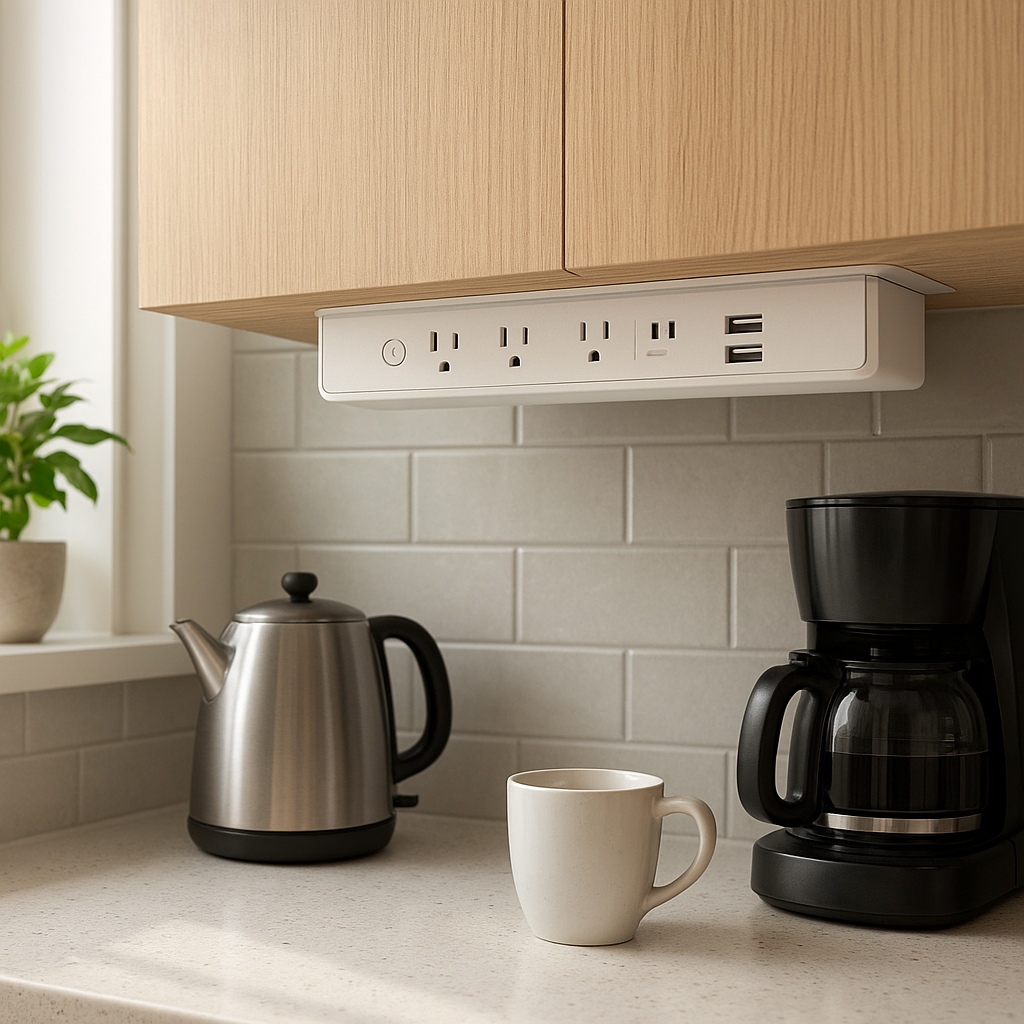
- Smart plugs (outlet-based): Products like Kasa, TP-Link, or Shelly plugs measure energy for only what’s plugged into them. Perfect for things like space heaters, window AC units, and entertainment centers.
With plugs, you get perfect clarity on those specific devices but zero visibility into everything else. With Sense, you get a full picture but with some uncertainty around harder-to-detect devices.
Accuracy and granularity: when plug-level is better (and when it isn’t)
For individual plug-in devices, smart plugs win on accuracy and granularity:
- They see exactly what passes through that outlet.
- There’s no guesswork or machine learning involved.
- You can easily compare daily and weekly usage for that one device.
Sense is most accurate at the whole-home and circuit levels. Device detection is good for large, distinct loads but will never be perfect for everything. Expect strong performance on things like:
- Central air conditioners and heat pumps
- Electric ovens and cooktops
- Well pumps and sump pumps
- Traditional refrigerators and freezers
But for clusters of similar electronics—phone chargers, LED lamps, computer gear on a shared power strip—plug-level tracking remains more precise if you care about those specific devices.
Setup complexity and hardware you need for each approach
Sense installation:
- Requires opening the main electrical panel and clipping CT sensors around the mains.
- Needs a dedicated breaker or tie-in for power.
- Requires reliable 2.4 GHz Wi‑Fi near the panel.
Plug-level setup:
- Buy several Wi‑Fi smart plugs or plug-in energy meters.
- Plug them into wall outlets, connect them to your Wi‑Fi, then plug in your devices.
- Repeat for each device you want to monitor.
Sense is a single, more complex install that covers everything. Smart plugs are trivial to set up individually but need to be repeated across your home.
Long-term usability: managing dozens of plugs vs one Sense unit
Over time, Sense tends to be easier to live with day to day:
- One app, one device to maintain.
- No need to remember which plug is behind which dresser or entertainment center.
- No visual clutter or blocked outlets.
Large plug-based setups can become tedious:
- You might end up with 10–30 smart plugs scattered around the house.
- Each one needs naming, firmware updates, and occasionally re-pairing to Wi‑Fi.
- Apps can become crowded, and multiple brands mean multiple apps.
For a couple of key loads, plugs are great. For a long-term whole-home energy strategy, Sense (or another panel-based monitor) usually scales better.
Installation and Setup Experience
Electrical panel requirements and when you need an electrician
Before buying Sense, check these basics:
- Modern breaker panel: Most standard 120/240 V split-phase panels in North America are compatible.
- Room inside the panel: There needs to be physical space to mount the Sense module and route the CT clamps.
- Wi‑Fi signal at the panel: Weak Wi‑Fi can cause unreliable data and disconnections.
You should strongly consider a licensed electrician if:
- You’re not experienced or comfortable working inside a live panel.
- Your panel is old, crowded, or has signs of corrosion or overheating.
- You’re dealing with multi-unit setups, subpanels, or solar tie-ins.
Step-by-step Sense setup and app onboarding
The basic Sense setup flow looks like this:
- Turn off power (or have an electrician do so) and open the panel cover.
- Clamp the CT sensors around the mains (and solar or dedicated circuits if applicable).
- Connect the Sense monitor to a breaker for power.
- Close the panel and restore power.
- Install the Sense app, create an account, and join the monitor to your Wi‑Fi.
- Walk through the in-app calibration and confirm that voltage and usage look reasonable.
Once online, Sense immediately starts showing total wattage. Device detection and deeper insights take longer, described later in the learning-period section.
Common installation mistakes and how to avoid them
A few frequent issues cause incorrect readings or unreliable detection:
- CT clamps installed backwards: If the arrows on the clamps face the wrong direction, Sense can misread the flow. Double-check orientation.
- Loose clamps: CTs that are not fully closed or secure can give noisy data.
- Sharing circuits incorrectly: Powering Sense from an overloaded or unusual circuit can cause odd behavior.
- Weak Wi‑Fi: Dropouts lead to gaps in your energy history. If your panel is in a basement or garage, consider a mesh node nearby.
Safety considerations for DIY vs professional install
Working inside an electrical panel can be dangerous. Even with the main breaker off, the service lugs feeding the panel may still be live. If you are not fully confident around high-voltage electrical equipment, hire an electrician and treat the install cost as part of the investment.
Smart plugs, in contrast, are typically safe DIY projects: you plug them in like any other appliance. The tradeoff is you only get insight into devices plugged into those specific outlets.
App Experience and Features in 2026
Real-time power usage, historical trends, and bill forecasting
The Sense app centers around three main views:
- Real-time “Now” view: Shows instantaneous watts for the whole home and known devices. This is where you can flip a light or turn on the microwave and watch the power jump.
- Historical trends: Daily, weekly, monthly, and billing-cycle views of kWh and estimated cost. You can see spikes during heat waves or drops after upgrading an appliance.
- Bill forecasting: If you enter your utility rate, Sense can forecast your likely monthly bill based on current patterns.
These charts are where Sense outshines a pile of smart plugs. You can immediately see changes like “using half as much energy at night” after fixing vampire loads.
Device detection: how well Sense now identifies individual appliances
Sense’s device detection uses machine learning on your home’s electrical signatures. Over the first weeks and months, you’ll see new devices appear with generic names like “Motor 1” or “Heat 2,” which you then rename as you figure out what they are.
Expect reliable identification for:
- Compressors (refrigerators, freezers, well pumps)
- Resistive heating (toasters, kettles, many electric ovens)
- Large motor loads (HVAC blowers, sump pumps)
Sense still struggles with:
- Small, low-wattage electronics and chargers
- Devices powered through power strips with many other items
- Modern variable-speed devices that don’t have clear on/off signatures
To improve detection for specific key devices, you can pair Sense with compatible smart plugs. Those plugs feed precise usage data back into Sense, which can then better recognize and track those devices as distinct loads.
Alerts and insights: high-usage warnings, always-on loads, and goals
Sense is most useful when you let it nudge you:
- High-usage alerts: Get notified if your usage suddenly jumps above a threshold, which can catch a stuck well pump or heater left on.
- Always-on insights: See how many watts your home burns 24/7. That’s often where easy savings hide—network gear, cable boxes, old fridges, and forgotten devices.
- Custom goals: Set monthly usage or dollar targets and watch how close you are in near real-time.
These features help translate raw data into actions like unplugging an old mini-fridge or replacing a high-standby TV box.
Integrations with smart plugs, smart thermostats, and smart assistants
Sense doesn’t aim to be a full smart home hub, but it does tie into a few key categories:
- Smart plugs: Selected models from brands like Kasa and TP-Link can send detailed device usage into Sense for more accurate tracking.
- Smart thermostats: Integrations with thermostats let you connect HVAC runtimes with whole-home usage.
- Voice assistants: Sense can expose basic data to assistants so you can ask for current usage or trends.
For heavy automation (e.g., “turn off outlets when usage exceeds X watts”), you’ll still want a dedicated automation platform like Home Assistant or a strong ecosystem of smart plugs and switches. Sense provides the data foundation, while your automation tool acts on it.
Accuracy and Reliability: How Well Does Sense Detect Devices?
Learning period: what to expect during the first 30–60 days
New Sense users often underestimate the learning period. The first few days mainly show total usage. Over 30–60 days, Sense gradually:
- Identifies major repeating loads (fridges, pumps, HVAC).
- Separates similar patterns and assigns them to different devices.
- Refines on/off thresholds and duty cycles.
Expect your detected device list to feel incomplete and a bit confusing early on. Treat it as a long-term project: the data quality and insights usually improve significantly after a couple of months.
Appliances Sense detects reliably vs devices it still struggles with
Sense tends to detect consistently:
- Traditional single-speed HVAC compressors
- Electric ovens and cooktops
- Clothes dryers (especially electric models)
- Dishwashers and washing machines with clear motor/heater cycles
Devices that remain challenging include:
- LED lighting circuits with many mixed fixtures
- Small plug-in electronics (chargers, speakers, streaming sticks)
- Computers and networking gear with variable power draw
- Some inverter-based appliances with very smooth signatures
For those, smart plugs or dedicated sub-circuit monitoring usually deliver better clarity.
Comparing Sense readings to utility meters and smart plug data
At the whole-home level, Sense typically tracks closely with your utility meter over longer periods. Short-term differences can appear due to sampling timing, but over a month, totals should be similar. This is also how you can sanity-check your installation.
For individual devices, comparing Sense’s detected device usage with a smart plug can reveal how well it’s doing. Large appliances often match within a reasonable margin, while smaller or more complex devices may show wider variation.
Handling solar, EV chargers, heat pumps, and other big loads
Sense supports solar by adding CT clamps to your solar feed, letting you see production, consumption, and net export/import. For big electric loads like EV chargers and heat pumps, you can either rely on automatic detection or add dedicated sensors if supported.
These large loads are where Sense shines because:
- They’re big enough to stand out clearly in your overall usage.
- They often run on dedicated circuits that are easy to track.
- Small behavior changes (like shifting charging times) can produce meaningful savings.
Real-World Savings: Can Sense Actually Lower Your Power Bill?
Identifying vampire loads and always-on devices
One of the fastest wins with Sense is reducing always-on usage. Many homes run 100–400 W continuously from things like:
- Old secondary refrigerators or freezers
- Network gear, game consoles, and streaming boxes
- Cable/satellite DVRs and set-top boxes
- Smart speakers and hubs that never sleep fully
Sense visualizes this always-on baseline and helps you test changes. Unplug a suspect device, watch the baseline drop, and you immediately see if it’s worth replacing or putting on a smart plug.
Case studies: typical monthly savings for different home types
Actual savings vary, but patterns from user reports and energy research are fairly consistent:
- Small apartments with gas heat: Limited savings—maybe a few dollars a month by catching one or two inefficient devices.
- Average suburban homes: Often save $10–$30 per month by removing old fridges, taming space heaters, and cutting standby loads.
- All-electric homes with EVs: Highest potential. Adjusting EV charging times, heat pump schedules, and water heater use can lead to much larger monthly differences.
U.S. Department of Energy guidance on cutting electricity usage, such as the tips in this Energy Saver resource, aligns well with what Sense users typically optimize: heating, cooling, water heating, and always-on electronics.
How much effort you need to put in to see a real ROI
Sense doesn’t save money by itself; it highlights opportunities. To see a tangible ROI, expect to:
- Open the app regularly for the first few months.
- Label detected devices and confirm what they are.
- Run “experiments” by turning things off, changing schedules, or replacing equipment.
- Follow through on what you learn (e.g., actually retiring that extra fridge).
If you’re hands-off and rarely check the app, you may not recover the cost quickly. If you’re curious and willing to make changes, the monitor can pay for itself over a few years, especially in high-rate areas.
Behavior changes Sense encourages (and which most people keep)
The biggest long-term benefits come from behavior changes, such as:
- Shifting heavy loads like EV charging or laundry to off-peak times where time-of-use rates apply.
- Using fewer space heaters and more efficient heating strategies.
- Replacing a few known energy hogs (old fridges, inefficient dehumidifiers).
- Becoming generally more aware of what’s running when no one is home.
Many of these changes stick because they don’t meaningfully reduce comfort once you’ve adjusted schedules or swapped out a few devices.
Sense vs Cheaper Plug-Level Trackers: Cost, Effort, and ROI
Upfront cost comparison: Sense monitor vs a pack of smart plugs
A Sense monitor typically costs as much as a decent midrange smart thermostat. In contrast, you can often buy a 4-pack of energy-monitoring smart plugs for the price of a nice dinner.
To cover your entire home with plugs, though, you’d need many of them—often 10–30—plus they can’t measure hardwired loads like central AC, built-in lights, or electric water heaters. The real comparison is:
- Sense: Higher one-time hardware (and possibly install) cost, whole-home coverage.
- Smart plugs: Low per-device cost, but limited coverage and more ongoing management.
Ongoing effort: managing device names, rooms, and automations
With Sense, ongoing effort is mostly about:
- Renaming devices as Sense discovers them.
- Checking insights and acting occasionally.
- Tweaking goals and alert thresholds.
With plug-level trackers, ongoing effort usually means:
- Maintaining consistent naming across many plugs.
- Re-pairing devices after router swaps or Wi‑Fi changes.
- Keeping firmware and apps updated across multiple brands.
- Managing separate automations per plug or within your smart home platform.
If you enjoy tinkering at the device level, plugs can be fun. If you prefer a single dashboard, Sense is far less work.
Best combo approach: when to use Sense plus a few targeted plugs
For many homes, the ideal setup is a hybrid:
- Use Sense for whole-home, solar, EV, and major appliance insights.
- Add a few energy-monitoring smart plugs for tricky or important devices like entertainment centers, home office gear, or window AC units.
- Feed plug data into Sense (if compatible) and/or your automation platform for precise control.
This approach keeps your plug count manageable but still gives exact readings where it matters most.
Which option makes more sense for renters vs homeowners
Renters:
- Leaning on smart plugs (and maybe smart power strips) is usually the best approach.
- No panel work, no landlord approval, and you can take everything with you when you move.
Homeowners:
- Sense or another whole-home monitor can be a long-term upgrade.
- If you plan to stay put, the multi-year payoff and ongoing insights make more sense.
Privacy, Data, and Cloud Dependence
What energy data Sense collects and how it’s used
Sense collects detailed power usage data from your home: real-time wattage, voltage, and derived information about device patterns. While it doesn’t “see” what you’re doing in a room, it can infer when certain appliances run.
This data is used to:
- Train and refine device detection models.
- Provide you with historical charts, forecasts, and insights.
- Support aggregated, anonymized research into residential energy use.
You’ll want to review Sense’s current privacy policy to understand retention, anonymization, and sharing practices, especially if you’re concerned about highly granular data.
Cloud vs local: what still works if the internet goes down
Sense relies on a cloud back end for much of its intelligence. If your internet connection drops:
- The monitor can continue sampling data locally for some period.
- Real-time and historical views in the app may be limited until connectivity is restored.
- Some analysis and detection processes may pause or be delayed.
Smart plugs are similar: most still use the cloud for remote access and advanced features, though some ecosystems and local-control platforms (like Home Assistant) can keep basic monitoring and automations running locally.
Account security and data-sharing considerations
As with any cloud-connected smart home device, you should:
- Use a strong, unique password for your Sense account.
- Enable two-factor authentication if available.
- Review which third-party services you connect to Sense.
- Consider who else in the household has app access and what they can see.
Because energy usage can reveal patterns of occupancy, some homeowners prefer to keep sharing minimal and limit integrations to only what they truly need.
Pros and Cons of the Sense Energy Monitor in 2026
Biggest advantages: whole-home visibility, trends, and insights
Sense’s strengths are clear:
- Whole-home coverage: One device sees nearly everything, including hardwired loads.
- Rich historical data: Easy to compare months, seasons, and year-over-year trends.
- Solar and large-load awareness: Great for homes with solar, EVs, and electric heat.
- Low ongoing friction: Once installed, it largely runs itself.
Main drawbacks: cost, detection limitations, and learning curve
The downsides are just as real:
- Higher upfront cost: Hardware plus possible electrician fees.
- Imperfect detection: It will never identify every device with plug-level accuracy.
- Learning curve: Takes time to understand graphs, label devices, and translate data into actions.
- Cloud dependence: Requires internet and a cloud service for the full experience.
Who will get the most value from Sense (usage profiles & scenarios)
Sense is a strong fit for:
- Homeowners with high bills who suspect waste but can’t pinpoint it.
- Solar or EV owners who want to see how those systems interact with household loads.
- Data-minded users who enjoy dashboards and long-term tracking.
- Families building a broader smart home and wanting an energy “backbone” to guide upgrades.
If you’re a light user on a flat rate plan and mainly interested in one or two devices, you’ll probably get more bang for your buck from a few targeted smart plugs.
Alternatives to Sense: Other Whole-Home and Plug-Level Options
Competing whole-home energy monitors worth considering
Several other companies offer panel-based energy monitors that compete with or complement Sense. While feature sets differ, common alternatives include systems that focus on:
- Dedicated circuit monitoring with many CT clamps.
- More robust local dashboards and integrations with home automation platforms.
- Tighter integration with specific electrical panels or breaker brands.
These can be better matches if you want guaranteed per-circuit readings instead of device-level machine learning, or if you’re already invested in a specific electrical or smart home ecosystem.
Best smart plug-based energy monitoring kits
If you decide Sense isn’t right for now, smart plug kits can still give you plenty of insight:
- Wi‑Fi smart plugs with energy monitoring: TP-Link Kasa, Tapo, and similar brands offer plugs that track kWh and cost for anything you plug into them.
- Smart power strips: Useful for entertainment centers or office setups, sometimes with per-outlet monitoring.
- Hybrid relays and in-wall modules: Devices from brands like Shelly can add energy monitoring to built-in switches or circuits.
These options are particularly attractive if you’re focused on a few big offenders like window AC units, portable heaters, or dehumidifiers.
When a utility-provided energy portal is enough
Many utilities now offer online portals with at least daily, and sometimes hourly, energy usage. If yours provides:
- Detailed interval data (hourly or 15-minute usage)
- Rate comparisons and simple goals
- Basic appliance usage estimates
…you might be able to get enough insight to cut waste without buying any additional hardware. This is especially true if your main concern is “Am I using more or less than last year?” rather than “Which device is using what right now?”
Is Sense Still Worth It in 2026? Final Verdict
Quick decision guide: Sense vs plug-level vs hybrid setup
Use this quick guide:
- Choose Sense if you own your home, have high or rising electric bills, and want full-home visibility with minimal long-term hassle.
- Choose plug-level monitoring if you’re renting, on a tight budget, or mainly interested in a few plug-in devices.
- Choose a hybrid setup if you want a long-term whole-home view plus pinpoint accuracy for specific loads like office gear, media centers, or window AC.
Budget, home size, and goals: how to choose the right solution
Think through three questions:
- What’s your budget? If you can’t justify a higher upfront cost, start with a couple of plugs.
- How big and complex is your home? Larger homes, multiple HVAC systems, or solar/EV setups benefit more from a whole-home monitor.
- What’s your goal? Curiosity and experimentation? Plugs are fine. Systematic, long-term optimization? Sense or another panel-based system is the better tool.
Recommended setups for beginners, tinkerers, and power users
Here are practical starting points:
- Beginners: Start with 2–4 smart plugs on your biggest plug-in loads (space heaters, dehumidifiers, window AC). Learn what they cost to run and adjust usage.
- Tinkerers: Add Sense (or another whole-home monitor) plus a handful of energy-monitoring plugs integrated into your smart home platform for deeper insights and automations.
- Power users: Combine Sense with targeted circuit monitors, a strong automation hub, and time-of-use rate optimization to actively shift and reduce major loads.
Used thoughtfully, Sense remains a powerful tool in 2026 for making your home more efficient, especially when paired with a few well-placed smart plugs and a willingness to act on what the data reveals.
FAQ
Does Sense work without internet access?
The Sense monitor needs an internet connection for setup, cloud-based analysis, and most app features. Short outages won’t usually break anything permanently, but ongoing use without internet defeats much of its value.
Will Sense identify every device in my home?
No. Sense will typically find many of your major loads and some medium-sized devices, but it’s unlikely to correctly identify every light, charger, and electronic gadget. Consider smart plugs or circuit monitors for critical devices you must track precisely.
How long before Sense becomes accurate?
You’ll get accurate whole-home readings immediately, but device detection can take 30–60 days or more to feel useful. Detection continues improving over time as your home’s patterns become clearer.
Can Sense control my devices or only monitor them?
Sense is primarily a monitoring and insight tool. It doesn’t directly switch most devices on or off. However, you can use its data alongside other smart home platforms to build automations that respond to your energy usage.
Is Sense safe to install myself?
Technically, many handy homeowners can perform the install, but working in an electrical panel carries real risk. If you have any doubt, hiring a licensed electrician is strongly recommended for safety and code compliance.