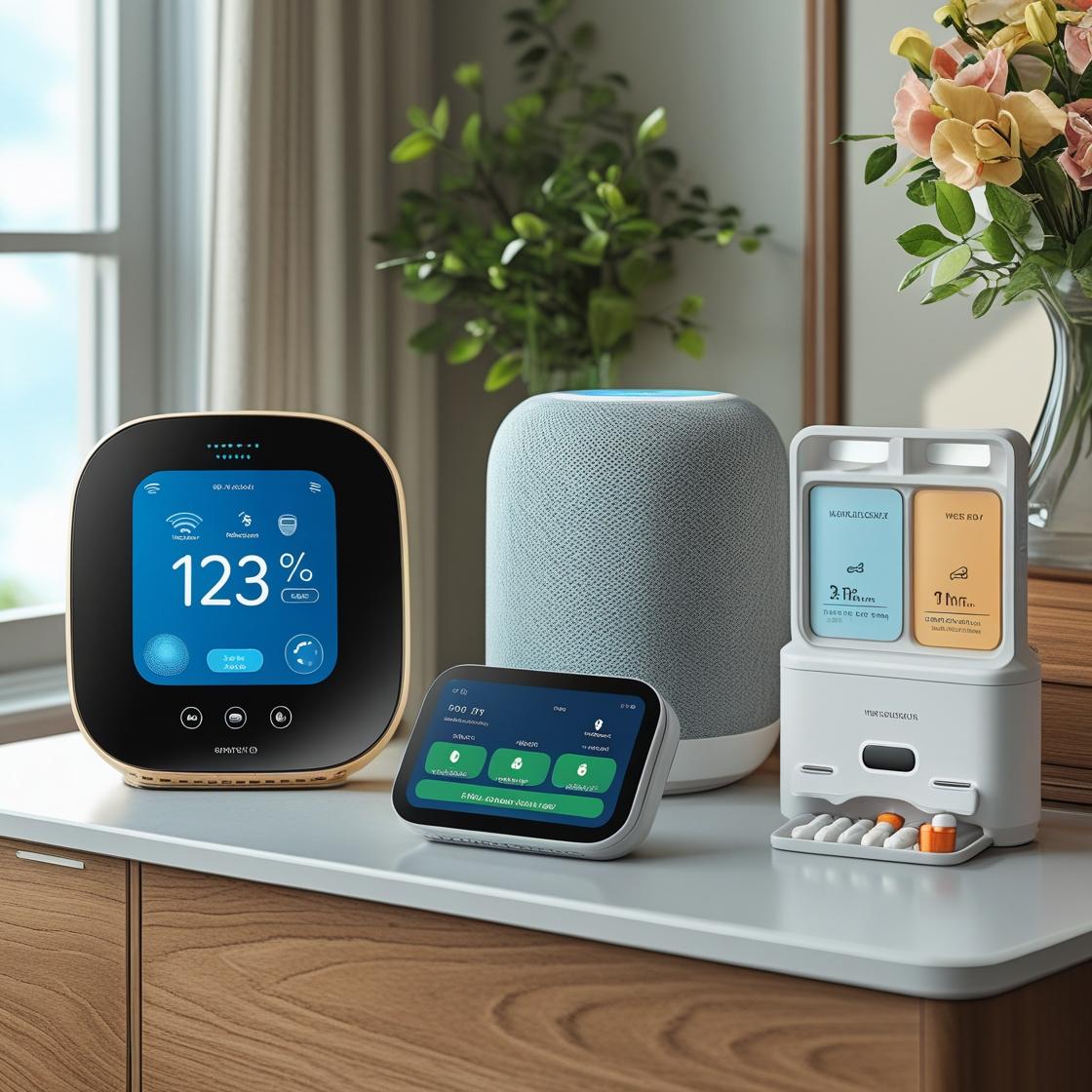
Smart air fryers and ovens are turning into serious tools for busy kitchens. WiFi, app control, and voice commands are no longer gimmicks — used well, they can actually save time, cut energy use, and make it easier to avoid overcooked dinners.
This guide walks through what makes the best smart air fryer with WiFi stand out, how smart ovens compare, and how to connect everything into a smoother, more automated smart kitchen.
What Makes a Smart Air Fryer with WiFi Worth It?
How WiFi and app control change the way you cook
WiFi and app control don’t change how hot air crisps your food, but they do change how you interact with the appliance. A good companion app lets you:
- Start or stop cooking remotely — begin preheating from the couch or when you’re finishing a task in another room.
- Monitor progress in real time — see remaining time and temperature on your phone instead of walking back to the kitchen.
- Get alerts — receive notifications for preheat complete, shake reminders, and when cooking is done.
- Use guided recipes — tap a recipe in the app and send the time/temperature settings directly to the air fryer.
For example, with a WiFi air fryer like the COSORI Smart WiFi or an Instant Brands model that connects to the Instant app, you can load frozen fries, start preheat, and get a phone alert when it’s time to shake the basket — no guesswork, no hovering.
Voice assistant support (Alexa, Google Assistant, Siri) explained
Voice control is less about saying “cook dinner” and more about simple, hands-free tasks while your hands are full of ingredients.
- Amazon Alexa: Often the best-supported option. Typical skills let you preheat, start a preset, check remaining time, or turn the air fryer off.
- Google Assistant: Similar capabilities — you can say things like “Hey Google, preheat the air fryer to 400 degrees for 10 minutes” on supported models.
- Siri / HomeKit: Fewer air fryers offer native HomeKit support, but you can often use Siri Shortcuts from the manufacturer’s app to trigger common tasks via your iPhone or Apple Watch.
Voice is most useful when your hands are messy: “Alexa, how much time is left on the air fryer?” or “Hey Google, turn off the air fryer.” You spend less time poking at tiny displays and more time actually cooking.
Smart features that actually matter vs marketing gimmicks
Manufacturers love flashy feature lists. Before you buy, focus on features that genuinely improve cooking:
- Reliable remote monitoring — stable WiFi connection, timely notifications, and an app that doesn’t constantly log you out.
- Well-tested presets — presets that match real cooking times for fries, chicken, vegetables, etc., not just a long list of icons.
- Good app recipe library — clear photos, step-by-step guidance, and one-tap sending of settings to the fryer.
- Firmware updates — ongoing updates that fix bugs and add improvements.
Meanwhile, be skeptical of things like “social sharing” inside the app or overly gamified cooking badges. They don’t necessarily make your food better or your kitchen smarter.
Key Features to Look For in the Best Smart Air Fryer with WiFi
Capacity, power, and cooking presets for real-world use
Think about what you actually cook:
- Capacity: 4–5 quart models work well for 1–2 people; 5.8–7 quart models suit most families; dual-zone air fryers are handy if you often cook two different foods at once.
- Power (wattage): Most sit between 1300–1800W. Higher wattage usually means faster preheating and crisping, but also higher peak power draw.
- Presets: Look for presets you’ll use regularly (fries, wings, veggies, fish, reheat). A shorter, accurate list is better than 15 vague icons.
For a family of four cooking mains and sides, a 6–7 quart WiFi air fryer often hits the sweet spot for capacity and flexibility.
App experience, remote monitoring, and recipe libraries
The app can make or break the “smart” part:
- Setup experience: Clear onboarding and easy pairing to WiFi (2.4 GHz is standard) reduce frustration.
- Remote view: The main screen should show temperature, remaining time, and mode at a glance.
- Notifications: Customizable alerts for preheat done, shake reminders, and cook complete.
- Recipes: Filter by ingredient, time, and dietary needs. Look for photos, clear steps, and auto-sending settings to your fryer.
Apps from brands like COSORI, Instant, and Philips tend to offer more polished guided recipes and better UI than off-brand models.
Voice command capabilities and smart home ecosystem compatibility
Match the fryer to the smart home platform you already use:
- Alexa households: Look for explicit “Works with Alexa” support, not just generic WiFi control.
- Google Home households: Check for Google Home/Assistant support, so you can add the fryer to rooms and routines.
- Apple users: Native HomeKit support is rare, but Siri Shortcuts integration can still give you voice control on iPhone and Apple Watch.
Also consider whether the app plays nicely with broader ecosystems like SmartThings or IFTTT if you’re building more complex automations.
Cleaning, maintenance, and safety features
A smart air fryer you hate cleaning will gather dust, no matter how clever the app is.
- Dishwasher-safe basket and tray make weeknight cleanup realistic.
- Non-stick coatings should be robust and free from obvious flaking.
- Cool-touch exterior and auto shutoff help reduce burn and fire risk.
- Overheat protection and thermal fuses are worth checking in the manual or spec sheet.
Some apps also surface maintenance reminders, such as prompts to clean the basket or check for blockages around vents.
Best Smart Air Fryers with WiFi and App Control (Top Picks)
Best overall smart air fryer with WiFi for most kitchens
For most homes, a mid-sized WiFi model with strong app support and solid reliability is ideal. A good example in this category is the COSORI Smart WiFi Air Fryer (5.8 qt) or similar connected models. They typically offer:
- Enough capacity for 3–4 servings.
- Dependable app with remote start/stop, notifications, and recipes.
- Alexa and sometimes Google Assistant support.
- Well-tuned presets for common foods.
If you want one device that balances capacity, features, and price, this style of air fryer is a strong all-rounder.
Best budget smart air fryer with app control
Budget smart air fryers often cut corners on materials or app polish, but there are still good options:
- Look for smaller 3.5–4 quart models with essential presets.
- Check reviews for app stability — some third-party apps feel clunky.
- Ensure at least one voice platform (usually Alexa) is supported if that matters to you.
Brands like Proscenic, for example, offer affordable WiFi air fryers with Alexa support. You may lose some premium finishes and recipe library depth, but still gain core remote control features.
Best large-capacity smart air fryer for families
Larger families or frequent hosts will appreciate 6–8 quart or dual-basket WiFi air fryers. Look for:
- Dual-zone cooking so you can cook, say, chicken in one drawer and veggies in the other with synced finish times.
- Higher wattage for quicker preheating and better results with loaded baskets.
- Wide temperature range (around 90–400°F or more) for roasting, baking, and dehydrating.
Many “XL” or “Max” smart models from major brands offer app control and voice, plus extra modes like roast, bake, and dehydrate.
Best compact smart air fryer for small spaces
If you’re in an apartment, dorm, or RV, a compact WiFi air fryer can still be useful:
- Choose 2–3.5 quart capacity to save counter space.
- Check dimensions against your cabinets or shelves.
- Prioritize quiet operation and cool-touch exteriors.
Some compact models skip voice to cut costs but keep app control. That’s often a good compromise if space and budget are tight.
Best smart air fryer for energy-efficient cooking
Air fryers are generally more energy-efficient than full-size ovens for small portions, but some designs go a step further:
- Fast preheating and good insulation reduce runtime.
- Accurate temperature control avoids overshooting and wasting power.
- Smart scheduling and notifications help you avoid reheating or recooking because you forgot about food.
Look at models that highlight quick preheat times and energy savings in independent tests, and pair them with a smart plug that offers energy monitoring to see real usage in your own kitchen.
Best Smart Ovens with App Control and Voice Commands
Smart countertop ovens vs built-in smart ranges
Smart ovens come in two main flavors:
- Smart countertop ovens (like the Breville Joule Oven Air Fryer Pro or June Oven) sit on your counter, plug into a standard outlet, and typically include air fry, bake, roast, and more.
- Built-in smart ranges and wall ovens from brands like Samsung, LG, and GE Profile connect to WiFi and their own apps, integrating with the rest of your kitchen.
Countertop models are easier to add to a rental or existing kitchen. Built-in smart ranges are better if you’re renovating and want your main oven deeply integrated with your smart home.
Top smart ovens that pair well with air fryers
If you already own an air fryer, a smart oven can handle bigger roasts, casseroles, and baking while the air fryer focuses on crisping and sides. Good pairing options include:
- Breville Joule Oven Air Fryer Pro: App control, guided recipes, and multiple cooking modes.
- June Oven: Uses cameras and sensors to assist cooking, all controlled via the June app.
- Smart ranges from Samsung or GE with WiFi and app control for preheating, timers, and modes.
These can all be controlled and monitored from your phone, letting you manage main and side dishes more precisely.
Multi-function smart ovens (air fry, bake, roast, dehydrate)
Multi-function smart ovens aim to replace multiple appliances:
- Air fry mode for crisping wings, fries, and snacks.
- Bake/roast modes for sheet-pan dinners and baked goods.
- Dehydrate for fruit, herbs, and jerky.
- Slow cook, broil, or pizza modes on some models.
These are ideal if you want fewer appliances on the counter but still need strong smart features, app recipes, and voice control.
Comparing Smart Air Fryers vs Smart Ovens for Your Kitchen
Which is better for everyday meals?
For most everyday meals, a smart air fryer often wins for speed and convenience:
- Faster preheat and cook times for small portions.
- Great for reheating leftovers, frozen foods, and quick proteins or vegetables.
Smart ovens make more sense if you often cook large dishes (roasts, lasagnas, baking projects) or use baking sheets and big cookware.
Space, budget, and energy use considerations
Ask yourself:
- Space: Countertop air fryers and ovens compete for space. Measure before you buy.
- Budget: A smart air fryer is usually cheaper than a full-featured smart oven or range.
- Energy: For one or two portions, air fryers usually use less energy than heating a full oven. For large batches, a well-insulated oven can be more efficient.
When it makes sense to own both
Owning both a smart air fryer and a smart oven works well if you:
- Cook for a family and need multiple dishes at once.
- Like to bake but also want quick, crispy sides.
- Want redundancy in case one appliance is busy or out of service.
A typical pattern: the oven handles the main dish, while the air fryer crisps potatoes, vegetables, or reheats leftovers right before serving.
Smart Home Integration: Making Your Air Fryer Part of an Automated Kitchen
Connecting your air fryer to Alexa, Google Home, and HomeKit
Most WiFi air fryers connect through the manufacturer’s app first, then link to your voice assistant:
- In the brand’s app, create an account and pair the fryer to your 2.4 GHz WiFi network.
- Enable the corresponding Alexa Skill or Google Home integration.
- Log in with your brand account to link devices.
- Assign the fryer to a room (e.g., “Kitchen”) for easier voice control.
For HomeKit users, check if the brand offers a HomeKit bridge or at least Siri Shortcuts to trigger common actions from your Apple devices.
Example automations and routines (hands-free preheating, meal reminders)
Once connected, you can build simple routines, such as:
- Hands-free preheating: A routine that turns on the kitchen lights and preheats the air fryer at a set time each weekday evening.
- Meal reminders: A notification or smart speaker announcement 10 minutes before your typical dinner time to start preheating.
- Goodnight safety check: A routine that turns off lights and checks that the air fryer and oven are off (on supported models).
Start with small automations and expand as you get comfortable.
Using smart plugs and energy monitoring with your air fryer or oven
If your air fryer or countertop oven doesn’t have built-in energy monitoring, a smart plug with power tracking can help:
- See how much energy different cooking modes actually use.
- Identify the most efficient way to reheat and cook.
- Set automatic off timers as a backup safety measure.
Always confirm the smart plug’s wattage rating is higher than your appliance’s maximum draw, and avoid using smart plugs with very high-power built-in ovens or ranges.
Safety, Reliability, and Data Privacy with WiFi Air Fryers
Firmware updates, certifications, and brand reputation
Look for:
- Regular firmware updates to fix bugs and improve reliability.
- Safety certifications (UL, ETL, CSA or local equivalents).
- Established brands with clear support pages and manual downloads.
A brand that updates its app regularly and publishes changelogs is usually investing in long-term support for your device.
What app permissions you should check
During setup, most apps ask for permissions. Common-sense guidelines:
- Location: Often needed on Android for WiFi scanning; you can deny precise location if not required.
- Bluetooth: Only needed if the device pairs via Bluetooth before WiFi.
- Notifications: Allow if you want cooking alerts; you can tune or mute unneeded marketing notifications.
Avoid granting unnecessary access to contacts, photos, or files unless there is a clear reason.
How to secure your smart kitchen appliances on WiFi
You don’t need to be a network expert to keep things secure:
- Use a strong, unique WiFi password.
- Enable automatic updates on your router and devices if possible.
- Consider a separate guest or IoT network for appliances.
- Remove old or unused devices from your account when you upgrade.
How to Choose the Right Smart Air Fryer with WiFi for Your Home
Decision checklist: capacity, features, budget, and ecosystem
Before you click “buy,” run through this quick list:
- Capacity: Enough for your typical meals?
- Features: Do you care more about presets, recipes, or voice control?
- Budget: Are you overpaying for extras you’ll never use?
- Ecosystem: Does it work with Alexa/Google/HomeKit where you already have devices?
- Cleaning: Are the basket and tray easy to remove and wash?
Questions to ask before you buy
Dig into product pages and reviews to answer:
- How stable is the WiFi connection over time?
- Are app updates frequent and well-reviewed?
- Do real users find the presets and recipes accurate?
- Is customer support responsive if something goes wrong?
These questions will tell you more about day-to-day satisfaction than marketing descriptions alone.
Setup Guide: Connecting Your Smart Air Fryer or Oven to WiFi and Voice Assistants
Step-by-step app setup and WiFi pairing
The exact steps vary by brand, but most follow this pattern:
- Download the manufacturer’s app from the iOS App Store or Google Play.
- Create an account and verify your email.
- Plug in the air fryer or oven and ensure it’s in pairing mode (often shown by a WiFi or link icon blinking).
- In the app, choose “Add device” and follow prompts to select your model.
- Connect to your 2.4 GHz WiFi network and enter the password.
- Wait for the app to confirm the device is online.
Linking to Alexa, Google Assistant, or Siri Shortcuts
Next, add voice control:
- Open the Alexa or Google Home app.
- Add the corresponding skill or integration for your brand.
- Log in with the same account you used in the manufacturer’s app.
- Discover devices and assign the air fryer/oven to a room.
- For Siri, open the manufacturer’s app and look for “Siri Shortcuts” or “Add to Siri” to record custom phrases.
Testing voice commands and remote control features
Do a quick test run with something simple like preheating or setting a timer:
- Ask, “Alexa, preheat the air fryer to 375 degrees” (or the equivalent for your assistant).
- Verify the app shows the correct temperature and mode.
- Check that you receive notifications when preheating finishes and cooking ends.
Once you’re confident everything works, you can build routines and shortcuts for your favorite meals.
Practical Tips to Get the Most from Your Smart Air Fryer or Oven
Automating weeknight dinners with app recipes and presets
Use the app to speed up busy nights:
- Save your most-used recipes and presets to favorites.
- Adjust times and temperatures based on your first few tries, then save your own custom presets.
- Browse the app’s recipe library on your commute or lunch break and send settings to the device ahead of time.
Over time, you’ll build a small library of “hit” recipes you can start in a few taps or a single voice command.
Reducing energy use with smart scheduling and temperature control
To cut energy use:
- Batch-cook similar items to make full use of a single preheat cycle.
- Use lower temperatures with slightly longer times when crispiness allows.
- Schedule cooking to finish just before you eat to avoid reheating.
- Monitor usage with a smart plug or the manufacturer’s energy reports if available.
Cleaning and maintenance tips to extend lifespan
Keeping your smart air fryer or oven clean helps performance and safety:
- Let the appliance cool, then wipe the interior after greasy cooks.
- Wash baskets and trays promptly to prevent buildup.
- Check and clear air vents regularly.
- Use the app’s maintenance reminders, if offered, as prompts to deep clean.
Frequently Asked Questions About Smart Air Fryers with WiFi
Do smart air fryers actually cook better than regular ones?
Cooking performance mainly depends on design, heating element, and airflow, not WiFi. A smart air fryer doesn’t inherently cook better, but smart features help you cook more consistently by giving you accurate timers, reminders, and guided recipes. That consistency often leads to better results in daily use.
Can I use a smart air fryer without WiFi?
Yes. Nearly all smart air fryers can be used as normal air fryers with onboard buttons and dials. You’ll lose remote control, app recipes, and voice commands, but you can still set time and temperature manually.
Are WiFi air fryers safe to leave running unattended?
No cooking appliance should be left completely unattended for long periods. Smart features do add safety layers like auto shutoff and notifications if cooking finishes, but you should still remain nearby and avoid running any air fryer or oven while you’re out of the house or asleep.
Do smart air fryers use more electricity than regular models?
The WiFi and electronics use a very small amount of extra power. Overall energy use is driven by wattage, cooking time, and how often you use it. In many homes, smart scheduling and faster cooking help offset that small extra standby usage.
What happens if my WiFi goes down?
If your WiFi drops, you’ll lose remote control and notifications, but the air fryer will keep running its current program. You can always control it via the physical buttons on the unit until your network is back.
Final Verdict: The Best Smart Air Fryer with WiFi for Most Users
For most households, the best smart air fryer with WiFi is a mid-sized, well-supported model from a major brand, with:
- 5–6 quart capacity for flexibility.
- Reliable app with remote control and a useful recipe library.
- Alexa and/or Google Assistant integration.
- Dishwasher-safe basket and tray, plus solid safety features.
Specific models like the COSORI Smart WiFi Air Fryer, Instant’s WiFi-enabled Vortex series, or similar connected units from Philips and other major brands are strong starting points. Prioritize a stable app, easy cleaning, and compatibility with the voice assistants and smart home gear you already own. With the right choice, your air fryer or oven becomes more than a gadget — it becomes a dependable part of your smart kitchen routine.