Smart lamps with built‑in Wi‑Fi are one of the easiest ways to upgrade your lighting. You plug them in, connect them to your home network, and control everything from your phone or voice assistant—no separate smart bulbs or hubs required.
This guide walks through the best smart table and floor lamps with built‑in Wi‑Fi, what to look for before buying, and how to set them up quickly. Whether you’re lighting a living room, bedroom, or home office, you’ll find practical ideas and examples to help you choose the right lamp for your space.
Why Choose a Smart Table or Floor Lamp with Built‑In Wi‑Fi?
The difference between Wi‑Fi lamps and lamps that need smart bulbs
There are two main ways to get “smart” lighting in a lamp:
- Wi‑Fi smart lamp (integrated): The lamp has smart electronics built into its base or body. The LEDs are part of the lamp and connect directly to your Wi‑Fi. You control the entire lamp as one device.
- Regular lamp + smart bulb: The lamp is just a normal fixture. The smart part lives inside the bulb itself, which connects to Wi‑Fi or a hub.
With an integrated Wi‑Fi lamp, you don’t have to worry about bulb compatibility, length, or shape. The manufacturer designs the LEDs, heat management, and controls as a single system, so you usually get smoother dimming, better color control, and a cleaner look.
Pros and cons of integrated smart lamps vs. smart bulbs and smart plugs
Advantages of built‑in Wi‑Fi lamps:
- Simple setup: plug in, connect to app, done—no swapping bulbs.
- Cleaner design: no odd‑looking bulbs or exposed components.
- Better control: more precise dimming, scenes, and effects, especially on RGB lamps.
- Quieter operation: designed for LEDs from the start, so less flicker or buzz.
Downsides to consider:
- LEDs usually aren’t user‑replaceable, so when the light engine fails the whole lamp may need replacing.
- Harder to move between smart ecosystems if the lamp only supports one app.
- Higher upfront cost than a basic lamp plus a smart plug.
Smart bulbs and smart plugs are more flexible and easier to replace, but they add clutter and can be less elegant. Integrated lamps shine when you care about both function and design.
Who these Wi‑Fi lamps are best suited for (renters, beginners, minimalists)
Built‑in Wi‑Fi lamps are especially good for:
- Renters: No wiring changes, no drilling—just plug into an outlet. You can take the lamp with you when you move.
- Beginners: A single lamp is an easy entry into smart homes. You don’t need a separate hub or bridge, and setup wizards in the app walk you through the process.
- Minimalists: Integrated designs look tidy. Many smart floor and table lamps hide the LEDs, drivers, and controls in a sleek body with just one visible cord.
- People who hate fiddling with bulbs: If you’d rather not guess which smart bulb fits your arc lamp or small bedside lamp, an all‑in‑one Wi‑Fi lamp removes that guesswork.
Key Features to Look For in Wi‑Fi Smart Table and Floor Lamps
Wi‑Fi compatibility and app ecosystems (Tuya, Alexa, Google Home, Apple Home)
Most Wi‑Fi lamps work on 2.4 GHz Wi‑Fi networks. Some brands build on large ecosystems such as Tuya/Smart Life or proprietary apps like Govee, Xiaomi, or TP‑Link Tapo.
Look for:
- 2.4 GHz support: Many budget lamps do not connect to 5 GHz networks. Your phone must also be on 2.4 GHz during setup. The Wi‑Fi Alliance overview explains the basics of Wi‑Fi bands if you’re unsure.
- App ecosystem: Tuya/Smart Life devices work with many white‑label lamp brands, making it easy to control several lamps in one app. Branded ecosystems like Govee or Xiaomi often offer richer effects and scenes.
- Smart home integrations: Confirm native support for Alexa, Google Home, and (if relevant) Apple Home or HomeKit.
Brightness, color temperature, and RGB options explained
Brightness is measured in lumens. Rough guidelines:
- 300–500 lumens: Accent or bedside lighting.
- 600–800 lumens: Reading lamps and focused task lighting.
- 1,000+ lumens: Floor lamps that help light an entire corner or small room.
Color temperature (measured in Kelvins) affects the “feel” of the light:
- 2700–3000K: Warm, cozy light for bedrooms and living rooms.
- 3500–4000K: Neutral white for kitchens and multipurpose rooms.
- 5000–6500K: Cool daylight for focused work.
Many smart lamps are tunable white (adjustable color temperature) and some offer full RGB color for mood lighting. RGB lamps are great for gaming setups, movie nights, and bias lighting behind TVs.
Dimming, scenes, and presets for reading, relaxing, and working
A good Wi‑Fi lamp should dim smoothly from 1–100% and let you save presets like:
- Reading: Around 4000K, 70–100% brightness.
- Relax: 2700–3000K, 20–40% brightness.
- Focus: 5000K+, 60–90% brightness.
Check the app for “scenes” or “modes.” Many lamps include prebuilt scenes (sunset, night light, party, TV) you can tweak and save.
Voice control support (Alexa, Google Assistant, Siri) and local control options
Most Wi‑Fi lamps support at least Alexa and Google Assistant. Look for:
- Device discovery: Lamps should show up as lights, not generic plugs, so you can say “dim the floor lamp to 40%.”
- Room naming: Group lamps by rooms in your voice assistant for commands like “Alexa, turn off the bedroom lights.”
Local controls are just as important:
- Physical buttons or touch sliders on the base.
- Power‑on memory (lamp remembers last brightness and color after power loss).
- Optional remote control for family members who don’t use the app.
Build quality, design styles, and cord management considerations
Integrated smart lamps come in many styles:
- Minimalist metal desk lamps for modern offices.
- Fabric‑shade table lamps that blend with traditional décor.
- Arc and tower floor lamps for living rooms.
- Slim RGB corner lamps for ambient color washes.
Check for:
- Weighty bases that resist tipping (especially in homes with kids or pets).
- Matte finishes that hide fingerprints.
- Cord exits that don’t force you to bend cords sharply behind furniture.
- Included cable clips or channels for neat cord routing.
Energy use, standby power draw, and safety certifications
LED smart lamps are efficient under use, but they draw a small amount of power in standby for Wi‑Fi connectivity.
- Active use: A typical LED floor lamp uses 10–20 W at full brightness.
- Standby: Many smart lamps draw around 0.5–1 W waiting for commands.
Look for safety and compliance marks relevant to your region (UL, ETL, CE, etc.) and check that the lamp has overheat protection and proper ventilation.
Best Overall Smart Table Lamps with Built‑In Wi‑Fi
Top pick – balanced design, brightness, and value
For most people, a mid‑sized fabric‑shade smart table lamp with tunable white and basic RGB is ideal. Many Tuya/Smart Life‑based table lamps hit this sweet spot: they offer 600–800 lumens, warm‑to‑cool white, full color, and dependable app control without a huge price tag.
These lamps work well in living rooms and bedrooms and usually support Alexa and Google Home out of the box.
Premium pick – designer‑grade smart lamp for living rooms and offices
If you care as much about design as features, look for premium metal or glass lamps with integrated LEDs and Wi‑Fi control. Brands that focus on architectural lighting often offer:
- High CRI (color rendering index) for more natural colors on furniture and artwork.
- Very smooth low‑end dimming for movie nights.
- Refined materials—brushed aluminum, smoked glass, or fabric blends.
These lamps suit open‑plan living rooms, home offices, and spaces where your lighting is part of the décor, not just a utility.
Budget pick – affordable Wi‑Fi lamp for dorms and small spaces
Budget Wi‑Fi table lamps are great for dorms and rentals. Typical features:
- RGB color and white light in a compact plastic or fabric‑shade body.
- Basic touch controls on the top or base.
- App control via Tuya/Smart Life or a similar platform.
They’re bright enough for a bedside table or small desk, and you can still set schedules and voice control without spending much.
Compact bedside pick – smart bedside lamp with gentle wake‑up lighting
A good bedside smart lamp focuses on softer output and smoother transitions rather than raw brightness. Look for:
- Very low minimum brightness for night‑time use.
- Warm white down to 2200–2700K for evening wind‑down.
- “Sunrise” routines that slowly increase brightness over 10–30 minutes.
- Touch sliders or tap controls so you don’t have to reach for your phone in the dark.
Best Smart Floor Lamps with Built‑In Wi‑Fi (No Bulb Swap Needed)
Best all‑round floor lamp for living rooms and reading corners
All‑round Wi‑Fi floor lamps usually combine upward ambient light with some directional output. They’re ideal for:
- Lighting a reading chair or sofa corner.
- Adding general light to a room without overhead fixtures.
Look for 1000–1500 lumens, adjustable color temperature, and a narrow footprint so they slide behind furniture easily.
Arc and tower‑style smart floor lamps for modern interiors
Arc lamps with integrated LED strips give you wide, soft light over a couch or dining table. Tower lamps use vertical light diffusers to cast a gentle glow around the room.
Many Wi‑Fi tower and arc lamps support:
- Multiple zones of color for gradient effects.
- Animated scenes that slowly shift hues.
- Music‑sync modes using your phone’s microphone.
These are ideal as statement pieces in modern living rooms.
Slim corner RGB floor lamps for ambient and bias lighting
Corner RGB floor lamps are tall, slim, and designed to sit in a corner or behind a TV. They shine light onto walls to create immersive mood lighting.
They’re great for:
- Gaming setups.
- Home theaters as bias lighting behind the TV.
- Party scenes with animated color gradients.
Adjustable reading floor lamps with focused task lighting
For reading and crafts, look for Wi‑Fi floor lamps with adjustable gooseneck or swing‑arm heads. Key features:
- Narrow beam that focuses light on pages or work surfaces.
- Cooler white options (up to 5000K) to keep text crisp.
- Memory function, so it turns back on to your favorite reading setting.
Best Smart Table Lamps for Bedrooms and Bedside Use
Lamps with sleep and wake‑up routines (sunrise and sunset modes)
Many Wi‑Fi lamps can simulate sunset and sunrise:
- Sunset: Gradual dimming and shifting from neutral to warm light over 15–45 minutes.
- Sunrise: Slow increase from very dim warm light to brighter, cooler light at your alarm time.
These can help signal your body that it’s time to sleep or wake up more gently than a sudden bright light.
Touch controls, night‑light modes, and child‑friendly features
Good bedside lamps include:
- Capacitive touch rings or top surfaces for easy on/off and dimming.
- Dedicated night‑light modes with very low brightness and amber tones.
- Lock modes in the app to prevent kids from changing settings.
- Plastic diffusers instead of glass in kids’ rooms to avoid breakage.
USB and wireless charging bases for phones and wearables
Some bedside Wi‑Fi lamps integrate charging:
- One or two USB‑A or USB‑C ports for phones, tablets, and smartwatches.
- Qi wireless charging pads built into the base.
This helps reduce charger clutter on your nightstand and keeps things convenient for travel‑heavy schedules.
Best Smart Lamps for Home Offices and Productivity
Desk lamps with flicker‑free, eye‑care illumination
In a home office, the priority is even, flicker‑free light. Look for:
- “Eye‑care” or low‑flicker drivers.
- Wide lamp heads that cover your entire desk width.
- Adjustable arm and head angles.
These reduce eye strain during long workdays and video calls.
Color temperature tuning for focus vs. relaxation
A tunable‑white desk lamp lets you keep your work area cool and bright during the day, then shift to warm light in the evening. The color temperature you choose can subtly influence alertness and comfort.
- Use 4000–5000K during focused work.
- Shift to 2700–3000K for late‑night browsing or relaxed reading.
Automation ideas for meetings, deep work sessions, and breaks
Once your office lamp is online, you can automate it:
- Calendar‑based scenes: Use routines (through Alexa or Google Assistant) that set your desk lamp to a “meeting” scene when a video call starts—bright, neutral light for a clearer camera image.
- Deep work mode: A routine that sets your lamp to cool white at 80% brightness and silences non‑critical notifications.
- Break reminders: Pulse or change the lamp color every hour as a cue to stand up or stretch.
Setup Guide: How to Connect a Wi‑Fi Smart Lamp in Minutes
Unboxing checklist and first‑time power‑on tips
When you unbox your lamp, verify:
- Power adapter and any extension pieces are included.
- Instruction manual or quick‑start guide is present.
- QR code or model number for app download is visible.
Place the lamp near your router for the initial setup if possible, then plug it in and wait for the indicator light or lamp to blink as the manual describes. This usually means it’s in pairing mode.
Connecting to the manufacturer app and your 2.4 GHz Wi‑Fi
Steps vary slightly by brand, but the flow is similar:
- Download the recommended app (e.g., Smart Life, Govee, Mi Home, Tapo).
- Create an account and grant Bluetooth/location permissions if requested for device discovery.
- Add a new device, choose “Lighting” or “Lamp,” then follow the prompts.
- Select your 2.4 GHz Wi‑Fi network and enter the password.
If your router combines 2.4 and 5 GHz networks under one name, you may need to temporarily force 2.4 GHz (via router settings) or move farther from the router so your phone connects to 2.4 GHz during pairing.
Adding the lamp to Alexa, Google Home, or Apple Home
Once the lamp works in its native app:
- Alexa: Enable the relevant skill (e.g., “Smart Life”) in the Alexa app, link your account, then tap “Discover devices.”
- Google Home: In the Google Home app, tap “+” > “Works with Google,” find the service, and link your account.
- Apple Home: Only some Wi‑Fi lamps support HomeKit or Matter. If supported, you’ll typically scan a HomeKit or Matter QR code and follow Apple’s prompts.
Creating basic automations: schedules, timers, and away mode
Start with simple automations that add real convenience:
- On/off schedules: Turn on your living room lamp at sunset and off at bedtime.
- Timers: Set a 30‑minute timer on a bedside lamp for reading so it turns off automatically if you fall asleep.
- Away mode: Some apps can randomly toggle lamps to mimic occupancy while you’re out.
Real‑World Automation Ideas for Smart Table and Floor Lamps
Bedtime and wake‑up lighting routines for better sleep
Create routines that:
- Dim bedroom lamps and warm the color temperature 60 minutes before bed.
- Turn on a very low amber night‑light scene for late‑night trips.
- Gradually brighten your bedside lamp before your alarm, so you wake more gently.
Motion‑activated or door‑triggered entryway lamps
If your other devices support it (like motion sensors or smart door sensors), you can:
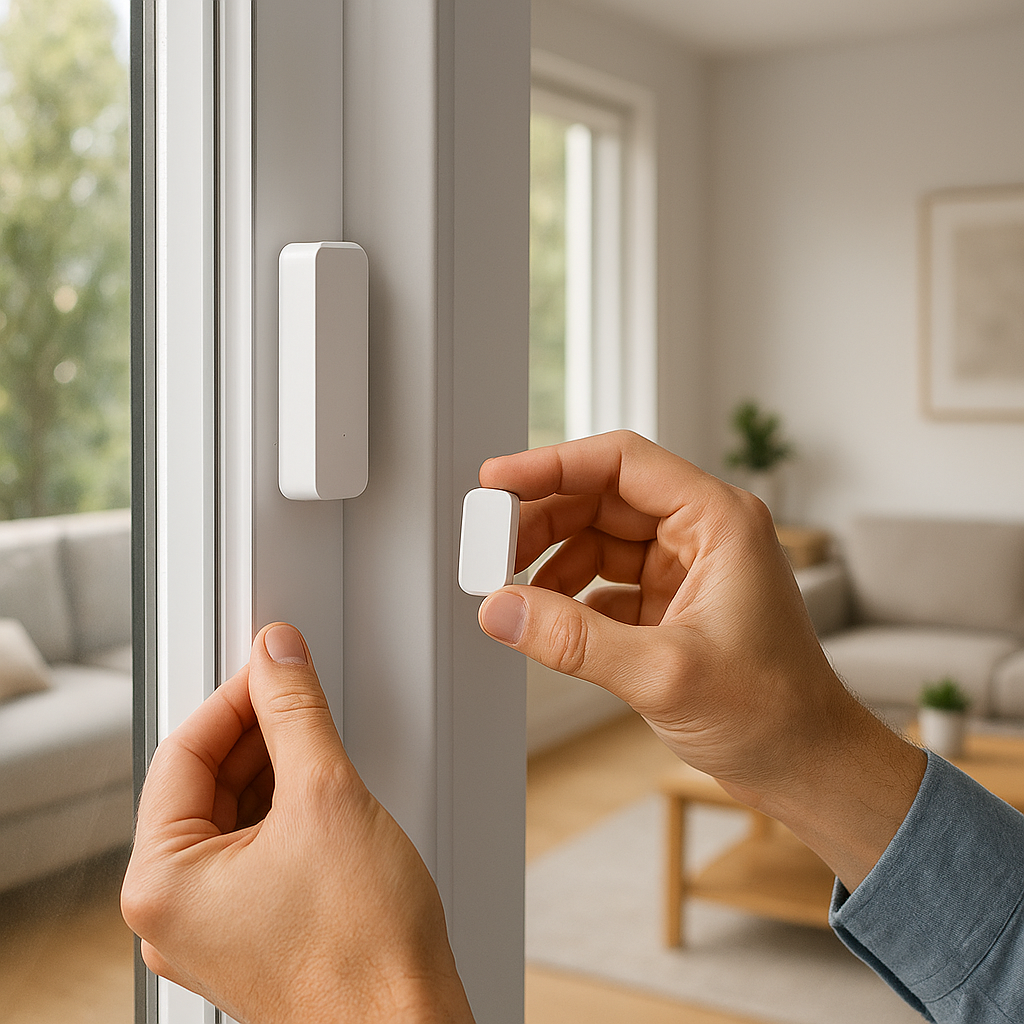
- Turn on an entryway table lamp when the front door opens after dark.
- Turn off hallway floor lamps automatically 5–10 minutes after no motion.
Movie night, gaming, and party scenes with multi‑color lamps
Use your RGB Wi‑Fi lamps to set the mood:
- “Movie night” scene with dimmed warm white plus a soft blue or purple from a corner lamp behind the TV.
- “Gaming” scene with higher brightness and cooler accents around your desk.
- “Party” scene cycling through colors slowly, or pulsing to music if the app supports it.
Using smart lamps as visual alerts for doorbells, cameras, or timers
With routines and integrations, your lamps can act as silent alerts:
- Flash your living room floor lamp when a smart doorbell rings.
- Turn a desk lamp red if a security camera detects motion at night.
- Change your kitchen lamp color when a cooking timer finishes.
Wi‑Fi vs. Matter, Thread, and Zigbee: Future‑Proofing Your Smart Lamps
What it means that your lamp is Wi‑Fi only
A Wi‑Fi‑only lamp connects directly to your router without hubs. That’s convenient, but it also means:
- Each lamp is one more device on your main network.
- Reliability depends on your router’s stability and Wi‑Fi coverage.
- You’re tied to the manufacturer’s app and cloud for some functions.
Pros and cons of Wi‑Fi lamps compared with Matter‑ready devices
Wi‑Fi advantages:
- Easy setup with just a phone and router.
- No extra hubs or bridges to manage.
Matter/Thread/Zigbee advantages:
- Less Wi‑Fi congestion because devices talk through a hub or mesh network.
- Better local control and cross‑platform compatibility under the Matter standard.
If you’re just starting with a few lamps, Wi‑Fi is fine. For larger homes with dozens of devices, Matter or Zigbee‑based systems scale better.
How to avoid cluttered networks and reduce lag
To keep your Wi‑Fi smart lamps responsive:
- Use a modern router that can comfortably handle many clients.
- Place lamps where they have decent signal strength (not behind metal furniture or appliances).
- Consider a separate IoT VLAN or guest network if your router supports it, to isolate smart devices.
- Limit cloud‑heavy automations; use local routines where possible (inside the app or voice assistant).
Troubleshooting Common Wi‑Fi Smart Lamp Problems
Lamp won’t connect to Wi‑Fi or keeps dropping connection
Try the following:
- Confirm you’re using 2.4 GHz, not 5 GHz, for pairing.
- Move the lamp closer to the router temporarily.
- Power‑cycle the lamp (unplug for 10–15 seconds, plug back in).
- Reset the lamp using the button or power‑cycle pattern described in the manual.
- Check for excessive distance or thick walls; consider a mesh Wi‑Fi extender.
App control works but voice assistant doesn’t
Common causes and fixes:
- The skill/service isn’t linked correctly—relink your account in Alexa or Google Home.
- The lamp is named awkwardly—rename it to something easy to say, like “Desk lamp.”
- The lamp isn’t assigned to a room—group it so commands like “turn off bedroom lights” work.
Fixing delayed responses, offline errors, and random turn‑ons
If lamps respond slowly or show as offline:
- Check your internet connection speed and router load.
- Make sure the lamp’s firmware and app are updated.
- Reduce overlapping heavy downloads or streaming when you notice lag.
Random turn‑ons usually come from:
- Conflicting schedules in the app and voice assistant.
- “Power restore” settings that turn the lamp back on after brief outages.
Review and simplify your automations to isolate the cause.
Firmware updates and when to reset your lamp
Check the manufacturer’s app occasionally for firmware updates. These can fix bugs, add scenes, or improve Wi‑Fi stability.
Consider a full reset when:
- The lamp often shows offline while your Wi‑Fi is healthy.
- Settings or scenes won’t save.
- You’re moving the lamp to a new home or Wi‑Fi network.
Safety, Privacy, and Energy Considerations
What data your smart lamp collects and how to lock down your account
Most Wi‑Fi lamps collect:
- Usage data (on/off times, scenes used).
- Device identifiers and IP address.
- App analytics.
Protect your account by:
- Using strong, unique passwords and enabling two‑factor authentication where available.
- Reviewing privacy settings in the app and disabling unneeded analytics or cloud backups.
- Removing devices from your account before selling or giving them away.
Minimizing standby energy usage without losing remote control
Because lamps need standby power for remote control, you can’t cut it completely and still use voice/app control. But you can:
- Avoid leaving rarely used lamps plugged in—unplug them when not needed.
- Use schedules so lamps aren’t left on accidentally for long periods.
- Prefer energy‑efficient LED models with low standby draw.
Surge protectors, overheat protection, and safe placement tips
For safety:
- Plug lamps into quality surge‑protected power strips, especially in storm‑prone areas.
- Don’t cover the lamp’s ventilation openings with fabric or décor items.
- Keep cords out of walkways and secure them with clips or channels.
- Use floor lamps with stable, weighted bases in high‑traffic areas.
How to Choose the Right Wi‑Fi Smart Lamp for Your Room
Matching lamp style and light output to room size and décor
Consider:
- Small bedrooms: One or two compact table lamps (300–600 lumens each) are usually enough.
- Medium living rooms: Combine a main floor lamp (1000+ lumens) with a table lamp for layered lighting.
- Home offices: A focused desk lamp plus an ambient floor lamp works better than a single bright light.
Match finishes and shades to your furniture—black or brushed metal for modern spaces, fabric shades and wood tones for warmer, traditional rooms.
Picking the right color temperature for each space
General suggestions:
- Bedroom and lounge: 2700–3000K for a relaxing feel.
- Kitchen and office: 3500–4500K for clarity without harshness.
- Task corners and hobby areas: Up to 5000K for detailed work.
Tunable‑white lamps let you adjust over time as you learn what feels best to you.
Checklist for comparing models and avoiding common mistakes
Before buying, compare:
- Brightness (lumens) vs. your room size.
- Color options: white‑only, tunable white, or full RGB.
- App ecosystem and voice assistant support.
- Physical controls (touch sliders, buttons) for guests and kids.
- Cord length and base stability.
- Warranty length and customer support reputation.
Avoid the common mistake of buying a cool‑looking lamp that’s either too dim or incompatible with your preferred voice assistant.
Conclusion: Are Wi‑Fi Smart Table and Floor Lamps Worth It?
When integrated Wi‑Fi lamps make more sense than smart bulbs
Integrated Wi‑Fi lamps are worth it when you want a clean, all‑in‑one solution that looks good and just works. They shine in living rooms, bedrooms, and offices where appearance, smooth dimming, and easy control matter more than swapping bulbs around.
Fast upgrade paths if you’re starting your smart lighting setup
If you’re at the beginning of your smart home journey, starting with one or two Wi‑Fi lamps is a low‑risk way to experiment. You can add automations, voice control, and scenes without committing to a whole‑home ecosystem right away.
Recommended next steps and related smart lighting upgrades
Once you’re happy with your lamps, consider expanding with:
- Smart light strips behind TVs and desks.
- Smart switches for existing ceiling lights.
- Motion sensors to trigger lamps automatically.
Start small, learn what you actually use day‑to‑day, and then build out the rest of your smart lighting from there.
FAQ
Do Wi‑Fi smart lamps work if my internet goes down?
Most lamps will still respond to local controls (buttons, touch panels) and sometimes to commands within the manufacturer’s app while your phone is on the same Wi‑Fi network. Cloud features like remote control from outside your home and some voice commands may stop until the internet returns.
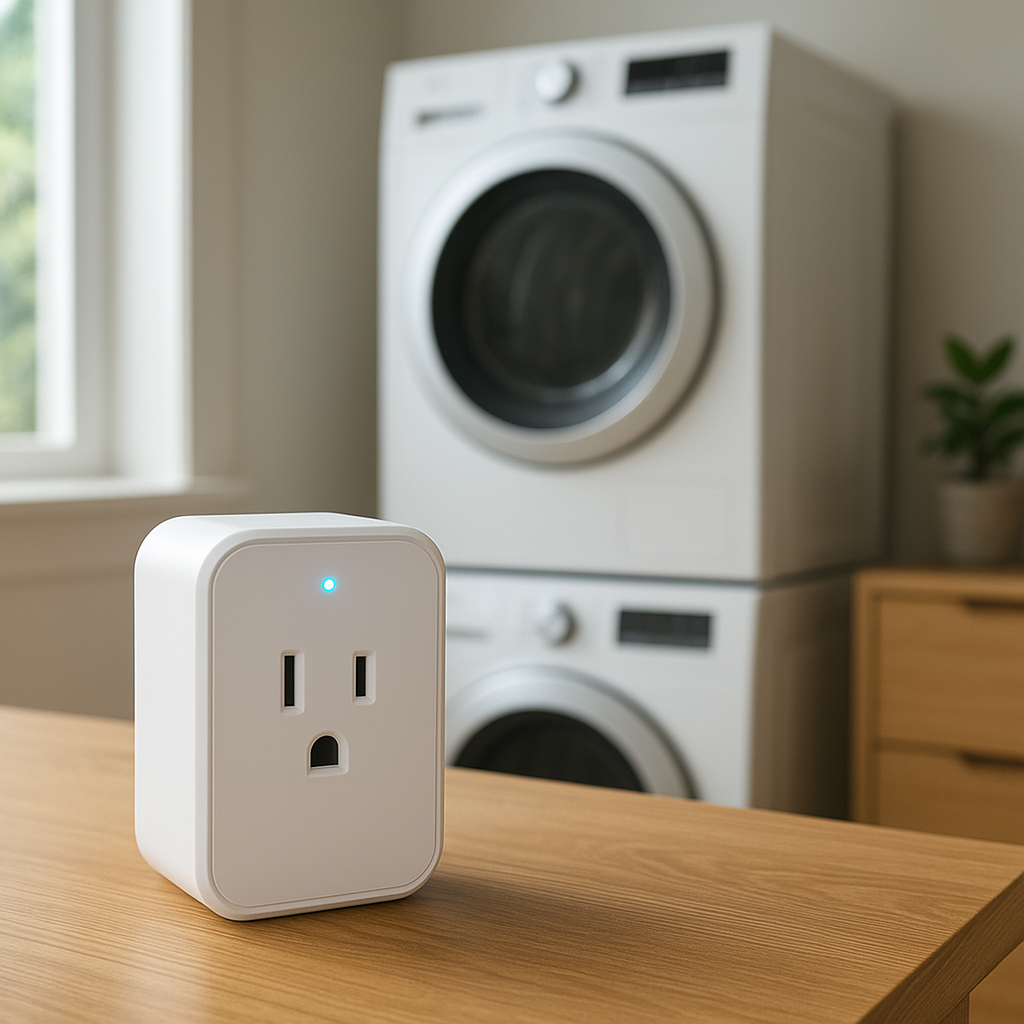
Can I use a smart plug with a Wi‑Fi smart lamp?
You can, but it’s usually not recommended. Cutting power with a smart plug can interfere with schedules, scenes, and firmware updates. It’s better to let the lamp stay powered and control it through the app or voice assistant.
How long do integrated LED smart lamps typically last?
Many integrated LED lamps are rated around 15,000–25,000 hours of use, which can translate to many years in a typical home. Actual lifespan depends on build quality, operating temperature, and how often you run them at full brightness.
Is it safe to leave Wi‑Fi smart lamps on overnight?
With a reputable brand that carries proper safety certifications and isn’t covered or blocked, running the lamp at low or moderate brightness overnight is generally safe. Avoid covering the lamp with fabrics and keep it away from flammable materials.
Can I move my smart lamp to a new Wi‑Fi network easily?
Yes. You’ll typically reset the lamp, remove it from your old app account if needed, then go through the pairing process again on the new Wi‑Fi network. Some apps support changing Wi‑Fi details directly without a full reset, but the exact steps vary by brand.