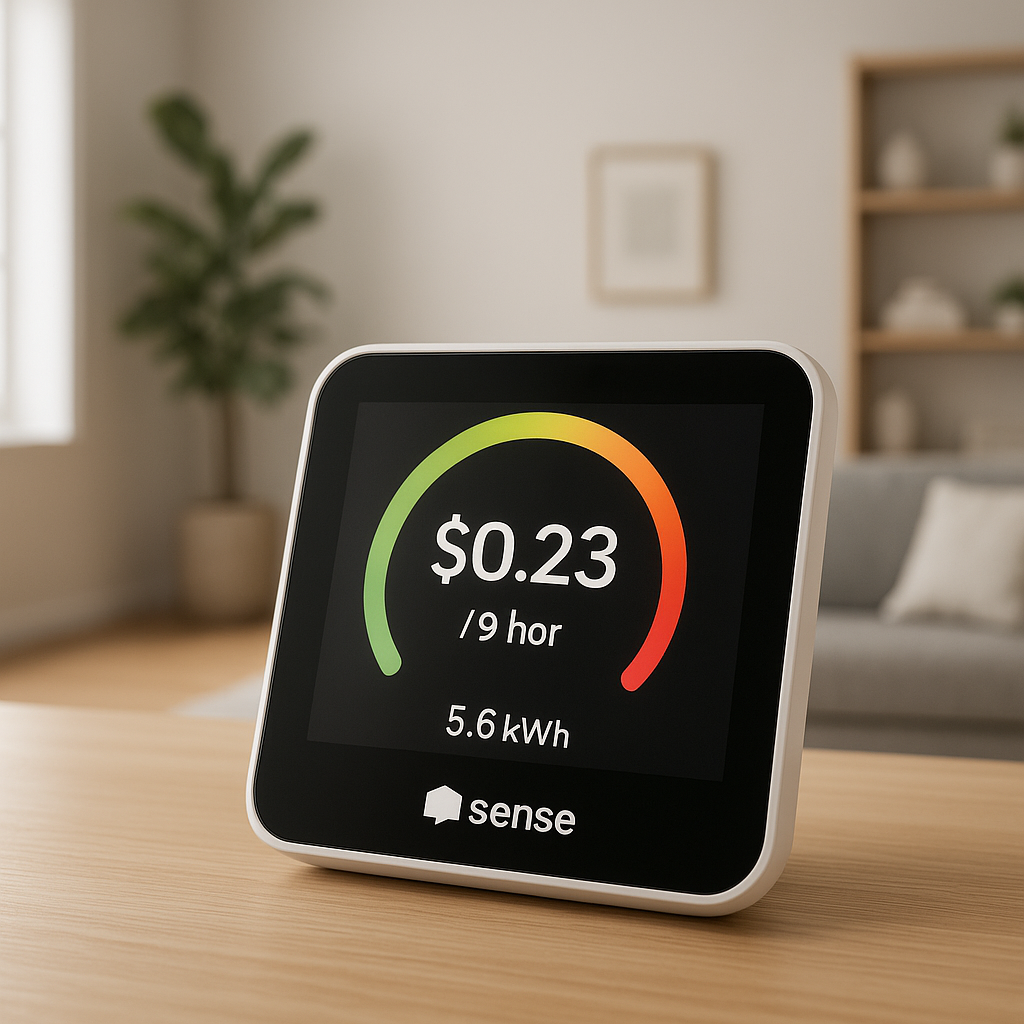
Missing a finished load in the washer is an easy way to end up with musty clothes and wasted time. Smart plugs with energy monitoring can quietly watch your washer or dryer for you and send a “laundry done” alert at just the right moment.
This guide walks through how these plugs work, which models are best for laundry rooms, and how to set them up safely. We’ll focus on practical, real-world setups so you can pick the best smart plug for washer and dryer use in your home and get reliable notifications without overcomplicating your system.
Why Use a Smart Plug with Your Washer and Dryer?
Common laundry hassles smart plugs can solve
Smart plugs with energy monitoring help with several everyday laundry annoyances:
- Forgetting finished loads: Get a phone alert, watch notification, or voice announcement when the washer or dryer actually stops.
- Wasted re-washes: If you constantly re-run cycles because you forgot the clothes, a simple alert can save water, energy, and time.
- Noise and distance: If the laundry is in the basement or garage, you may never hear the end-of-cycle chime. Smart notifications bridge that gap.
- Shared households: Roommates or family can all receive alerts, so anyone nearby can move the laundry along.
- Energy awareness: See how much power laundry actually uses, which helps you choose better cycles and run loads at cheaper times.
How smart plugs turn dumb washers and dryers into connected appliances
Most traditional washers and dryers don’t have Wi‑Fi or apps. A smart plug sits between the appliance and the wall outlet, measuring power use and offering remote control (on supported machines). Here’s what that enables:
- Energy monitoring: The plug measures watts in real time. When the washer is running, usage is high; when it stops, usage drops to standby.
- Automations: You can create rules like “Send a notification when power drops below 5 W for 3 minutes.” That’s your “laundry done” signal.
- Remote checks: Quickly see in the app whether the washer or dryer is still running without walking to the laundry room.
- Smart home integration: Connect to Alexa, Google Assistant, Apple Home, SmartThings, or Home Assistant to trigger lights, announcements, or more complex routines.
For most washers and for 120V compact or gas dryers, a properly rated smart plug gives you most of the “smart appliance” experience for a fraction of the cost.
When a smart plug is better than buying a full smart washer or dryer
Upgrading to a fully smart washer/dryer can be expensive and unnecessary if your current machines work well. A smart plug is a better fit when:
- Your existing appliances are reliable, and you mainly want notifications and basic energy data.
- You’re renting and can’t replace the washer/dryer but still want smart features.
- You’re experimenting with smart home automation and don’t want to commit to major appliances yet.
- You’re preparing for a future appliance upgrade but want “laundry done” alerts right now.
The main reasons to skip the plug and go straight to a smart appliance are advanced features (like remote cycle selection) and support for 240V electric dryers, where most consumer smart plugs cannot safely be used.
Are Smart Plugs Safe for Washers and Dryers?
Power ratings, amperage, and what you must check on the label
Before plugging a washer or dryer into any smart plug, match the ratings on both devices:
- Voltage (V): Most North American washers use 120V. Many electric dryers use 240V. The smart plug must match the appliance voltage.
- Current (A): Common laundry circuits are 15A or 20A. Check the washer label (often on the door frame or back panel) and ensure the plug’s rated current is equal or higher.
- Power (W): Multiply volts × amps to estimate maximum wattage. Many smart plugs are rated around 1,800W (15A at 120V). Heavy-duty plugs may be rated up to 2,300–3,600W in other regions.
If the washer draws close to the plug’s maximum rating, choose a higher-rated plug or a model specifically marketed for high-load appliances. Never daisy-chain power strips or use damaged outlets.
120V vs 240V appliances and why most smart plugs are not for electric dryers
Most full-size electric dryers in North America are 240V and can draw 20–30A or more. Standard Wi‑Fi smart plugs are designed for 120V, 15A circuits with a single small outlet. They simply aren’t built for 240V dryer outlets or their specialized plug types.
Trying to adapt a 120V smart plug to a 240V dryer circuit can be dangerous and may violate electrical codes. For 240V dryers, look instead at:
- Dedicated whole-home or circuit-level energy monitors
- Professional-grade smart relays installed inside the panel
- Smart “clamp-on” sensors that track dryer circuits without modifying wiring
For this guide, we’ll focus on washers and 120V compact or gas dryers that can safely use a properly rated smart plug.
Grounded outlets, GFCI, and using smart plugs in laundry rooms safely
Laundry rooms often combine water, metal appliances, and electricity, so grounding and protection matter:
- Grounded (three-prong) outlets: Your washer and most smart plugs expect a grounded outlet. Avoid using three-to-two-prong adapters.
- GFCI protection: Many laundry outlets use GFCI (ground-fault circuit interrupter) protection to reduce shock risk. The smart plug should go into the GFCI-protected outlet, not the other way around. To learn more about how GFCIs work, see this overview of ground-fault protection.
- Moisture: Keep plugs and outlets away from direct splashes and never operate them with wet hands.
If you’re unsure whether a particular outlet or circuit is appropriate for a smart plug, ask a qualified electrician before installing anything.
Key Features to Look For in the Best Smart Plug for Washer and Dryer
Real-time and historical energy monitoring
For laundry monitoring, energy data is the core feature. Look for:
- Real-time wattage: Lets you see when the washer is filling, agitating, spinning, or idle.
- Daily/weekly reports: Helps you understand how much laundry contributes to your power bill.
- Export options: Some advanced plugs let you export CSV data for deeper analysis.
Popular options with energy monitoring include models from TP‑Link Kasa (such as the KP115), TP‑Link Tapo P110, Emporia Smart Plugs, and Eve Energy (for Apple Home).
Detecting laundry cycles from power usage patterns
Washers and dryers follow distinct power patterns. A good smart plug and app can detect these patterns reliably:
- Washers: Spiky usage during fill and spin, lower draw during tumble, and then a flat standby line at the end.
- Gas dryers: Electric motor plus intermittent gas ignition; power draw cycles but drops sharply when the cycle ends.
- Compact/ventless dryers: Often have long, steady power use that eventually tapers off.
Your “laundry done” automation depends on recognizing the point where usage drops and stays low for a few minutes.
Native “laundry done” alerts vs DIY automations
Some smart plugs or apps now offer built-in “appliance done” notifications. Others require you to build your own rules:
- Native alerts: Easier to set up; the app handles thresholds and timing for you. Good for beginners.
- DIY alerts: Use custom thresholds (e.g., “below 5W for at least 3 minutes”), multiple conditions, or integrations with other devices.
If you’re comfortable tweaking settings, DIY alerts give more control. If you’d rather not think about watts and seconds, prioritize plugs whose apps mention “appliance monitoring” or “laundry alerts” explicitly.
Wi‑Fi vs Thread vs Zigbee: which protocol works best in the basement?
Basements can be tough for wireless signals. Each protocol behaves a bit differently:
- Wi‑Fi: Most common and easiest to set up. If your router is far away, consider a mesh Wi‑Fi system or an extender to improve basement coverage.
- Thread: Newer, low-power mesh protocol used by Eve Energy and others. Nearby Thread devices form a mesh, which often helps in hard-to-reach spots.
- Zigbee: Also mesh-based; plugs can repeat signals for other Zigbee devices. Requires a hub (like SmartThings or a Zigbee USB stick for Home Assistant).
For a single laundry plug and a typical home, a reliable Wi‑Fi plug on a solid mesh network is usually the simplest choice. If you’re already building a Thread or Zigbee ecosystem, choosing a plug that matches your existing gear pays off later.
App quality, cloud vs local control, and data privacy considerations
The app experience is just as important as the hardware:
- Good apps: Make it easy to see energy charts, set thresholds, and create schedules or scenes.
- Cloud vs local: Many budget plugs require cloud accounts to work. Some higher-end plugs (Eve, Shelly, certain Zigbee models) support local control, which can be faster and more private.
- Privacy: Check whether the vendor has a clear privacy policy, regional data centers, and options to disable remote access if you prefer.
If cloud outages concern you, look for plugs that still function locally with platforms like Home Assistant, Apple Home, or SmartThings.
Voice assistant compatibility (Alexa, Google Assistant, Apple Home, SmartThings)
Most people want their laundry alerts to tie into the rest of the smart home. When choosing a plug, check:
- Alexa & Google Assistant: Widely supported. You can trigger routines, announcements, or lights based on plug status.
- Apple Home (HomeKit): Fewer plugs support this. Eve Energy and some Meross models are common HomeKit-compatible choices.
- SmartThings: Many Zigbee and some Wi‑Fi plugs integrate well and are easy to automate.
Match the plug to the ecosystem you already use most, so you’re not juggling multiple apps just for laundry.
Best Smart Plugs for Washers and Dryers with Energy Monitoring
Best overall smart plug for washers with energy monitoring
TP‑Link Kasa KP115 (or similar Kasa energy-monitoring models) is a solid overall choice for many washers:
- Compact, fits next to other plugs
- Rated for 15A at 120V (always confirm your local version’s specs)
- Reliable energy monitoring and easy-to-read graphs
- Good integrations with Alexa, Google Assistant, and SmartThings
The Kasa app makes it straightforward to set a basic “power below X watts = send notification” rule, which is exactly what you need for laundry-done alerts.
Best budget smart plug for basic laundry alerts
If you just want simple notifications and basic energy data without paying extra for advanced features, look for:
- TP‑Link Tapo P110 or similar compact energy-monitoring plugs
- Well-reviewed budget Wi‑Fi plugs with integrated energy tracking
These typically offer fewer charting options and less-polished apps than premium brands but are perfectly capable of monitoring a washer and pinging your phone when power drops at the end of a cycle.
Best smart plug for HomeKit users (Apple Home) in the laundry room
For Apple Home households, Eve Energy is a strong candidate:
- Native Apple Home / HomeKit support
- Thread connectivity on newer models, improving range and reliability
- Local control and no cloud account required
- Energy data visible right in the Eve app and usable in Home automations
You can build automations like “When washer plug power falls below 3W for 5 minutes, send a notification and flash the hallway lights,” all within the Apple Home and Eve ecosystem.
Best smart plug for advanced energy nerds and detailed consumption charts
If you care as much about long-term energy data as you do about alerts, consider plugs and systems that emphasize analytics:
- Emporia Smart Plugs: Integrate with the Emporia app and ecosystem, offering detailed graphs and multi-device comparisons.
- Shelly Plug (plus compatible models): Popular with Home Assistant users for their local API, MQTT support, and granular energy data.
These platforms are ideal if you want to dive into CSV exports, dashboards, and fine-tuned automations beyond basic push notifications.
Setting Up a Smart Plug on Your Washer (Step-by-Step)
Confirming voltage and load before you plug in
Before anything else:
- Check the washer’s data plate for voltage (usually 120V in North America) and amperage.
- Verify the smart plug’s ratings meet or exceed the washer’s requirements.
- Confirm the washer’s plug type matches the smart plug’s outlet (grounded three-prong in most cases).
If the washer’s label is worn off or unclear, consult the manual or manufacturer’s website.
Installing the smart plug and connecting it to Wi‑Fi
Once you’ve confirmed compatibility:
- Unplug the washer from the wall.
- Plug the smart plug into the wall outlet.
- Plug the washer into the smart plug.
- Follow the manufacturer’s app instructions to put the plug into pairing mode and join your Wi‑Fi (or Thread/Zigbee network).
Use a 2.4 GHz Wi‑Fi band if the plug requires it and ensure the signal is strong in the laundry room.
Enabling energy monitoring and naming the device in your app
After pairing:
- Open the plug’s app and confirm that real-time wattage appears when the washer is running.
- Name the device clearly, such as “Washer Plug – Basement.”
- Enable any built-in energy monitoring or appliance-detection options.
A clear name helps when you later create automations in Alexa, Google Home, Apple Home, or Home Assistant.
Testing a wash cycle to capture baseline energy patterns
Run a normal load while watching the energy graph:
- Note the typical running wattage (e.g., 400–800W during agitation and spin).
- Observe the standby wattage at the end of the cycle (often under 5–10W).
- Measure how long the power stays low after the cycle finishes.
Use these observations to pick a good threshold (for example, “below 6W for at least 3 minutes”) for your “laundry done” automation.
Setting Up a Smart Plug on Your Dryer (And When You Shouldn’t)
Using smart plugs with 120V compact or gas dryers
Many gas dryers and some compact electric dryers use 120V and have a standard plug. For these:
- Repeat the same safety checks as for the washer: voltage, amperage, and plug type.
- Plug the dryer into a properly rated smart plug.
- Test a full drying cycle and watch the power pattern to set a good threshold.
Gas dryers often have lower power draw than full electric models, so thresholds may be different from the washer.
Why you should not use regular smart plugs with 240V electric dryers
Standard 240V electric dryers:
- Use special high-current outlets and thicker wiring.
- Can exceed the safe ratings of consumer-grade smart plugs.
- Often require dedicated 30A circuits.
Adapters and workarounds are risky. If a smart plug is not clearly rated and listed for 240V dryer use, do not attempt to use it with a full-size electric dryer.
Alternatives for monitoring a 240V dryer (smart relays, energy monitors, pro install)
To get similar data from a 240V dryer without using a standard plug, consider:
- Whole-home monitors: Systems with clamp-on sensors for individual circuits.
- Panel-based smart relays: Installed by an electrician inside the electrical panel to monitor the dryer circuit.
- Smart breakers: Some modern panels offer breakers that report energy usage.
These options cost more and usually require professional installation, but they’re the appropriate path for 240V appliances.
Creating ‘Laundry Done’ Alerts Using Energy Monitoring
How laundry-done alerts work based on power drop detection
The basic logic is the same across most systems:
- While the appliance runs, power usage stays above a certain level.
- When the cycle ends, usage drops sharply to a low standby value.
- The automation watches for that drop and waits a short delay to avoid false positives.
- After the delay, it triggers a notification or other action.
The key variables are the wattage threshold and how long power must stay low to count as “done.”
Example automation in a smart plug app (notification when power falls below X watts)
In a typical smart plug app, you might:
- Create a new automation or rule.
- Set the trigger as “Power < 6W for 3 minutes” on the washer plug.
- Choose the action “Send push notification: ‘Washer cycle finished.’”
- Optionally add a second action, like turning on a hallway light for 5 minutes.
Adjust the wattage threshold and delay based on your earlier test cycle so the alert fires reliably at the end of the wash.
Setting alerts in Alexa Routines or Google Home automations
If your plug supports Alexa or Google Home, you can push some logic into those platforms:
- Alexa: Use “When smart plug power changes” (if supported) as a trigger, then add conditions and an announcement on specific Echo speakers.
- Google Home: For compatible plugs, you can build routines that react to device state and send notifications or control lights.
Capabilities vary by brand; if direct power-based triggers aren’t available, you may keep the threshold logic in the plug’s app and let Alexa/Google handle announcements once it flips a virtual switch or scene.
Using Home Assistant or HomeKit for advanced laundry notifications
For power users:
- Home Assistant: Reads real-time wattage from many plugs and lets you build automations like “if washer power < 10W for 180 seconds, then send mobile notification, flash lights, and log to a dashboard.”
- Apple Home: With a HomeKit-enabled plug, you can create automations based on accessory power state or use the Eve app for more detailed conditions.
These platforms are ideal if you want complex conditions, multiple notification types, or detailed dashboards for laundry activity.
Creative Notification Ideas So You Never Forget Laundry Again
Phone push notifications and smart watch alerts
The simplest approach is often best:
- Enable push notifications to your phone in the plug’s app.
- Allow those notifications on your smartwatch, so your wrist vibrates when the load is done.
- Use clear wording like “Basement washer is done – move clothes to dryer.”
This works well in busy households where you might not hear a chime or speaker announcement.
Flashing smart lights or changing bulb colors when laundry finishes
Visual cues are handy if you often have headphones on or prefer quiet alerts:
- Flash a nearby smart bulb three times when the washer finishes.
- Change your kitchen lights to green for one minute when the dryer is done.
- Turn on a hallway light by the basement stairs whenever a cycle completes.
Pairing the plug with devices from Philips Hue, Nanoleaf, or similar brands makes these effects easy to set up in most ecosystems.
Announcements on smart speakers: “Your laundry is done”
Voice announcements are effective in larger homes:
- Create an Alexa Routine triggered by your laundry-done virtual switch or scene.
- Have specific Echo or Google Nest speakers announce “Washer is done” or “Dryer is finished – please empty it.”
- Limit announcements to rooms where they’re genuinely helpful, like the kitchen or living room.
These audible reminders are especially useful if your phone isn’t always nearby.
Quiet hours and avoiding notification overload
Too many alerts can make you ignore them all. To keep notifications helpful:
- Use “Do Not Disturb” or quiet hours so laundry alerts don’t fire late at night.
- Turn off redundant alerts (e.g., choose either phone + watch, not three separate apps).
- Consider different alert types for washer vs dryer so you can tell them apart at a glance.
Dialing in notifications early keeps your system useful instead of annoying.
Using Smart Plugs for Laundry Energy Savings
Tracking washer and dryer energy usage over weeks and months
Energy-monitoring plugs make your laundry costs visible:
- Review weekly and monthly kWh reports in your plug’s app.
- Compare how often you run the washer versus the dryer.
- Spot trends such as heavy weekend usage or frequent small loads.
By understanding your baseline, you can experiment with ways to cut consumption.
Finding the most efficient wash programs and temperatures
Not all wash cycles use the same power:
- Compare energy usage of quick-wash vs normal vs heavy-duty cycles.
- Track the difference between hot and cold water cycles.
- See whether extra rinse options significantly extend run time.
Combined with guidance from resources like ENERGY STAR’s advice on efficient clothes washing, your plug’s data can help you pick settings that balance cleaning performance and energy use.
Estimating laundry costs and spotting wasteful habits
To turn kWh into dollars:
- Multiply laundry kWh by your electricity rate (shown on your bill).
- Estimate cost per load and per month.
- Identify habits like frequent tiny loads or extra drying cycles that drive up costs.
A few simple tweaks, like combining half-loads or using sensor-dry programs, often cut laundry-related energy costs noticeably.
Combining with off-peak utility rates and schedules
If your utility offers cheaper off-peak electricity:
- Use the plug’s scheduling features to run certain cycles during off-peak times (when safe and practical).
- Combine smart washer alerts with calendar reminders so you remember to start loads before off-peak windows close.
- Track whether shifting loads actually reduces your bill over a month or two.
Even if your washer can’t be started remotely, energy monitoring helps you plan laundry sessions around your rate schedule.
Troubleshooting Common Smart Plug Laundry Issues
Smart plug goes offline in the basement: Wi‑Fi and range fixes
If your plug keeps dropping offline:
- Check Wi‑Fi signal strength in the laundry room using your phone.
- Add a mesh Wi‑Fi node or extender closer to the laundry area.
- Avoid metal shelving or large objects blocking the outlet if possible.
- Consider a Thread or Zigbee plug if you already use those mesh systems.
Stable connectivity is essential for reliable alerts.
Laundry done alerts are delayed or never fire
If alerts seem off:
- Re-check the wattage threshold; it may be too low or too high.
- Shorten or lengthen the delay time to better match your washer’s final spin and drain.
- Confirm the app is allowed to send notifications and isn’t being blocked by battery optimization settings on your phone.
Running another test cycle while watching the graph often reveals where your current settings are missing the mark.
Washer or dryer won’t start when plugged into a smart plug
If the appliance suddenly won’t power on through the plug:
- Make sure the smart plug itself is turned on in the app.
- Verify that the plug’s maximum current rating isn’t being exceeded when the motor starts.
- Try plugging the appliance directly into the wall; if it still fails, the issue is with the appliance, not the plug.
- Check that the outlet and plug are not overheating; if they are warm or hot, unplug and consult an electrician.
Some washers also dislike sudden power cuts; avoid using the plug’s on/off feature as a regular way to stop cycles.
Dealing with false positives from spin cycles or pause modes
False “done” alerts often happen when:
- The washer pauses mid-cycle (soak mode, load balancing).
- The dryer cycles the heater off temporarily.
- Power draw briefly dips below your threshold.
To fix this:
- Increase the delay so power must stay low longer (e.g., 5–10 minutes).
- Lower the wattage threshold slightly if your standby level is very low.
- Use automations that require power to be “low and stable,” not just a momentary dip.
Privacy, Security, and Data Considerations
What energy data your smart plug collects about your laundry habits
Smart plugs can infer household routines from energy patterns:
- When you usually run laundry (evenings, weekends, late night).
- How many loads you run per week.
- Whether you’re frequently away or on vacation (no laundry activity).
While this is useful for you, it’s worth understanding that such patterns may be stored on vendor servers if the plug is cloud-connected.
Cloud accounts, remote access, and securing your smart home network
To keep things secure:
- Use strong, unique passwords for your smart plug and smart home accounts.
- Enable two-factor authentication where available.
- Keep your router firmware updated and consider a dedicated IoT network or guest network for smart devices.
Remote access is convenient, but you should always balance that against your comfort level with cloud-connected devices.
Choosing brands with good update policies and long-term support
Smart plugs are inexpensive, but you don’t want them abandoned after a year:
- Look for brands that publish firmware update notes and have an active support site.
- Check how long current models have been supported and updated.
- Prefer vendors with a track record in networking or smart home gear over generic brands with little documentation.
Reliable updates help ensure compatibility with ecosystems like Alexa, Google Home, and Matter as they evolve.
Is a Smart Plug Enough, or Should You Get a Smart Washer/Dryer?
Pros and cons of upgrading only with a smart plug
Pros:
- Much cheaper than replacing appliances.
- Easy to install and remove, ideal for renters.
- Provides core benefits: “done” alerts and energy monitoring.
Cons:
- No remote cycle selection or detailed diagnostic codes.
- Dependence on a separate app for settings and graphs.
- Limited options for 240V electric dryers.
For many households, a smart plug is enough to solve the biggest everyday problem: forgetting finished laundry.
When it makes sense to invest in a fully smart appliance
Consider a full smart washer/dryer when:
- Your current machines are old, inefficient, or unreliable.
- You want features like automatic detergent dosing, fabric-specific programs, or remote start/pause.
- You’re renovating and planning for a fully integrated smart laundry room.
Smart appliances can also report specific error codes and maintenance needs, which smart plugs can’t provide.
Future-proofing your laundry room and automation setup
To keep your setup flexible:
- Choose smart plugs that support common standards (Matter, Thread, or widely used ecosystems).
- Document your automations so you can recreate them if you replace a plug or appliance.
- Design notifications and routines that can be reused with a future smart washer/dryer.
A well-chosen smart plug for washer and dryer use today can easily become part of a larger, more advanced smart laundry setup later.
Final Recommendations: Choosing the Best Smart Plug for Your Laundry
Quick decision guide by budget and ecosystem
Here’s a simple way to decide:
- Most users (Wi‑Fi, Alexa/Google): A 15A Wi‑Fi plug with energy monitoring such as TP‑Link Kasa KP115.
- Budget-focused: A reputable, well-reviewed compact plug like TP‑Link Tapo P110 or similar.
- Apple Home users: Eve Energy with Thread for reliable HomeKit integration.
- Data enthusiasts / Home Assistant: Emporia or Shelly plugs with detailed energy data and local APIs.
Essential safety checklist before you buy
Before placing a plug in your cart, confirm:
- Appliance voltage and amperage match the plug’s ratings.
- You’re not trying to use a standard plug with a 240V electric dryer.
- The outlet is grounded and, where required, GFCI-protected.
- The brand has clear documentation and support.
If anything is uncertain about compatibility or load, consult an electrician.
Must-have settings for reliable laundry-done alerts from day one
Once the plug is installed:
- Run one or two test cycles to learn typical running and standby wattages.
- Set a threshold slightly above standby (e.g., 5–10W) and a delay (3–10 minutes) to avoid false alerts.
- Enable phone and watch notifications, and optionally add a light flash or speaker announcement.
- Review after the first week and fine-tune thresholds or delays if alerts fire too early or too late.
With a bit of initial tuning, a good smart plug quietly handles the boring part of laundry: remembering when it’s done.
FAQ
Can I use one smart plug for both my washer and dryer?
You should not plug both into the same smart plug or power strip. Each high-load appliance needs its own properly rated outlet and, if monitored, its own dedicated smart plug. Sharing a plug can overload it and create a fire risk.
Will a smart plug void my washer or dryer warranty?
Most manufacturers don’t explicitly forbid smart plugs, but they also don’t officially endorse them. Using a plug that meets electrical ratings and doesn’t modify the appliance wiring is usually acceptable. If you’re concerned, check your appliance’s warranty terms or contact the manufacturer.
Do I have to keep the smart plug’s app open for alerts to work?
No. Once the plug and automations are set up, alerts are handled by the plug’s cloud, your home hub, or your phone’s notification system. Just make sure background activity and notifications are allowed for the relevant apps.
Can a smart plug start my washer or dryer remotely?
In most cases, no. Turning the plug on only provides power; if the appliance isn’t designed to resume a cycle automatically after a power cut, it will just sit idle. For safety reasons, you generally shouldn’t rely on power-cycling a smart plug to start laundry.
How long do smart plugs typically last in a laundry room?
A quality smart plug, used within its ratings, can last for years. Laundry rooms are harsher environments due to humidity and temperature swings, so choose a plug from a reputable brand, keep it dry, and occasionally check it for discoloration or heat. If you notice any damage or overheating, replace it.